1. Product Overview
The Moman RS-H4P Motorcycle Helmet Headset is designed to provide enhanced audio and communication for solo riders. It features Bluetooth 5.1 connectivity, Hi-Fi speakers with improved bass, dual noise cancellation, and an integrated FM radio. The headset is built for durability with IPX6 waterproof rating and offers convenient features like AI voice control and automatic call answering.

Image 1.1: Moman RS-H4P Headset with its packaging and included components.
2. What's in the Box
The Moman RS-H4P package includes the following components:
- Moman RS-H4P Headset Unit
- Replaceable Microphone Speakers (Boom Mic and Soft Mic options)
- Back Clip (for mounting)
- Hexagon Key (for installation)
- Type-C Charging Cable
- Tape Kit (adhesive pads for speakers)
- User Manual (this document)

Image 2.1: All accessories included with the Moman RS-H4P headset.
3. Setup and Installation
Installing the Moman RS-H4P headset into your motorcycle helmet involves a few key steps to ensure proper fit and functionality. The headset is compatible with full-face, modular, and motocross helmets.
3.1 Speaker and Microphone Installation
- Prepare the Helmet: Carefully remove the helmet's neck pad and any other removable padding to access the inner shell. This provides sufficient space for speaker and cable routing.
- Install Speakers: Place the 40mm Hi-Fi speakers into the helmet's ear pockets. Use the provided adhesive pads to secure them firmly. Ensure the speakers are positioned directly over your ears for optimal sound quality.
- Choose and Install Microphone: The RS-H4P comes with two microphone options: a boom mic and a soft mic.
- For open-face or modular helmets, the boom mic is generally recommended. Attach it to the inside of the helmet near your mouth using adhesive.
- For full-face helmets, the soft mic can be discreetly installed within the helmet's chin bar padding.
- Route Cables: Carefully route all speaker and microphone cables within the helmet's padding and along the helmet's interior edges. Ensure cables are tucked away and do not interfere with comfort or helmet fit.
3.2 Main Unit Mounting
- Attach Mounting Clip: Secure the back clip to the side of your helmet, typically on the left side, using the provided hexagon key to tighten it. Ensure it is firmly attached and does not obstruct the helmet's visor mechanism.
- Mount Headset Unit: Slide the Moman RS-H4P main unit onto the attached back clip until it clicks securely into place.
- Connect Cables: Plug the speaker and microphone cables into the corresponding ports on the main headset unit.
Video 3.1: Detailed installation instructions and unboxing of the Moman RS-H4P headset.

Image 3.1: The Moman RS-H4P headset mounted on a motorcycle helmet.
4. Operating Instructions
The Moman RS-H4P headset is designed for intuitive operation, even with gloves on, thanks to its ergonomic button layout and AI voice control.
4.1 Button Functions

Image 4.1: Overview of the Moman RS-H4P headset's precise function and easy control buttons.
| Button/Function | Description |
|---|---|
| On/Off / Play / Call Answer | Press and hold to power on/off. Short press to play/pause music or answer/end calls. |
| Volume - / Previous Button | Short press to decrease volume. Long press for previous track. |
| Volume + / Next Button | Short press to increase volume. Long press for next track. |
| FM Radio | Activate or deactivate FM radio. Tune into saved channels. |
| Voice Assistant | Activate AI voice control (Siri, OK Google, S-Voice) for hands-free commands. |
4.2 Bluetooth Connectivity (BT 5.1)
The RS-H4P utilizes advanced BT 5.1 technology for stable and fast connections. It supports dual-phone sync, allowing you to connect two smartphones simultaneously for managing navigation, calls, and music.
To pair your device:
- Ensure the headset is powered off.
- Press and hold the power button until the indicator light flashes, indicating pairing mode.
- On your smartphone, search for "Moman RS-H4P" in the Bluetooth settings and select to pair.
- Repeat for a second device if dual-phone sync is desired.

Image 4.2: Visual representation of advanced BT 5.1 technology for enhanced stability, reduced energy consumption, and increased transmission rate.
4.3 Audio Features
Experience powerful Hi-Fi stereo sound with 20% louder volume and 30% enhanced deep bass. The 40mm high-fidelity speakers deliver clear audio. Dual noise cancellation, combining an intelligent chip and a windproof mic, ensures crystal-clear calls even at high speeds.

Image 4.3: Diagram illustrating the intelligent noise reduction capabilities of the Moman RS-H4P headset, showing noise reduction at 100km/h.
4.4 FM Radio
The built-in FM radio allows you to tune into your favorite stations without relying on your phone. The headset can save up to 10 channels within the 76-108MHz frequency range.

Image 4.4: Visual guide to the FM radio functionality, showing various frequencies and the ability to save up to 10 channels.
4.5 AI Voice Control & Auto Answer
Command your music, calls, and navigation hands-free using AI voice control. The 10-second auto-answer feature ensures you don't miss important calls while riding, enhancing safety.

Image 4.5: Illustration of the headset's hands-free convenience, including AI voice assistant integration (Siri, OK Google, S-Voice), automatic call answering, and music control.
5. Maintenance
To ensure the longevity and optimal performance of your Moman RS-H4P headset, follow these maintenance guidelines:
- Cleaning: Wipe the headset unit and speakers with a soft, damp cloth. Avoid using harsh chemicals or abrasive cleaners.
- Charging: Always power off the headset before charging to prevent startup failures. Use the provided Type-C charging cable.
- Storage: Store the headset in a cool, dry place when not in use. Avoid extreme temperatures.
- Water Resistance: The headset boasts an IPX6 waterproof rating, making it resistant to strong jets of water. While it can withstand rain, avoid submerging it in water. It is also dust and sand resistant.
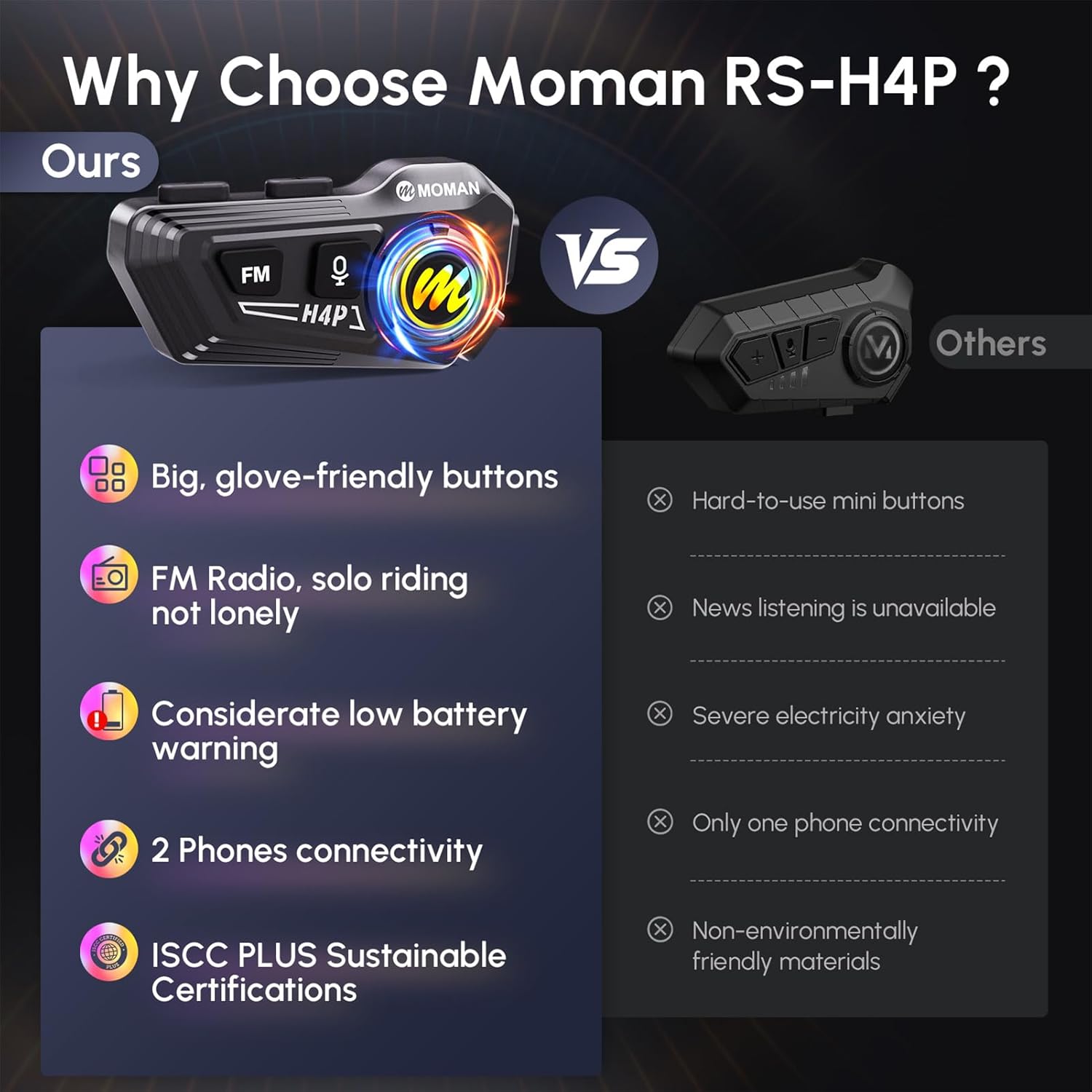
Image 5.1: Features highlighting the headset's IPX6 waterproof, dustproof, and drop-resistant capabilities.
6. Troubleshooting
If you encounter issues with your Moman RS-H4P headset, refer to the common problems and solutions below:
| Problem | Solution |
|---|---|
| Headset does not power on after charging. | Always ensure the headset is powered off before connecting it to the charger. |
| Headset is not charging. | Verify that the charging cable is properly connected to the charging port (not the microphone interface). Ensure the power source is active. |
| Poor sound quality at high speeds. | Ensure speakers are correctly positioned over your ears and cables are not pinched. Verify microphone placement for optimal voice pickup and noise cancellation. |
| Cannot connect to Bluetooth. | Ensure the headset is in pairing mode. Turn off and on Bluetooth on your device. Try forgetting the device on your phone and re-pairing. |
| No intercom function. | Note: The Moman RS-H4P does not support intercom functionality and cannot pair with other headsets for rider-to-rider communication. |

Image 6.1: Common questions and answers regarding the Moman RS-H4P headset, including notes on intercom functionality and charging.
7. Specifications
| Feature | Detail |
|---|---|
| Model Name | RS-H4P |
| Connectivity Technology | Wireless (Bluetooth 5.1) |
| Battery Capacity | 1000mAh |
| Battery Life | Up to 32 hours (working time), 360 hours (standby time) |
| Charging Time | Approx. 2 hours |
| Water Resistance Level | IPX6 Waterproof |
| Noise Control | Active Noise Cancellation |
| Speaker Size | 40mm High-Fidelity Speakers |
| Control Method | Voice, Button |
| FM Radio | Built-in (76-108MHz, save up to 10 channels) |
| Item Weight | 190 Grams (6.7 ounces) |
| Compatible Helmets | Full-Face, Modular, Motocross Helmets |

Image 7.1: Comparison of Moman RS-H4P battery specifications with other products, highlighting 1000mAh capacity and 32 hours working time.
8. Warranty and Support
Moman products are designed for quality and reliability. For warranty information, technical support, or service inquiries, please refer to the official Moman website or contact their customer service directly. Keep your purchase receipt for warranty claims.
The Moman RS-H4P headset is ISCC PLUS Sustainable Certified, reflecting its environmentally friendly manufacturing process.


