
1. Introduction
Thank you for choosing the EIGHTREE Mini Smart WiFi Plug. This device allows you to control your home appliances remotely, monitor energy consumption, and integrate with popular smart home platforms like Amazon Alexa, Google Assistant, and SmartThings. Please read this manual carefully before use to ensure proper operation and safety.
2. Safety Information
- For indoor use only. Do not expose to moisture or extreme temperatures.
- Do not disassemble or modify the device.
- Ensure the plug is securely inserted into a power outlet.
- Do not exceed the maximum load rating of 10A / 230V.
- Keep out of reach of children.
- The device features overload protection, short-circuit protection, flame-retardant material, and a child-proof design for enhanced safety.

Figure 2.1: Safety Features of the EIGHTREE Mini Smart WiFi Plug.
3. Package Contents
- 1 x EIGHTREE Mini Smart WiFi Plug
- 1 x User Manual
4. Product Overview
The EIGHTREE Mini Smart WiFi Plug is designed for compact size, allowing multiple plugs to be used side-by-side in power strips without obstruction.

Figure 4.1: EIGHTREE Mini Smart WiFi Plug with Energy Monitoring App Interface.

Figure 4.2: Compact Size of the EIGHTREE Mini Smart WiFi Plug.
5. Setup
- Download the Smart Life App: Search for "Smart Life" in your smartphone's app store (App Store for iOS or Google Play Store for Android) and download the application.
- Register/Log In: Open the Smart Life app and register a new account or log in if you already have one.
- Plug in the Smart Plug: Insert the EIGHTREE Mini Smart WiFi Plug into a standard wall outlet. The indicator light on the plug should start blinking rapidly. If it does not, press and hold the power button on the plug for 5 seconds until it blinks rapidly.
- Add Device in App:
- Open the Smart Life app and tap the "Add Device" or "+" icon in the top right corner.
- Select "Electrical" then "Socket (Wi-Fi)" or "Plug (Wi-Fi)".
- Confirm that the indicator light on the plug is blinking rapidly.
- Enter your 2.4 GHz Wi-Fi network password. Note: The smart plug only supports 2.4 GHz Wi-Fi networks. Ensure your phone is connected to a 2.4 GHz network during setup.
- The app will begin searching for the device. Once found, you can rename the plug for easier identification (e.g., "Living Room Lamp").
- Complete Setup: Follow any additional on-screen prompts in the app to complete the setup process.
6. Operating Instructions
6.1. Manual Control
You can manually turn the smart plug on or off by pressing the physical button on the device. The indicator light will change state (e.g., blue for on, off for off) to show its status.
6.2. APP Remote Control
Once connected to the Smart Life app, you can control the plug from anywhere with an internet connection. Open the app, select your smart plug, and tap the power icon to toggle it on or off.
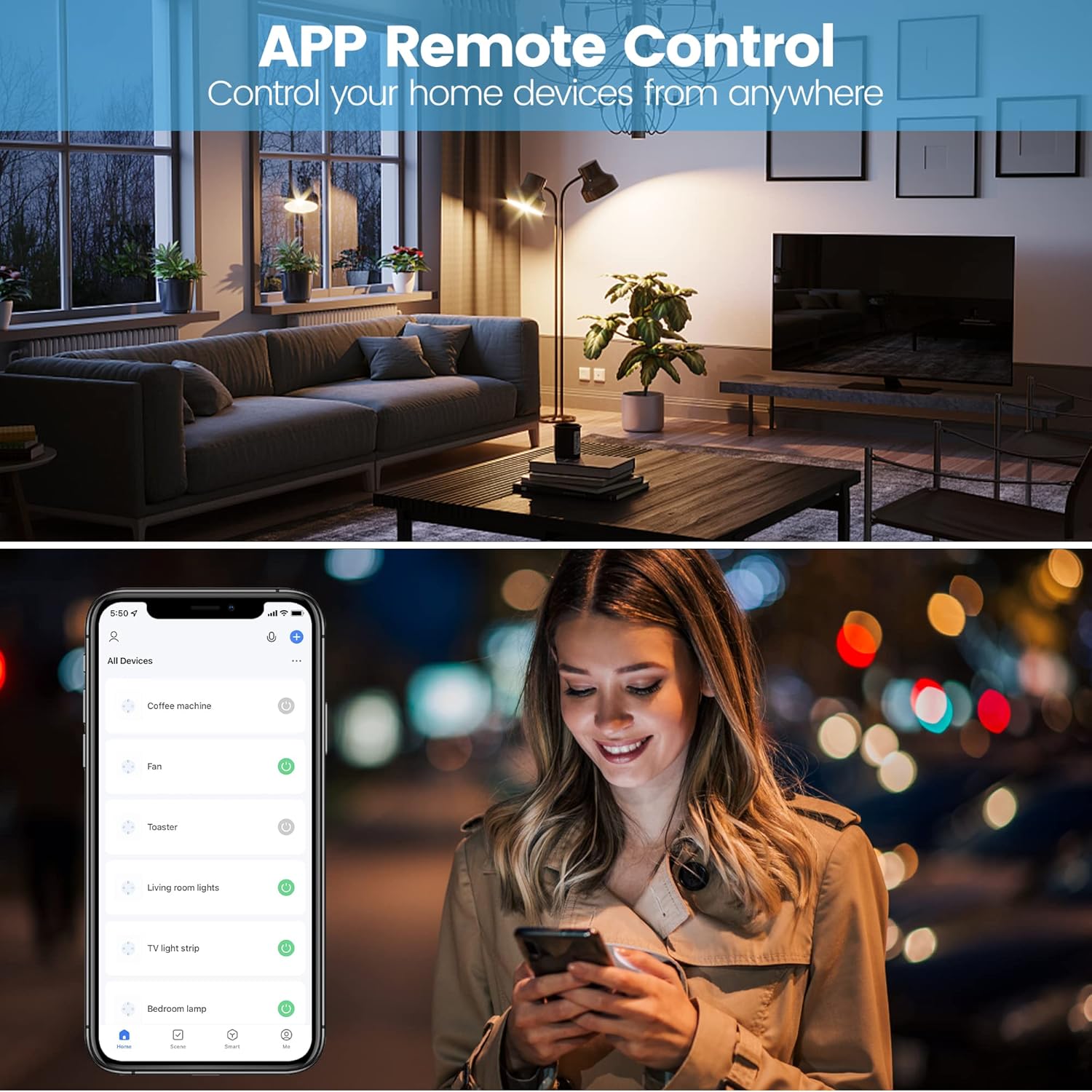
Figure 6.1: Remote Control via Smart Life App.
6.3. Energy Monitoring
The EIGHTREE Mini Smart WiFi Plug features energy consumption tracking. Through the Smart Life app, you can view real-time power usage, daily, weekly, or monthly consumption statistics, and estimate your electricity bill.

Figure 6.2: Energy Monitoring Interface in Smart Life App.
6.4. Voice Control
The smart plug is compatible with Amazon Alexa, Google Assistant, and SmartThings. To enable voice control, link your Smart Life account within the respective smart assistant's app.
Example Voice Commands:
- "Alexa, turn on [Plug Name]."
- "Hey Google, turn off [Plug Name]."
- "Alexa, set [Plug Name] to 50%." (If applicable for dimmable devices connected to the plug)
6.5. Set Timers & Schedule
You can set schedules and timers for your smart plug through the Smart Life app to automate your devices. This allows you to turn appliances on or off at specific times, or after a set duration.

Figure 6.3: Setting Timers and Schedules in the Smart Life App.
7. Maintenance
- Ensure the plug is disconnected from power before cleaning.
- Wipe the device with a soft, dry cloth. Do not use liquid cleaners or aerosols.
- Avoid exposing the device to direct sunlight or extreme temperatures.
8. Troubleshooting
| Problem | Possible Cause / Solution |
|---|---|
| Plug not connecting to Wi-Fi. |
|
| Voice control not working. |
|
| Energy monitoring data is incorrect or not updating. |
|
9. Specifications
- Model Number: ET20-1
- Dimensions (L x W x H): 5.2 x 7.8 x 5.1 cm
- Weight: 70 grams
- Material: Plastic
- Operating Voltage: 230 Volts
- Current Rating: 10 Amperes
- Wireless Type: Wi-Fi 2.4 GHz (IEEE 802.11 b/g/n)
- Operating Mode: Automatic and Manual
- Compatibility: Amazon Alexa, Google Assistant, SmartThings
10. Warranty and Support
EIGHTREE products come with a standard manufacturer's warranty. For detailed warranty information or technical support, please refer to the warranty card included with your product or visit the official EIGHTREE website. You may also contact your retailer for assistance.
For common questions and troubleshooting, please refer to the troubleshooting section of this manual or the FAQ section on the EIGHTREE support page.


