
ThermoPro TX-2C
ThermoPro TX-2C Remote Sensor Instruction Manual
Model: TX-2C
1. Product Overview
The ThermoPro TX-2C is a wireless remote sensor designed to extend the monitoring capabilities of compatible ThermoPro thermometer hygrometer main units. It accurately measures temperature and humidity, transmitting data wirelessly to the main unit. This sensor can be used both indoors and outdoors.

Figure 1: Front view of the ThermoPro TX-2C Remote Sensor, displaying "REMOTE SENSOR 868MHz WIRELESS" and the ThermoPro logo.
2. Key Features
- Wireless Transmission: Operates on 868MHz frequency for reliable data transmission.
- Extended Range: Can transmit data up to 150 meters (500 feet) in an open area to the main unit.
- Versatile Placement: Suitable for both indoor and outdoor environments.
- High Accuracy: Provides temperature readings with an accuracy of ±1.1°C (±2°F) and humidity readings with an accuracy of ±2-3% RH.
- Durable Design: Rainproof construction for outdoor use.
- Flexible Mounting: Features a magnetic back and a wall-hanging hole for various placement options.
- Battery Powered: Requires 2 AAA batteries (included).

Figure 2: The ThermoPro TX-2C sensor mounted on the exterior of a house, illustrating its rainproof design for outdoor use.

Figure 3: The sensor shown in both winter and summer settings, highlighting its ability to monitor temperatures in cold and hot weather, with an outdoor temperature range of -20°C to 70°C.
3. Package Contents
- 1 x ThermoPro TX-2C Remote Sensor
- 2 x AAA Batteries
- 1 x Instruction Manual (this document)

Figure 4: The ThermoPro TX-2C remote sensor, its packaging, and the included AAA batteries.
4. Compatibility
The TX-2C remote sensor is designed as an extension or replacement sensor for specific ThermoPro main units. It is compatible with the following models:
- ThermoPro TP200C
- ThermoPro TP60C
- ThermoPro TP65C
Important Note:
If your ThermoPro temperature and humidity meter is an older model (e.g., TP-60S, TP-65, TP-65S, indicated on the packaging), please ensure you purchase the correct remote sensor (ASIN: B0711T22R6). Using an incompatible sensor may result in the device not functioning correctly.
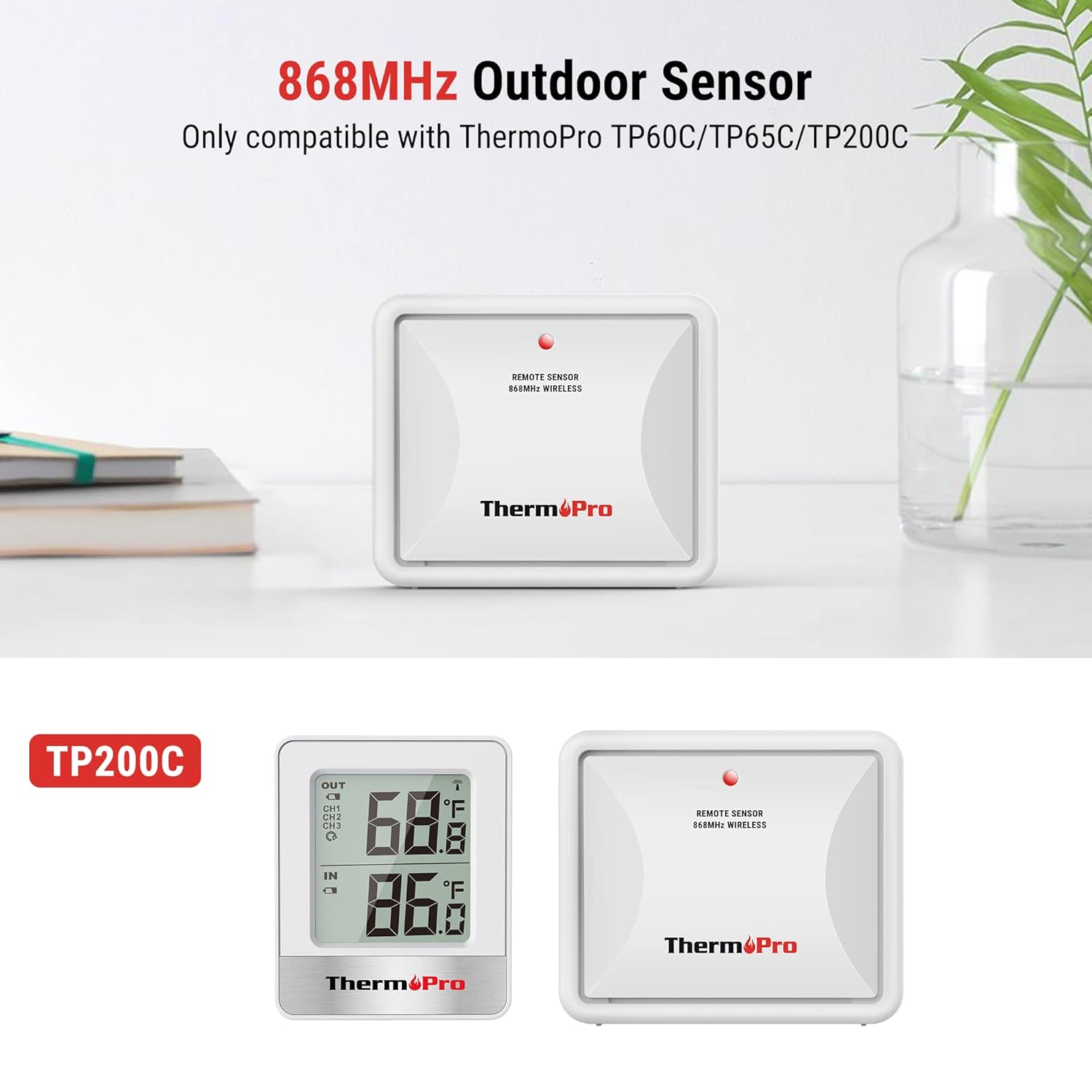
Figure 5: The TX-2C outdoor sensor shown alongside a compatible ThermoPro TP200C main unit, illustrating their intended pairing.
5. Installation and Setup
5.1. Battery Installation
- Remove the battery cover from the back of the TX-2C sensor.
- Insert the two AAA batteries into the battery compartment, ensuring correct polarity (+ and -).
- Replace the battery cover.

Figure 6: Rear view of the TX-2C sensor, detailing the battery compartment, wall hanging hole, channel selector, RESET button, and TX button.
5.2. Pairing with Main Unit
To ensure proper communication, the remote sensor must be paired with your compatible ThermoPro main unit.
- Position the remote sensor near the main unit.
- Install batteries into both the remote sensor and the main unit (if not already done).
- On the main unit's display, the RF signal icon (usually located in the upper left corner) will flash, indicating it is searching for a signal.
- Wait a moment for the sensor to connect automatically, or press the TX button on the back of the outdoor transmitter to manually send a signal.
- Once connected, the temperature and humidity readings from the remote sensor will appear on the main unit's display.
- If you are using multiple sensors, use the Channel Selector switch on the back of the TX-2C to select a different channel (1, 2, or 3) for each sensor to avoid interference.
5.3. Placement
Consider the following guidelines for optimal sensor placement:
- Outdoor Placement: Choose a shaded, dry location away from direct sunlight and precipitation. While the sensor is rainproof, prolonged exposure to harsh weather conditions can affect its lifespan. Ensure it is placed where air can circulate freely around it.
- Indoor Placement: Place the sensor in the area where you wish to monitor temperature and humidity. Avoid placing it near heat sources (e.g., vents, appliances) or cold drafts.
- Range: For best results, place the sensor within 150 meters (500 feet) of the main unit. Obstacles such as thick walls, metal structures, and electronic devices can reduce the effective range.
- Mounting: Use the integrated wall-hanging hole to mount the sensor on a wall or surface, or utilize its magnetic back to attach it to a metal surface.
6. Operation
Once paired and placed, the ThermoPro TX-2C remote sensor operates continuously, transmitting temperature and humidity data to your main unit. There are no user-adjustable settings on the sensor itself during normal operation, other than the channel selection.
- Data Transmission: The sensor automatically sends updated readings at regular intervals to the main unit.
- Channel Selection: If you are using multiple remote sensors, ensure each sensor is set to a unique channel (1, 2, or 3) using the switch inside the battery compartment. Your main unit will then be able to display readings from each channel.
- TX Button: Pressing the TX button on the back of the sensor forces an immediate transmission of data to the main unit. This can be useful for re-establishing connection or verifying data transmission.
7. Maintenance
- Cleaning: Wipe the sensor with a soft, damp cloth. Do not use abrasive cleaners or immerse the unit in water.
- Battery Replacement: When the batteries are low, the main unit may display a low battery indicator for the remote sensor. Replace both AAA batteries promptly to ensure continuous operation and accurate readings.
- Environmental Protection: Although rainproof, avoid placing the sensor in locations where it will be constantly submerged in water or exposed to extreme weather conditions for extended periods.
8. Troubleshooting
| Problem | Possible Cause | Solution |
|---|---|---|
| No readings or "---" displayed on main unit for remote sensor. |
|
|
| Inaccurate readings. |
|
|
| Multiple sensors showing incorrect channels or interference. | Channel conflict. | Ensure each remote sensor is set to a unique channel (1, 2, or 3) using the channel selector switch. |
9. Specifications
| Feature | Detail |
|---|---|
| Model | TX-2C |
| Brand | ThermoPro |
| Temperature Range | -20°C to 70°C (-4°F to 158°F) |
| Temperature Accuracy | ±1.1°C (±2°F) |
| Humidity Accuracy | ±2-3% RH |
| Wireless Frequency | 868 MHz |
| Transmission Range | Up to 150 meters (500 feet) in open area |
| Power Source | 2 x AAA Batteries (included) |
| Mounting Options | Wall-hanging hole, Magnetic back |
| Dimensions | 7.8 x 7.6 x 3.2 cm (approx.) |
| Weight | 80 grams (approx.) |
10. Warranty and Support
ThermoPro provides a warranty for its products. For detailed warranty information and customer support, please refer to the official ThermoPro website or contact their customer service directly. Please have your product model number (TX-2C) and purchase information ready when seeking support.
Note: This manual is for informational purposes only. Product specifications and features are subject to change without notice.
Related documentsTX-2C


Ask a question about this manual
Ask about setup, troubleshooting, compatibility, parts, safety, or missing instructions. Manuals+ will review the question and use this page’s manual context to help answer it.