
klatre KS1N
User Manual for klatre KS1-N Smartwatch
Model: KS1N
Introduction
Thank you for choosing the klatre KS1-N Smartwatch. This device is designed to enhance your daily life by providing comprehensive health monitoring, fitness tracking, and smart notifications directly on your wrist. With its 1.69-inch HD display, 5ATM water resistance, and long battery life, the KS1-N is a versatile companion for your active lifestyle.
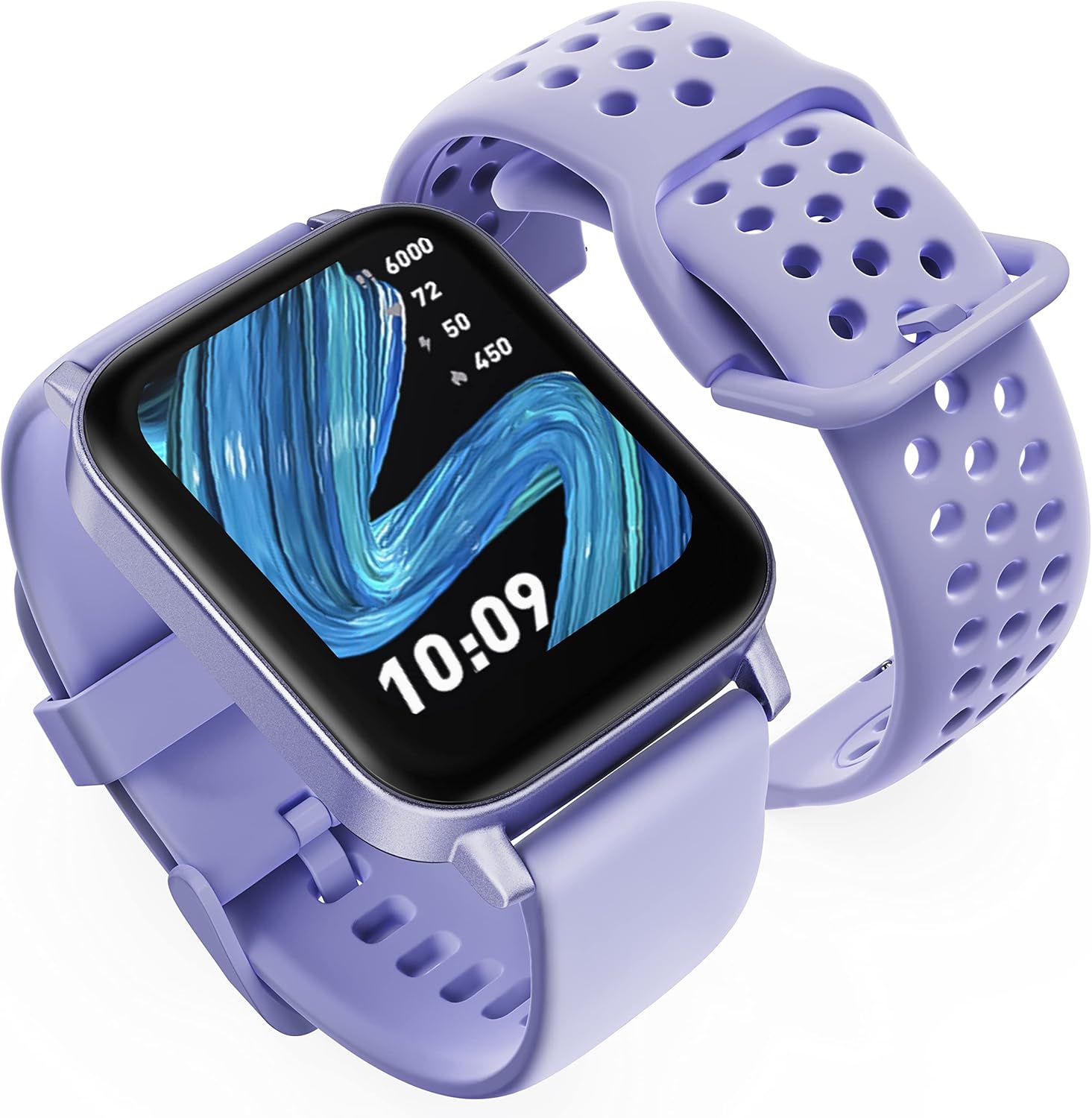
Image: The klatre KS1-N Smartwatch, presented in a vibrant violet hue. The watch face displays the time as 10:09, along with icons indicating steps, heart rate, and other metrics. The strap features a perforated design for breathability and comfort.
Package Contents
Please check the package for the following items:
- klatre KS1-N Smartwatch (with strap)
- Magnetic Charging Cable
- User Manual
Setup Guide
1. Charging the Smartwatch
Before first use, fully charge your smartwatch. Connect the magnetic charging cable to the charging contacts on the back of the watch and plug the USB end into a standard USB power adapter (not included) or a computer's USB port.
- A full charge typically takes about 2 hours.
- The watch has a battery life of up to 10 days depending on usage.
2. App Installation
To unlock the full potential of your klatre KS1-N Smartwatch, download and install the Onwear Pro app on your smartphone.
- Search for "Onwear Pro" in the Apple App Store (for iOS devices) or Google Play Store (for Android devices).
- Alternatively, scan the QR code provided in the quick start guide (if available) to download the app.
3. Pairing with Your Smartphone
Ensure your smartphone's Bluetooth is enabled.
- Open the Onwear Pro app on your smartphone.
- Follow the on-screen instructions to create an account or log in.
- Navigate to the "Device" or "Add Device" section within the app.
- Select "KS1-N" from the list of available devices.
- Confirm the pairing request on both your smartphone and the smartwatch.
- Once paired, the watch will synchronize data with the app.
Operating Instructions
Basic Navigation
- Touch Screen: The 1.69-inch TFT-LCD display is fully touch-sensitive. Swipe up, down, left, or right to navigate through menus and functions.
- Side Button: Press the side button to wake up the screen, return to the home screen, or access the main menu.
- Brightness Adjustment: Adjust screen brightness directly on the watch for optimal visibility.
Key Features
- Health Monitoring:
The KS1-N continuously monitors your health metrics:
- Heart Rate: 24/7 real-time heart rate tracking using an advanced optical sensor.
- Blood Oxygen (SpO2): Monitors your blood oxygen levels.
- Sleep Tracking: Provides comprehensive analysis of sleep quality (deep sleep, light sleep, wake-up times). All health data can be viewed in detail on the Onwear Pro app.
- Sports Modes:
The smartwatch features 16 built-in sports modes to track your workouts, including running, cycling, rope skipping, basketball, badminton, yoga, and more. Select the appropriate mode before starting your activity for accurate data recording.
- Smart Notifications:
Stay connected by receiving notifications directly on your wrist. Once paired with your smartphone, the watch can display incoming calls (supports call rejection only), SMS messages, and alerts from apps like WhatsApp, Facebook, Twitter, Instagram, Line, Skype, and Gmail. Ensure app notifications are enabled in your phone's settings and the Onwear Pro app.
- Customizable Watch Faces:
Choose from over 150 stylish watch faces available through the Onwear Pro app. You can also upload your favorite image to create a personalized watch face.
- Additional Features:
The KS1-N includes several practical tools:
- Alarm Clock
- Timer
- Stopwatch
- Movement Reminder (Sedentary Alert)
- Pedometer (Step Counter)
- Remote Camera Control
- Music Control
- Weather Forecast
- Find Your Phone function
Maintenance and Care
- Cleaning: Regularly clean your smartwatch and strap with a soft, damp cloth. Avoid using harsh chemicals or abrasive materials.
- Water Resistance: The watch is 5ATM waterproof (water resistant up to 50 meters). This means it can be worn during swimming, showering, or surfing. However, avoid hot water, steam, or prolonged submersion in deep water. Do not operate buttons underwater.
- Storage: Store the watch in a cool, dry place when not in use.
- Avoid Extreme Temperatures: Do not expose the watch to extremely high or low temperatures, as this can damage the battery and internal components.
Troubleshooting
| Problem | Possible Solution |
|---|---|
| Watch does not turn on | Ensure the watch is fully charged. Connect it to the charger for at least 30 minutes. |
| Cannot pair with smartphone |
|
| Notifications not received |
|
| Inaccurate health data | Ensure the watch is worn snugly on your wrist, about one finger's width above the wrist bone. Clean the sensor on the back of the watch. |
Specifications
| Feature | Detail |
|---|---|
| Brand | klatre |
| Model Number | KS1N |
| Color | Violet |
| Screen Size | 1.69 Inches |
| Display Type | TFT-LCD Touch Screen (240*280 resolution) |
| Connectivity | Bluetooth |
| Water Resistance | 5ATM (50 meters) |
| Battery Type | Lithium-ion |
| Battery Life | Up to 10 days (typical usage) |
| Health Monitoring | Heart Rate, Blood Oxygen, Sleep Tracking |
| Sports Modes | 16 (e.g., Running, Cycling, Yoga) |
| Compatible OS | Android, iOS |
| Companion App | Onwear Pro |
Warranty and Support
klatre offers a warranty of up to 2 years for the KS1-N Smartwatch. For any issues, questions, or support needs, please contact klatre customer service. They provide 24/7 customer support to ensure your satisfaction.
Please refer to your purchase documentation or the official klatre website for specific warranty terms and contact information.
Related documentsKS1N


Ask a question about this manual
Ask about setup, troubleshooting, compatibility, parts, safety, or missing instructions. Manuals+ will review the question and use this page’s manual context to help answer it.