1. Introduction
This manual provides detailed instructions for the safe and effective use of your bonoch MegaView 7" 720P HD Baby Monitor with 2 Cameras. Please read this manual thoroughly before operating the device and retain it for future reference.

Image 1.1: The bonoch MegaView 7" 720P HD Baby Monitor system, including the parent unit and two baby cameras.
2. Important Safety Information
Always follow basic safety precautions when using electrical products to reduce the risk of fire, electric shock, and injury to persons. Please read and understand all instructions.
- Choking Hazard: Keep all cords out of reach of children (at least 3 feet / 1 meter away). Never place the camera or cords within a crib or playpen.
- Strangulation Hazard: Children can become entangled in cords. Ensure cords are not accessible to children.
- Electric Shock Hazard: Do not expose the product to water or moisture. Do not open the product casing.
- Overheating: Do not place the product near heat sources such as stoves, radiators, or direct sunlight. Ensure proper ventilation.
- Power Source: Use only the provided power adapters. The recommended voltage is 110-120V.
- Battery Safety: The parent unit contains a Lithium Polymer battery. Do not attempt to replace it yourself. Dispose of batteries according to local regulations.
- This product is intended as an aid. It is not a substitute for responsible adult supervision.
3. Package Contents
Verify that all items are present in your package:
- Parent Unit ×1
- Baby Unit ×3 (Note: While the product is advertised with 2 cameras, the included components list 3 baby units. You may use up to 3 cameras with your monitor.)
- Power Adapter ×3
- USB-C Cable ×3
- User Manual ×1
4. Setup Guide
4.1 Initial Preparation
- Carefully unpack all components.
- Remove any protective films from the camera lenses and the monitor screen.
- Ensure the provided power adapters are used and connected to a 110-120V power outlet.
4.2 Camera Placement
The baby camera units can be mounted in various ways:
- Tabletop Mount: Place the camera on a flat, stable surface at least 3 feet (1 meter) away from the baby's crib or play area.
- Wall Mount: Use the included screw-in installation hardware to securely mount the camera on a wall. Ensure the camera is positioned to provide a clear view of the baby while keeping the power cord out of reach.
- Ceiling Mount: For an overhead view, the camera can also be mounted on the ceiling using appropriate hardware.
Important: Always ensure the camera's power cord is not accessible to the child to prevent strangulation hazards.

Image 4.1: Examples of camera mounting options, including crib and wall mounts.
4.3 Connecting Power
- Connect the small end of the USB-C cable to the power port on the baby unit.
- Connect the other end of the USB-C cable to the power adapter.
- Plug the power adapter into a suitable electrical outlet. The camera will power on automatically.
- For the parent unit, connect the USB-C cable and power adapter, then plug into an outlet. The parent unit has a built-in rechargeable battery, but it is recommended to charge it fully before first use.
5. Operating Instructions
5.1 Parent Unit Overview
The 7-inch HD display provides a clear view of your baby. Familiarize yourself with the buttons and interface for optimal use.

Image 5.1: The 7-inch parent unit displaying a split-screen view.
5.2 Monitoring Multiple Cameras (Split Screen & Scan Mode)
Your bonoch MegaView monitor supports up to 4 cameras, allowing you to monitor multiple children or rooms.
- Split Screen Function: View two camera feeds simultaneously on the 7-inch display. This allows for side-by-side monitoring of two separate areas. Note: Zoom in and zoom out functions are not available in split-screen mode.
- Scan Mode: The monitor can automatically cycle through video feeds from up to 4 cameras. In single-screen mode, it loops every 15 seconds. In split-screen mode, it cycles every 30 seconds.

Image 5.2: Split-screen display for simultaneous monitoring of two areas.

Image 5.3: Scan mode functionality, cycling between multiple camera views.
5.3 VOX Mode (Voice Operated Exchange)
VOX mode conserves battery by turning off the monitor screen when the room is quiet. The screen will automatically activate and alert you upon detecting sound from the baby unit.

Image 5.4: VOX mode activating the screen upon detecting baby's sounds.
5.4 Two-Way Talk
Press and hold the talk button on the parent unit to speak to your baby through the camera's speaker. Release the button to hear your baby again.

Image 5.5: Parents interacting with their baby using the two-way talk feature.
5.5 Remote Pan, Tilt, and Zoom (PTZ)
Control the camera's viewing angle directly from the parent unit:
- Pan: Rotate the camera horizontally up to 355° to view the entire room.
- Tilt: Adjust the camera vertically up to 115° to get the desired angle.
- Zoom: Use the 4x digital zoom feature to get a closer look at your baby.

Image 5.6: Illustration of the camera's pan and tilt range.

Image 5.7: Demonstrating 2x and 4x zoom capabilities.
5.6 Night Vision
The camera automatically switches to infrared night vision in low-light conditions, providing clear black-and-white images without disturbing red lights.

Image 5.8: Night vision view of a sleeping baby.
5.7 Additional Features
- Temperature Sensor: The parent unit displays the ambient temperature of the baby's room.
- Lullabies: The monitor includes 8 soothing lullabies to help calm your baby.
- Feeding Timer: Set a timer for 1-6 hours to remind you of feeding schedules.

Image 5.9: Overview of additional features including temperature sensor, lullabies, and feeding timer.
6. Maintenance
6.1 Cleaning
- Wipe the monitor and camera surfaces with a soft, dry cloth.
- Do not use abrasive cleaners or solvents.
- Ensure the devices are unplugged before cleaning.
6.2 Battery Care
- The parent unit has a 6000mAh Lithium Polymer battery. For optimal battery life, avoid fully discharging the battery frequently.
- Charge the parent unit regularly using the provided power adapter.
- If storing the device for an extended period, charge the battery to approximately 50% and store in a cool, dry place.
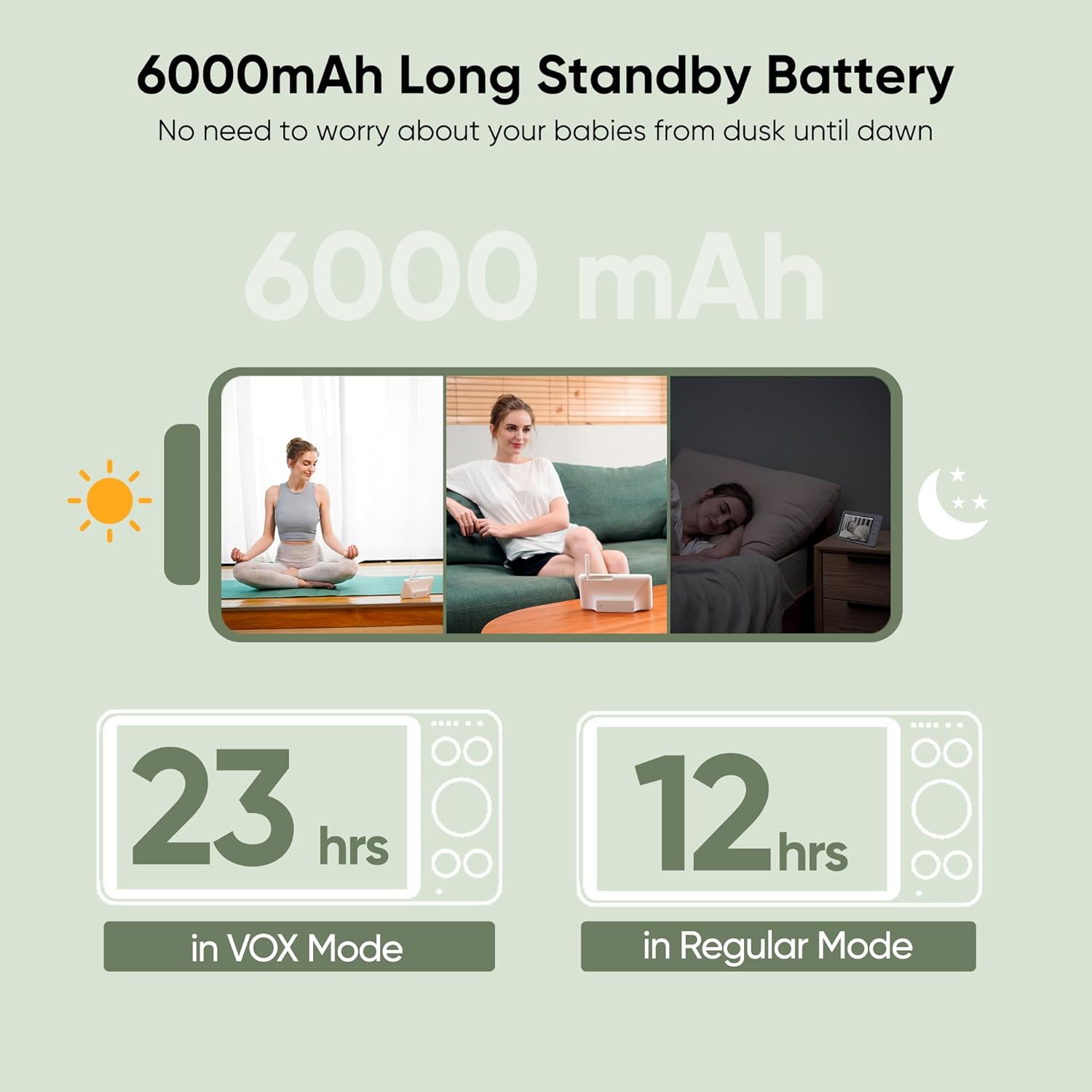
Image 6.1: Battery life illustration for the parent unit.
7. Troubleshooting
| Problem | Possible Cause | Solution |
|---|---|---|
| No image on parent unit screen. | Camera or monitor is off; out of range; battery low. | Ensure both units are powered on and charged. Move units closer together. Re-pair if necessary (refer to manual for pairing instructions). |
| Poor video quality or signal interference. | Obstructions (walls, furniture); other 2.4GHz devices; units too far apart. | Reduce distance between units. Avoid placing near other wireless devices (Wi-Fi routers, microwaves). Adjust antenna on parent unit. |
| Temperature reading appears inaccurate. | Sensor obstruction; environmental factors. | Ensure the camera's temperature sensor is not covered. Reset the device. If the issue persists, contact customer support. |
| Zoom not working in split-screen mode. | This is a system limitation. | Zoom functionality is disabled when using split-screen or scan mode. Switch to single-camera view to use zoom. |
| Parent unit battery drains quickly. | Continuous screen-on time; high brightness; VOX mode off. | Enable VOX mode. Reduce screen brightness. Keep the parent unit plugged in for extended use. |
For further assistance, please refer to the support section or contact bonoch customer service.
8. Specifications
| Feature | Detail |
|---|---|
| Model Name | MegaView |
| Model Number | BBM05 |
| Connectivity Technology | Wireless (2.4GHz FHSS) |
| Video Capture Resolution | 720p (Monitor displays 720p, camera resolution is 1080p) |
| Optical Zoom | 4x |
| Pan Angle | 355° |
| Tilt Angle | 115° |
| Parent Unit Battery | 6000mAh Lithium Polymer (included) |
| Battery Life (Regular Mode) | Up to 12 hours |
| Battery Life (VOX Mode) | Up to 23 hours |
| Wireless Range | Up to 1000 feet (open space) |
| Mounting Type | Ceiling Mount, Tabletop Mount, Wall Mount |
| Product Dimensions | 5.9 x 3.26 x 1.5 inches |
| Item Weight | 3.41 pounds |
| Special Features | 2-Way Audio, Night Vision, Portable, Tamper Detection, Temperature Sensor, Lullabies, Feeding Timer |
| International Protection Rating | IP65 |
9. Warranty and Support
9.1 Product Guarantee
Your bonoch MegaView Baby Monitor comes with a 24-month warranty from the date of purchase. This warranty covers manufacturing defects and ensures responsive customer service for any issues encountered during normal use.
9.2 Technical Support
bonoch provides 1 year of technical support and lifetime customer service for this product. If you experience any problems, have questions about setup, operation, or troubleshooting, please do not hesitate to contact our friendly customer service team.
For support, please visit the official bonoch website or contact us through your purchase platform.


