
1. Introduction
This manual provides essential information for the safe and efficient operation, installation, and maintenance of your VONROC Hydrophore Water Pump Set, Model GP500. This powerful 1000W pump with a 19L stainless steel tank is designed for various water supply applications, including garden irrigation, domestic water supply, and drawing water from wells or ponds. Please read these instructions carefully before using the product and keep them for future reference.
2. Safety Instructions
Always observe the following safety precautions to prevent electric shock, injury, or damage to the pump.
- Read the Manual: Before operation, thoroughly read and understand all instructions in this manual.
- Electrical Safety: Ensure the power supply matches the pump's specifications (230V). Always connect the pump to a properly grounded outlet. Do not operate the pump with damaged cables or plugs.
- Water Temperature: Do not pump liquids hotter than 35°C (95°F).
- Frost Protection: Protect the pump from frost. Drain all water from the pump and hoses during winter or when temperatures drop below freezing.
- Placement: Install the pump on a stable, level surface, protected from direct weather exposure.
- Supervision: Do not leave the pump unattended during operation.
- Maintenance: Disconnect the power supply before performing any maintenance or cleaning.
- Children and Pets: Keep children and pets away from the operating pump.
3. Product Overview
3.1 Components
The VONROC Hydrophore Water Pump Set consists of the following main components:
- Pump Unit: The electric motor and pump housing, providing 1000W of power.
- Pressure Tank: A 19-liter stainless steel tank that maintains water pressure and reduces pump cycling.
- Pressure Switch: Automatically starts and stops the pump based on water pressure.
- Pressure Gauge: Displays the current system pressure.
- Suction Connection: G1 female threaded inlet for connecting the suction hose.
- Pressure Connection: G1 female threaded outlet for connecting the discharge hose.
- Drain Plug: For easy draining of water from the pump.
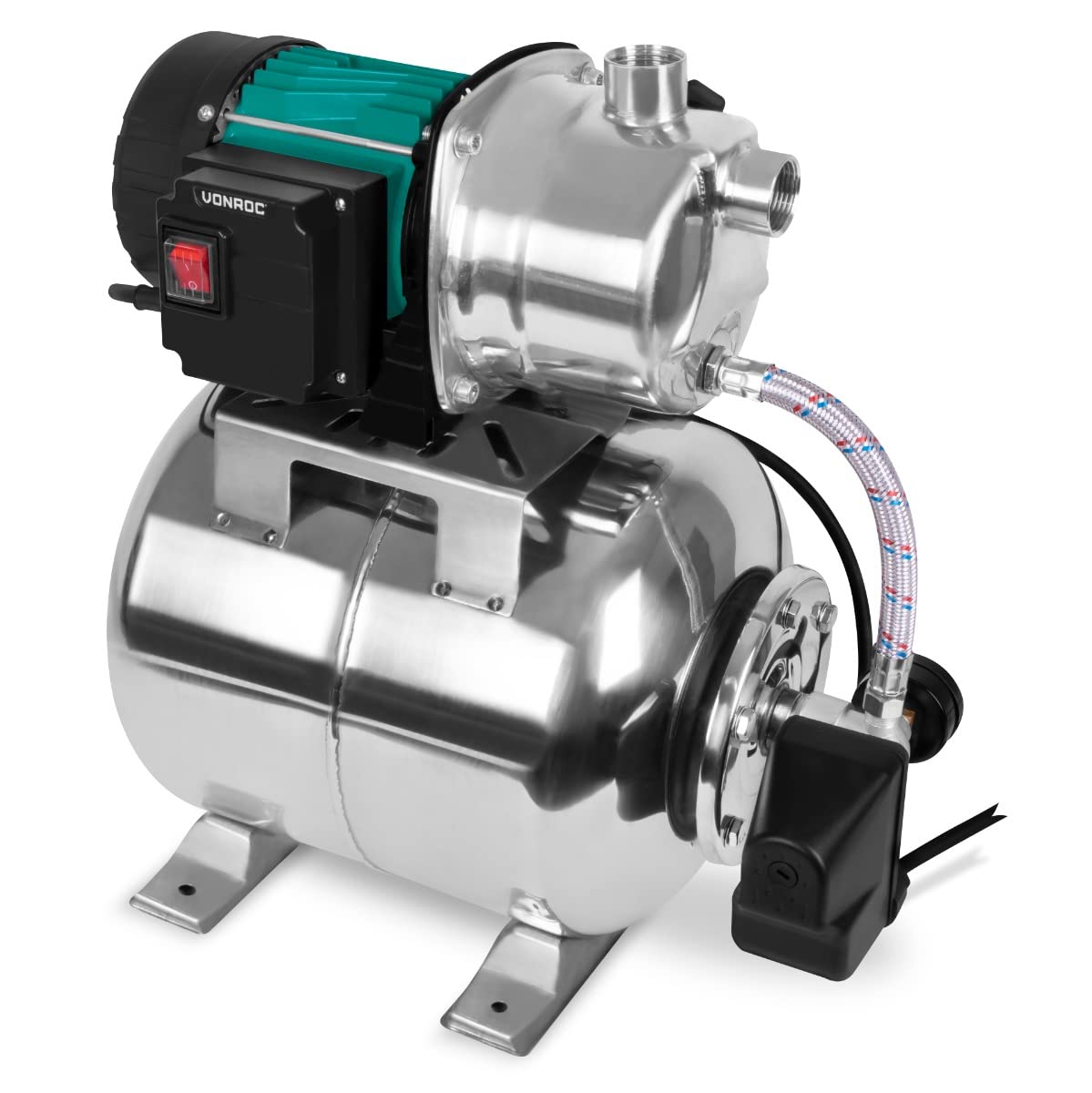
Figure 1: Overview of the VONROC Hydrophore Water Pump Set.
3.2 Technical Specifications
| Brand | VONROC |
| Model Number | GP500 |
| Power | 1000W |
| Max Flow Rate | 3500 Litres per hour |
| Max Pressure | 4.4 bar |
| Max Suction Height | 8 Meters |
| Max Delivery Head | 44 Meters |
| Tank Volume | 19 Litres |
| Voltage | 230 Volts |
| Protection Class | IPX4 (Splash-proof) |
| Product Dimensions (L x W x H) | 45L x 27W x 47.5H cm |
| Material | Stainless Steel (Pump and Tank) |

Figure 2: Product dimensions of the pump set.
4. Setup
4.1 Placement
- Place the pump on a firm, level, and stable surface to prevent vibrations and ensure proper operation.
- Ensure the pump is protected from rain, direct sunlight, and extreme temperatures.
- Maintain adequate ventilation around the pump motor.
4.2 Connecting Hoses
- Suction Line: Connect a robust, vacuum-resistant suction hose (minimum 1 inch diameter) to the pump's suction inlet (G1 female thread). Ensure all connections are airtight to prevent air ingress, which can impair pump performance. It is highly recommended to install a non-return valve at the end of the suction hose to prevent water from flowing back.
- Pressure Line: Connect the discharge hose (G1 female thread) to the pump's pressure outlet. This hose will lead to your irrigation system, tap, or other water consumption points.
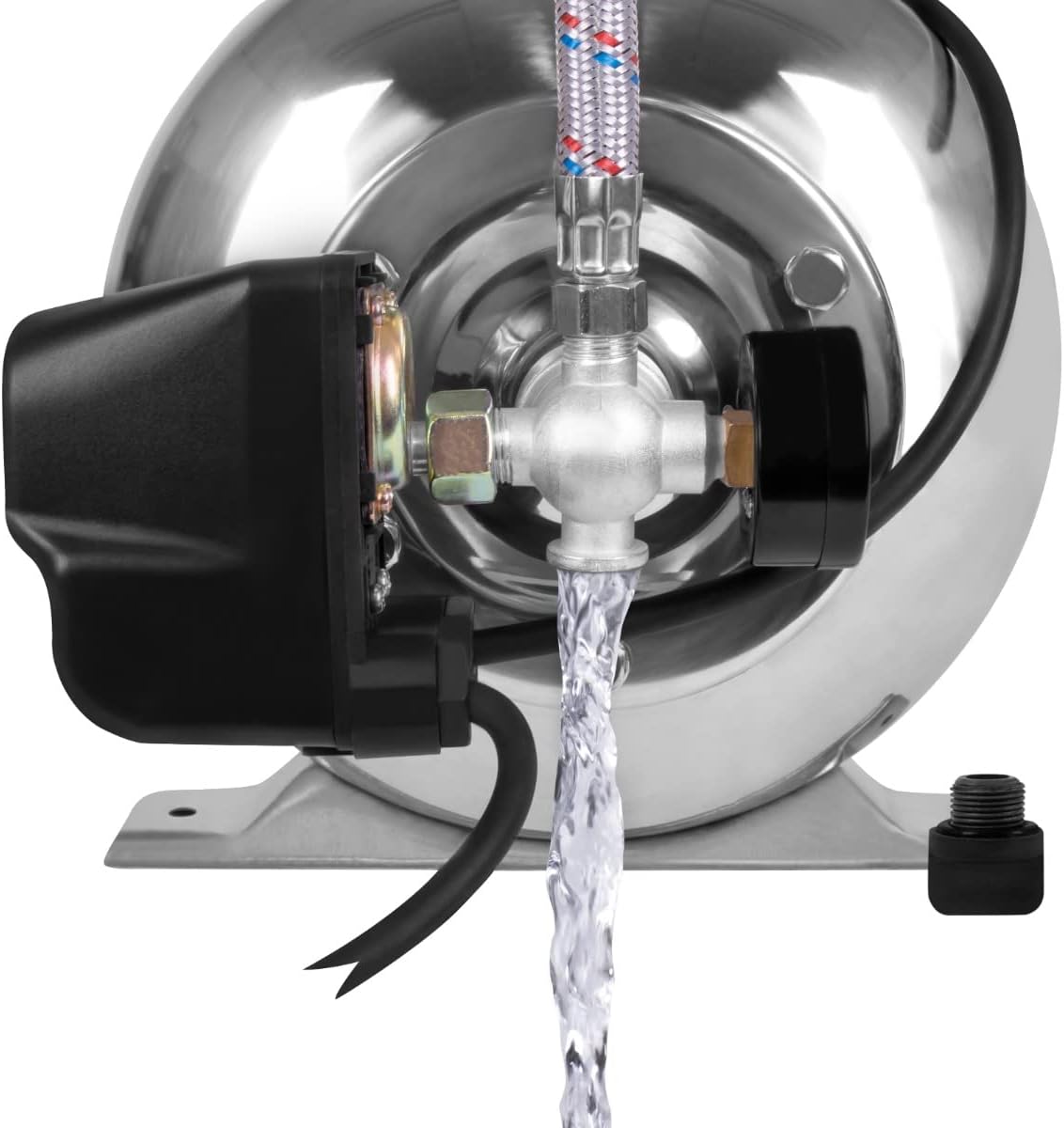
Figure 3: Suction and pressure connections.
4.3 Priming the Pump
Before initial use or after the pump has run dry, it is crucial to prime the pump:
- Ensure the suction hose is fully submerged in the water source.
- Open the priming port (usually a screw on top of the pump housing) and slowly fill the pump housing with water until it overflows.
- Close the priming port securely.
- Open any taps or valves in the pressure line to allow air to escape during startup.
5. Operating Instructions
5.1 Starting the Pump
- After priming, plug the pump into a suitable electrical outlet.
- Switch on the pump. The pump will start to draw water and build pressure.
- Once the pressure reaches the set cut-off point (visible on the pressure gauge), the pump will automatically switch off.
- When water is drawn (e.g., by opening a tap), the pressure will drop, and the pressure switch will automatically restart the pump.

Figure 4: Pump in operation, delivering water.
5.2 Monitoring Pressure
The integrated pressure gauge allows you to monitor the system pressure. The pump is designed to operate within a specific pressure range, automatically switching on and off to maintain consistent water supply.

Figure 5: Pressure gauge displaying system pressure.
5.3 Shutting Down
To turn off the pump, simply switch it off at the power switch and disconnect it from the electrical outlet.
6. Maintenance
Regular maintenance ensures the longevity and optimal performance of your pump. Always disconnect the pump from the power supply before any maintenance.
- Check Connections: Periodically inspect all hose connections for leaks and ensure they are tight.
- Clean Filter: If a pre-filter is installed on the suction line, clean it regularly to prevent blockages.
- Pump Housing: Keep the pump housing clean and free from dirt and debris.
- Winterization: Before the first frost, completely drain all water from the pump and hoses using the drain plug. Store the pump in a dry, frost-free location. Failure to do so will void the warranty.
7. Troubleshooting
Refer to the table below for common issues and their solutions.
| Problem | Possible Cause | Solution |
|---|---|---|
| Pump does not start. | No power supply; thermal overload protection activated; motor fault. | Check power connection; allow pump to cool down; contact service. |
| Pump runs but no water is delivered. | Pump not primed; air in suction line; suction hose blocked or leaking; water source empty. | Prime the pump; check suction line for leaks/blockages; ensure water source is adequate. |
| Low pressure or intermittent flow. | Air in system; partial blockage; worn pump components; pressure switch setting. | Check for air leaks; clean filters; contact service; adjust pressure switch (if applicable and knowledgeable). |
| Pump runs continuously. | Leak in pressure system; pressure switch faulty; tank pre-charge pressure too low. | Check for leaks in pipes/fittings; contact service; check tank pre-charge pressure (refer to specific tank instructions). |
The pump is equipped with thermal protection to prevent overheating. If the pump stops unexpectedly, allow it to cool down before attempting to restart.
8. Storage
When storing the pump for extended periods, especially during winter:
- Completely drain all water from the pump, tank, and connected hoses.
- Clean the exterior of the pump.
- Store the pump in a dry, frost-free, and well-ventilated area, away from direct sunlight and corrosive substances.
9. Warranty and Support
VONROC products are designed and manufactured to high-quality standards. This product comes with a manufacturer's warranty. For detailed warranty terms and conditions, please refer to the warranty card included with your product or visit the official VONROC website.
For technical support, spare parts, or service inquiries, please contact VONROC customer service through their official channels. Always have your model number (GP500) and purchase date available when contacting support.