
1. Introduction
This manual provides essential information for the safe and efficient operation of your FONOBO 4000W/6000W Power Inverter. This device converts 12V DC power from a battery into 110V or 220V AC power, making it suitable for various applications such as emergency power, camping, vehicle use, RVs, and solar power systems. It features an aluminum alloy shell, an LCD display, dual USB ports, and an intelligent cooling fan.
2. Safety Information
To ensure safe operation and prevent damage, the inverter incorporates multiple protection features. Please observe all safety warnings and instructions.
2.1 Safety Protection Functions:
- Reverse polarity protection
- Low input voltage protection
- High input voltage protection
- Over-current protection
- Short circuit protection
- Over temperature protection
- Overload protection
- Internal fuses
3. Package Contents
Verify that all items are present in the package:
- 1 x FONOBO Power Inverter
- 2 x Battery Clip Cables (Red and Black)
- 1 x Cigarette Lighter Plug Cable
- 1 x English User Manual
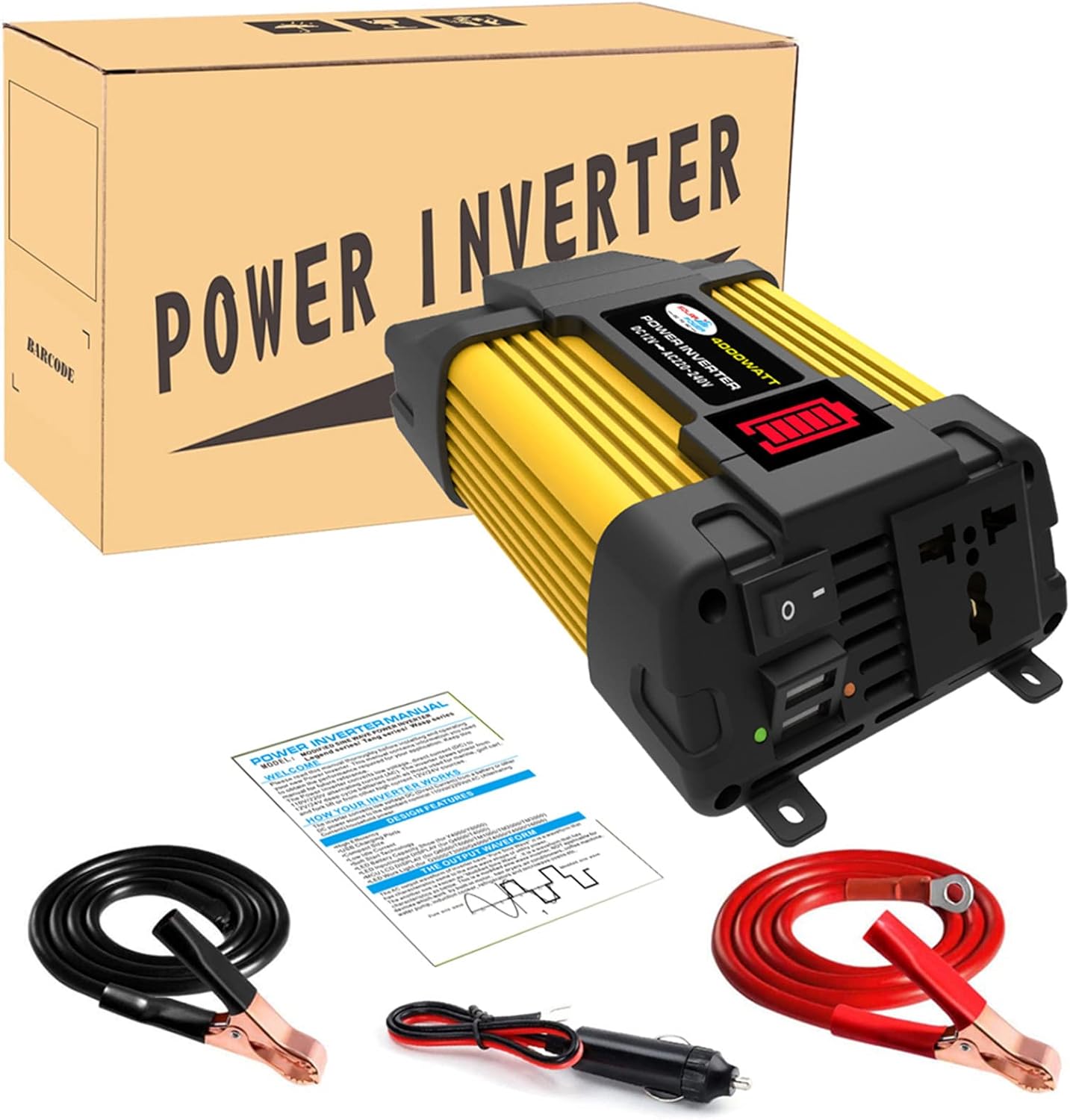
Image: The FONOBO Power Inverter shown with its packaging box, battery clip cables, cigarette lighter plug, and user manual.
4. Setup
Follow these steps to set up your power inverter:
- Choose a Power Source: The inverter requires a 12V DC power source. This can be a vehicle battery or a compatible 12V power outlet (e.g., cigarette lighter socket).
- Connect to Battery (for higher power applications):
- Ensure the inverter is switched OFF.
- Connect the red battery clip cable to the positive (+) terminal of the inverter and the positive (+) terminal of the 12V battery.
- Connect the black battery clip cable to the negative (-) terminal of the inverter and the negative (-) terminal of the 12V battery.
- Ensure all connections are secure and tight to prevent arcing or overheating.
- Connect to Cigarette Lighter Socket (for lower power applications):
- Ensure the inverter is switched OFF.
- Insert the cigarette lighter plug cable into the inverter's DC input port.
- Plug the other end into your vehicle's 12V cigarette lighter socket.
- Placement: Place the inverter in a well-ventilated area, away from direct sunlight, heat sources, and moisture. Ensure the cooling fan is not obstructed.

Image: A diagram illustrating how the inverter connects to a 12V DC battery and provides AC power to devices like cameras, TVs, printers, lamps, rice cookers, fans, car cleaners, and laptops.
5. Operating Instructions
Once the inverter is properly set up, you can begin using it to power your AC and USB devices.
- Powering On: Switch the inverter's power button to the 'ON' position. The LED display will illuminate.
- LED Display: The LED display shows the battery capacity level. It has five segments, with each segment representing approximately 20% of the battery's charge. When the battery is low, the display will flash to indicate that charging is required.
- Connecting Devices:
- Plug your AC-powered devices into the AC outlets on the inverter.
- Connect your USB-powered devices to the dual USB ports for fast charging.
- Power Limitations: Ensure that the total rated power of all connected devices does not exceed the inverter's continuous rated power (300W for the 4000W model, 500W for the 6000W model). Exceeding this limit can trigger overload protection.
- Powering Off: When finished, switch the inverter's power button to the 'OFF' position before disconnecting any devices or the power source.
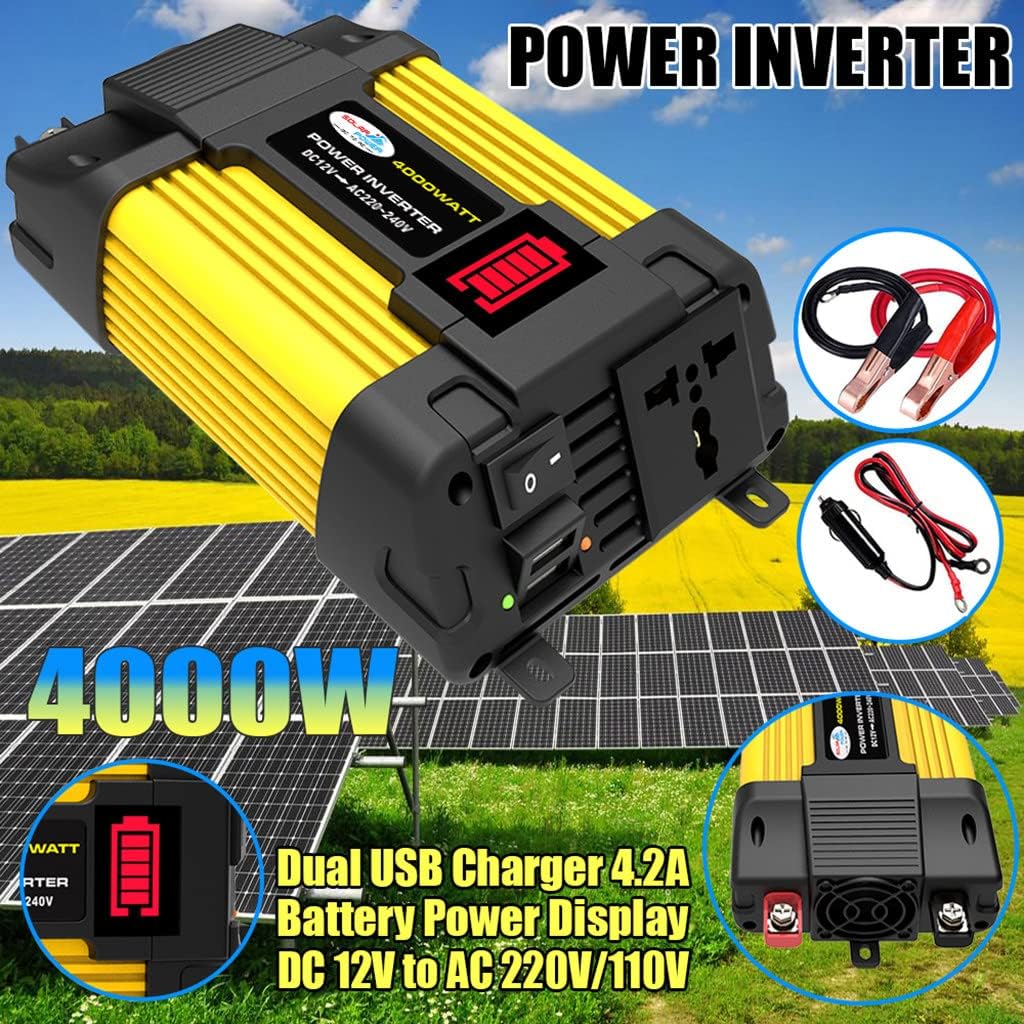
Image: The FONOBO Power Inverter highlighting its dual USB charger ports and the LED battery power display, with solar panels in the background.

Image: The FONOBO Power Inverter positioned in a car's center console, actively charging a laptop and a smartphone, demonstrating its use in a vehicle.
6. Maintenance
Proper maintenance ensures the longevity and optimal performance of your inverter.
- Cleaning: Keep the inverter's exterior clean and free from dust. Use a dry, soft cloth. Do not use liquid cleaners.
- Ventilation: Regularly check that the cooling fan and ventilation openings are clear of obstructions. Good airflow is crucial to prevent overheating.
- Connections: Periodically inspect all electrical connections (battery clips, cigarette lighter plug, and device plugs) for tightness and signs of wear or corrosion.
- Storage: When not in use for extended periods, store the inverter in a cool, dry place, away from direct sunlight and extreme temperatures.
7. Troubleshooting
This section addresses common issues you might encounter with your power inverter.
7.1 Common Issues and Solutions:
- No Power Output:
- Check if the inverter is switched ON.
- Verify that the 12V DC power source (battery or cigarette lighter) is providing power and connections are secure.
- Check the LED display for low battery indication. If flashing, recharge your battery.
- Ensure the total power draw of connected devices does not exceed the inverter's rated power.
- Inverter Shuts Down:
- This often indicates a safety protection activation (e.g., overload, over-temperature, low/high input voltage, short circuit).
- Disconnect all devices, turn off the inverter, and check for the cause (e.g., excessive load, poor ventilation, faulty wiring).
- Allow the inverter to cool down if it was operating under heavy load.
- Device Not Charging/Working Properly:
- Ensure the device is compatible with modified sine wave power. Some sensitive electronics may require pure sine wave inverters.
- Check the device's power requirements against the inverter's output.
If troubleshooting steps do not resolve the issue, please refer to the Warranty and Support section for further assistance.
8. Specifications
Detailed technical specifications for the FONOBO Power Inverter:
| Product Name | Car Power Inverter |
| Model | 4000W/6000W |
| Input Voltage | DC 10.5V ~ 15V |
| Output Voltage | AC 110V (for 110V model) / AC 220V (for 220V model) |
| Output Frequency | 60Hz (for 110V model) / 50Hz (for 220V model) |
| Peak Power | 4000W / 6000W |
| Rated Continuous Power | 300W / 500W |
| Output Waveform | Modified Sine Wave |
| Item Weight | 2.2 pounds |
| Package Dimensions | 3.94 x 3.94 x 3.94 inches |
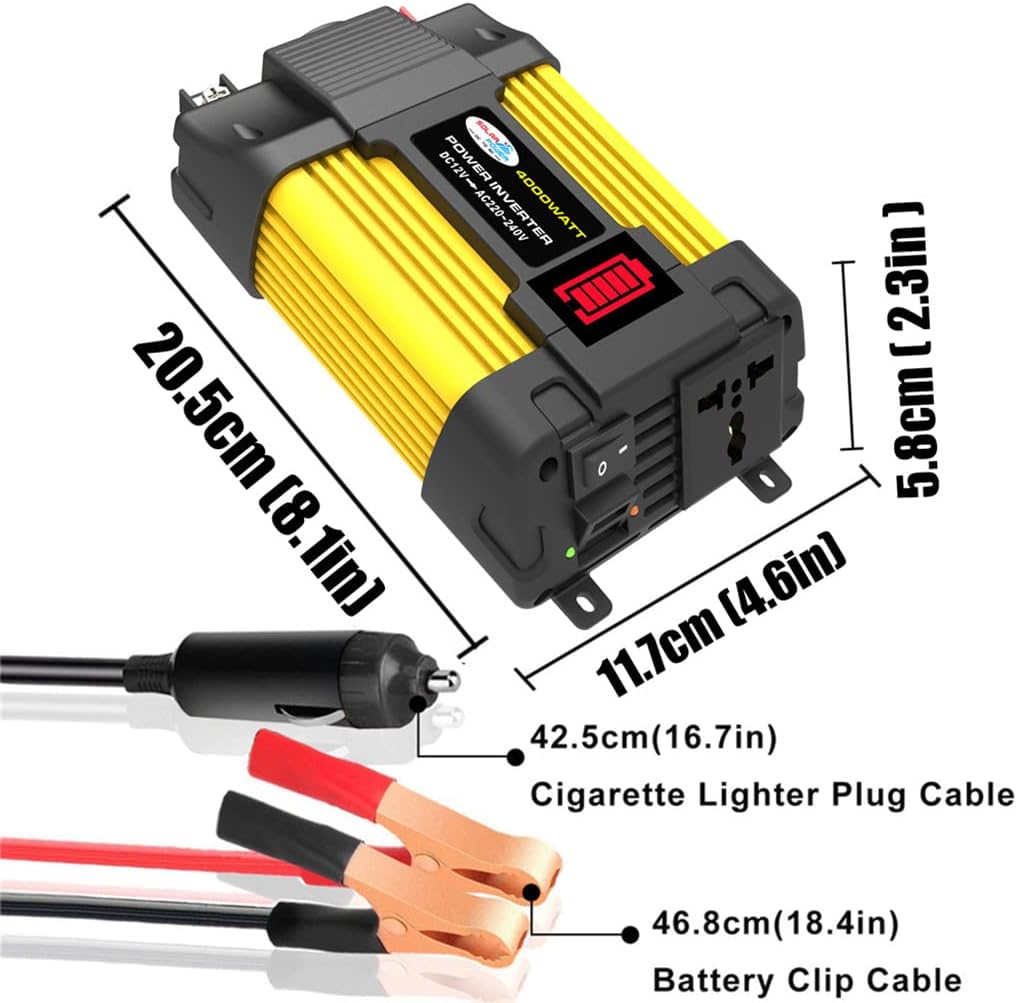
Image: A diagram illustrating the physical dimensions of the FONOBO Power Inverter (20.5cm length, 11.7cm width, 5.8cm height) and the lengths of its cigarette lighter plug cable (42.5cm) and battery clip cable (46.8cm).
9. Warranty and Support
FONOBO is committed to customer satisfaction. If you encounter any issues or have questions regarding your power inverter, please contact our support team.
For assistance, please reach out via Amazon email or visit our official website. Our support team is available to help you.