
1. Introduction
This manual provides essential information for the proper installation and use of your JOMISE 33ft Extension Rear Cable. This cable is designed to extend the reach of your rear camera, ensuring flexible placement within your vehicle. Please read these instructions carefully before installation.
What's in the Box
- 1 x JOMISE 33ft Extension Rear Cable
2. Compatibility
This extension cable is specifically designed for use with the following JOMISE Mirror Dash Cam models:
- G814
- G810
- K15
- K17
- T860
Note:
- This cable is not compatible with models that use a Micro USB connector for the rear camera, such as the VC40.
- Ensure your dash cam uses a 4-pole 2.5mm jack for the rear camera connection.
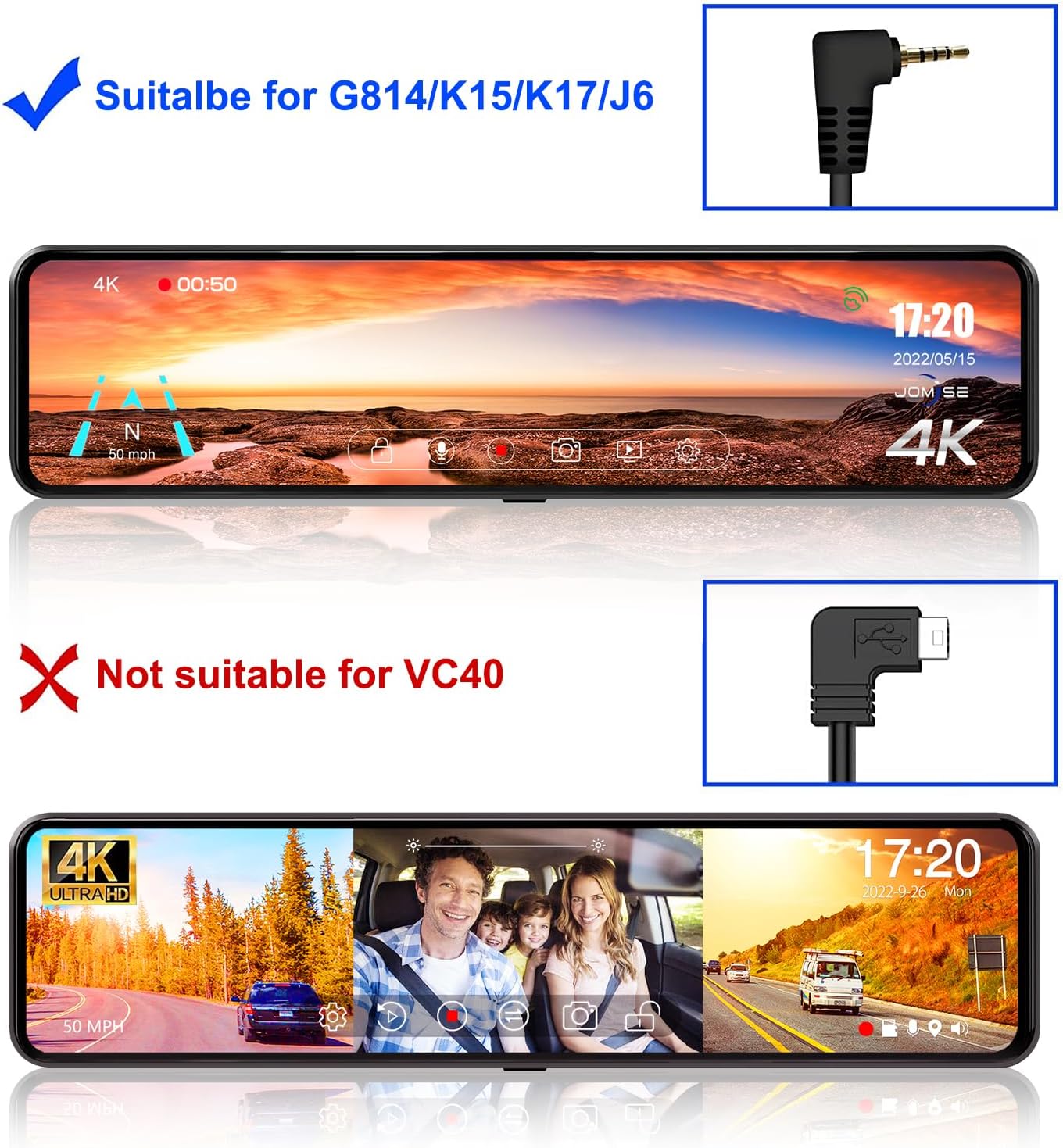
This image illustrates the compatibility of the extension cable with JOMISE G814, K15, K17, and J6 dash cams, and its incompatibility with the VC40 model, highlighting the distinct connector types.

A close-up view of the 4-pole 2.5mm jack connector, which is the required interface for compatible JOMISE dash cams.
3. Installation Guide
Follow these steps to properly install the JOMISE 33ft Extension Rear Cable with your compatible mirror dash cam.
Step-by-Step Installation
- Prepare Your Dash Cam: Ensure your JOMISE mirror dash cam is powered off and disconnected from its power source before beginning installation.
- Locate Rear Camera Port: Identify the rear camera input port on your mirror dash cam. This is typically a 4-pole 2.5mm jack.
- Connect Original Rear Camera Cable: Plug the original rear camera cable into one end of the 33ft extension cable. Ensure the connection is secure.
- Connect Extension Cable to Dash Cam: Plug the other end of the 33ft extension cable into the rear camera input port on your mirror dash cam.
- Route the Cable: Carefully route the extension cable from the dash cam to the desired location for your rear camera. It is recommended to tuck the cable along the vehicle's headliner, A-pillars, and door sills to keep it neat and secure, preventing interference with driving.
- Secure the Rear Camera: Mount your rear camera in its final position, ensuring a clear view and secure attachment.
- Test the Connection: Reconnect power to your dash cam and turn it on. Verify that the rear camera video feed is displayed correctly on the dash cam screen.

This image illustrates the typical connection points on a JOMISE mirror dash cam, including the ports for the Rear Camera, GPS module, and Power Cable.

The JOMISE 33ft (10m) extension cable, showing its male and female connectors for extending the reach of the rear camera.
4. Specifications
| Feature | Detail |
|---|---|
| Cable Length | 33 feet (10 meters) |
| Connector Type | 4-pole 2.5mm jack (male to female) |
| Compatibility | JOMISE G814, G810, K15, K17, T860 Mirror Dash Cams |
| Item Weight | 5.1 ounces |
| Package Dimensions | 6.3 x 2.01 x 1.89 inches |

This diagram illustrates the dimensions of the connector, specifically noting a diameter of 4.45mm (0.18 inches).
5. Troubleshooting
If you encounter issues with your JOMISE 33ft Extension Rear Cable, consider the following troubleshooting steps:
- No Rear Camera Feed:
- Ensure both ends of the extension cable are securely connected to the original rear camera cable and the dash cam.
- Verify that the original rear camera cable is properly connected to the rear camera.
- Check if your dash cam model is listed as compatible with this extension cable.
- Test the rear camera with its original cable (without the extension) to rule out issues with the camera itself.
- Intermittent Signal:
- Inspect the cable for any visible damage, kinks, or pinches.
- Ensure all connections are tight and free from debris.
6. Warranty Information
The JOMISE 33ft Extension Rear Cable comes with a 1-year warranty from the date of purchase. This warranty covers manufacturing defects and material faults under normal use. It does not cover damage caused by misuse, accidents, unauthorized modifications, or improper installation.
For warranty claims or service, please retain your proof of purchase and contact JOMISE customer support.
7. Customer Support
For further assistance, technical support, or inquiries regarding your JOMISE product, please visit the official JOMISE store or contact their customer service department.
JOMISE Official Store: Visit JOMISE Store on Amazon