
1. Introduction
Thank you for choosing the WSDCAM Bike Alarm. This wireless anti-theft vibration motion sensor alarm system is designed to provide enhanced security for your bicycles, motorcycles, scooters, and other valuable assets. With its loud alarm, adjustable sensitivity, and waterproof design, it offers reliable protection against theft. This manual provides detailed instructions for setup, operation, maintenance, and troubleshooting to ensure optimal performance of your alarm system.
2. Product Overview & Features
The WSDCAM Bike Alarm system includes two alarms and two remote controls, offering comprehensive security. Key features include:
- Loud Alarm & Adjustable Volume: Up to 113dB alarm to deter thieves effectively. Features 3 adjustable volume levels (96dB, 105dB, 113dB).
- Adjustable Sensitivity: 7 levels of sensitivity, allowing you to customize detection from a gentle touch to a strong impact.
- IP55 Waterproof: Designed for outdoor use, resistant to water splashes and rain.
- Wireless Remote Control: Operates wirelessly with a strong range of up to 66 feet (20 meters).
- Vehicle Search Function: Easily locate your vehicle in a parking area by triggering a sound from the alarm.
- SOS Function: Automatically triggers an alarm if the bicycle tilts by 45 degrees, indicating a fall or significant disturbance.
- Easy Installation: Can be installed quickly using double-sided adhesive tape or cable ties.
- Multi-Purpose Application: Suitable for bikes, electric bikes, motorcycles, scooters, cars, trailers, luggage, doors, and windows.

Figure 2.1: WSDCAM Bike Alarm System (2-Pack) with Remotes.

Figure 2.2: Multi-Purpose Application of the WSDCAM Alarm.
3. Package Contents
Each WSDCAM Bike Alarm 2-Pack includes:
- 2 x WSDCAM Bike Alarms (one black, one blue)
- 2 x Remote Controls
- 6 x AAA Batteries (3 per alarm, pre-installed or included separately)
- Mounting Accessories (double-sided adhesive pads, cable ties)
- User Manual (this document)
4. Setup & Installation
4.1 Battery Installation
The alarm unit requires 3 AAA batteries. These are typically included and may be pre-installed. If not, open the battery compartment on the back of the alarm unit and insert the batteries, ensuring correct polarity (+/-).
4.2 Mounting the Alarm
The WSDCAM Bike Alarm offers flexible installation options:
- Using Double-Sided Adhesive: Clean the desired mounting surface thoroughly. Peel off the protective film from one side of the adhesive pad and attach it to the back of the alarm. Peel off the other side and firmly press the alarm onto the clean surface (e.g., bike frame, under seat, on a door/window).
- Using Cable Ties: Thread the provided cable ties through the designated slots on the alarm unit. Securely fasten the alarm to a suitable location on your bike, motorcycle, or other object. Trim any excess cable tie length.
Consider mounting the alarm in a discreet location to prevent tampering, while ensuring the sound is not obstructed.

Figure 4.1: Easy Installation and IP55 Waterproof Design.

Figure 4.2: Recommended Alarm Placement Options on a Bicycle.
4.3 Remote Control Pairing (If Needed)
The alarm and remote control are typically pre-paired from the factory. If you need to pair a new remote or re-pair an existing one:
- Press and hold the 'Disarm' button on the remote until the alarm emits a short beep.
- Press the 'Arm' button on the remote. The alarm will beep once to confirm successful pairing.
5. Operating Instructions
The remote control has four buttons for easy operation:
- Arm Button (🔒): Press once to arm the alarm. The alarm will beep once, and after a few seconds, it will be fully armed. Any vibration will trigger the alarm.
- Disarm Button (🔓): Press once to disarm the alarm. The alarm will beep twice to confirm it is disarmed.
- Change Tone Button (⚡): Press this button to cycle through the available alarm tones. There are 3 different tones to choose from.
- Search Function Button (🔔): Press this button to activate the vehicle search function. The alarm will emit a distinct sound, helping you locate your vehicle in a crowded area.

Figure 5.1: Remote Control Functions and Range.
6. Adjustable Settings
6.1 Adjusting Volume
The alarm has 3 adjustable volume levels. To change the volume:
- While the alarm is disarmed, press and hold the 'Change Tone' button (⚡) for approximately 3 seconds.
- The alarm will emit a short beep, indicating it is in volume adjustment mode.
- Press the 'Change Tone' button (⚡) repeatedly to cycle through the volume levels (96dB, 105dB, 113dB).
- Once you reach your desired volume, stop pressing the button. The alarm will automatically save the setting after a few seconds of inactivity.
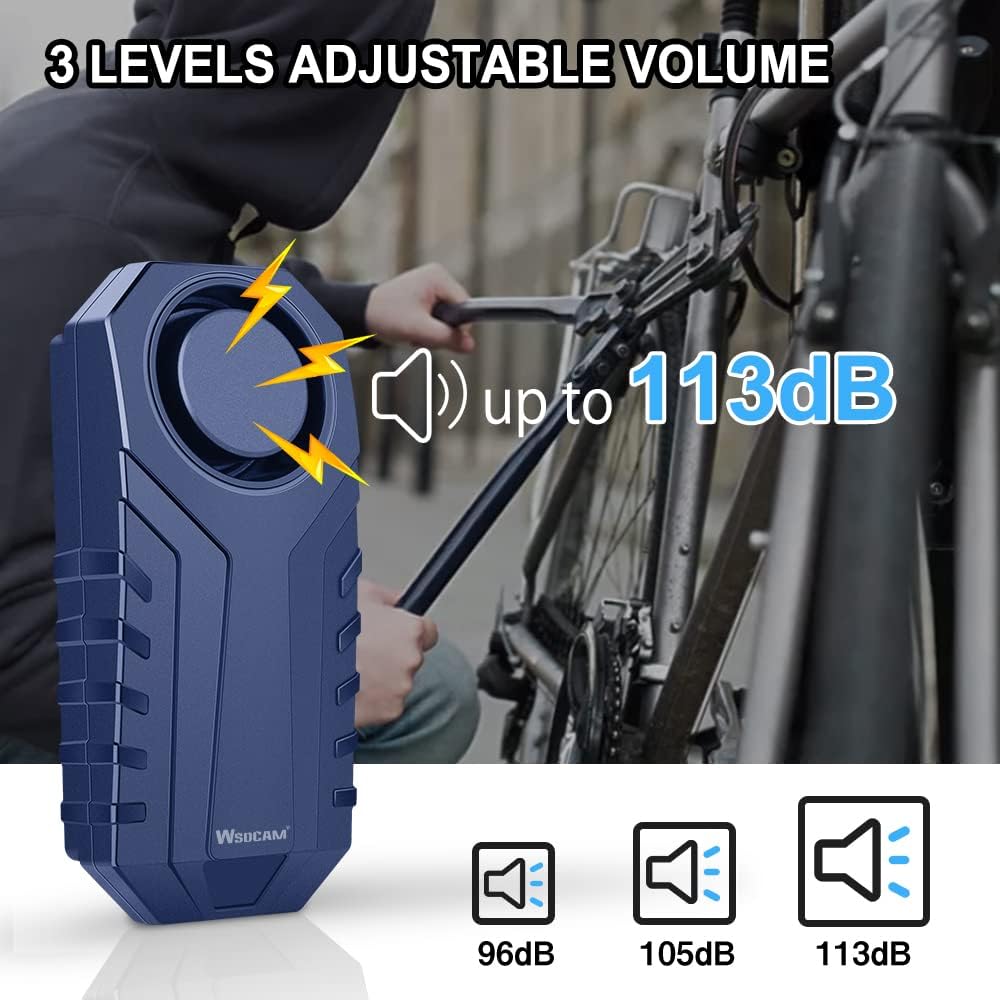
Figure 6.1: 3 Levels of Adjustable Volume.
6.2 Adjusting Sensitivity
The alarm features 7 levels of sensitivity. To adjust the sensitivity:
- While the alarm is disarmed, press and hold the 'Arm' button (🔒) for approximately 3 seconds.
- The alarm will emit a short beep, indicating it is in sensitivity adjustment mode.
- Press the 'Arm' button (🔒) repeatedly to cycle through the 7 sensitivity levels. Each press will indicate the current level with a corresponding number of beeps (e.g., 1 beep for lowest sensitivity, 7 beeps for highest).
- Once you reach your desired sensitivity, stop pressing the button. The alarm will automatically save the setting after a few seconds of inactivity.

Figure 6.2: 7 Levels of Adjustable Sensitivity.
7. Special Functions
7.1 SOS Function
The SOS function is designed to alert others in case of an accident or fall. If the alarm detects a tilt of 45 degrees or more (indicating the vehicle has fallen), it will automatically trigger a loud alarm.
To enable/disable the SOS function:
- While the alarm is disarmed, press and hold the 'Search Function' button (🔔) for approximately 3 seconds.
- The alarm will emit a short beep to confirm entry into SOS setting mode.
- Press the 'Search Function' button (🔔) once to toggle the SOS function on or off. A single beep indicates ON, two beeps indicate OFF.
- The setting will be saved automatically after a few seconds of inactivity.

Figure 7.1: SOS Function in Action.
8. Maintenance
- Battery Replacement: When the alarm sound becomes weak or the remote control range decreases, it's time to replace the AAA batteries in the alarm unit. Replace all three batteries simultaneously for optimal performance.
- Cleaning: Wipe the alarm unit with a soft, dry cloth. Do not use harsh chemicals or abrasive cleaners.
- Water Exposure: While the alarm is IP55 waterproof, meaning it is protected against low-pressure water jets from any direction, avoid submerging it in water or exposing it to high-pressure water streams. Ensure the battery compartment is securely closed.
- Storage: If storing the alarm for an extended period, remove the batteries to prevent leakage and damage to the unit.
9. Troubleshooting
| Problem | Possible Cause | Solution |
|---|---|---|
| Alarm not arming/disarming. | Low remote battery; remote out of range; alarm batteries low; pairing issue. | Replace remote battery; move closer to alarm; replace alarm batteries; re-pair remote (see Section 4.3). |
| Alarm sound is weak or distorted. | Low alarm batteries. | Replace all 3 AAA batteries in the alarm unit. |
| False alarms. | Sensitivity set too high; unstable mounting surface. | Adjust sensitivity to a lower level (see Section 6.2); ensure alarm is mounted on a stable surface. |
| Remote control not responding. | Remote battery dead; remote not paired. | Replace remote battery; re-pair remote (see Section 4.3). |
| SOS function not working. | SOS function is disabled. | Enable SOS function (see Section 7.1). |
10. Specifications
| Feature | Specification |
|---|---|
| Alarm Volume | Up to 113 dB (3 adjustable levels) |
| Sensitivity | 7 adjustable levels |
| Waterproof Rating | IP55 |
| Remote Control Range | Up to 20 meters (66 feet) |
| Alarm Battery Type | 3 x AAA batteries (included) |
| Item Weight | Approximately 9.6 ounces (for the pack) |
| Package Dimensions | 4.06 x 3.98 x 2.72 inches |
| Manufacturer | WSDCAM |
11. Warranty & Support
For any questions, technical support, or warranty inquiries regarding your WSDCAM Bike Alarm, please contact WSDCAM customer service through the retailer's platform or the official WSDCAM website. Please retain your purchase receipt for warranty purposes.


