
1. Introduction
This manual provides essential information for the proper use and maintenance of your RD X-12 Bluetooth Calling Smart Watch. Please read this manual thoroughly before using the device to ensure optimal performance and longevity.
2. What's in the Box
Upon opening your RD X-12 Smart Watch package, you should find the following items:
- RD X-12 Smart Watch
- Watch Belt
- Charging Cable
- User Manual
3. Product Overview
The RD X-12 Smart Watch features a sleek design with a 1.69-inch full-touch display, offering clear visuals and intuitive navigation. It is designed for comfort and functionality, weighing approximately 40 grams.
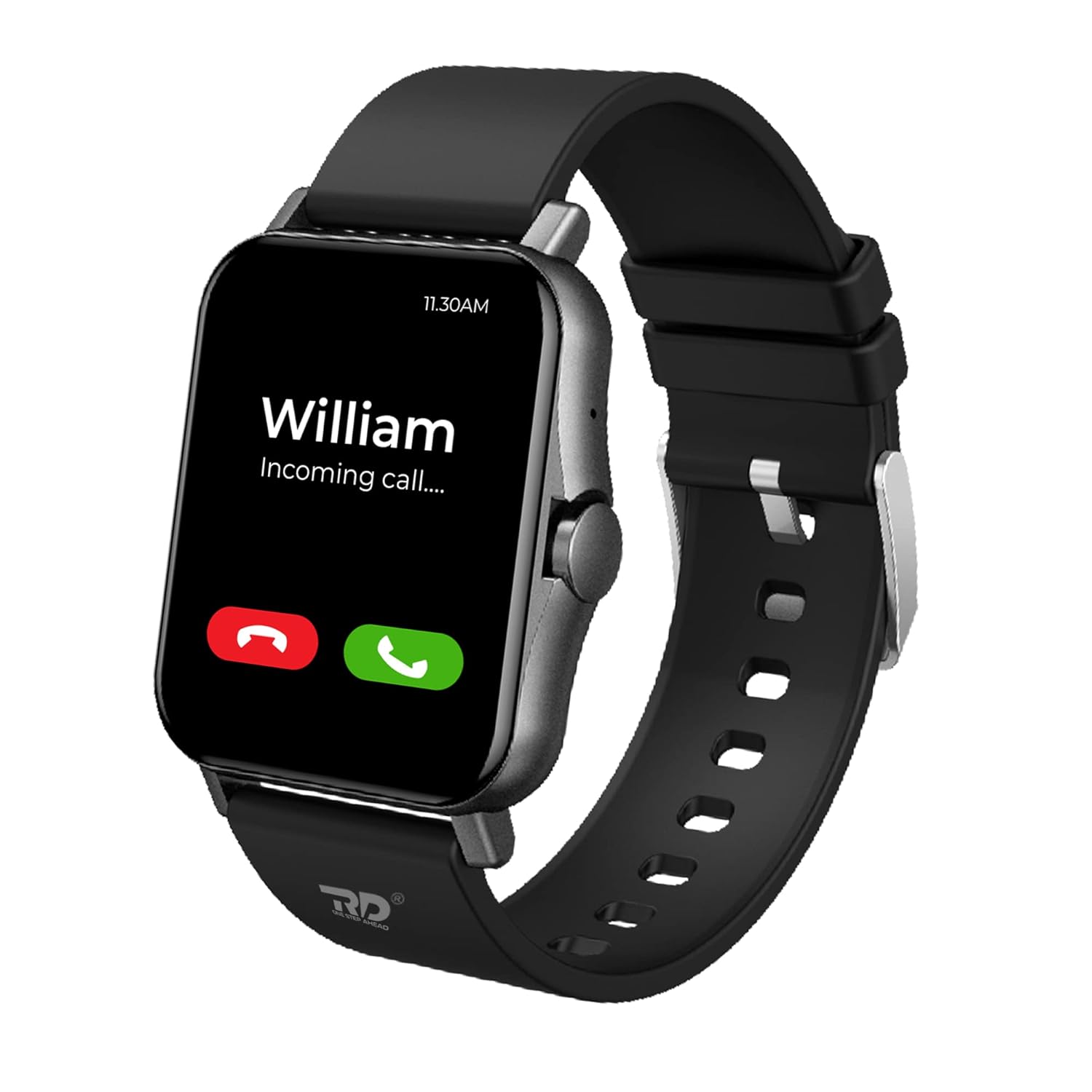
Figure 3.1: RD X-12 Smart Watch with Bluetooth calling feature active.

Figure 3.2: The 1.69-inch full-touch display with 240x280 pixel resolution.

Figure 3.3: Available color variants of the RD X-12 Smart Watch.
4. Setup and Initial Use
4.1 Charging the Device
Before first use, fully charge your smart watch. Connect the charging cable to the watch's charging port and a compatible USB power adapter. The watch display will indicate charging status.
4.2 Pairing with Your Smartphone
- Download the companion application from your smartphone's app store (compatible with Android 5.1+ and iOS 8+).
- Enable Bluetooth on your smartphone.
- Open the application and follow the on-screen instructions to search for and pair with your RD X-12 Smart Watch.
- Confirm the pairing request on both your smartphone and the smart watch.
5. Operating Features
5.1 Bluetooth Calling
The RD X-12 Smart Watch allows you to make and receive calls directly from your wrist, thanks to its built-in microphone and speaker. You can dial numbers or answer incoming calls without needing to take out your phone.

Figure 5.1: Bluetooth calling interface on the smart watch.
5.2 Health Monitoring
Monitor your health with integrated sensors for SpO2 (blood oxygen), heart rate, and sleep patterns. The G-Sensor provides comprehensive well-being insights.
- SpO2 Monitoring: Check your blood oxygen levels.
- Heart Rate Monitoring: Continuous 24-hour heart rate tracking.
- Sleep Monitoring: Tracks your sleep quality and patterns.
- Blood Pressure Monitoring: Provides blood pressure readings.
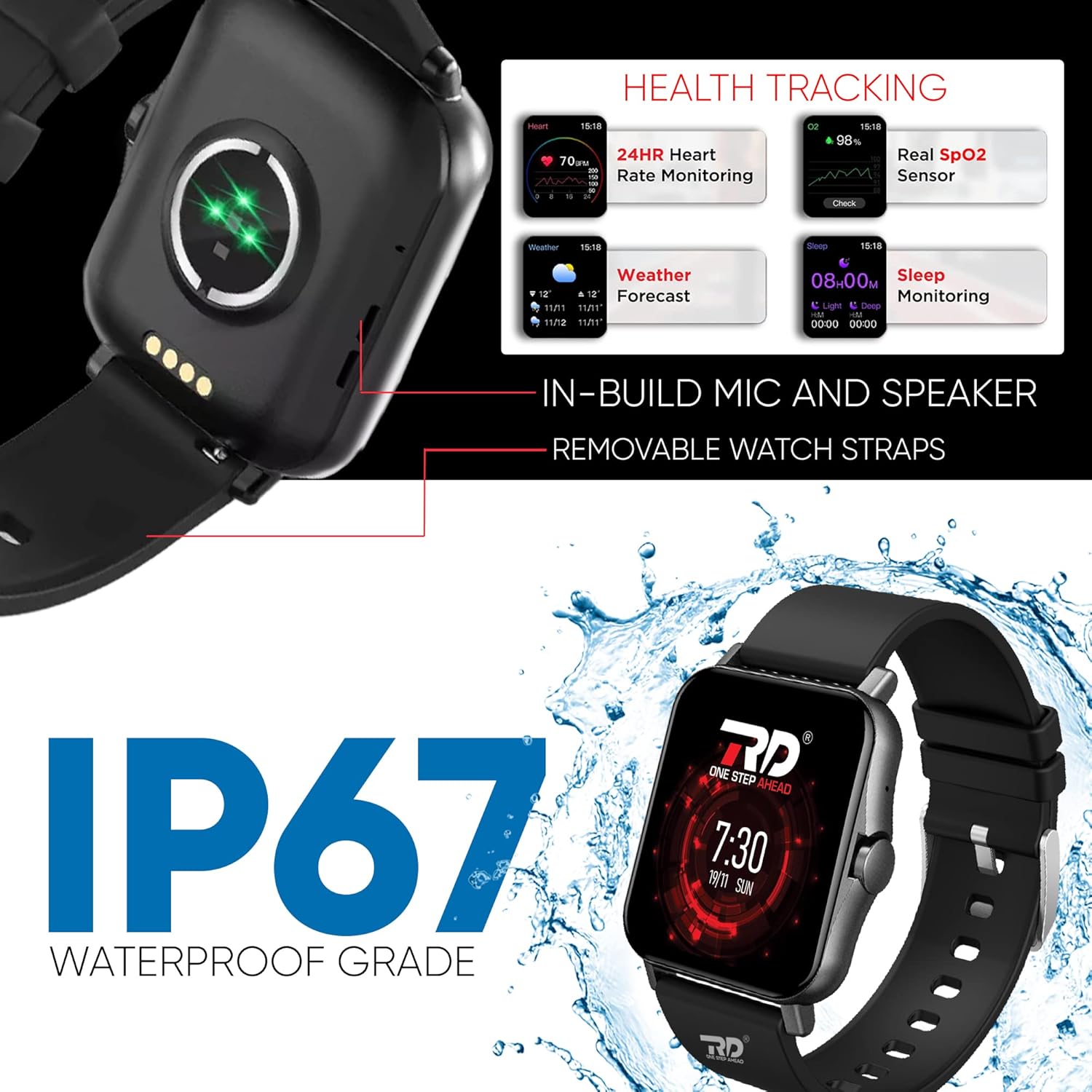
Figure 5.2: Health tracking features displayed on the smart watch.
5.3 Multi-Sport Modes
The watch supports over 15 sports modes to accurately track your activities, including walking, running, cycling, swimming, and more. Select the appropriate mode for precise data collection during your workouts.
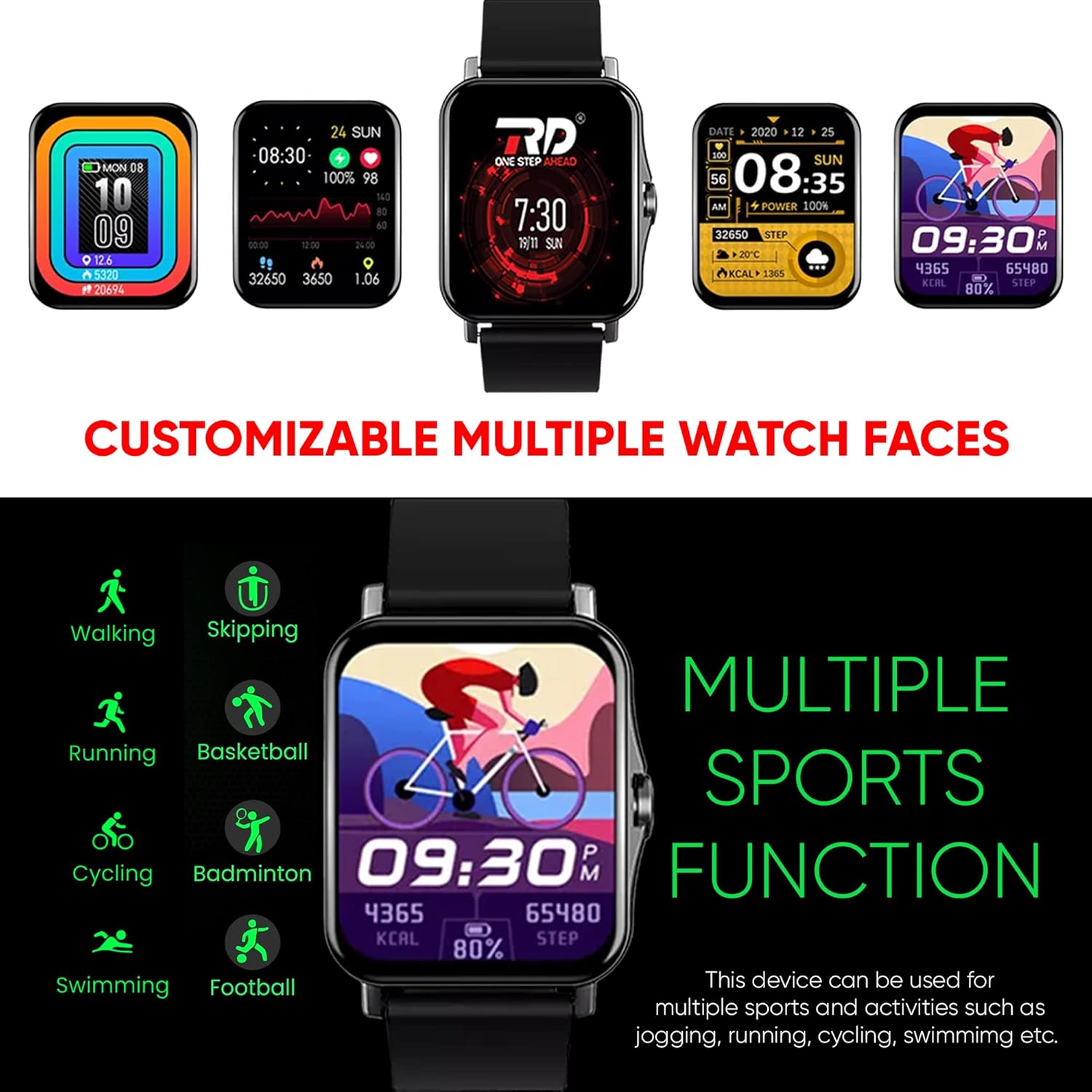
Figure 5.3: Multiple sports tracking modes and customizable watch faces.
5.4 Smart Notifications
Receive notifications for calls, messages, and social media alerts directly on your wrist. The watch also includes features like 'Find My Phone' and sedentary reminders to keep you connected and active.

Figure 5.4: Smart notifications for various applications.
5.5 Battery Life and Charging
The RD X-12 is equipped with a 200mAh battery, providing up to 20 days of standby time on a single charge. Working time is up to 6 days, with a charging time of approximately 30 minutes.

Figure 5.5: Battery and charging details for the smart watch.
5.6 Durability
The watch features an IP67 dust and water resistance rating, making it suitable for various environments and activities. It is resistant to splashes and brief immersion in water.
Video 5.6: A short preview showcasing the RD X-12 Smart Watch's features including HD display, sports modes, Bluetooth calling, customizable watch faces, heart rate monitoring, IP67 water resistance, and various menu styles.
6. Specifications
| Feature | Detail |
|---|---|
| Brand | RD |
| Model | X-12 |
| Display Size | 1.69 Inches |
| Display Type | TFT LCD |
| Resolution | 240*280pxl |
| Connectivity | Bluetooth |
| Battery Capacity | 200 mAh |
| Battery Life (Standby) | Up to 20 Days |
| Battery Life (Working) | Up to 6 Days |
| Charging Time | Approx. 30 minutes |
| Water Resistance | IP67 |
| Memory Storage Capacity | 512 MB |
| Compatible Devices | Android 5.1 and above, iOS 8 and above |
| Special Features | Activity Tracker, Blood Pressure Monitor, Heart Rate Monitor, Phone Call, Sedentary Reminder, SpO2 Monitor, Sleep Monitor, Multi Sport Mode |
| Item Weight | 40 g |
7. Troubleshooting
7.1 Device Not Turning On
- Ensure the watch is fully charged. Connect it to the charger for at least 30 minutes.
- Press and hold the power button for 5-10 seconds.
7.2 Unable to Pair with Smartphone
- Make sure Bluetooth is enabled on your smartphone and the watch.
- Ensure the watch is within the Bluetooth range of your phone (typically 10 meters).
- Restart both your smartphone and the smart watch.
- Check if the companion app is updated to the latest version.
- If previously paired, try unpairing and re-pairing the device.
7.3 Inaccurate Health Readings
- Ensure the watch is worn snugly on your wrist, not too tight or too loose.
- Clean the sensor on the back of the watch.
- Avoid excessive movement during readings.
7.4 Short Battery Life
- Reduce screen brightness.
- Limit the number of active notifications.
- Disable continuous heart rate monitoring if not needed.
- Ensure the watch is fully charged each time.
8. Warranty and Support
Your RD X-12 Smart Watch comes with a 6-month warranty covering manufacturing defects.

Figure 8.1: Warranty details and contact information.
Contact Information for Warranty Claims:
- Email: ecommerce@rdpro.in
- Mobile: +91 88284 19514
- WhatsApp: Click to Chat on WhatsApp
Please retain your proof of purchase for warranty claims. Terms and conditions apply.


