
JVC LT32MAW2
JVC 32-Inch 720p HD LED Roku Smart TV User Manual
Model: LT32MAW2
1. Introduction
The JVC 32-Inch 720p HD LED Roku Smart TV (Model LT32MAW2) offers a pristine visual experience with its 1366 x 768 resolution, delivering vivid and brilliant pictures. This smart television integrates the Roku platform, providing instant access to a vast selection of streaming services and channels with a single remote control. This manual provides essential information for setting up, operating, maintaining, and troubleshooting your new JVC Roku TV.

The JVC Roku TV offers a seamless smart TV experience with integrated streaming.
2. What's in the Box
Upon unboxing your JVC 32-Inch Roku Smart TV, please ensure all components are present:
- JVC 32-Inch 720p HD LED Roku Smart TV
- Roku Remote Control
- TV Stand (2 pieces)
- Screws for Stand Assembly
- Power Cord (integrated)
- Quick Start Guide / User Manual
- 2 AAA Batteries (for remote)

Included components: TV, remote, and stand.
3. Setup Guide
3.1 Attaching the TV Stand
- Carefully place the TV screen-down on a soft, clean surface to prevent scratches.
- Align each stand leg with the corresponding screw holes on the bottom of the TV.
- Secure each leg with the provided screws using a Phillips head screwdriver.
- Once secured, carefully lift the TV and place it on a stable, level surface.
3.2 Connecting Peripherals
Connect your external devices such as cable boxes, gaming consoles, or Blu-ray players to the available ports on the back and side of the TV.

Rear view of the TV with port access.
3.3 Initial Power-On and Roku Guided Setup
- Plug the TV's power cord into a wall outlet.
- Insert the 2 AAA batteries into the Roku remote control.
- Press the Power button on the remote to turn on the TV.
- Follow the on-screen instructions for the Roku Guided Setup. This will include selecting your language, connecting to your Wi-Fi network, and activating your Roku account.
- The TV will automatically download and install any necessary software updates during this process.
4. Operating Your JVC Roku TV
4.1 Roku Home Screen Navigation
The Roku Home Screen provides easy access to all your entertainment. Use the directional pad on your remote to navigate through menus and select options. The Home screen displays your installed streaming channels, TV inputs, and other features.

The intuitive Roku Home Screen.
4.2 Accessing Streaming Channels and Inputs
From the Home screen, select any streaming channel icon to launch the app. To switch to a connected device (e.g., Blu-ray player, game console), select the corresponding input tile (e.g., HDMI 1, Game Console) from the Home screen.
4.3 Voice Control and Mobile App
The Roku mobile app (available for iOS and Android) allows you to control your TV, search by voice, cast personal media, and enjoy private listening through headphones. The TV also supports popular voice assistants like Alexa, Siri, and Google Assistant for convenient control.

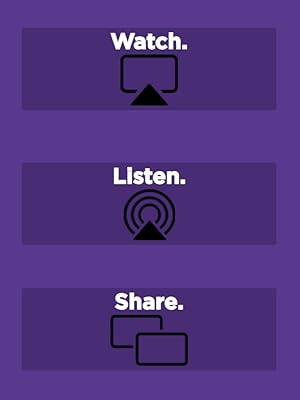
Advanced features like AirPlay and voice assistant compatibility.
5. Connectivity
The JVC 32-Inch Roku Smart TV offers a variety of input and output options to connect your home theater components:
- 3 x HDMI Ports: For high-definition audio and video connections (e.g., Blu-ray players, gaming consoles).
- 1 x USB Port: For playing media from USB drives.
- 1 x Optical Audio Output: For connecting to soundbars or home theater systems.
- Composite (AV) Jacks: For older devices using RCA cables.
- Antenna Input (Coaxial Jack): For connecting an antenna for over-the-air broadcasts.
- Headphone Jack: For private listening.
- Wi-Fi Technology: For wireless internet connectivity and streaming.

Comprehensive connectivity options for all your devices.
6. Roku Integrated Features
Your JVC Smart TV comes with Roku built-in, offering a world of entertainment at your fingertips:
- Vast Content Library: Access thousands of free and paid streaming channels, including popular services like Netflix, Disney+, YouTube, Hulu, and Amazon Prime Video.
- The Roku Channel: Enjoy hundreds of free movies, TV episodes, and live news channels.
- Simple Remote: The included Roku remote is designed for ease of use, controlling both your TV and Roku streaming features.
- Roku Mobile App: Transform your smartphone into a powerful remote with voice search, private listening, and the ability to cast photos and videos to your TV.
- Automatic Updates: Roku TVs receive automatic software updates, ensuring you always have the latest features and security enhancements.

Stream what you love with the integrated Roku platform.
7. DLED Technology
The JVC 32-Inch Roku Smart TV utilizes Direct LED (DLED) technology. DLED backlighting positions LEDs directly behind the entire screen, rather than just along the edges. This design provides a high contrast ratio with brilliant, saturated colors. Local dimming capabilities further enhance picture quality by minimizing blooming and delivering deeper blacks, resulting in a more immersive viewing experience.
DLED technology for enhanced contrast and color.
8. Maintenance
8.1 Cleaning Your TV
To maintain the clarity and longevity of your TV screen, gently wipe it with a soft, dry microfiber cloth. For stubborn smudges, lightly dampen the cloth with water or a screen-cleaning solution specifically designed for electronics. Avoid using harsh chemicals, abrasive cleaners, or spraying liquid directly onto the screen.
8.2 Software Updates
Your JVC Roku TV automatically receives software updates over the internet. Ensure your TV is connected to a stable Wi-Fi network to receive these updates, which provide new features, performance improvements, and security patches. You can manually check for updates in the Roku settings menu under System > Software Update.
9. Troubleshooting
If you encounter issues with your JVC Roku TV, try the following common troubleshooting steps:
| Problem | Possible Solution |
|---|---|
| No Power | Ensure the power cord is securely plugged into both the TV and a working electrical outlet. Try a different outlet. |
| No Picture / Black Screen | Check that the correct input source is selected. Verify all HDMI or AV cables are securely connected. Try restarting the TV by unplugging it for 30 seconds and plugging it back in. |
| No Sound | Check the TV volume and ensure it's not muted. Verify external audio devices (soundbar, receiver) are properly connected and powered on. Check audio settings on the TV. |
| Network Connection Issues | Ensure your Wi-Fi router is on and functioning. Restart your router. Go to Roku settings > Network > Check connection to diagnose and reconnect. |
| Remote Not Responding | Replace the batteries in the remote. Ensure there are no obstructions between the remote and the TV. For Roku remotes, try re-pairing if it's a voice remote. |
If the issue persists after trying these steps, please refer to the full online support resources or contact JVC customer support.
10. Specifications
| Feature | Detail |
|---|---|
| Brand | JVC |
| Model Number | LT32MAW2 |
| Screen Size | 32 Inches (Visible screen diagonal: 82 cm) |
| Display Technology | LED (Direct LED) |
| Resolution | 720p (1366 x 768) |
| Aspect Ratio | 16:9 |
| Refresh Rate | 60Hz |
| Item Weight | 7.7 pounds |
| Product Dimensions | 3 x 28.9 x 17.1 inches |
| On-mode Power Consumption | 8 watts |
| Included Components | TV, Remote, Stand |
| Connectivity Technology | HDMI (x3), USB (x1), Optical Audio Out, Composite (AV), Coaxial, Headphone Jack, Wi-Fi |
| Supported Internet Services | Pandora, Hulu Plus, Amazon Instant Video (and many more via Roku) |
| Batteries Required | 2 AAA batteries (for remote) |
11. Warranty and Support
Your JVC 32-Inch 720p HD LED Roku Smart TV comes with a manufacturer's warranty. Please refer to the warranty card included in your packaging for specific terms and conditions, including coverage duration and claim procedures. Keep your proof of purchase for warranty purposes.
For technical support, troubleshooting assistance beyond this manual, or to inquire about replacement parts, please visit the official JVC support website or contact their customer service. You may also consider purchasing extended protection plans for additional coverage.
Available Protection Plans:
- 2-Year Protection Plan
- 3-Year Protection Plan
- Complete Protect (monthly plan covering eligible purchases)
For the most up-to-date support information, please visit the official JVC website.
Related documentsLT32MAW2


Ask a question about this manual
Ask about setup, troubleshooting, compatibility, parts, safety, or missing instructions. Manuals+ will review the question and use this page’s manual context to help answer it.