
Merkury Innovations MI-PH001-199
Contents
Merkury Innovations Breathe Easy Portable Personal Humidifier User Manual
Model: MI-PH001-199
Introduction
Thank you for purchasing the Merkury Innovations Breathe Easy Portable Personal Humidifier. This device is designed to improve your air quality, providing relief from dry skin and allergies, and promoting better sleep. Its compact and portable design makes it ideal for use in various settings, including your car, office, bedroom, or during travel.
Please read this manual thoroughly before operating the humidifier to ensure safe and optimal performance. Keep this manual for future reference.
Safety Information
- Do not immerse the device in water or any other liquid.
- Do not block the mist outlet.
- Use only clean tap water or distilled water. Do not add essential oils directly into the water tank as this may damage the device.
- Keep out of reach of children and pets.
- Unplug the humidifier when not in use or before cleaning.
- Do not disassemble or attempt to repair the device yourself. Contact customer support for assistance.
- Ensure the USB power source is compatible with the device's voltage (5V DC).
Product Overview
The Merkury Innovations Breathe Easy Humidifier is a compact and efficient device designed for personal use. It features a 300ml water tank, two mist modes, a soothing night light, and an automatic shut-off function.

Image: The Merkury Innovations Breathe Easy Portable Personal Humidifier shown alongside its product packaging, highlighting its compact size and design.
Key Features
- 300ml Capacity: Provides over 6 hours of operation.
- Adjustable Mist: Two mist modes (Continuous and Intermittent).
- Multicolor LEDs: Integrated night light feature.
- Quiet Operation: Operates at less than 26dB, ideal for sleeping or working environments.
- USB Powered: Conveniently powered via USB.
- Auto Shut-off: Automatically turns off when water level is low or after timer.

Image: A visual representation of the humidifier's key features, including its 300ml capacity, adjustable mist, multicolor LED lighting, quiet operation, and USB power capability.

Image: The humidifier operating quietly on a bedside table next to a sleeping person, with a graphic indicating its low noise level (15-26dB) compared to breathing and air conditioning.
Setup
- Unpack: Carefully remove the humidifier and all accessories from the packaging.
- Open the Lid: Gently twist and lift the top cover of the humidifier.
- Fill Water Tank: Fill the water tank with clean tap water or distilled water. Do not exceed the maximum fill line. The water should be added to just below the top of the tank.
- Replace Lid: Securely place the top cover back onto the humidifier, ensuring it is properly aligned.
- Connect Power: Insert the micro-USB end of the included USB cable into the humidifier's USB input port. Connect the other end of the USB cable to a compatible USB power source (e.g., computer USB port, USB wall adapter, portable power bank).
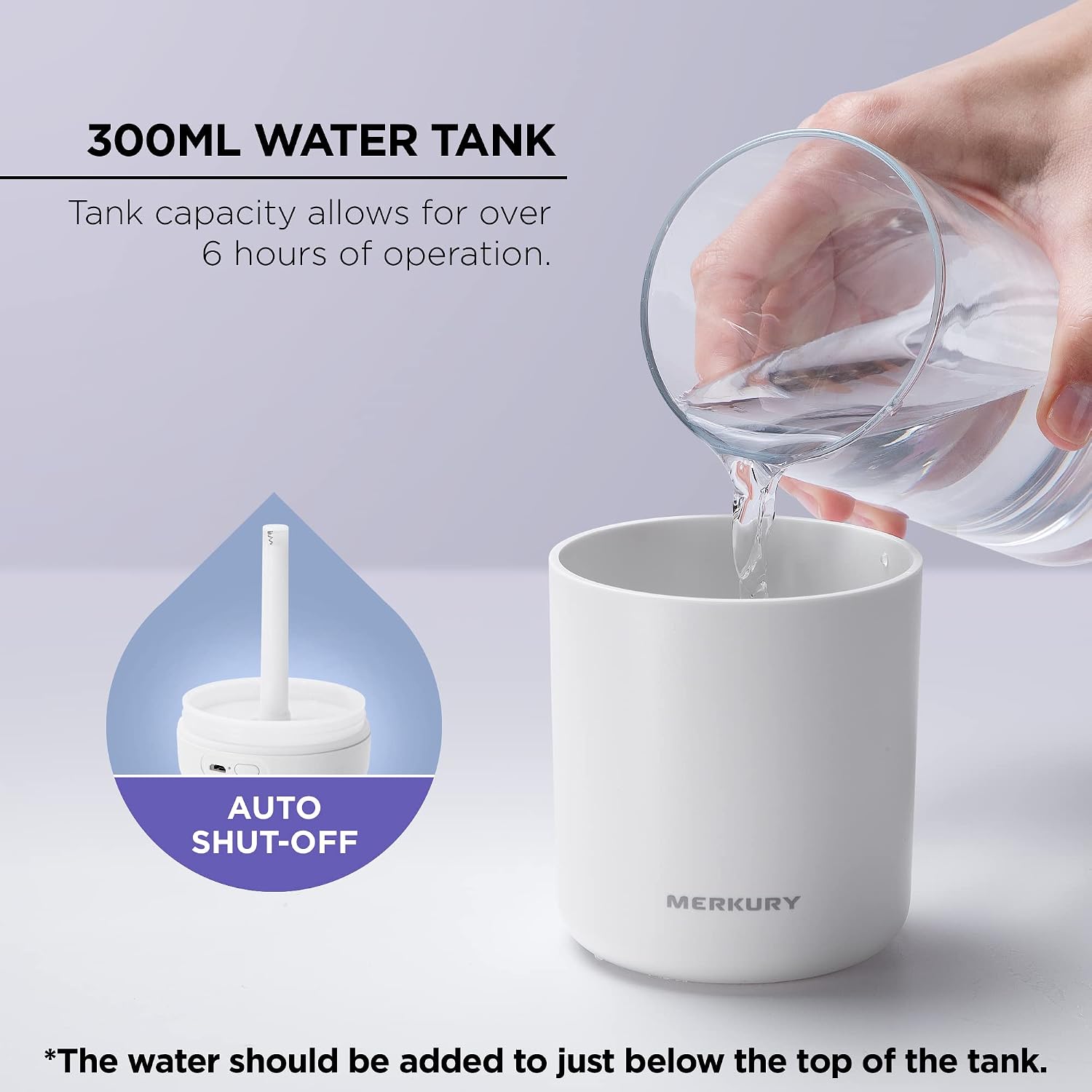
Image: Illustration of filling the humidifier's 300ml water tank, emphasizing that water should be added just below the top, and highlighting the auto shut-off feature.
Operating Instructions
Power Button Functions
The single control button on the humidifier manages both mist and light functions.
- First Press: Activates continuous mist mode (4 hours runtime) and turns on the night light.
- Second Press: Switches to intermittent mist mode (6 hours runtime). The mist will spray for 3 seconds and pause for 3 seconds. The night light remains on.
- Third Press: Turns off the mist function, but the night light remains on.
- Fourth Press: Turns off both the mist function and the night light.
- Long Press (2 seconds): Turns off the night light at any time.

Image: A visual comparison demonstrating the continuous mist mode, which runs for 4 hours, and the intermittent mist mode, which runs for 6 hours, both emitting mist from the humidifier.
Automatic Shut-off
The humidifier is equipped with an automatic shut-off feature for safety and convenience. It will automatically power down after 4 hours in continuous mist mode or 6 hours in intermittent mist mode, or when the water level in the tank is too low.
Placement
Place the humidifier on a flat, stable surface. Its compact design allows it to fit in car cup holders, on office desks, bedside tables, and other small spaces.
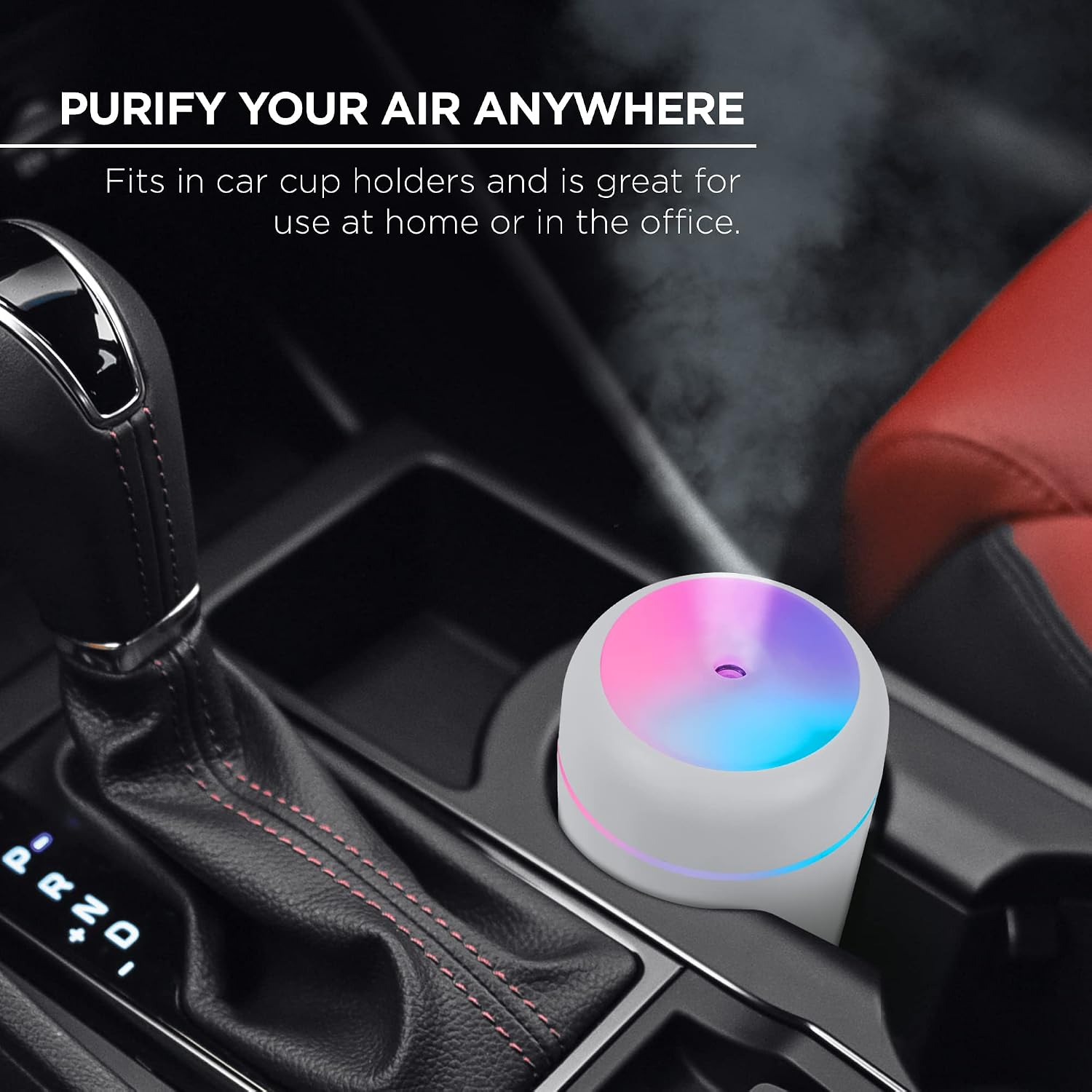
Image: The humidifier positioned in a car's cup holder, illustrating its portable design and how it can purify air in various locations, including inside a vehicle.
Maintenance
Regular cleaning is essential to maintain the performance and longevity of your humidifier.
Daily Maintenance
- Empty any remaining water from the tank.
- Wipe the inside of the water tank with a clean, soft cloth.
- Refill with fresh water before each use.
Weekly Maintenance
- Unplug the humidifier.
- Remove the top cover and empty the water tank.
- Clean the water tank with a soft brush or sponge and mild detergent. Rinse thoroughly to remove any soap residue.
- Gently wipe the mist outlet and the ultrasonic vibrator (the small metal disc inside the tank) with a soft cloth dampened with water. Do not use abrasive materials or sharp objects.
- Allow all parts to air dry completely before reassembling.
Filter Replacement
The humidifier uses a cotton filter stick. If mist output decreases or stops, the filter may need replacement. Filter replacement frequency depends on water quality and usage.
- Unplug the humidifier and remove the top cover.
- Locate the filter housing inside the top cover. Gently pull out the old cotton filter stick.
- Insert a new cotton filter stick, ensuring it is fully saturated with water before first use.
- Reassemble the humidifier.
Troubleshooting
| Problem | Possible Cause | Solution |
|---|---|---|
| No mist or very little mist. |
|
|
| Unpleasant odor from mist. |
|
|
| Humidifier stops unexpectedly. |
|
|
Specifications
| Model Number | MI-PH001-199 |
| Brand | Merkury Innovations |
| Power Input | DC 5.0V |
| Power Rating | 2.5 Watts |
| Water Tank Capacity | 300 ml |
| Spray Quantity | 35-45 ml/h |
| Runtime | Continuous: 4 hours; Intermittent: 6 hours |
| Noise Level | < 26 dB |
| Material | Plastic |
| Dimensions | Approx. 78mm (3.07") Diameter x 119mm (4.68") Height |
| Net Weight | 106 g |

Image: A detailed diagram illustrating the compact design and dimensions of the humidifier, including its control button, USB input, and a list of technical specifications such as power, capacity, and noise level.
Warranty and Support
Merkury Innovations products are designed with quality and performance in mind. For any questions, technical support, or warranty inquiries, please contact Merkury Innovations customer service.
Please visit the official Merkury Innovations website for the most up-to-date support information and contact details.
Note: Specific warranty terms and conditions may vary. Please refer to the product packaging or the manufacturer's official website for detailed warranty information.
Documents and downloads
Ask a question about this manual
Ask about setup, troubleshooting, compatibility, parts, safety, or missing instructions. Manuals+ will review the question and use this page’s manual context to help answer it.