
1. Introduction
This user manual provides essential information for the safe and efficient operation, installation, and maintenance of your Farberware Professional FCD06ABBWHA Compact Portable Countertop Dishwasher. Please read this manual thoroughly before using the appliance and retain it for future reference. This dishwasher is designed for countertop use and can accommodate up to 6 place settings, offering convenience and portability for smaller living spaces or as an auxiliary cleaning solution.
Included components with your dishwasher are an adapter, a cutlery basket, and rack shelves, all designed to optimize your dishwashing experience.

Image 1.1: The Farberware Professional FCD06ABBWHA Compact Portable Countertop Dishwasher shown alongside Cascade Free & Clear Dishwasher Detergent.
2. Safety Instructions
Always adhere to basic safety precautions when using electrical appliances to reduce the risk of fire, electric shock, or injury. This section highlights critical safety information. For a comprehensive list of safety guidelines, please refer to the full PDF user manual.
- Ensure the dishwasher is properly grounded.
- Do not operate the dishwasher if the power cord or plug is damaged.
- Keep children and pets away from the dishwasher during operation.
- Use only detergents specifically designed for automatic dishwashers. The included Cascade Free & Clear Gel Detergent is suitable for this appliance.
- Do not touch the heating element during or immediately after a wash cycle.
- Unplug the dishwasher before cleaning or performing any maintenance.
3. Product Overview and Components
The Farberware Professional FCD06ABBWHA is a compact countertop dishwasher featuring touch controls and multiple wash programs. Understanding its main parts will assist in proper setup and operation.
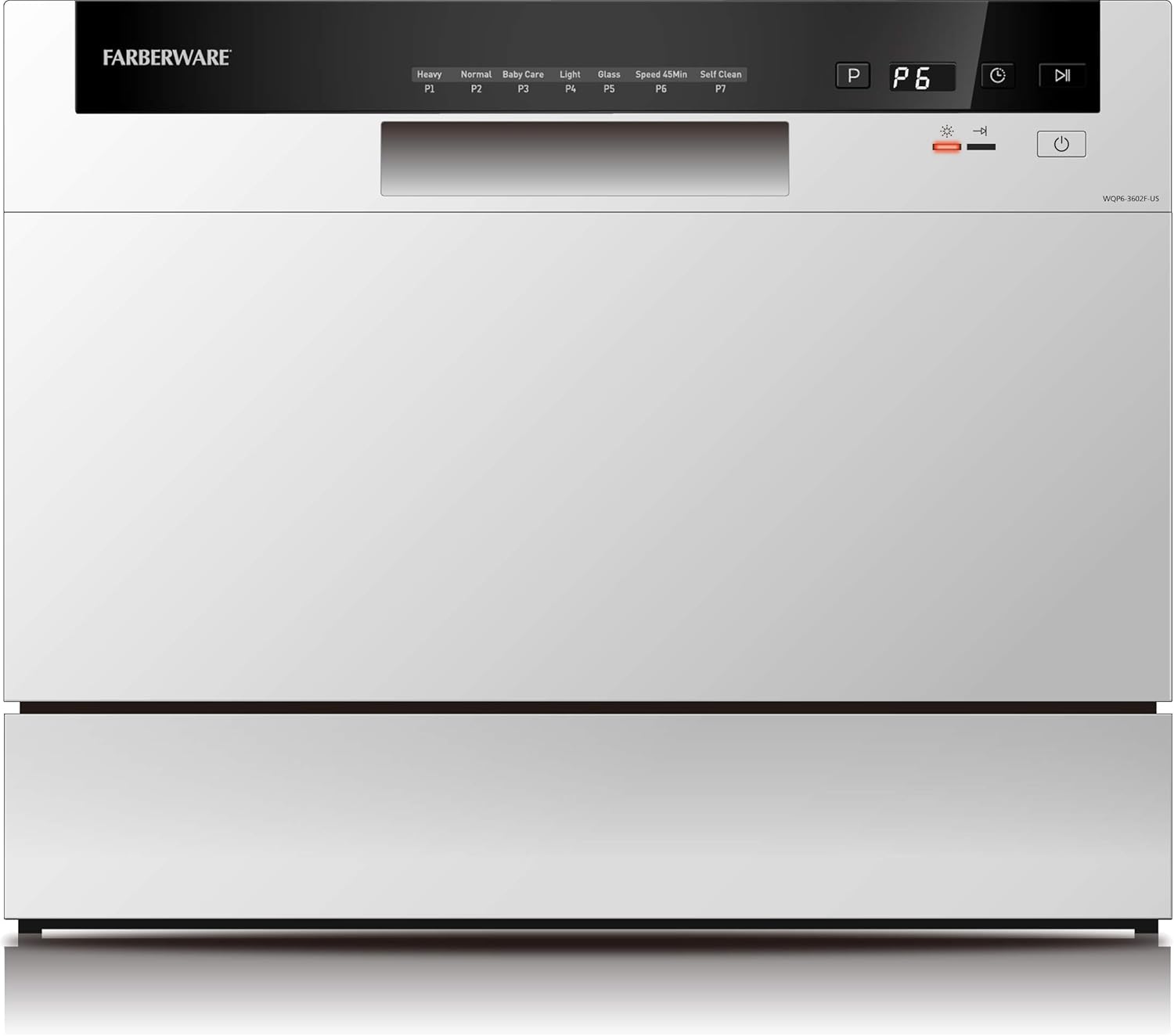
Image 3.1: Front view of the dishwasher, highlighting the digital touch control panel and program indicators.
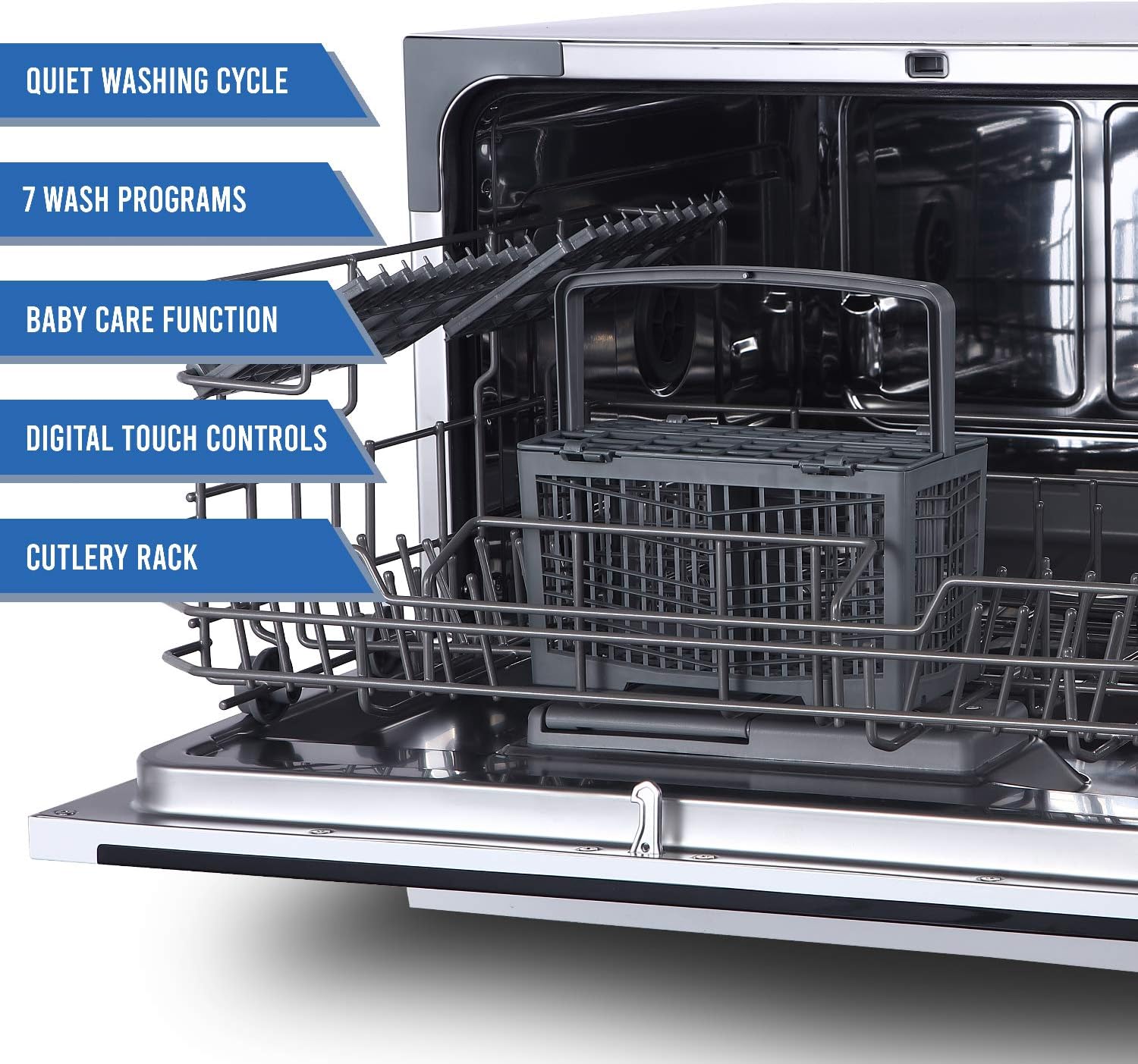
Image 3.2: Interior view of the dishwasher, displaying the dish racks, cutlery basket, and internal spray arm.
Key Components:
- Control Panel: Digital touch controls for program selection and operation.
- Dish Racks: Upper and lower racks designed to hold various dish sizes.
- Cutlery Basket: A dedicated basket for forks, spoons, and knives.
- Water Inlet/Outlet: Connections for water supply and drainage.
- Detergent Dispenser: Compartment for adding dishwasher detergent.
4. Setup and Installation
The Farberware Professional FCD06ABBWHA is designed for easy countertop installation. Follow these steps for initial setup:
- Placement: Place the dishwasher on a flat, stable, and level countertop surface near a water source and drain. Ensure there is adequate space around the unit for ventilation and door opening.
- Water Connection: This model offers two options for water supply:
- Built-in Water Tank: For portable use, fill the internal water tank manually.
- Direct Faucet Connection: Use the provided adapter to connect the dishwasher to a standard kitchen faucet for continuous water supply.
- Drainage: Position the drain hose into a sink or a suitable drain. Ensure the hose is not kinked or obstructed.
- Power Connection: Plug the dishwasher into a grounded 120-volt electrical outlet.
- Loading Dishes: Arrange dishes in the racks, ensuring they do not block the spray arms. Place cutlery in the cutlery basket. The dishwasher has a capacity for 6 place settings.
5. Operating Instructions
Your dishwasher features intuitive touch controls for selecting wash programs and managing cycles.
Control Panel Functions:
- Program Indicators (P1-P7): Display the selected wash cycle.
- Power Button: Turns the dishwasher on/off.
- Start/Pause Button: Initiates or pauses a wash cycle.
- Cycle Selection: Buttons to cycle through available wash programs.
Wash Programs:
The dishwasher offers 7 wash programs to suit various cleaning needs:
- Heavy (P1): For heavily soiled dishes and pots.
- Normal (P2): Standard cycle for everyday dishes.
- Baby Care (P3): Specialized cycle for baby bottles and items requiring extra sanitization.
- Glass (P4): Gentle cycle for delicate glassware.
- Light (P5): For lightly soiled dishes.
- Speed 45min (P6): Quick wash for lightly soiled dishes with a faster turnaround.
- Self Clean (P7): Program for cleaning the dishwasher's interior.
Starting a Wash Cycle:
- Load dishes and cutlery into the dishwasher.
- Add the appropriate amount of dishwasher detergent (e.g., Cascade Free & Clear Gel) to the dispenser.
- Close the dishwasher door securely.
- Press the Power button to turn on the appliance.
- Use the cycle selection buttons to choose your desired wash program (P1-P7).
- Press the Start/Pause button to begin the cycle.
6. Maintenance
Regular maintenance ensures the longevity and optimal performance of your dishwasher.
Cleaning the Filters:
The dishwasher's filter system should be cleaned regularly to prevent food particles from recirculating and affecting wash performance.
- Turn off and unplug the dishwasher.
- Remove the lower rack.
- Locate and remove the filter assembly at the bottom of the tub.
- Rinse the filter under running water to remove any trapped food debris. Use a soft brush if necessary.
- Reinstall the filter assembly, ensuring it is securely locked in place.
Cleaning the Interior and Exterior:
- Wipe the exterior surfaces with a soft, damp cloth. Avoid abrasive cleaners.
- Run the


