
IIWEY N2
iiwey N2 Dash Cam 4K Front and Rear Dual User Manual
Model: N2 | Brand: IIWEY
1. Introduction and Overview
The iiwey N2 Dash Cam is a high-performance dual camera system designed to record your driving journey in exceptional detail. Featuring 4K resolution for the front camera and 1080P for the rear, it ensures comprehensive coverage and clarity. Equipped with a built-in Super Capacitor for enhanced durability in extreme temperatures, Wi-Fi connectivity for easy app control, and essential functions like loop recording and G-sensor, the N2 provides reliable video evidence and peace of mind on the road.

Figure 1.1: iiwey N2 Dash Cam and its components, including the main unit, rear camera, and a smartphone showing the companion app.
2. Setup and Installation
2.1 Package Contents
Before installation, ensure all components are present:
- iiwey N2 Dash Cam (Main Unit)
- Rear Camera
- Power Cable (Car Charger)
- Rear Camera Cable
- Suction Mount
- User Manual (this document)
- (Note: SD card is not included and must be purchased separately.)
2.2 Mounting the Dash Cam
Mount the main dash cam unit on your vehicle's windshield, ideally behind the rearview mirror, to ensure it does not obstruct your view. Clean the windshield surface thoroughly before attaching the suction mount. The rear camera should be mounted on the rear window, ensuring a clear view of the road behind.
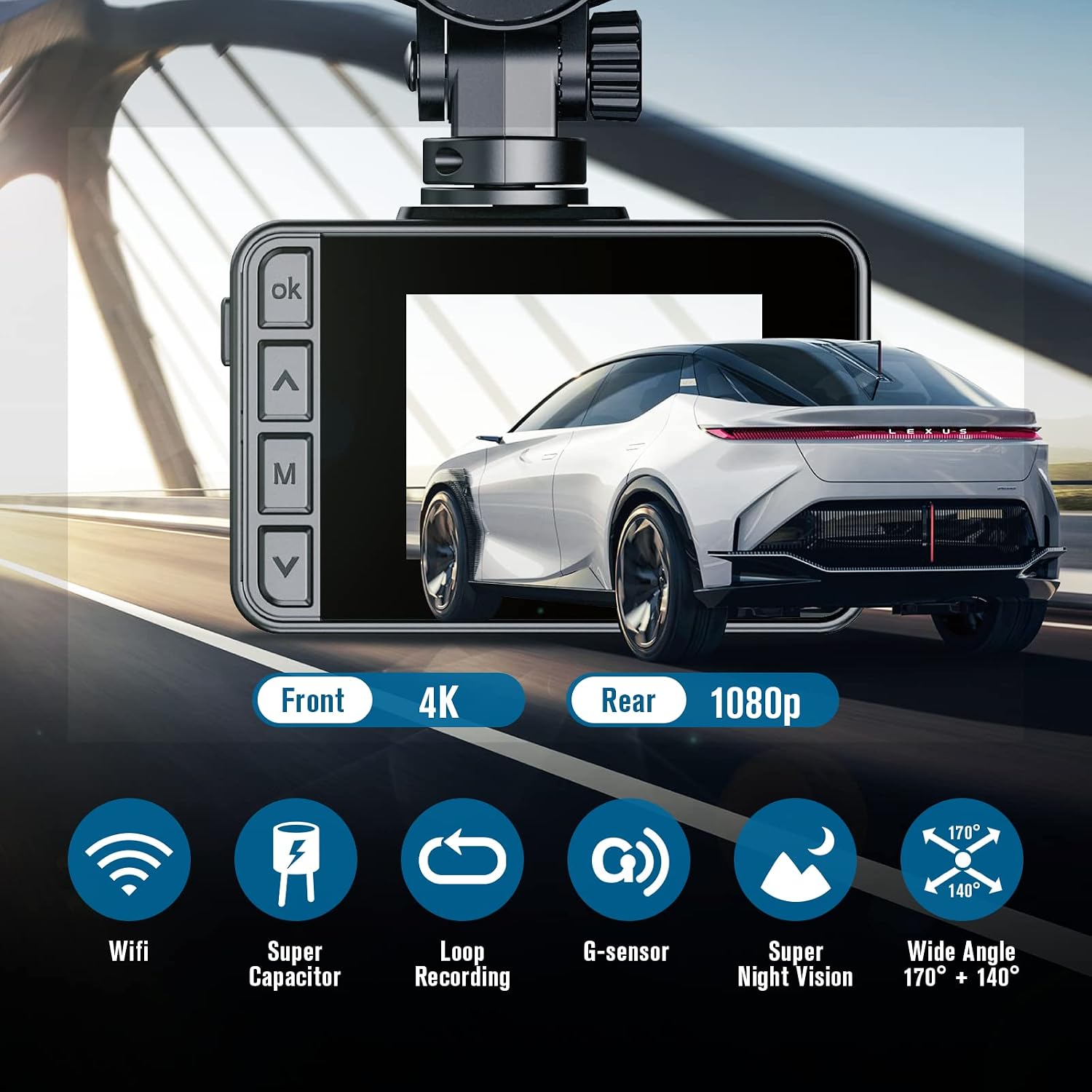
Figure 2.1: Overview of key features and components of the iiwey N2 Dash Cam, including its front 4K and rear 1080p recording capabilities.
2.3 Connecting Power and Rear Camera
Connect the power cable to the dash cam and plug the other end into your vehicle's cigarette lighter socket. Connect the rear camera to the main unit using the provided cable. Route the cables neatly along the vehicle's interior trim to avoid interference with driving.
2.4 SD Card Insertion
Insert a compatible Micro SD card (up to 256GB, Class 10 or higher recommended) into the SD card slot on the dash cam. Ensure the card is inserted correctly until it clicks into place. The dash cam will prompt you to format the SD card upon first use or if a new card is detected. Formatting is crucial for optimal performance.
3. Operating Instructions
3.1 Power On/Off and Recording
The dash cam will automatically power on and begin recording when your vehicle's ignition is turned on. It will automatically power off when the ignition is turned off. Recording is continuous via loop recording, overwriting the oldest files when the SD card is full.
3.2 Wi-Fi and App Control
The iiwey N2 features built-in Wi-Fi, allowing you to connect your smartphone via a dedicated app. This app enables real-time viewing of recordings, playback, downloading of videos and images directly to your phone, and sharing content. Refer to the app's instructions for detailed connection steps.

Figure 3.1: The Wi-Fi control feature allows for easy viewing, downloading, and sharing of videos directly from your smartphone.
Video 3.1: An official demonstration of the iiwey N2 4K Dual Dash Cam, highlighting its features and operation, including Wi-Fi app control and video sharing capabilities.
3.3 G-Sensor and Emergency Recording
The built-in G-sensor automatically detects sudden shakes or collisions. When triggered, it locks the current video segment, preventing it from being overwritten by loop recording. This ensures critical incident footage is preserved.
3.4 Parking Monitoring
For 24-hour parking monitoring, a separate hardwire kit (ASIN: B07Q29JZZY) is required. When properly installed, this feature allows the dash cam to record events even when the vehicle is parked and the ignition is off, providing security against bumps or vandalism.
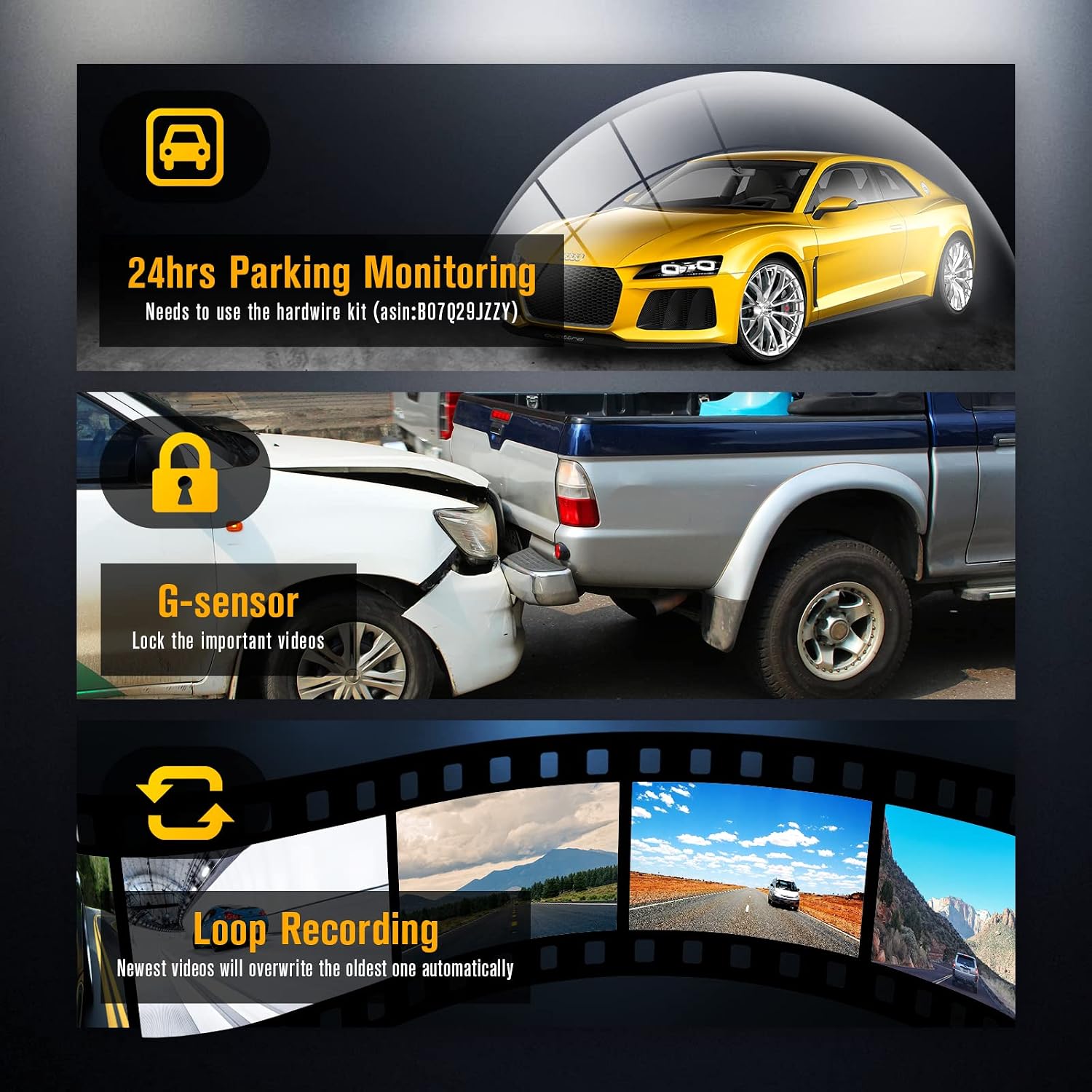
Figure 3.2: Visual representation of key recording features: 24-hour parking monitoring (requires hardwire kit), G-sensor for locking important videos, and automatic loop recording.
3.5 Night Vision and Image Quality
The iiwey N2 utilizes HDR and WDR technology along with a Starvis sensor and F1.4 large aperture to enhance image quality, particularly in low-light conditions. This results in clearer recordings at night, capturing more details.

Figure 3.3: The dash cam's superior night vision capabilities, enabled by advanced sensor and imaging technologies, ensure clear recordings even in challenging low-light environments.

Figure 3.4: The dual dash cam system provides crystal clear 4K video from the front camera and 1080P from the rear, capturing more details for comprehensive coverage.
4. Maintenance
4.1 SD Card Management
Regularly format your SD card (at least once a month) to maintain optimal recording performance and prevent data corruption. Always power off the dash cam before inserting or removing the SD card to avoid damage.
4.2 Cleaning
Use a soft, dry cloth to clean the dash cam's lens and screen. Avoid using abrasive cleaners or solvents that could damage the device. Ensure the windshield area where the camera is mounted is clean for a secure attachment and clear view.
4.3 Super Capacitor Benefits
The iiwey N2 utilizes a super capacitor instead of a traditional lithium battery. This provides superior heat resistance, allowing the dash cam to operate reliably in extreme temperatures ranging from -4°F to 158°F (-20°C to 70°C). Super capacitors also offer a significantly longer lifespan compared to batteries, contributing to the device's overall longevity.

Figure 4.1: The super capacitor provides extreme temperature resistance, ensuring reliable operation in both cold and hot climates.
5. Troubleshooting
| Problem | Possible Cause | Solution |
|---|---|---|
| Dash cam does not power on. | No power supply; faulty cable; vehicle power outlet issue. | Check power cable connection; try a different power outlet; ensure vehicle ignition is on. |
| Recording stops or freezes. | SD card full or corrupted; incompatible SD card; firmware issue. | Format the SD card; use a high-quality Class 10 (or higher) SD card; update firmware if available. |
| Poor video quality (blurry, grainy). | Dirty lens; low light conditions; incorrect settings. | Clean the lens; ensure proper exposure settings; verify resolution settings (4K/1080P). |
| Wi-Fi connection issues. | Incorrect Wi-Fi password; app not updated; interference. | Re-enter Wi-Fi password; update the app; ensure no strong interference sources nearby. |
| Suction cup mount detaches. | Dirty windshield; extreme temperature changes; worn suction cup. | Clean windshield thoroughly; re-attach firmly; consider replacing the mount if worn. |
If you encounter issues not listed here or if the suggested solutions do not resolve the problem, please contact customer support.
6. Specifications
- Model: N2
- Front Camera Resolution: 4K (2160p)
- Rear Camera Resolution: 1080P
- Connectivity: Wi-Fi
- Storage: Supports up to 256GB Micro SD card (not included)
- Power Source: Built-in Super Capacitor
- Operating Temperature: -4°F to 158°F (-20°C to 70°C)
- Special Features: Loop Recording, G-Sensor, Parking Monitoring (with optional hardwire kit), Night Vision (HDR & WDR)
- Dimensions: 6.14 x 4.57 x 3.15 inches (Package)
- Weight: 14.9 ounces
7. Warranty and Support
iiwey provides a 12-month warranty for the N2 Dash Cam, along with a 30-day money-back guarantee. Lifetime technical support is also available. For any questions, technical assistance, or warranty claims, please contact iiwey customer care directly through the Amazon message chat box or their official support channels.
For more information, visit the IIWEY Store on Amazon.
Related documentsN2

Ask a question about this manual
Ask about setup, troubleshooting, compatibility, parts, safety, or missing instructions. Manuals+ will review the question and use this page’s manual context to help answer it.