
WELLFOR W3MCL3630
WELLFOR LED Mirrored Cabinet User Manual
Model: W3MCL3630
Brand: WELLFOR
1. Introduction
This manual provides detailed instructions for the installation, operation, and maintenance of your WELLFOR LED Mirrored Cabinet. This cabinet features integrated LED lighting, an anti-fog mirror, adjustable tempered-glass shelves, and soft-close door hinges. It is designed for both recessed and surface mounting applications in bathrooms or similar environments.
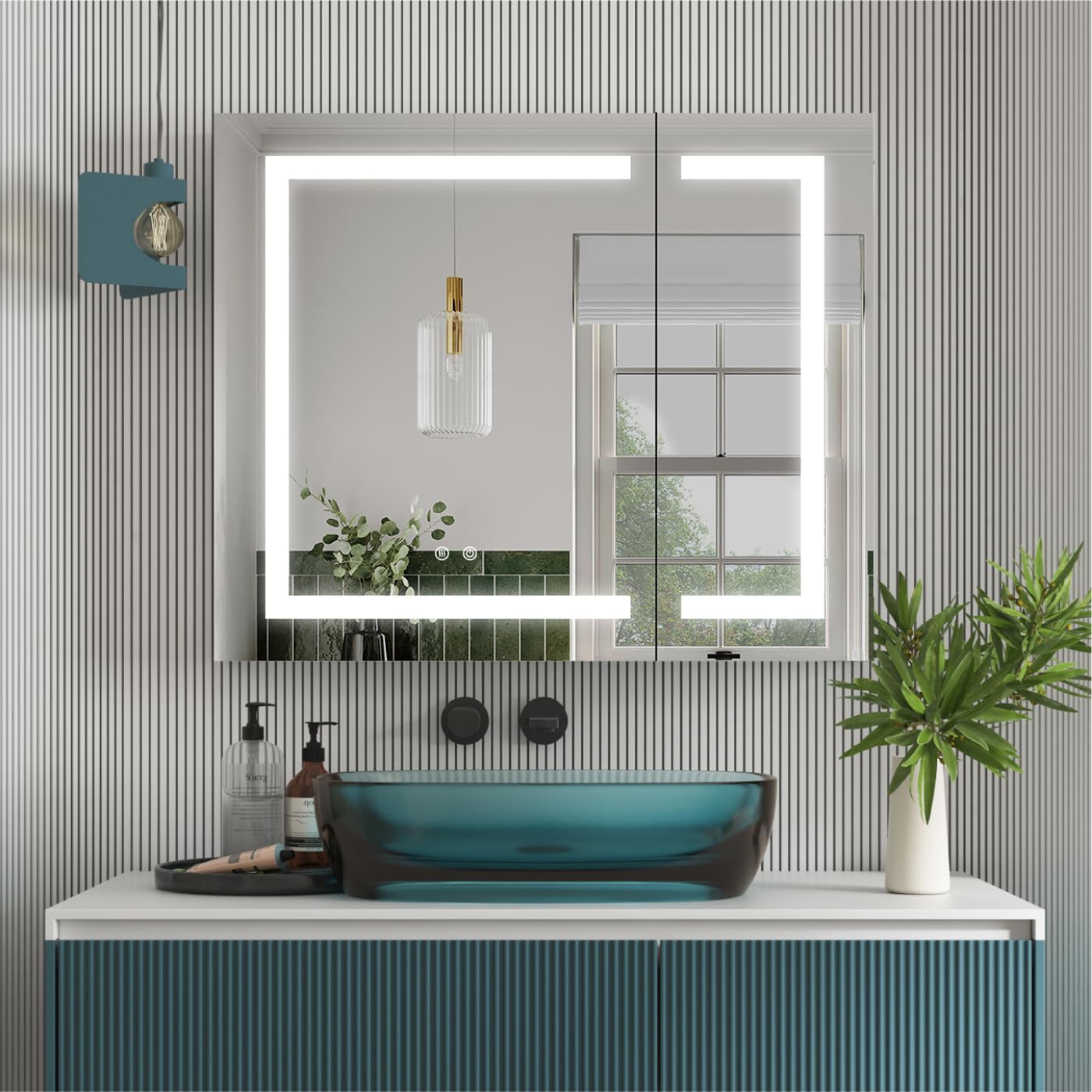
Image 1.1: The WELLFOR LED Mirrored Cabinet in a bathroom setting, showcasing its illuminated mirror and sleek design.
2. Safety Information
Please read all instructions carefully before installation and use. Retain this manual for future reference.
- Ensure the power supply is disconnected at the circuit breaker before any installation or maintenance procedures.
- All electrical wiring must be performed by a qualified electrician in accordance with local codes and regulations.
- Handle glass components with care to prevent breakage and injury.
- Do not expose the cabinet to excessive moisture or direct water spray beyond its intended use in a bathroom environment.
- Keep children away from the installation area.
3. Package Contents
Verify that all components are present and undamaged before beginning installation.
- WELLFOR LED Mirrored Cabinet
- Adjustable Tempered-Glass Shelves (3)
- Mounting Hardware Kit
- User Manual
4. Specifications
| Feature | Specification |
|---|---|
| Brand | WELLFOR |
| Model Name | led medicine cabinet |
| Item Model Number | W3MCL3630 |
| Product Dimensions | 4.63"D x 36"W x 30"H |
| Mounting Type | Recessed Mount; Surface Mount |
| Number of Shelves | 3 (Tempered Glass) |
| Special Feature | Illuminated, Defogger, Dimmable, 3 Color LED Lights, Outlets & USB Ports |
| Light Color Temperature | 2700K-6500K (Continuously-variable) |
| Brightness | 2200 Lumens (10%-100% Dimmable) |
| LED Lifetime | 50,000 hours |
| Interior Outlets | 2 Outlets + 2 USB (15 AMP 110V AC, 4.2 AMP 5V DC USB) |
| Hinges | Austria BLUM Soft-Close, 3-dimension adjustable, 110-degree opening |
| Defogger | Separate control, automatic shut-off after 1 hour |
| Power Connection | Plug or Hardwire (US standard plug included) |
| Certifications | UL Std. 962, ETL |
| Item Weight | 59.8 Pounds |

Image 4.1: Detailed technical specifications and dimensions for installation planning.
5. Installation
5.1 Mounting Options: Recessed or Surface Mount
The WELLFOR LED Mirrored Cabinet offers flexibility for installation, allowing it to be either recessed into the wall or surface mounted. Choose the option that best suits your bathroom design and structural capabilities.
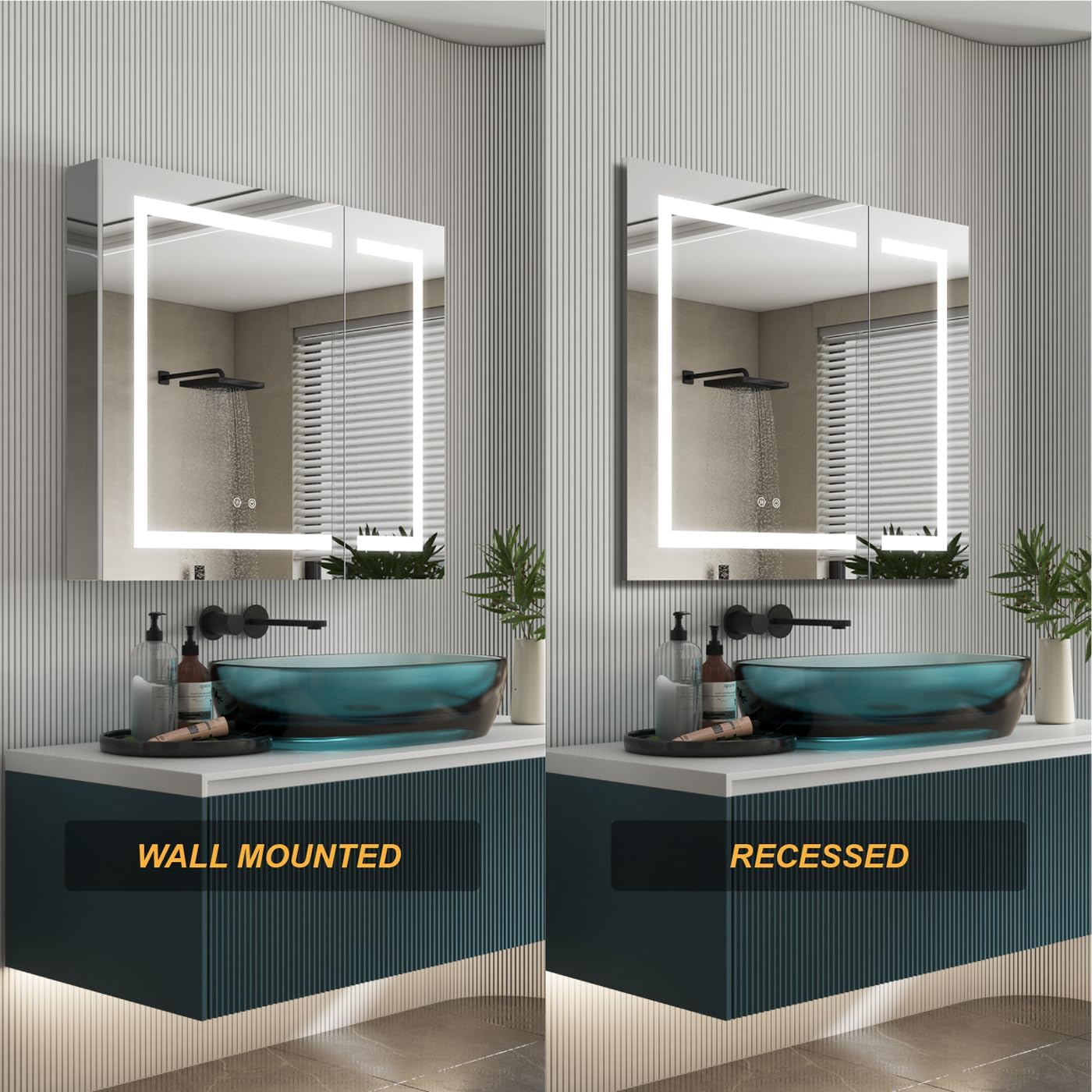
Image 5.1: Visual comparison of the cabinet installed as wall-mounted versus recessed.

Image 5.2: Examples of recessed and surface mounted installations in different bathroom settings.
5.2 Electrical Connection
The cabinet can be connected via a standard US plug or hardwired directly into your electrical system. Ensure all electrical work is performed by a certified professional.
- For plug-in installation, ensure a GFCI-protected outlet is available within reach of the cabinet's power cord.
- For hardwired installation, disconnect power at the circuit breaker and follow local electrical codes for safe wiring.
5.3 Shelf Installation
The cabinet includes three tempered-glass shelves. These shelves are adjustable to accommodate items of various heights. Insert the shelf pins into the desired slots inside the cabinet and carefully place the glass shelves on top of the pins.
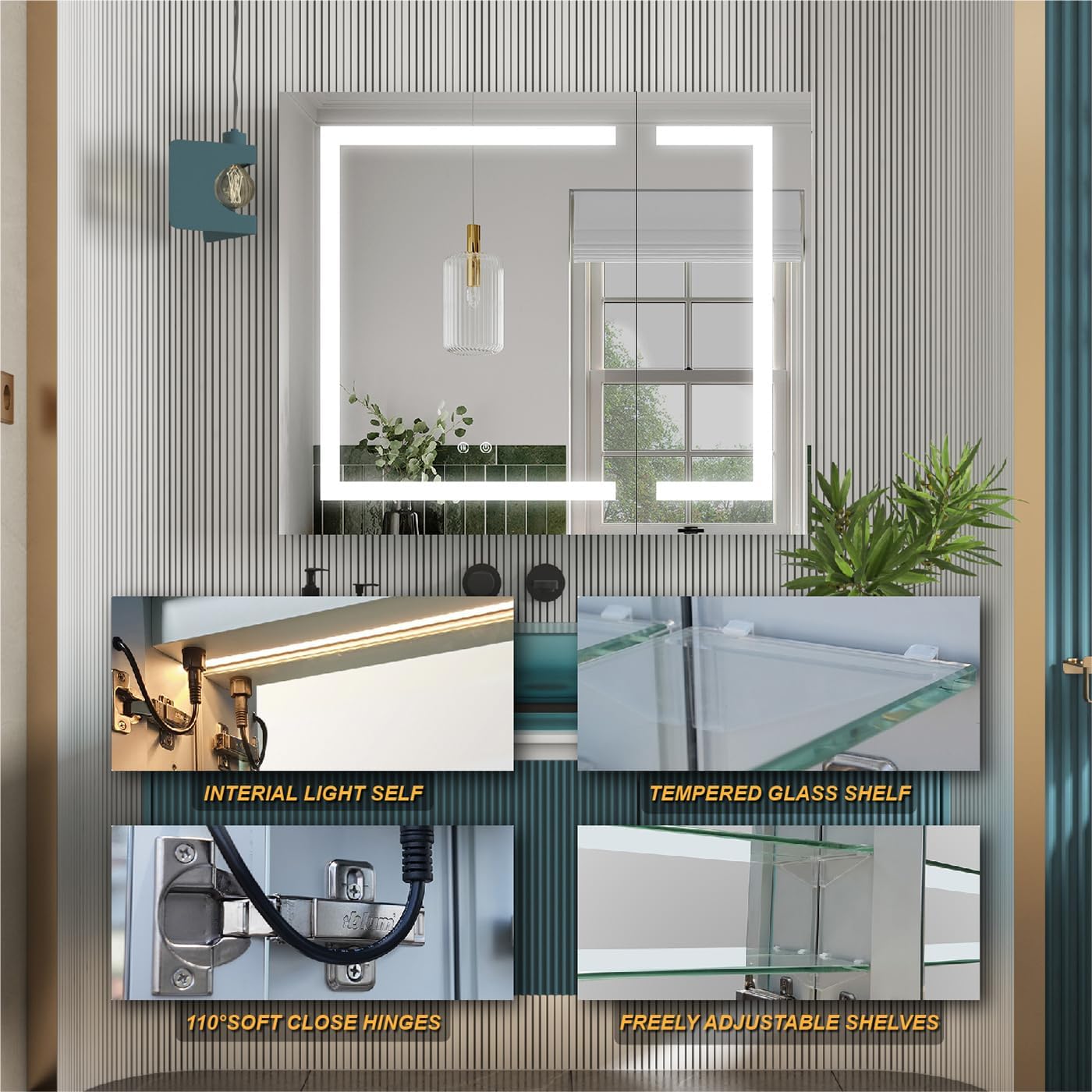
Image 5.3: Details of the interior, including the tempered glass shelves and soft-close hinges.
6. Operating Instructions
The WELLFOR LED Mirrored Cabinet features intuitive controls for its various functions.
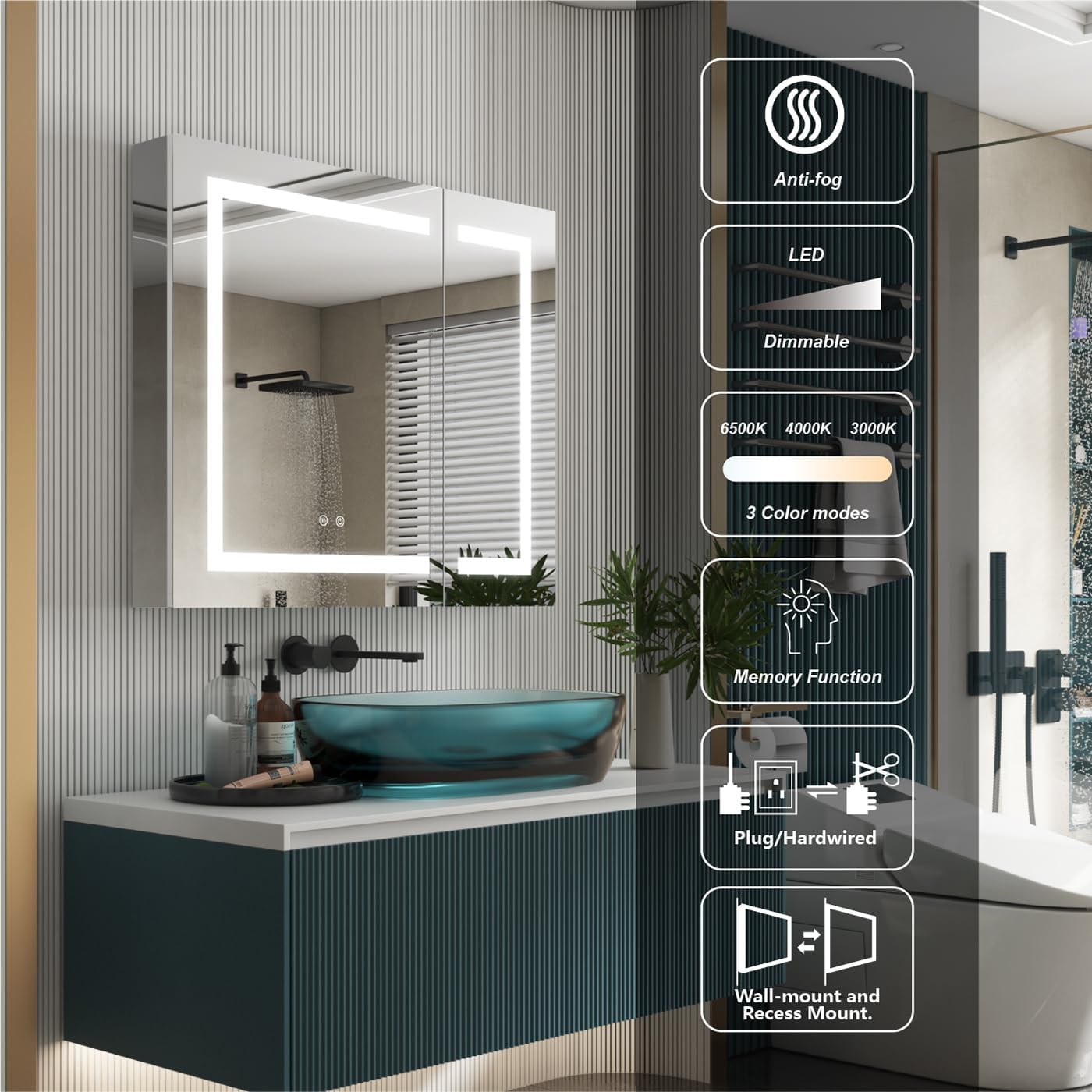
Image 6.1: Key features and controls of the WELLFOR LED Mirrored Cabinet.
6.1 LED Lighting Control
The cabinet features dimmable LED lights with three color temperature modes (2700K-6500K).
- Power On/Off: Tap the power icon on the mirror surface to turn the lights on or off.
- Adjust Brightness: Long press the power icon to continuously adjust the brightness from 10% to 100%. The cabinet has a memory function that restores the last brightness setting when powered off and on.
- Change Color Temperature: Tap the color temperature icon to cycle through Warm White (2700K), Natural White (4000K), and Cool White (6500K) modes.
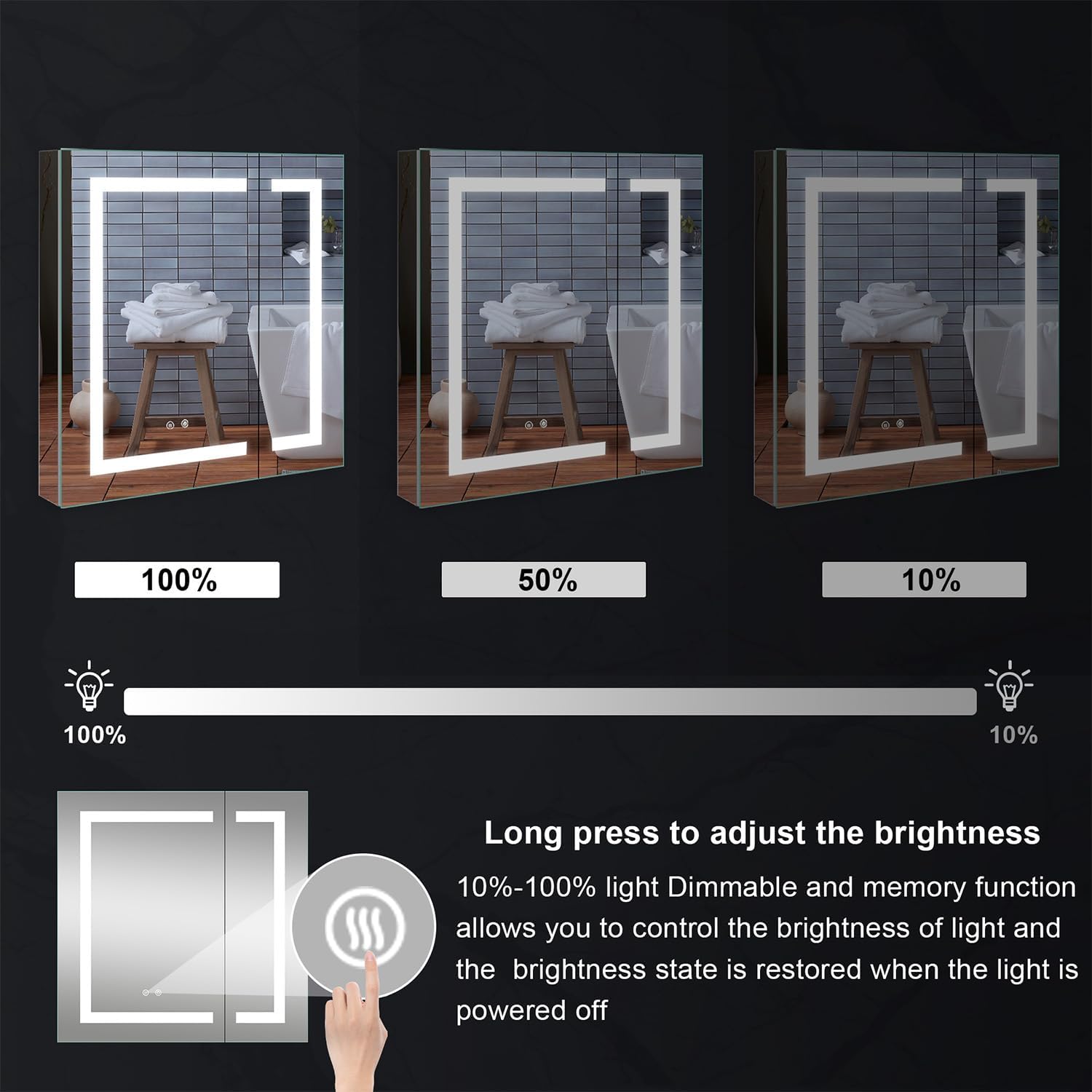
Image 6.2: Brightness adjustment from 10% to 100% with memory function.

Image 6.3: Continuously variable light color temperature from 2700K to 6500K.

Image 6.4: Different color temperature options for the LED lighting.
6.2 Defog Mirror Function
The high-tech anti-fog pad provides efficient defogging. The defogger function is controlled separately for energy saving.
- Activate Defogger: Tap the defogger icon on the mirror surface to activate the anti-fog function.
- Automatic Shut-off: The defogger will automatically shut off after 1 hour to conserve energy.

Image 6.5: Defogger control and energy-saving automatic shut-off.

Image 6.6: Demonstration of the intelligent anti-fog function.
6.3 Interior Outlets and USB Ports
The cabinet is equipped with two 15 AMP 110V AC outlets and two 4.2 AMP 5V DC USB ports inside, providing convenient power for various bathroom accessories.
- Use the AC outlets for electric razors, hair dryers, or other small appliances.
- Use the USB ports for charging smartphones, electric toothbrushes, or other USB-powered devices.

Image 6.7: Interior outlets and USB ports for charging and powering devices.
6.4 Soft-Close Door Hinges
The cabinet doors are fitted with Austria BLUM soft-close hinges, ensuring quiet and gentle closing. These hinges are 3-dimension adjustable and offer a 110-degree opening capability for easy access.
7. Maintenance
Regular cleaning and proper care will ensure the longevity and optimal performance of your WELLFOR LED Mirrored Cabinet.
- Mirror Cleaning: Use a soft, lint-free cloth and a non-abrasive glass cleaner. Spray the cleaner onto the cloth, not directly onto the mirror, to prevent liquid from seeping into the edges.
- Cabinet Cleaning: Wipe the exterior and interior surfaces with a soft, damp cloth and a mild, non-abrasive cleaner. Avoid harsh chemicals or abrasive materials that could damage the finish.
- Electrical Components: Ensure the cabinet is unplugged or power is off at the circuit breaker before cleaning near any electrical components. Do not spray water directly onto outlets or wiring.
- Hinge Maintenance: Periodically check hinges for smooth operation. No lubrication is typically required for soft-close hinges.
8. Troubleshooting
If you encounter any issues with your cabinet, refer to the following common troubleshooting steps:
- Lights Not Working:
- Check if the power supply is connected and the circuit breaker is on.
- Ensure the touch sensor is clean and unobstructed.
- If hardwired, verify all electrical connections are secure.
- Defogger Not Activating:
- Confirm the defogger touch sensor is activated.
- Allow a few minutes for the defogger to warm up and become effective.
- Doors Not Closing Softly:
- Check for any obstructions in the hinge mechanism or door path.
- Ensure the hinges are properly adjusted. Refer to a professional if adjustment is needed.
- Outlets/USB Ports Not Functioning:
- Verify the main power to the cabinet is on.
- Test with a different device to rule out device malfunction.
For issues not resolved by these steps, please contact WELLFOR customer support.
9. Warranty and Support
WELLFOR products are manufactured with quality and durability in mind. For specific warranty details, please refer to the warranty card included with your purchase or visit the official WELLFOR website.
For technical assistance, replacement parts, or any other inquiries, please contact WELLFOR customer support. When contacting support, please have your model number (W3MCL3630) and purchase information readily available.
Visit the WELLFOR Store for more information and product offerings.
Related documentsW3MCL3630


Ask a question about this manual
Ask about setup, troubleshooting, compatibility, parts, safety, or missing instructions. Manuals+ will review the question and use this page’s manual context to help answer it.