
1. Introduction
The Haworth Zody Ergonomic Office Chair is designed to provide optimal comfort and support for extended periods of sitting. Engineered with scientific insights, it is recommended by the American Physical Therapy Association for its ergonomic features. This manual provides essential information for the proper assembly, operation, and care of your Zody chair.
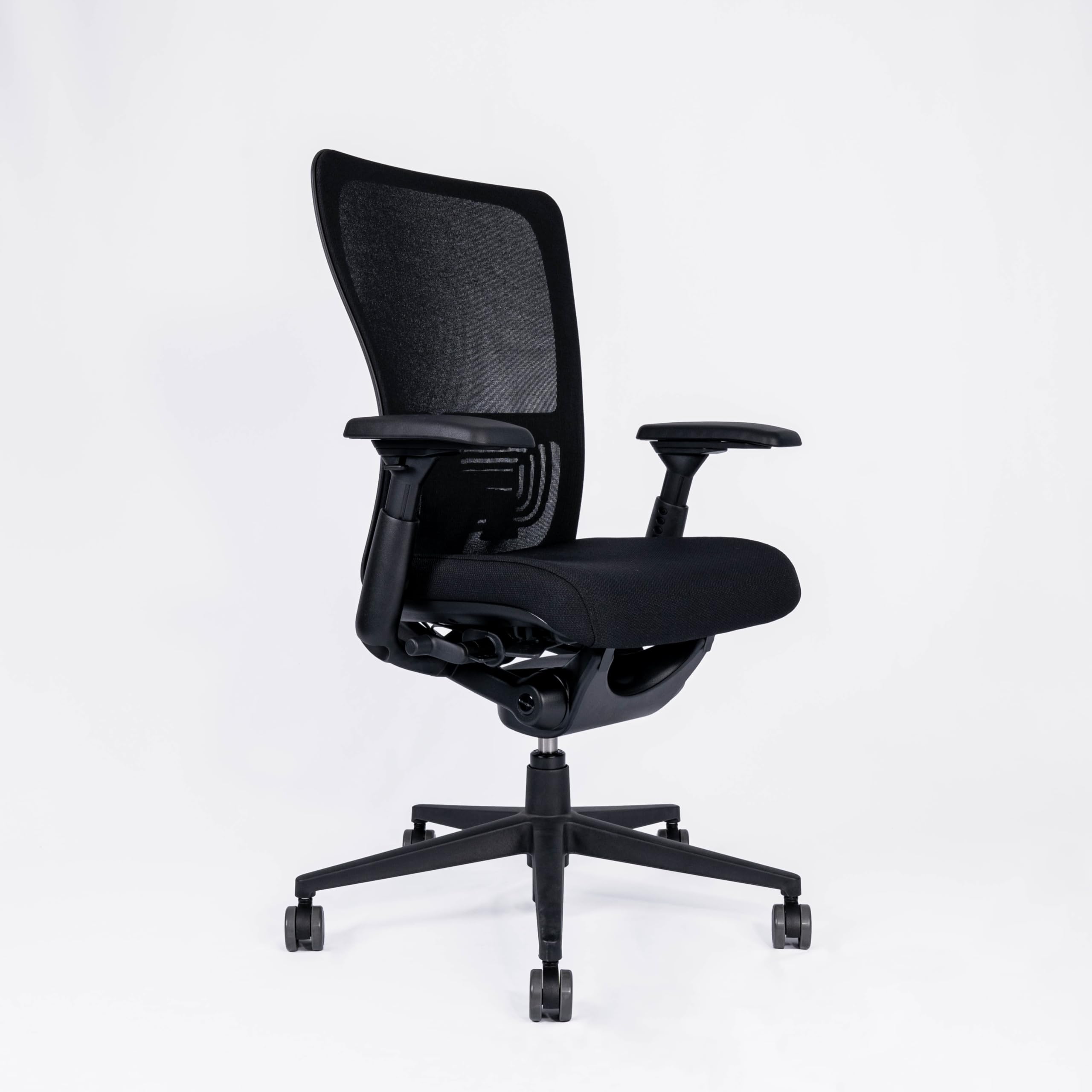
Figure 1: Haworth Zody Ergonomic Office Chair in an office setting.
2. Assembly
Your Haworth Zody chair requires assembly. Detailed assembly instructions are included within the product packaging. Please refer to these instructions for step-by-step guidance on putting your chair together. Ensure all components are present before beginning assembly.
3. Operating Instructions (Adjustments)
The Zody chair offers multiple adjustment points to customize your seating experience for optimal ergonomic support.
3.1. Seat Height Adjustment
Locate the lever on the right side beneath the seat. Pull the lever up to raise the seat. To lower the seat, pull the lever up while seated. Release the lever at the desired height.
3.2. Lumbar Adjustment (PAL-BACK System)
The unique Haworth PAL-BACK system allows the backrest to adapt to your back's shape, providing targeted support to the lumbar region. Adjust the lumbar support by using the controls located on the lower back of the chair to find your preferred level of support.

Figure 2: Lumbar support adjustment mechanism.
3.3. Backrest Torsion and Pelvic Support
The chair features elastic pelvic support designed to encourage an upright posture. This system works in conjunction with the backrest to provide dynamic support. Adjustments for backrest tension are typically found on the underside of the seat, allowing you to control the recline resistance.
3.4. 4D Adjustable Armrests
The padded armrests can be adjusted in four directions (height, depth, width, and pivot) to prevent tension in your neck and shoulders. Use the buttons or levers on the armrests to unlock and adjust them to your desired position. Lock them in place once adjusted.

Figure 3: Seat and armrest control levers.
3.5. Swivel Function
The chair base allows for 360-degree swivel movement, providing flexibility and ease of movement within your workspace.
4. Maintenance
To maintain the appearance and functionality of your Haworth Zody chair, follow these simple care instructions:
- Cleaning: Wipe clean with a damp cloth. Avoid using harsh chemicals or abrasive cleaners, as these may damage the material.
- Inspection: Periodically check all screws and fasteners to ensure they are tight. Retighten if necessary.
- Weight Capacity: Do not exceed the maximum recommended weight capacity of 150 kg (330 lbs) to ensure stability and prevent damage.
5. Troubleshooting
If you encounter any issues with your Haworth Zody chair, consider the following:
- Chair feels unstable: Ensure all assembly screws are securely tightened. Verify the chair is on a flat, even surface.
- Adjustments not working: Check if any locking mechanisms are engaged. Refer to the assembly instructions for specific lever functions.
- Squeaking or noise: Apply a small amount of silicone-based lubricant to moving parts or joints if persistent noise occurs.
For further assistance, please contact Haworth customer support.
6. Specifications

Figure 4: Front view dimensions.

Figure 5: Side view dimensions.
| Feature | Detail |
|---|---|
| Brand | Haworth |
| Model Name | Zody |
| Model Number | 8963HOM02 |
| Color | Black |
| Material | Plastic |
| Product Dimensions (D x W x H) | 65 cm x 68 cm x 101 cm |
| Weight | 23 Kilograms |
| Maximum Recommended Weight | 150 Kilograms |
| Backrest Style | Ribbed back |
| Special Features | Adjustable Height, Ergonomic, Rolling |
| Recommended Use | Office |
| Assembly Required | Yes |
| Seat Depth | 40 Centimeters |
| Seat Height (Min/Max) | 40 cm / 52 cm |
| Backrest Height | 62 Centimeters |
| UPC | 745178208024 |
7. Warranty and Support
For information regarding warranty coverage, product support, or to purchase replacement parts, please visit the official Haworth website or contact their customer service department. Keep your purchase receipt for warranty claims.


