
Introduction
The JBL 4305P Studio Monitor is a self-contained powered loudspeaker system designed for high-resolution audio streaming and versatile connectivity. This manual provides essential information for setting up, operating, maintaining, and troubleshooting your JBL 4305P Studio Monitors.

Image: A pair of JBL 4305P Studio Monitors in black finish, accompanied by their wireless remote control. One speaker is shown from the front, the other from a slight angle, highlighting the horn-loaded tweeter and woofer.
Package Contents
Please inspect the packaging for any signs of damage. Carefully unpack the components and ensure all items listed below are present. If any items are missing or damaged, contact your dealer immediately.
- JBL 4305P Powered Bookshelf Loudspeakers (Pair)
- Wireless Remote Control
- Power Cords (region specific)
- Digital Link Cable (for connecting primary and secondary speakers)
- Quick Start Guide
Physical Setup and Placement
Optimal placement of your JBL 4305P Studio Monitors is crucial for achieving the best sound performance. Consider the following guidelines:
- Speaker Orientation: Place the speakers on a stable, level surface, such as a bookshelf or speaker stands. Ensure they are at ear level when seated in your primary listening position.
- Distance from Walls: Position the speakers away from walls to prevent excessive bass buildup. Experiment with distances to find the best balance for your room.
- Stereo Imaging: For optimal stereo imaging, place the speakers equidistant from your listening position, forming an equilateral triangle.
- Primary and Secondary Speakers: One speaker acts as the primary (with all main inputs), and the other as the secondary. Connect them using the supplied Digital Link cable.

Image: A pair of JBL 4305P Studio Monitors, in a blue baffle and wood finish, are shown placed on a white console in a modern living room. This illustrates a typical home setup for the speakers.
Initial Power-Up and Network Connection
Follow these steps for initial power-up and connecting your speakers to a network:
- Connect Speakers: Connect the primary and secondary speakers using the included Digital Link cable.
- Power Connection: Connect the supplied power cords to both speakers and plug them into a suitable AC power outlet.
- Power On: Press the power button on the primary speaker or use the remote control to turn on the system.
- Network Setup (Wireless): For wireless streaming features like Google Chromecast built-in and Apple AirPlay 2, the speakers must be connected to your home Wi-Fi network. Refer to the Quick Start Guide for detailed instructions on connecting to Wi-Fi, typically involving a mobile app or a web-based setup.
- Network Setup (Wired): Alternatively, connect an Ethernet cable from your router to the Ethernet port on the primary speaker for a stable wired network connection.
Operating Your JBL 4305P
Controls
The JBL 4305P features intuitive controls on the front panel of the primary speaker and via the included wireless remote control.

Image: A close-up view of the control panel located on the top front of the JBL 4305P Studio Monitor. It shows the power button, volume/mute knob, input selection buttons, and network status indicator.
- Power Button: Turns the speakers on or off.
- Volume/Mute Knob: Adjusts the overall system volume. Press to mute/unmute.
- Source/Pair Button: Cycles through available input sources (e.g., Analog, Digital, USB, Network). Press and hold for Bluetooth pairing.
- NET Indicator: Shows network connection status.

Image: The wireless remote control for the JBL 4305P Studio Monitor. The image highlights its features, including navigation buttons, source selection, and volume controls, along with text indicating 'Wireless remote included' and 'Extensive Digital and Analog Connectivity'.
Wired Connections
The primary JBL 4305P speaker offers a comprehensive array of wired inputs:
- XLR/¼-inch TRS Phono Input: Professional-grade input for balanced or unbalanced analog signals.
- Auxiliary Input: Standard 3.5mm stereo input for connecting portable devices.
- Optical/Coaxial Digital Inputs: For connecting digital audio sources like TVs, CD players, or game consoles.
- USB-B Input: For direct connection to a computer, enabling high-resolution audio playback.
- Ethernet Port: For a stable wired network connection.
- Subwoofer Output: Connect an external powered subwoofer for extended bass response.

Image: The rear panels of both JBL 4305P Studio Monitors. The primary speaker on the left displays a variety of input ports including XLR/TRS combo, Ethernet, USB, optical, coaxial, and subwoofer out. The secondary speaker on the right shows fewer connections, primarily for power and the digital link to the primary speaker. Text below highlights 'Extensive connections for analog & digital physical sources including a combination XLR / ¼-inch TRS phono input'.
Wireless Streaming
The JBL 4305P supports several wireless audio streaming technologies:
- Google Chromecast built-in: Stream audio from compatible apps and devices over your Wi-Fi network.
- Apple AirPlay 2: Stream audio from Apple devices (iPhone, iPad, Mac) over your Wi-Fi network, including multi-room audio capabilities.
- Bluetooth: Connect directly to Bluetooth-enabled devices for convenient wireless audio playback. To pair, select Bluetooth as the source and initiate pairing from your device.
Maintenance
To ensure the longevity and optimal performance of your JBL 4305P Studio Monitors, follow these maintenance guidelines:
- Cleaning: Use a soft, dry cloth to wipe down the speaker cabinets. Avoid abrasive cleaners, solvents, or sprays that could damage the finish.
- Grilles: The speaker grilles can be carefully removed for cleaning if necessary. Use a soft brush or vacuum cleaner with a brush attachment to remove dust.
- Environment: Keep the speakers away from direct sunlight, excessive heat sources, and high humidity. Ensure adequate ventilation around the speakers.
- Connections: Periodically check all cable connections to ensure they are secure.
Troubleshooting
If you encounter issues with your JBL 4305P Studio Monitors, refer to the following common problems and solutions:
| Problem | Possible Cause | Solution |
|---|---|---|
| No sound | Power off; incorrect source selected; volume too low; cables loose. | Ensure speakers are powered on. Select the correct input source. Increase volume. Check all audio and power cable connections. |
| Distorted sound | Source volume too high; speaker placement issues; damaged cables. | Reduce the volume from the source device. Adjust speaker placement. Try different cables. |
| Cannot connect to Wi-Fi | Incorrect Wi-Fi password; router issues; speakers too far from router. | Verify Wi-Fi password. Restart your router. Move speakers closer to the router or use a wired Ethernet connection. |
| Bluetooth pairing fails | Speakers not in pairing mode; device too far; interference. | Ensure speakers are in Bluetooth pairing mode (NET indicator blinking). Move your device closer. Turn off other Bluetooth devices. |
| Remote control not working | Dead batteries; obstruction; remote out of range. | Replace batteries. Remove any obstructions between the remote and speakers. Ensure you are within range. |
If the problem persists after trying these solutions, please contact JBL customer support.
Technical Specifications
Below are the detailed technical specifications for the JBL 4305P Studio Monitor:
| Feature | Specification |
|---|---|
| Model Name | 4305P Black (Pr.) |
| Speaker Type | Powered Bookshelf Loudspeaker System |
| Mounting Type | Tabletop Mount |
| Material | Composite |
| Color | Black |
| Product Dimensions (H x W x D) | 13.2" x 8.3" x 8.8" |
| Item Weight | 36.5 pounds (pair) |
| Speaker Maximum Output Power | 300 Watts (RMS) |
| Woofer Diameter | 5.25 Inches |
| Tweeter Diameter | 1 Inches |
| Frequency Response | 25000 Hz (upper limit, full range not specified) |
| Audio Driver Type | Dynamic Driver |
| Connectivity Technology | Wireless (Wi-Fi, Bluetooth), Wired (Ethernet, USB, Analog, Digital) |
| Wireless Communication Technology | Wi-Fi, Bluetooth |
| Special Features | Hi-Res Audio, Multi-Room Audio, Network Ready, Google Chromecast Built-in, Apple AirPlay 2 |
| Control Method | Remote, On-speaker controls |
| Power Source | AC |
| Surround Sound Channel Configuration | 2.0 |
| UPC | 050036385510 |
| Item Model Number | JBL4305PBLKLAM |
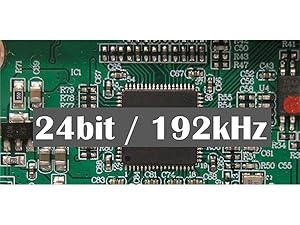
Image: A close-up of a circuit board with a digital chip, overlaid with the text '24bit / 192kHz'. This illustrates the high-resolution digital-to-analog converter (DAC) capabilities of the JBL 4305P Studio Monitor.
Warranty and Support
The JBL 4305P Studio Monitor comes with a Full Warranty. For specific warranty terms, conditions, and duration, please refer to the warranty card included in your product packaging or visit the official JBL website.
For technical support, service, or further inquiries, please visit the official JBL support page or contact their customer service department. You can find more information and resources at the JBL Professional Store.


