
SBS 8018417418570
SBS Air Free True Wireless Earphones User Manual
Model: 8018417418570
Introduction
The SBS Air Free True Wireless Earphones are designed for a premium audio experience, offering comfort and convenience for music and calls. Their lightweight and compact design makes them ideal for various activities, from home use to exercise. This manual provides essential information for setting up, operating, and maintaining your earphones.

Image: A user holding the SBS Air Free True Wireless Earphones and their compact charging case, demonstrating their practical and portable nature.
Package Contents
Please check that all the following items are included in your package:
- SBS Air Free True Wireless Earphones (Left and Right)
- Charging Case (250 mAh)
- 2 x Silicone Headbands (Rubber Arches)
- USB - Type C Recharging Cable
- User Manual (This document)
Product Overview
Familiarize yourself with the components of your SBS Air Free earphones and charging case.

Image: The SBS Air Free True Wireless Earphones (left and right earbuds) displayed alongside their charging case, showcasing the complete product.
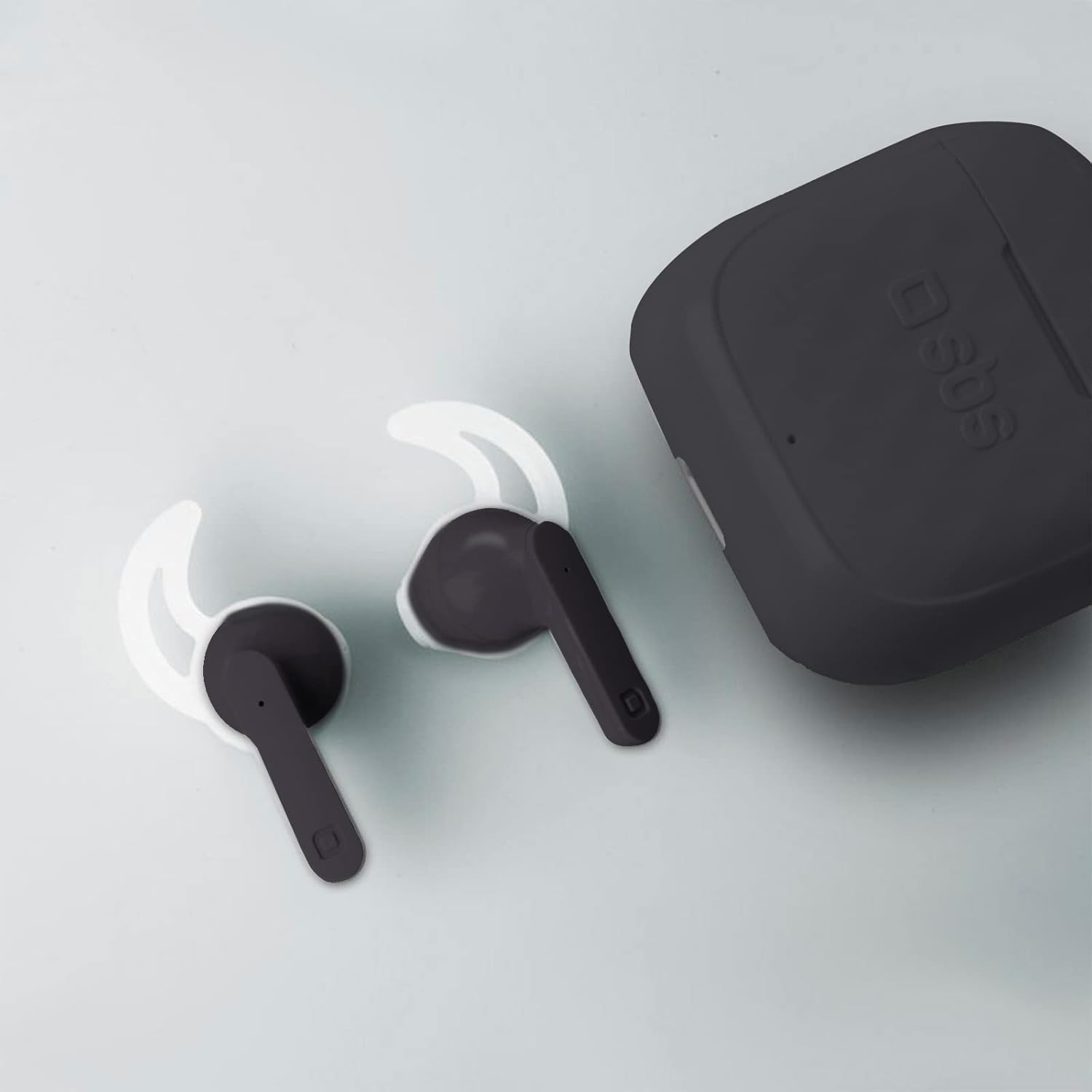
Image: The SBS Air Free Earphones shown with the included white silicone headbands, which can be attached for a more secure fit during activities.
Earphone Components:
- Touch Control Area: For managing music, calls, and voice assistant.
- LED Indicator: Displays pairing status, battery level, and charging status.
- Microphone: Integrated for calls and voice assistant.
- Charging Contacts: Located at the bottom of the earphone stem.
Charging Case Components:
- Earphone Slots: For storing and charging the earphones.
- Charging Indicator LED: Shows the charging status of the case and earphones.
- USB-C Charging Port: For recharging the case.
Setup
1. Initial Charging
Before first use, fully charge the earphones and the charging case.
- Place both earphones into the charging case. Ensure they are correctly seated.
- Connect the USB-C charging cable to the charging port on the case and the other end to a USB power source (e.g., computer, wall adapter).
- The LED indicator on the case will show charging status. A full charge for the case takes approximately 1.5 hours.
- The earphones will automatically charge when placed in the case. Recharging time for earphones is approximately 1.2 hours.

Image: The SBS Air Free Earphones placed inside their charging case, illustrating the charging process. The image highlights the 1.5-hour charge time for the case.
2. Pairing with Your Device
The SBS Air Free earphones utilize True Wireless Stereo (TWS) technology for automatic pairing between the earbuds and Bluetooth for connection to your device.
- Automatic TWS Pairing: Remove both earphones from the charging case. They will automatically power on and pair with each other. You will hear an audible confirmation.
- Bluetooth Pairing:
- Once the earphones are paired with each other, open the Bluetooth settings on your smartphone or other device.
- Search for "SBS Air Free" in the list of available devices.
- Select "SBS Air Free" to connect. You will hear a confirmation sound once connected.
- Subsequent Connections: After the initial pairing, the earphones will automatically connect to the last paired device when removed from the case, provided Bluetooth is enabled on your device and it is within range (up to 10 meters).
Operating Instructions
The SBS Air Free earphones feature intuitive touch controls for easy management of music and calls.

Image: A detailed view of an SBS Air Free earphone highlighting its touch control capabilities for music playback, TWS technology, and call management.
Power On/Off:
- Power On: Remove earphones from the charging case. They will automatically power on.
- Power Off: Place earphones back into the charging case. They will automatically power off and begin charging.
Music Playback:
- Play/Pause: Tap the touch control area on either earphone once.
- Next Track: Double-tap the touch control area on the right earphone.
- Previous Track: Double-tap the touch control area on the left earphone.
- Volume Control: Volume is controlled via your connected device.
Call Management:
- Answer/End Call: Tap the touch control area on either earphone once.
- Reject Call: Press and hold the touch control area on either earphone for 2 seconds.
Voice Assistant:
- Activate Voice Assistant: Triple-tap the touch control area on either earphone. (e.g., Siri, Google Assistant).
Maintenance
Proper maintenance ensures the longevity and optimal performance of your SBS Air Free earphones.
- Cleaning:
- Use a soft, dry, lint-free cloth to clean the earphones and charging case.
- Do not use abrasive cleaners, alcohol, or chemical solvents.
- Regularly clean the charging contacts on both the earphones and the case to ensure proper charging.
- Storage:
- Always store the earphones in their charging case when not in use to protect them and keep them charged.
- Store in a cool, dry place, away from extreme temperatures and direct sunlight.
- Water Resistance: The earphones have a waterproof rating. However, avoid submerging them in water for extended periods. Dry them thoroughly if they get wet before placing them back in the charging case.
Troubleshooting
If you encounter issues with your SBS Air Free earphones, try the following solutions:
| Problem | Possible Solution |
|---|---|
| Earphones not pairing with each other (TWS) |
|
| Earphones not connecting to device (Bluetooth) |
|
| No sound or low volume |
|
| Charging issues |
|
Specifications
Key technical specifications for the SBS Air Free True Wireless Earphones:
| Feature | Detail |
|---|---|
| Model Name | Air Free |
| Model Number | 8018417418570 |
| Connectivity Technology | Wireless (Bluetooth) |
| Wireless Communication Technology | Bluetooth |
| Earphone Battery Capacity | 35 mAh (each) |
| Charging Case Battery Capacity | 250 mAh |
| Earphone Recharging Time | 1.2 hours |
| Charging Case Recharging Time | 1.5 hours |
| Music Playback Time | 3.5 hours |
| Talking Time | 3.5 hours |
| Standby Time | 24 hours |
| Operative Range | 10 meters |
| Microphone | Integrated |
| Sound Mode | Stereo |
| Control Type | Touch Control, Voice Control |
| Water Resistance Level | Waterproof |
| Item Weight | 90 g |
| Product Dimensions | 17 x 9 x 19 cm |
| Material | Plastic |
Warranty and Support
For warranty information and customer support, please refer to the warranty card included in your product packaging or visit the official SBS website. Keep your proof of purchase for warranty claims.
Manufacturer: SBS SpA
Related documents8018417418570

Ask a question about this manual
Ask about setup, troubleshooting, compatibility, parts, safety, or missing instructions. Manuals+ will review the question and use this page’s manual context to help answer it.