
1. Introduction
This manual provides instructions for the installation and care of your YunYiYi replacement earpads. These earpads are designed to restore comfort and sound quality to your compatible headphones.
1.1 Compatibility
- Compatible with: Taotronics TT-BH085, Taotronics TT-BH090, and Taotronics TT-BH060 Headphones.
- Not Compatible with: Taotronics TT-BH22 and Taotronics TT-BH047 Headsets.
1.2 Product Features
The YunYiYi replacement earpads are constructed with high-grade memory foam padding and protein leather. This combination provides enhanced comfort, superior sound isolation, and increased durability compared to standard earpads. The memory foam conforms to the shape of your ears, improving the acoustic seal and overall listening experience.

Image: Diagram illustrating the memory foam and protein leather composition of the earpads.
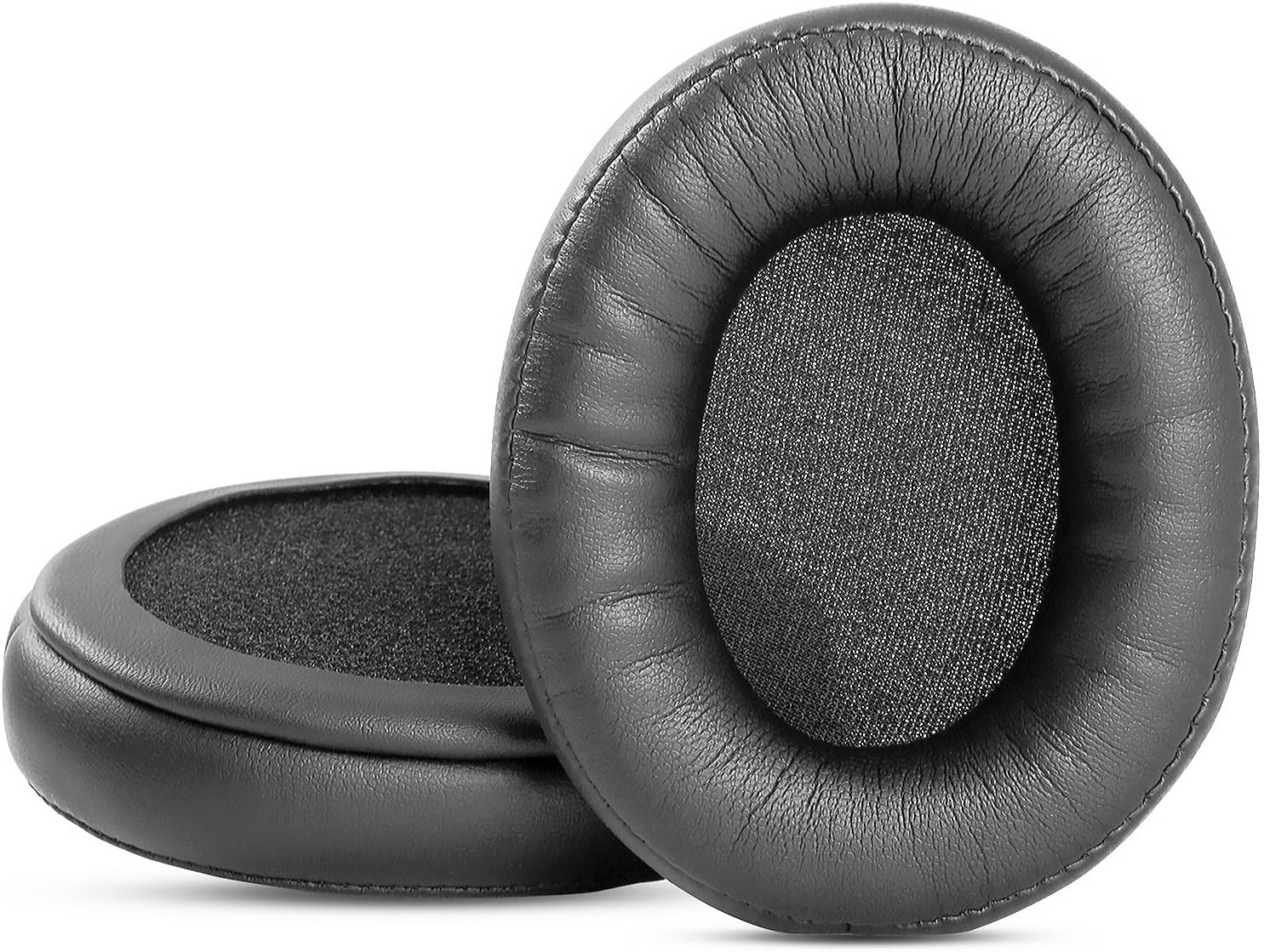
Image: A pair of YunYiYi replacement earpads, showcasing their design and material.
2. Installation Instructions
Replacing your earpads is a straightforward process. Please follow these steps carefully to ensure proper installation and functionality.

Image: Visual guide for earpad replacement, showing removal of old rings and installation of new earpads.
- Remove Old Earpads: Gently pull on the existing earpads. The foam cover should slide off, revealing a plastic mounting ring underneath.
- Detach Plastic Ring: Carefully pry out the plastic ring from the headphone cup. This ring typically snaps into place with 6 indentations. A small, flat-blade screwdriver or your fingernails can be used to gently lift the ring at these points until it detaches.
- Install Ring into New Earpad: Take one of the new YunYiYi replacement earpads. Insert the plastic ring you just removed into the inner groove of the new earpad. Ensure it is seated securely within the earpad's structure.
- Attach New Earpad to Headphone: Align the new earpad (with the plastic ring inside) with the headphone cup. Match the 6 snapping points on the plastic ring with the corresponding slots on the headphone.
- Secure Earpad: Press the new earpad firmly onto the headphone cup, working your way around the circumference. You should feel and hear a slight click as each of the 6 points locks into place. Ensure all points are securely fastened.
- Repeat for Other Side: Perform the same steps for the other headphone cup.
Note: The plastic attachments are not included with the replacement earpads. You must reuse the plastic rings from your original earpads.
3. Maintenance
To ensure the longevity and hygiene of your YunYiYi replacement earpads, follow these maintenance guidelines:
- Cleaning: Wipe the protein leather surface with a soft, damp cloth. Avoid using harsh chemicals, abrasive cleaners, or excessive moisture, as these can damage the material.
- Storage: When not in use, store your headphones in a clean, dry place away from direct sunlight and extreme temperatures. This helps preserve the integrity of the memory foam and protein leather.
- Avoid Punctures: Be careful not to puncture or tear the earpad material with sharp objects.
4. Specifications
| Feature | Detail |
|---|---|
| Brand | YunYiYi |
| Material | Memory Foam, Protein Leather |
| Color | Black |
| Compatible Devices | Taotronics TT-BH085, TT-BH090, TT-BH060 Headphones |
| Item Weight | 1.13 ounces (approx. 32 grams) |
| Package Dimensions | 6.61 x 4.33 x 1.42 inches |
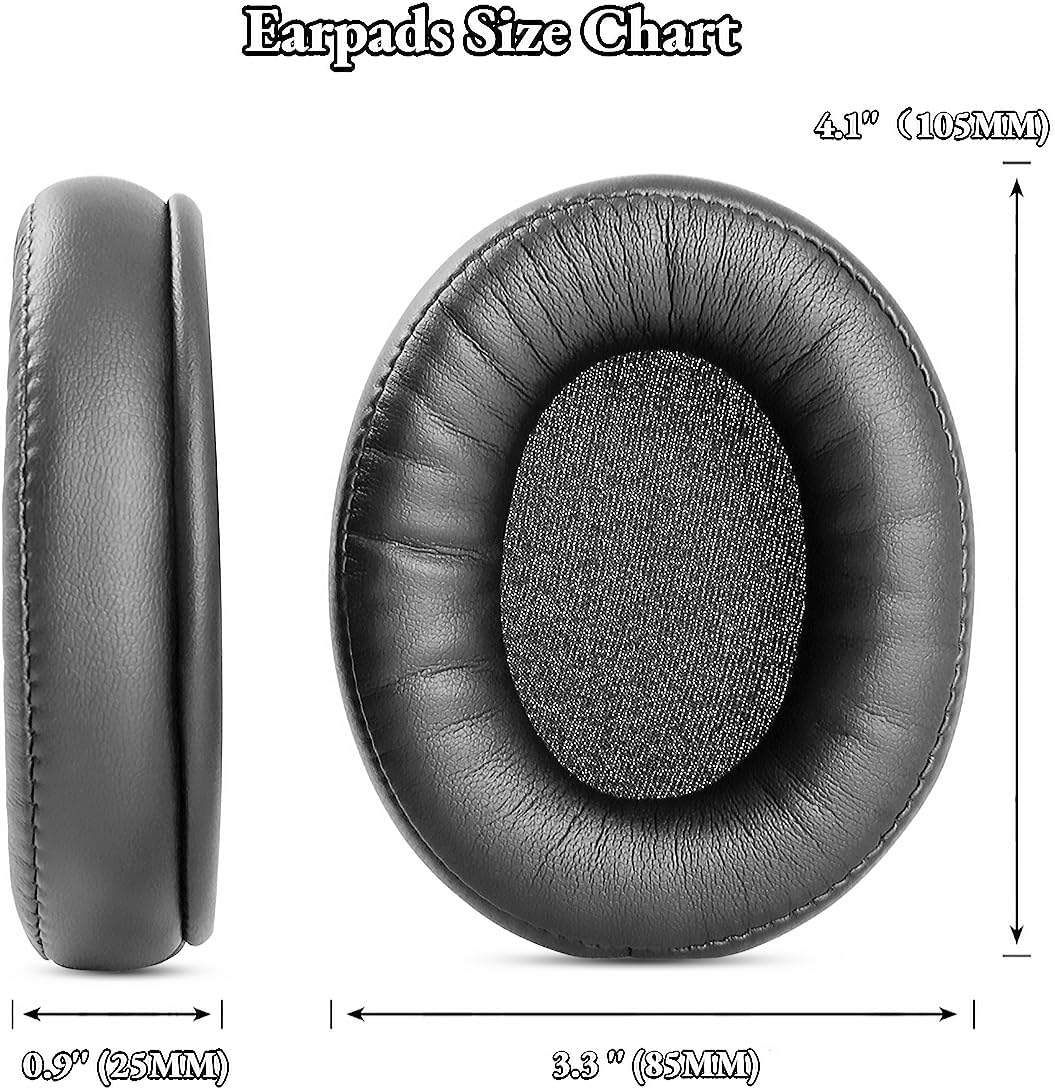
Image: Earpad size chart detailing dimensions for accurate fit.
5. Troubleshooting
If you encounter any issues during or after installation, consider the following:
- Earpads Not Fitting: Ensure you are using the correct plastic mounting ring from your original earpads. Double-check that all 6 snapping points are aligned and fully clicked into place.
- Sound Quality Issues: Improper installation can sometimes affect sound. Verify that the earpads are securely sealed around the headphone cups to maintain optimal sound isolation.
- Durability Concerns: While designed for durability, earpads are subject to wear and tear. Regular cleaning and proper storage can extend their lifespan.
6. Safety and Disposal Information
Please observe the following safety and disposal guidelines:
- Plastic Packaging: To avoid suffocation hazards, keep plastic bags away from babies and children. Do not use this packaging in cribs, beds, carriages, or playpens. This plastic bag is not a toy.
- Disposal: Dispose of the old earpads and packaging responsibly according to local regulations. Consider recycling options where available.

Image: Safety and disposal symbols, including warnings about plastic bags and recycling.
7. Customer Support
For further assistance or inquiries regarding your YunYiYi replacement earpads, please contact the manufacturer or seller directly through the platform where the purchase was made. Specific warranty information is not provided in this manual; please refer to your purchase documentation or contact the seller for details.