
1. Introduction
This manual provides comprehensive instructions for the safe and effective use of your TIGERKING PB4-F Biometric Gun Safe. Please read this manual thoroughly before operating the safe and retain it for future reference. This safe is designed for secure storage of handguns, small valuables, important documents, and cash, offering quick access through biometric fingerprint recognition, a digital keypad, or an emergency key.
2. Product Overview and Components
The TIGERKING PB4-F Biometric Gun Safe is constructed from solid steel with a 2mm thick steel lid, built-in hinges, and a seamless welded burglar-proof body. It features an auto-open lid device with an improved gas strut for smooth and quiet operation. The interior includes a soft foam layer to protect contents and an LED light for visibility in low-light conditions. Four pre-drilled holes are provided for floor mounting.
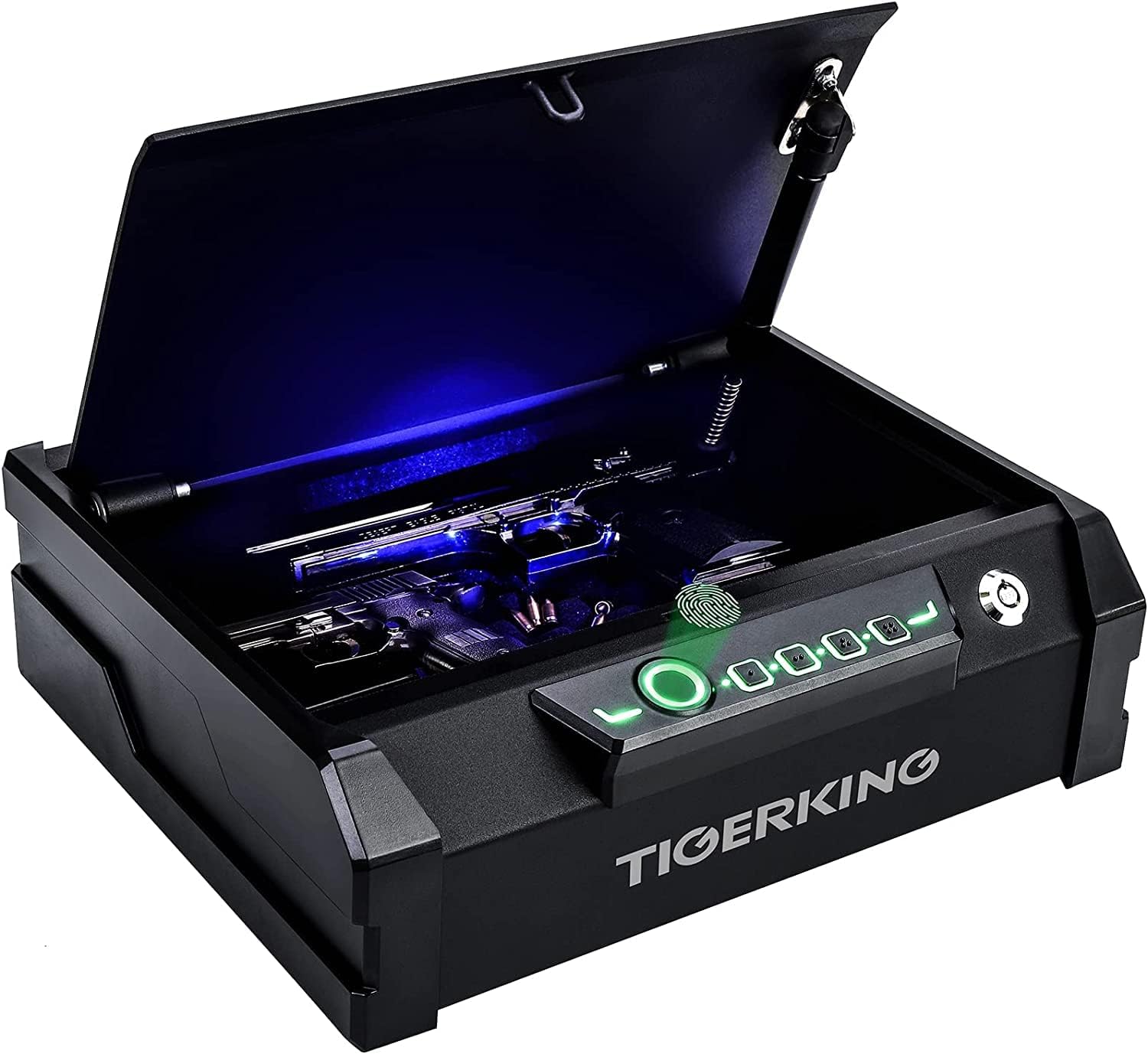
Image 2.1: TIGERKING PB4-F Biometric Gun Safe with the lid open, revealing a pistol and the internal LED light.
Package Contents:
- TIGERKING PB4-F Biometric Gun Safe Unit
- Emergency Keys (2)
- Mounting Hardware (screws, anchors)
- User Manual
3. Setup Instructions
3.1 Initial Opening
- Locate the emergency keyhole, typically discreetly placed on the safe.
- Insert one of the provided emergency keys and turn it to unlock the safe.
- Lift the lid to open the safe.
3.2 Battery Installation
The safe requires 4 AA batteries (not included) to power the electronic lock and LED light. The battery compartment is usually located inside the safe, often on the back of the door or on an interior panel.
- Open the safe using the emergency key.
- Locate the battery compartment cover.
- Remove the cover and insert 4 new AA alkaline batteries, ensuring correct polarity (+/-).
- Replace the battery compartment cover.
3.3 Programming Fingerprints
The safe can store up to 5 individual fingerprints for quick access.
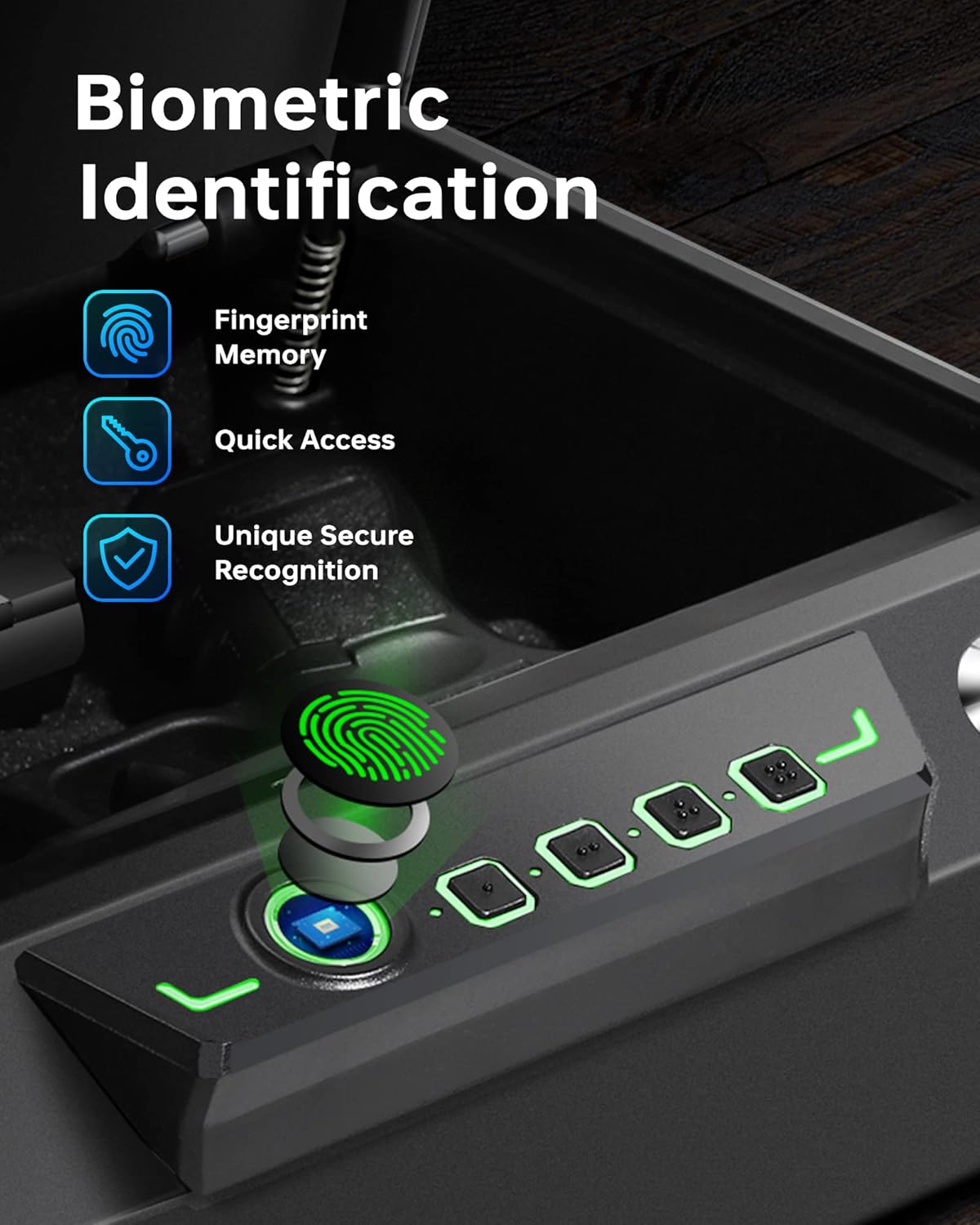
Image 3.1: Biometric fingerprint sensor on the TIGERKING safe.
- With the safe open, locate the programming button (often a small button inside the safe or near the battery compartment). Press it once.
- Place your finger firmly on the fingerprint sensor. The indicator light will flash.
- Lift and reposition your finger slightly, then place it on the sensor again. Repeat this process 4-5 times from different angles until the indicator light confirms successful registration (e.g., a green light or a series of beeps).
- To add more fingerprints, repeat steps 1-3 for each desired finger.
3.4 Programming Keypad Code
The safe uses a 4-digit keypad code. Choose a code that is easy for you to remember but difficult for others to guess.
- With the safe open, press the programming button.
- Enter your desired 4-digit code on the keypad.
- Press the programming button again to confirm the code. The indicator light will confirm successful programming.
3.5 Silent Mode Setting
The safe features a silent mode to disable keypad tones.
- To toggle the keypad tone ON/OFF, press and hold the "2" button on the keypad for more than 3 seconds.
3.6 Mounting the Safe
The safe includes 4 pre-drilled holes for secure mounting to a floor or other stable surface.
- Choose a desired mounting location.
- Open the safe and mark the positions of the pre-drilled holes on the mounting surface.
- Drill pilot holes into the mounting surface using an appropriate drill bit for your material.
- Align the safe with the pilot holes and secure it using the provided mounting hardware. Ensure the safe is firmly attached.
4. Operating Instructions

Image 4.1: Three methods of accessing the safe: Fingerprint, Key, and Digital Keypad.
4.1 Opening with Fingerprint
For quick access, the biometric sensor allows opening in approximately 1 second.
- Place a pre-registered finger firmly on the fingerprint sensor.
- If the fingerprint is recognized, the safe will unlock, and the lid will auto-open.
4.2 Opening with Keypad Code
- Enter your 4-digit keypad code.
- If the code is correct, the safe will unlock, and the lid will auto-open.
4.3 Opening with Emergency Key
The emergency key provides mechanical access in case of battery failure or forgotten codes.
- Locate the emergency keyhole.
- Insert an emergency key and turn it to unlock the safe.
- Lift the lid to open.
4.4 Using the Internal LED Light
The internal LED light activates automatically when the safe is opened, providing illumination for better visibility of contents in dark environments.
5. Maintenance
5.1 Battery Replacement
Replace batteries when the low battery indicator activates (if applicable) or if the keypad/fingerprint sensor becomes unresponsive. Always use 4 new AA alkaline batteries.
- Open the safe using the emergency key if the electronic lock is not functioning.
- Locate and open the battery compartment.
- Remove old batteries and insert new ones, observing correct polarity.
- Close the battery compartment.
5.2 Cleaning
Wipe the exterior of the safe with a soft, damp cloth. Avoid abrasive cleaners or solvents that could damage the finish. Keep the fingerprint sensor clean and free of debris for optimal performance.
5.3 Key Management
Store emergency keys in a secure location away from the safe and out of reach of unauthorized individuals. Do not store them inside the safe.
6. Troubleshooting
- Safe does not open with fingerprint or keypad: Check if batteries need replacement. Ensure your finger is clean and placed correctly on the sensor. Re-register your fingerprint if issues persist. For keypad, ensure the correct code is entered.
- Keypad tones are too loud/silent: Press and hold the "2" button for more than 3 seconds to toggle the keypad tone ON/OFF.
- Lid does not auto-open smoothly: Ensure there are no obstructions. The gas strut may require occasional inspection for wear, though it is designed for long-lasting performance.
- Safe is completely unresponsive: Use the emergency key to open the safe and replace the batteries.
7. Specifications

Image 7.1: Dimensions and capacity of the TIGERKING PB4-F safe.
| Feature | Detail |
|---|---|
| Brand | TIGERKING |
| Model Number | PB4-F-safe |
| Product Dimensions (External) | 11"D x 13.4"W x 3.9"H |
| Product Dimensions (Internal) | 12.2"L x 7.67"W x 2.75"H (approximate, based on capacity image) |
| Lock Type | Electronic (Biometric Fingerprint, Keypad), Key |
| Color | PB4-F (Black) |
| Item Weight | 13.47 pounds (6.12 Kilograms) |
| Special Features | LED light, Mute Mode, Portable, Auto-Open Lid, Gas Strut |
| Mounting Type | Freestanding, Tabletop (with pre-drilled holes for secure mounting) |
| Battery Requirement | 4 x AA Batteries (not included) |
8. Warranty and Support
TIGERKING provides a 1-year limited warranty for this product. If you encounter any questions or concerns regarding your digital pistol safe, please contact the TIGERKING professional after-sales team directly for assistance. They are committed to providing a satisfactory solution as soon as possible.
For support, please visit the official TIGERKING website or refer to the contact information provided on your purchase documentation.