
Introduction
Thank you for purchasing the XTREME Bluetooth Wireless Headphones. This manual provides instructions for the proper setup, operation, and maintenance of your device. These headphones are designed to provide a comfortable audio experience with wireless connectivity, built-in controls, and multiple playback options.
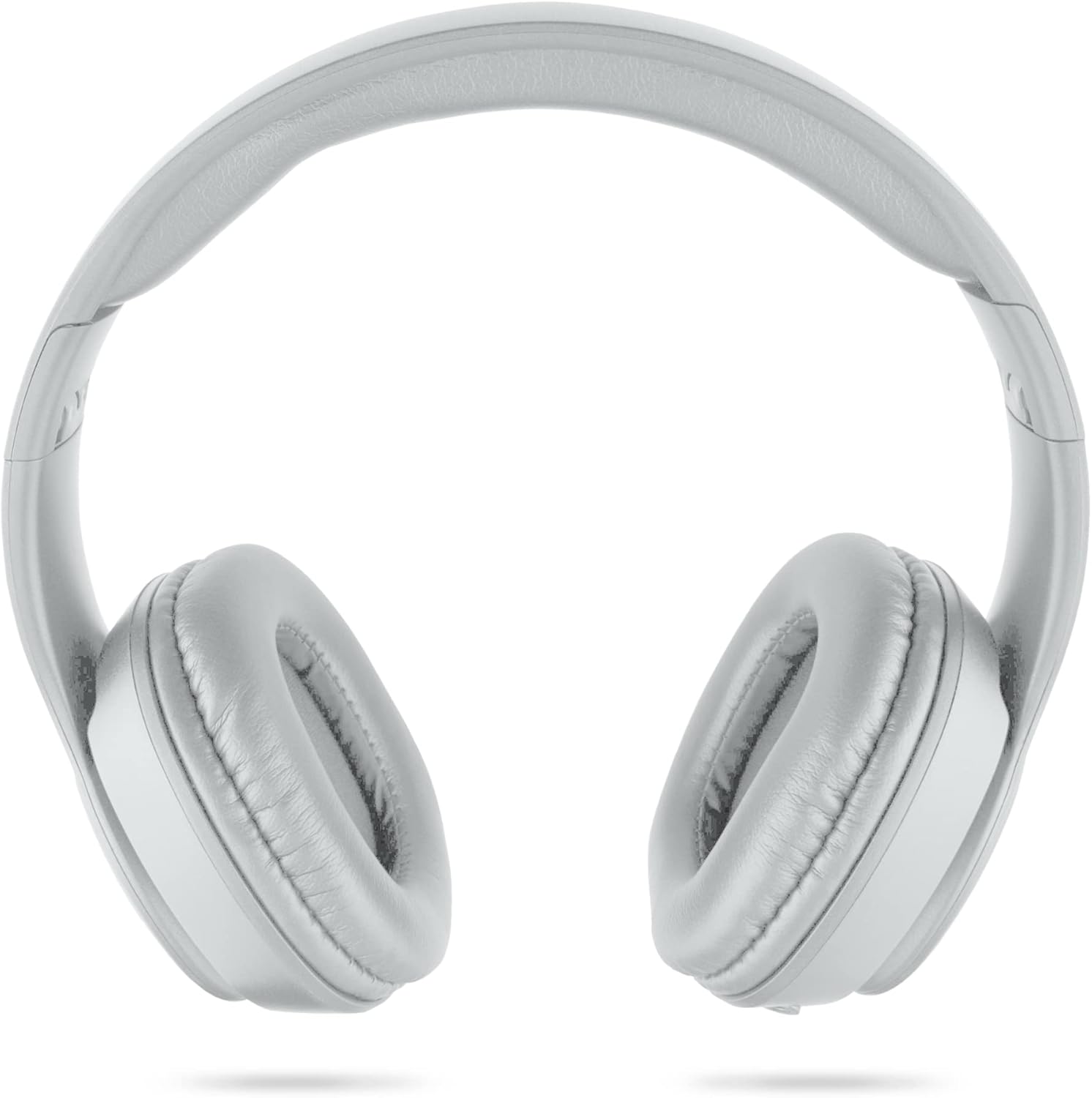
Image: Front view of the XTREME Bluetooth Wireless Headphones.
Package Contents
Please check the package for the following items:
- XTREME Bluetooth Wireless Headphones
- Micro-USB Charging Cable
- 3.5mm Auxiliary Audio Cable
Product Overview
Familiarize yourself with the headphone's controls and ports:
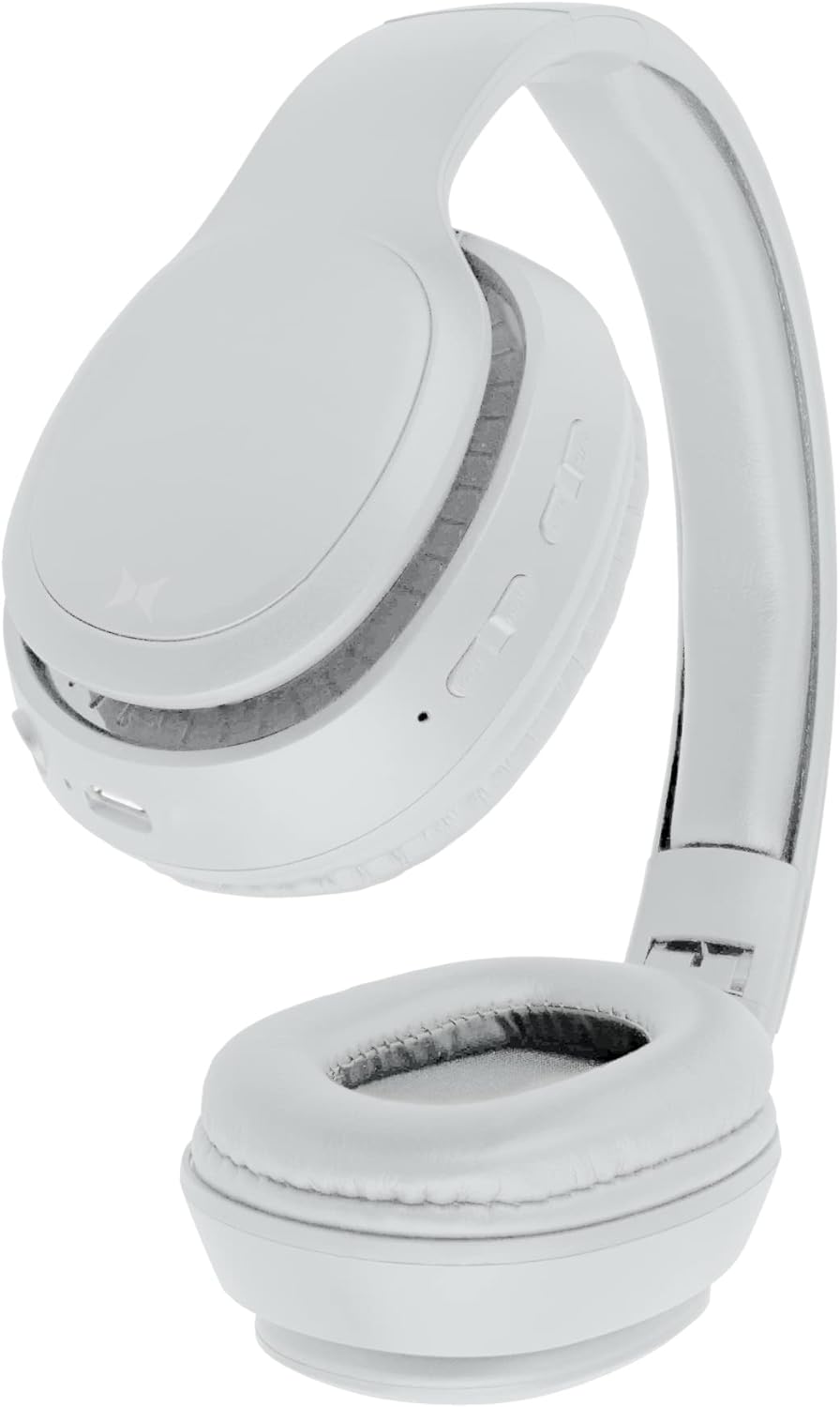
Image: Side view of the headphones, highlighting the control buttons, Micro-USB port, 3.5mm auxiliary port, and Micro-SD card slot.
- Power/Play/Pause Button: Used to power the headphones on/off and control audio playback.
- Volume Up / Next Track Button: Increases volume with a short press, skips to the next track with a long press.
- Volume Down / Previous Track Button: Decreases volume with a short press, skips to the previous track with a long press.
- Micro-USB Charging Port: For connecting the charging cable.
- 3.5mm Auxiliary Port: For wired audio connection.
- Micro-SD Card Slot (TF Slot): For playing music directly from a Micro-SD card.
- Microphone: For hands-free calls.
Setup
1. Charging the Headphones
- Connect the Micro-USB charging cable to the Micro-USB port on the headphones.
- Connect the other end of the charging cable to a USB power source (e.g., computer USB port, USB wall adapter).
- The LED indicator will illuminate during charging and turn off once fully charged.
- Charging typically takes approximately 2 hours.
2. Powering On/Off
- To Power On: Press and hold the Power button until the LED indicator flashes.
- To Power Off: Press and hold the Power button until the LED indicator turns off.
3. Bluetooth Pairing
To connect your headphones to a Bluetooth-enabled device:
- Ensure the headphones are fully charged and powered off.
- Press and hold the Power button for approximately 5-7 seconds until the LED indicator flashes blue and red alternately, indicating pairing mode.
- Enable Bluetooth on your device (smartphone, tablet, computer, etc.).
- Search for available Bluetooth devices. The headphones will appear as "XTREME Headphones" or a similar name.
- Select the headphones from the list to connect. Once paired, the LED indicator will flash blue slowly.
- The headphones can operate up to 33 feet (10 meters) from the paired device.
Operating the Headphones
Audio Playback
- Play/Pause: Short press the Power/Play/Pause button.
- Volume Up: Short press the Volume Up button.
- Volume Down: Short press the Volume Down button.
- Next Track: Long press the Volume Up button.
- Previous Track: Long press the Volume Down button.
Hands-Free Calling
When connected via Bluetooth, you can use the built-in microphone for calls:
- Answer Call: Short press the Power/Play/Pause button.
- End Call: Short press the Power/Play/Pause button during a call.
- Reject Call: Long press the Power/Play/Pause button.
Auxiliary Mode (Wired Connection)
To use the headphones with a wired audio source:
- Connect one end of the 3.5mm auxiliary cable to the headphone's 3.5mm auxiliary port.
- Connect the other end to the audio output of your device.
- The headphones will automatically switch to auxiliary mode. Note that controls on the headphones may be limited in this mode, and audio will be controlled by the connected device.
Micro-SD Card Playback
To play music directly from a Micro-SD card:
- Insert a Micro-SD card (TF card) with music files into the designated slot on the headphones.
- The headphones will automatically detect the card and begin playing music.
- Use the Play/Pause and Volume/Track buttons to control playback.
Maintenance
Proper care ensures the longevity of your headphones:
- Clean the headphones with a soft, dry cloth. Do not use abrasive cleaners or solvents.
- Avoid exposing the headphones to extreme temperatures, humidity, or direct sunlight.
- Store the headphones in a cool, dry place when not in use. The foldable design allows for compact storage.

Image: The headphones shown in their folded position for compact storage.
Troubleshooting
If you encounter issues, refer to the following solutions:
- No Power:
Ensure the headphones are fully charged. Connect them to a power source using the Micro-USB cable. - Cannot Pair via Bluetooth:
Make sure the headphones are in pairing mode (LED flashing blue and red). Ensure Bluetooth is enabled on your device and it is within 33 feet of the headphones. Try restarting both the headphones and your device. - No Sound:
Check the volume levels on both the headphones and your connected device. Ensure the headphones are properly paired or the auxiliary cable is securely connected. If using a Micro-SD card, ensure it contains compatible audio files. - Poor Audio Quality:
Move closer to your Bluetooth device to reduce interference. Ensure there are no obstructions between the headphones and the device.
Specifications
| Model Name | XBH9-1023 |
| Connectivity Technology | Wireless (Bluetooth) |
| Bluetooth Range | Up to 33 feet (10 meters) |
| Charging Time | Approximately 2 hours |
| Battery Life | Approximately 2 hours (playback) |
| Compatible Devices | HDTVs, Gaming Consoles, Soundbars, Bluetooth-enabled Devices |
| Control Type | Volume Control, Touch |
| Headphones Jack | 3.5 mm Jack |
| Earpiece Shape | Over Ear |
| Special Feature | Sweatproof |
Warranty and Support
For warranty information or technical support, please refer to the documentation provided at the time of purchase or contact XTREME customer service. Keep your proof of purchase for any warranty claims.


