
1. Introduction
The GEEKVAPE S100 (Aegis Solo 2) is a robust and compact 100W box mod designed for durability and performance. This device features an IP68 tri-proof rating, making it resistant to water, dust, and shock. It includes a 1.08-inch TFT screen for clear display of information and an A-lock system to prevent accidental firing. This manual provides essential information for the safe and effective use of your GEEKVAPE S100 Box Mod.
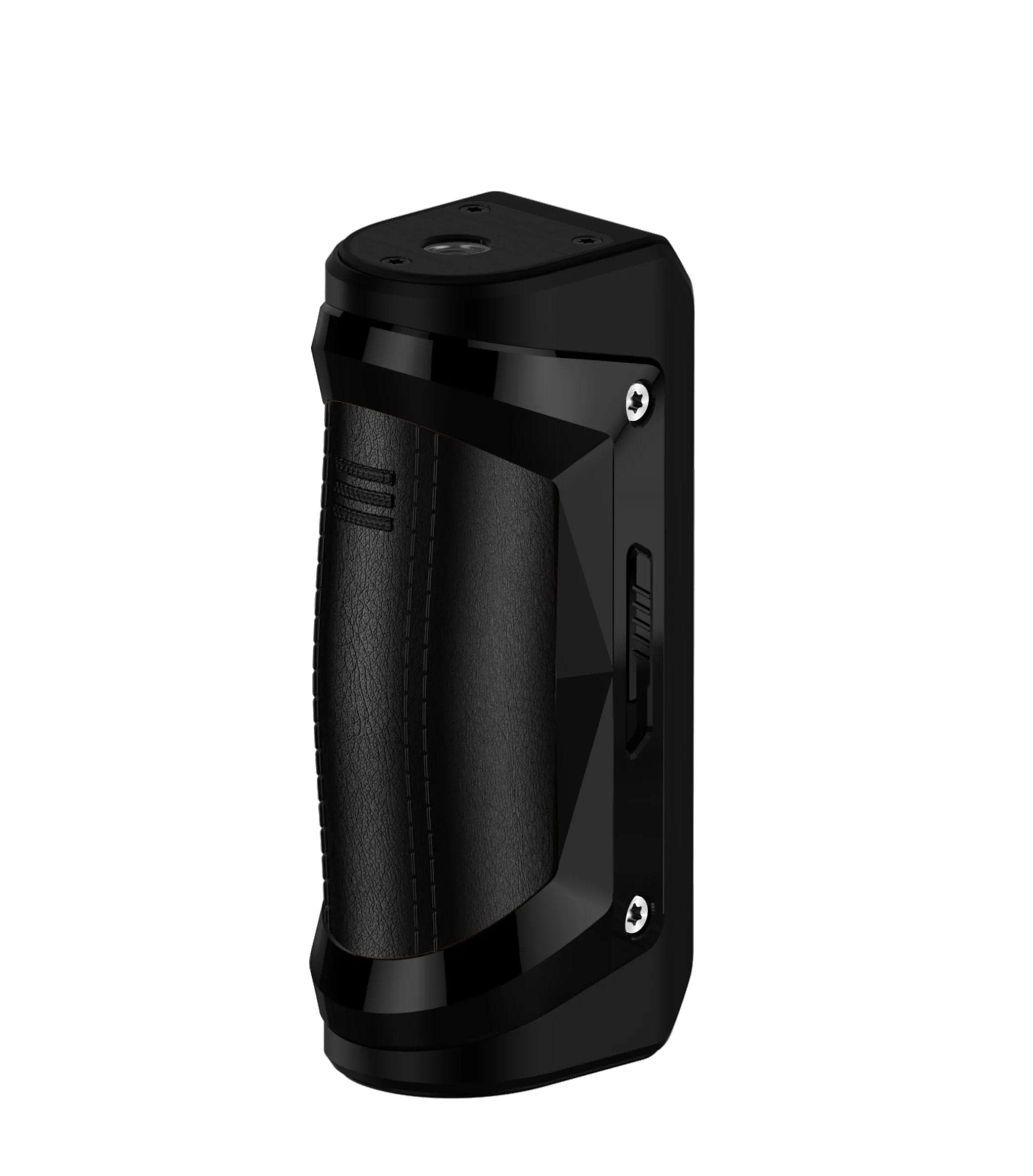
Image 1.1: GEEKVAPE S100 (Aegis Solo 2) Box Mod overview.
2. Package Contents
Please check the package contents upon receipt. If any items are missing or damaged, contact your retailer.
- 1x GEEKVAPE S100 Box Mod
- 1x Type-C Cable
- 1x User Manual
- Note: Battery is not included.
3. Product Features
- Powered by a single 18650 battery (not included)
- Maximum output of 100W
- A-lock system: Slide switch to activate/deactivate accidental press protection
- Multiple operating modes: VW (Variable Wattage), VPC (Variable Power Curve), Bypass, Stealth
- IP68 Tri-proof rating (water, dust, and shock resistant)
- 1.08-inch TFT color display screen
- Type-C charging port (5V/2A)
- Low voltage warning at 3.3V ± 0.1V
- Maximum vaping duration: 10 seconds
- Standard 510 thread connection
4. Setup
4.1 Battery Installation
- Unscrew the battery cap located at the bottom of the device.
- Insert a fully charged 18650 battery into the battery compartment, ensuring the correct polarity (+/-) as indicated inside the compartment.
- Screw the battery cap back on tightly to secure the battery and maintain the device's water resistance.
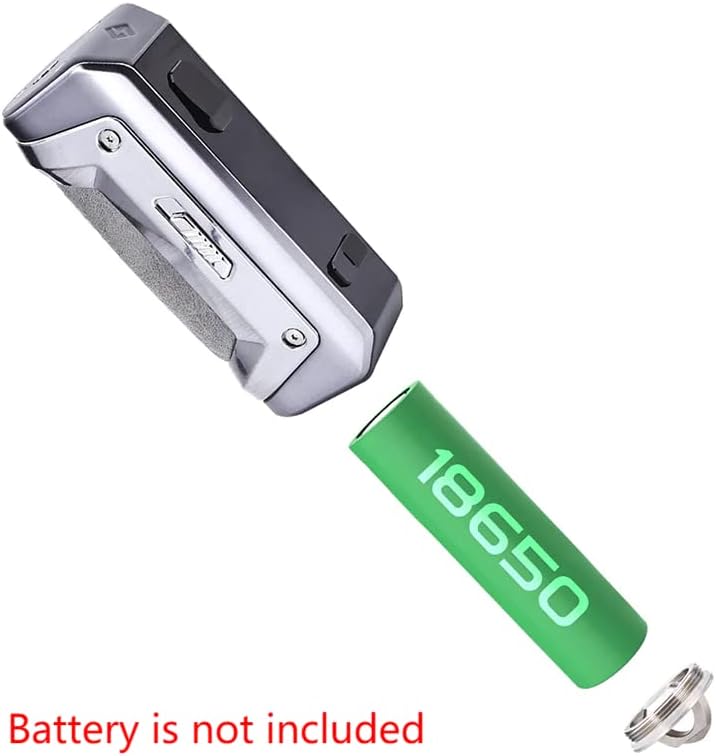
Image 4.1: Proper installation of the 18650 battery. Ensure correct polarity.
4.2 Charging the Device
- Connect the Type-C cable to the charging port on the side of the device.
- Connect the other end of the cable to a 5V/2A power adapter (not included).
- The screen will display the charging status. Disconnect the cable once fully charged.
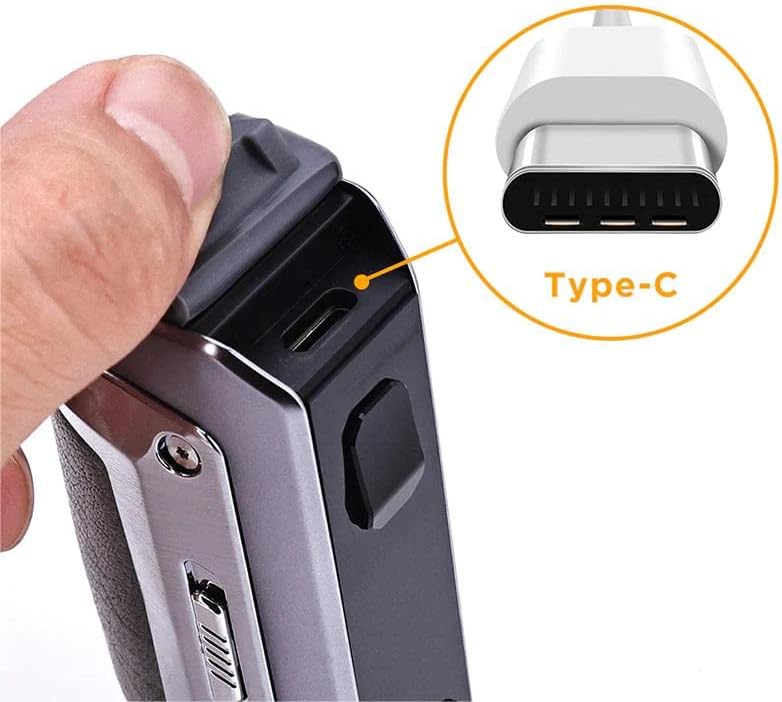
Image 4.2: Location of the Type-C charging port.
5. Operating Instructions
5.1 Power On/Off
- To power on the device, press the fire button 5 times rapidly.
- To power off the device, press the fire button 5 times rapidly when the device is on.
5.2 A-Lock System
The A-lock system prevents accidental firing and adjustments. Locate the slide switch on the side of the device.
- Slide the switch up to lock the device. The screen will indicate 'LOCKED'.
- Slide the switch down to unlock the device. The screen will indicate 'UNLOCKED'.
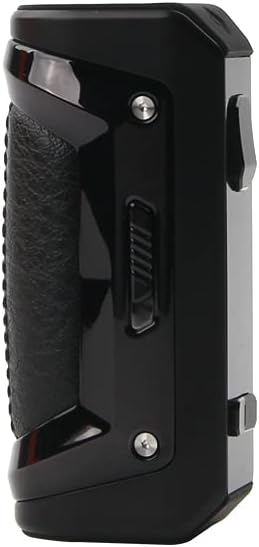
Image 5.1: Side view showing the A-lock slide switch.
5.3 Mode Selection and Adjustment
- Press the fire button 3 times rapidly to enter the mode selection menu.
- Use the '+' and '-' adjustment buttons to navigate through the available modes (VW, VPC, Bypass, Stealth).
- Press the fire button to confirm your selection.
- In VW mode, use the '+' and '-' buttons to adjust the wattage output.
5.4 Vaping
Once your atomizer is attached and the device is powered on and unlocked, press and hold the fire button while inhaling from your atomizer. Release the fire button when you finish inhaling.

Image 5.2: Top view showing the 510 connector for atomizer attachment.
6. Maintenance
- Cleaning: Regularly clean the device, especially the 510 connection and charging port, with a dry cloth or cotton swab to prevent e-liquid residue buildup.
- Storage: Store the device in a cool, dry place away from direct sunlight and extreme temperatures.
- Battery Care: Use only high-quality 18650 batteries. Do not use damaged batteries. Remove the battery if the device will not be used for an extended period.
- Water Resistance: While the device is IP68 rated, avoid prolonged submersion in water and ensure the battery cap and charging port cover are securely closed.
7. Troubleshooting
- Device Not Turning On: Ensure the battery is correctly installed with proper polarity and is sufficiently charged. Press the fire button 5 times rapidly to power on.
- No Vapor Production: Check if the atomizer is properly connected. Ensure the coil is installed correctly and not damaged. Verify the wattage setting is appropriate for your coil.
- "Low Battery" or "Low Voltage" Warning: The battery needs to be recharged or replaced.
- Accidental Firing/Adjustments: Ensure the A-lock switch is engaged (locked) when the device is not in use or being carried.
- Screen Error: Try turning the device off and on again. If the issue persists, contact customer support.
8. Specifications
| Parameter | Value |
|---|---|
| Dimensions | 40.46 x 137.6 mm |
| Battery | Single 18650 (not included) |
| Output Wattage | Max 100W |
| Screen | 1.08-inch TFT Display |
| Charging | Type-C, 5V/2A |
| Low Voltage Warning | 3.3V ± 0.1V |
| Longest Vaping Time | 10 seconds |
| Thread | 510 |
| Special Features | Compact, IP68 Tri-proof |
9. Safety Information
- This product is intended for adult users only. Keep out of reach of children and pets.
- Do not use the device if it is damaged or has been tampered with.
- Use only recommended 18650 batteries and charging cables. Improper batteries or charging can lead to fire, explosion, or injury.
- Do not expose the device to extreme temperatures, direct sunlight, or open flames.
- Avoid disassembling the device, as this will void the warranty and may cause damage.
- This product does not contain nicotine or e-liquid. If used with e-liquid, be aware of the nicotine content and associated health risks.
10. Warranty and Support
For warranty claims or technical support, please contact the retailer where you purchased the GEEKVAPE S100 Box Mod. Keep your proof of purchase for warranty validation. For general inquiries, you may also visit the official GEEKVAPE website for support resources.


