
Severin AT 9264
SEVERIN Automatic Toaster AT 9264
User Instruction Manual
Model: AT 9264 | Brand: SEVERIN
1. Product Overview
The SEVERIN AT 9264 Automatic Toaster is designed for efficient and versatile toasting. It features two slots for up to two slices of bread, adjustable browning levels, and functions for defrosting and reheating. Its compact design and practical features make it an ideal addition to any kitchen.
- Uniform Browning: Enjoy perfectly toasted slices thanks to the slice centering system and adjustable browning levels.
- Versatile Functions: Not only for toasting bread, but also for reheating pastries with the integrated warming rack and defrosting frozen bread.
- Practical Details: Features a separate eject button with indicator light, a removable crumb tray, and a cord winder for easy storage.
- Easy Operation: Select desired function and browning level, then activate. The toaster stops automatically when toast is ready or if a slice gets stuck.
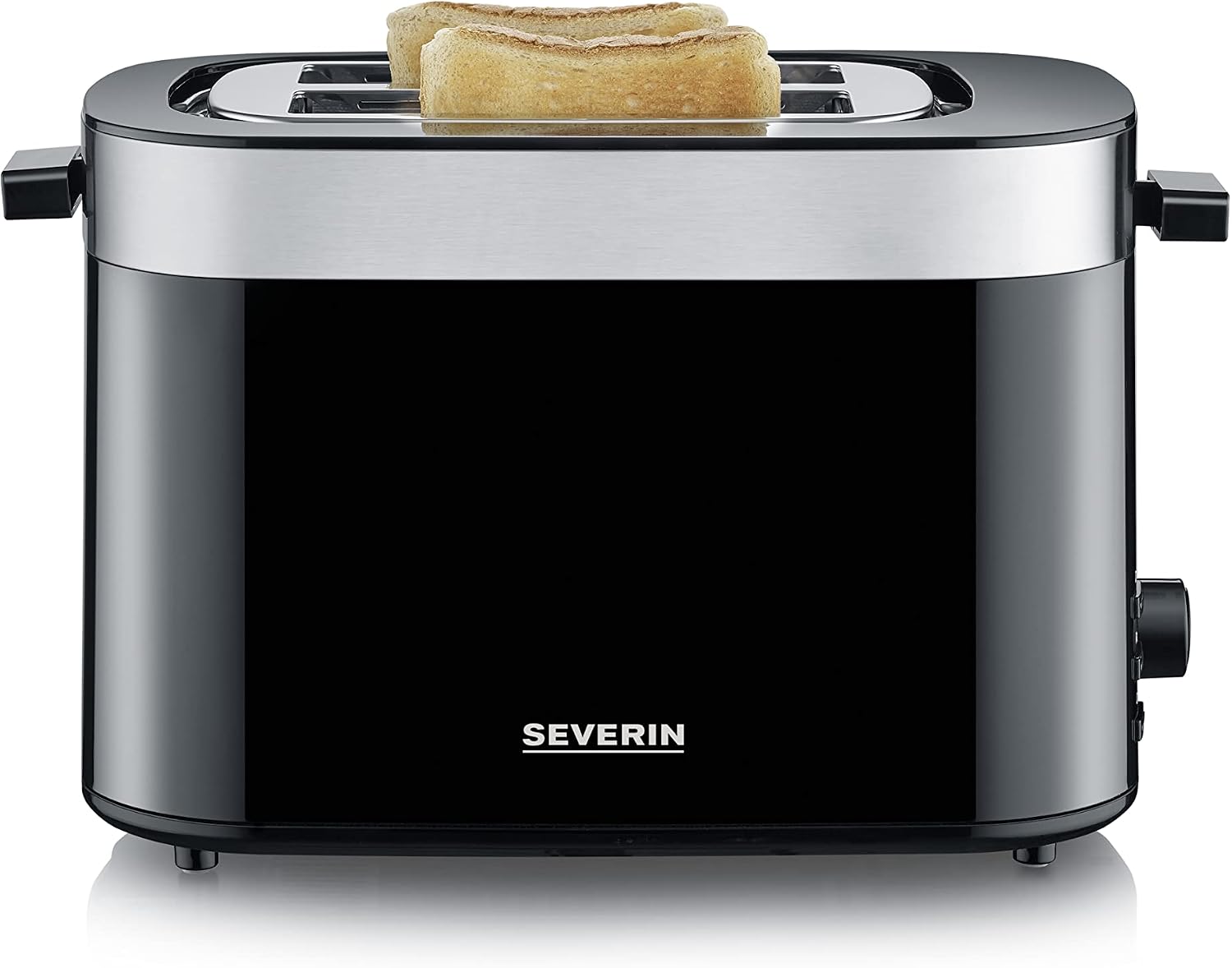
Figure 1: SEVERIN AT 9264 Automatic Toaster with toast.
2. Safety Instructions
Please read these safety instructions carefully before using the appliance and keep them for future reference. Failure to observe these instructions may result in electric shock, fire, or serious injury.
- Always connect the appliance to a properly installed earthed socket.
- Do not operate the appliance with wet hands or if standing on a wet floor.
- Do not immerse the appliance, cord, or plug in water or any other liquid.
- Ensure the appliance is placed on a stable, heat-resistant surface, away from walls or curtains.
- Do not insert oversized foods, metal foil packages, or utensils into the toaster slots.
- Never attempt to remove jammed bread with a knife or other sharp object while the toaster is plugged in. Unplug the appliance first.
- Supervise children to ensure they do not play with the appliance.
- Unplug the appliance from the mains socket after use, before cleaning, or in case of malfunction.
- Do not operate the appliance if it has been dropped, or if there are visible signs of damage to the appliance or its power cord.
3. Components
Familiarize yourself with the different parts of your SEVERIN AT 9264 Toaster:
- Toasting Slots (2)
- Browning Control Dial (1-7 settings)
- Defrost Button (with indicator light)
- Reheat Button (with indicator light)
- Cancel/Stop Button (with indicator light)
- Crumb Tray (removable, located at the bottom)
- Integrated Warming Rack (foldable)
- Lever for Toasting

Figure 2: Front view of the toaster showing control dial and function buttons.

Figure 3: Toaster with integrated warming rack in use.
4. Setup
Before first use, please follow these steps:
- Unpack the toaster and remove all packaging materials.
- Place the toaster on a stable, flat, and heat-resistant surface. Ensure there is sufficient space around the appliance for ventilation.
- Plug the power cord into a suitable earthed wall socket.
- For the first use, operate the toaster without bread for 2-3 cycles at the highest browning setting (7) to burn off any manufacturing residues. This may produce a slight odor and smoke, which is normal. Ensure good ventilation during this process.
- Allow the appliance to cool down completely after the initial cycles.
5. Operating Instructions
5.1. Toasting Bread
- Insert up to two slices of bread into the toasting slots. The slice centering system will automatically adjust to hold the bread in place.
- Select the desired browning level using the browning control dial (settings 1-7). A lower number results in lighter toast, a higher number in darker toast.
- Press the toasting lever down until it locks into place. The toasting process will begin, and the cancel button's indicator light will illuminate.
- Once the selected browning level is reached, the toast will automatically pop up, and the heating elements will switch off.
- To stop the toasting process at any time, press the Cancel/Stop button.

Figure 4: Top view showing bread inserted into the toasting slots.
5.2. Defrosting Frozen Bread
- Place frozen bread slices into the toasting slots.
- Set the browning control dial to your desired level (usually a slightly higher setting than for fresh bread).
- Press the toasting lever down.
- Press the Defrost button. Its indicator light will illuminate. The toaster will first defrost the bread and then toast it.
- The toast will automatically pop up when done.
5.3. Reheating Cold Toast/Pastries
- For cold toast, place it in the slots. For pastries (e.g., croissants, rolls), unfold the integrated warming rack and place them on top.
- Press the toasting lever down.
- Press the Reheat button. Its indicator light will illuminate. This function provides a short burst of heat to warm items without further browning.
- The toaster will automatically stop after a short reheating cycle.
6. Maintenance and Cleaning
Regular cleaning ensures optimal performance and extends the lifespan of your toaster.
- Always unplug the toaster from the power outlet and allow it to cool down completely before cleaning.
- Crumb Tray: Pull out the removable crumb tray located at the bottom of the toaster. Empty crumbs into a waste bin. Wipe the tray clean with a damp cloth and dry thoroughly before reinserting.
- Exterior: Wipe the exterior of the toaster with a soft, damp cloth. Do not use abrasive cleaners, scouring pads, or harsh chemicals, as these can damage the finish.
- Interior: Do not attempt to clean the interior of the toaster or heating elements. If bread gets stuck, unplug the toaster and carefully remove it once the appliance is cool.
- Never immerse the toaster in water or any other liquid.
7. Troubleshooting
| Problem | Possible Cause | Solution |
|---|---|---|
| Toaster does not turn on. | Not plugged in; power outage; faulty outlet. | Ensure the plug is securely inserted. Check the circuit breaker. Try a different outlet. |
| Bread is not toasting or is too light. | Browning level set too low; appliance not preheated (first use). | Increase the browning level. Run a cycle without bread to preheat. |
| Bread is too dark or burnt. | Browning level set too high. | Decrease the browning level. |
| Bread is stuck in the slots. | Oversized bread; foreign object. | Immediately unplug the toaster. Allow to cool. Carefully remove the bread using non-metallic tongs. |
| Smoke coming from toaster. | Crumbs accumulated; food stuck; first use residue. | Unplug and allow to cool. Empty crumb tray. If food is stuck, remove it carefully. Initial smoke is normal for first use. |
8. Specifications
| Feature | Detail |
|---|---|
| Brand | Severin |
| Model Number | AT 9264 |
| Color | Black |
| Dimensions (L x W x H) | 31.5 x 16.3 x 19.5 cm |
| Weight | 1.29 kg |
| Power | 800 Watts |
| Voltage | 230 Volts |
| Material | Stainless Steel |
| Number of Slots | 2 |
| Browning Levels | 7 |
| Special Features | Removable crumb tray, Integrated warming rack, Defrost function, Reheat function, Cancel function |
9. Warranty and Support
This SEVERIN appliance comes with a 2-year manufacturer's warranty, ensuring performance and durability. For warranty claims, technical support, or spare parts inquiries, please contact SEVERIN customer service or visit the official SEVERIN website.
For more information and support, please visit the official SEVERIN website: www.severin.com
No official product videos from the seller were found for this model.
Related documentsAT 9264


Ask a question about this manual
Ask about setup, troubleshooting, compatibility, parts, safety, or missing instructions. Manuals+ will review the question and use this page’s manual context to help answer it.