
1. Introduction
This manual provides essential information for the safe and efficient operation, maintenance, and troubleshooting of your JIENUO JN208G 8 Gallon Wet/Dry HEPA Filter Dust Extractor. Please read this manual thoroughly before using the product and retain it for future reference.
2. Safety Information
Always follow basic safety precautions to reduce the risk of fire, electric shock, or injury when using this appliance.
- Ensure the power source matches the voltage specified on the product label.
- Do not operate the vacuum with a damaged cord or plug.
- Do not pick up flammable or combustible liquids, such as gasoline, or use in areas where they may be present.
- Do not pick up anything that is burning or smoking, such as cigarettes, matches, or hot ashes.
- Keep hair, loose clothing, fingers, and all parts of the body away from openings and moving parts.
- Use extra care when cleaning on stairs.
- Unplug from outlet when not in use and before servicing.
- Do not allow to be used as a toy. Close attention is necessary when used by or near children.
3. Package Contents
Verify that all items are present upon unpacking:
- 8 Gallon Dust Extractor x1
- Power Tool Adapter x1
- 13.1 ft. x 1-1/4" diameter Vacuum Hose x1
- Hose Adapter x1
- Hose Clamp x1
- Hose Hook x1
- HEPA Filter x1
- Dust Bag x1
- Metal Extendable Tube x1
- Crevice Tool x1
- Floor Brush x1
4. Product Features
- Automatic Filter Cleaning: The dust extractor cleans the filter every 25 seconds for continuous operation and sustained maximum suction.
- Powerful Suction: Equipped with a 1200W motor, delivering a maximum 140 CFM suction capacity, 20KPA vacuum, and 84.3 inches static water lift.
- Power Tool Activation: Features an integrated power tool outlet, allowing the dust extractor to turn on and off automatically with your connected power tool (maximum permissible power tool amperage is 5.5A).
- Mobility: Designed with four universal wheels for easy movement and two large rear wheels for stability.
- Wet/Dry Capability: Suitable for both wet and dry vacuuming tasks.
- HEPA Filtration: Ensures high-efficiency particulate air filtration for cleaner exhaust.

Diagram illustrating the Wet/Dry use principle and the Automatic filter clean principle of the JIENUO JN208G dust extractor.

Diagram highlighting key components and features such as the power tool socket, handle, wheels, and accessory storage.
5. Setup
5.1. Filter and Dust Bag Installation
- Unlatch the clips on the side of the dust extractor and carefully lift off the motor head.
- Ensure the HEPA filter is securely in place. If not, insert it into its designated slot on the underside of the motor head.
- For dry vacuuming, place a dust bag inside the tank, ensuring the opening aligns with the inlet port.
- Carefully place the motor head back onto the tank and secure the side clips.
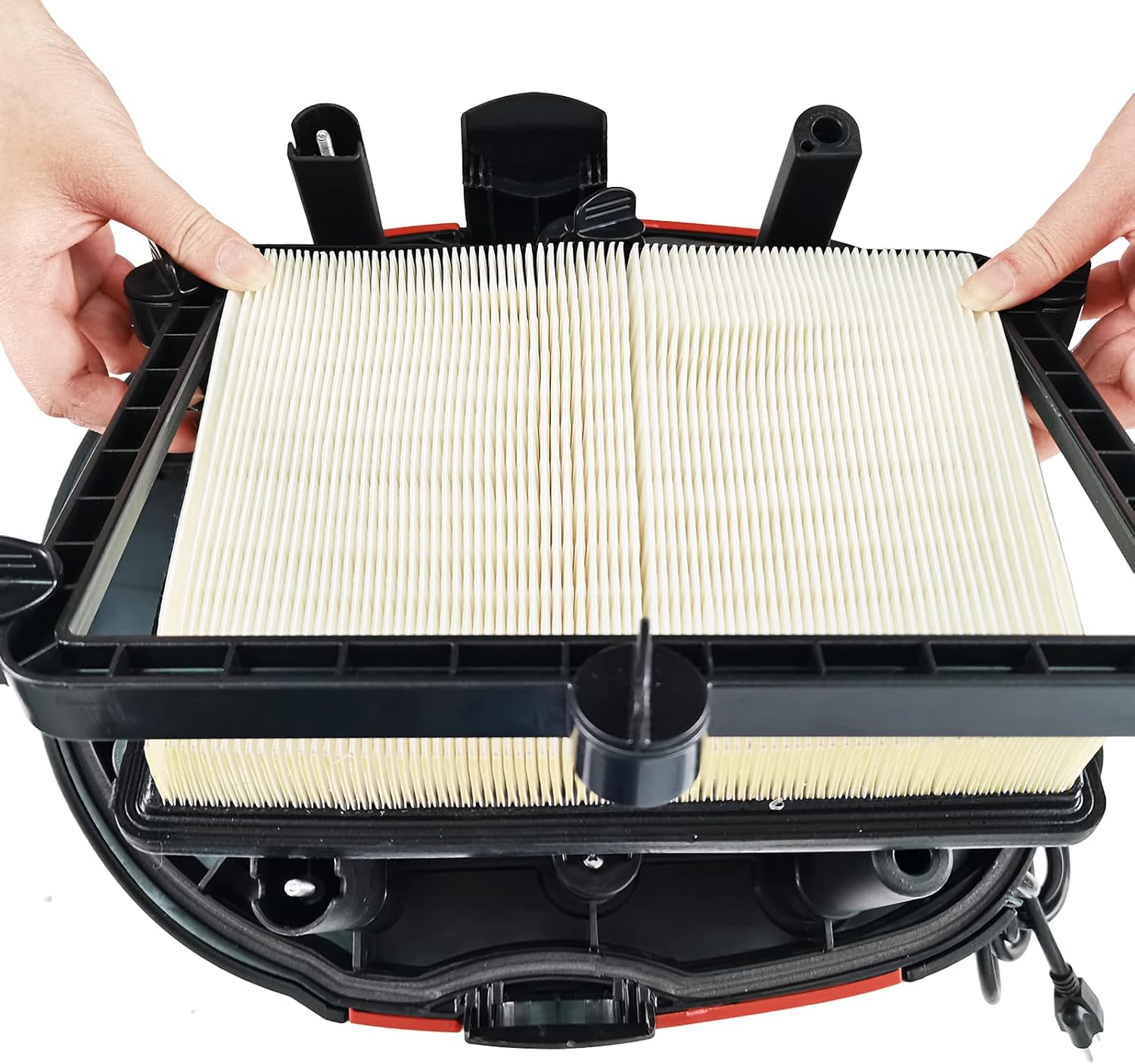
Installing the HEPA filter into the motor head.

Inserting the dust bag into the tank for dry collection.
5.2. Hose and Accessory Connection
- Connect the 13.1 ft. vacuum hose to the inlet port on the front of the dust extractor by twisting it clockwise until secure.
- Attach the desired accessory (e.g., metal extendable tube, crevice tool, floor brush) to the end of the hose.
- For power tool integration, connect the power tool adapter to the hose and then to your power tool's dust port.
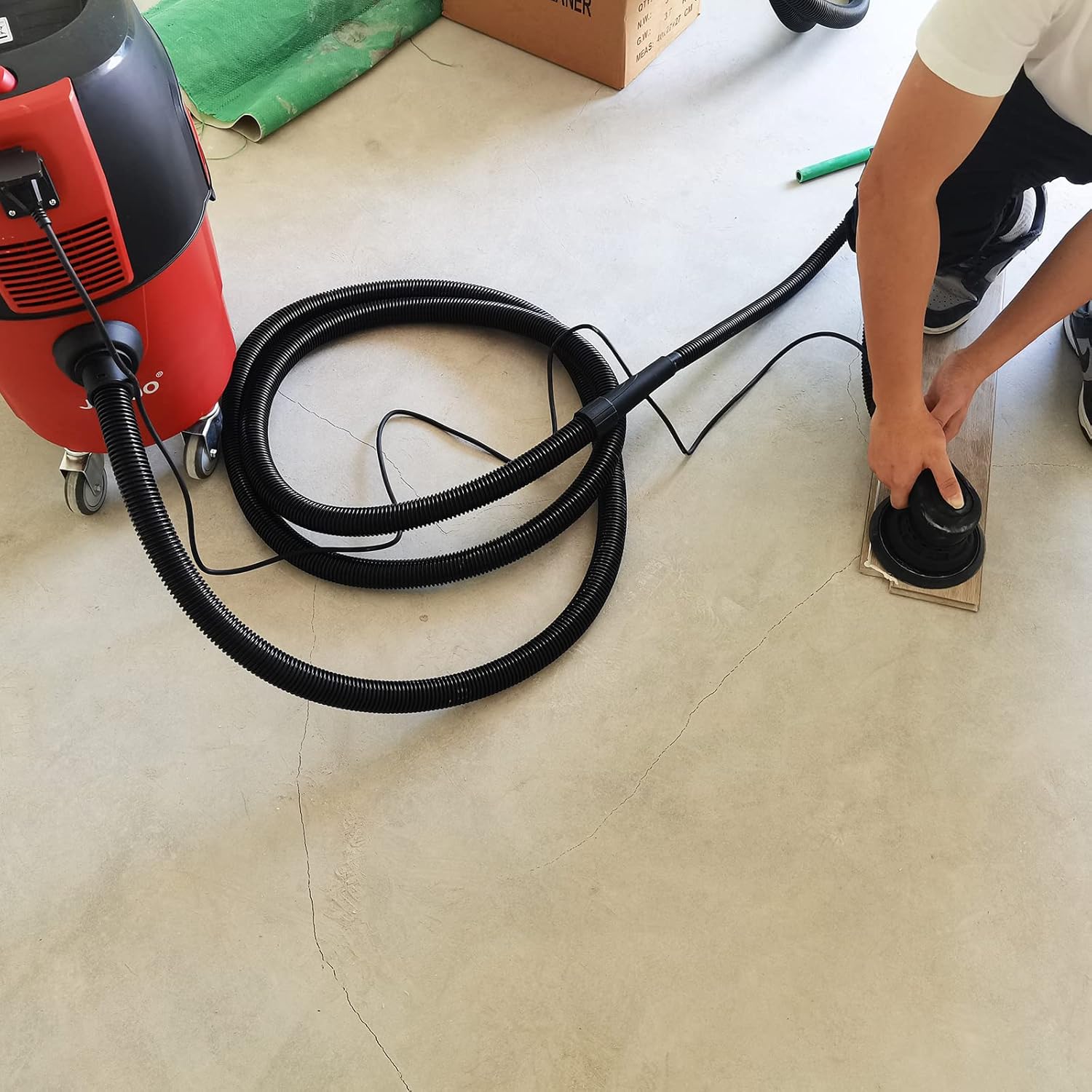
Connecting the vacuum hose to the dust extractor.
6. Operating Instructions
6.1. Powering On/Off
- Plug the dust extractor's power cord into a suitable 120V electrical outlet.
- Locate the power switch on the top of the motor head.
- To turn on, press the switch to the 'I' position. To turn off, press the switch to the 'O' position.
6.2. Using with Power Tools (Auto-Activation)
- Open the protective cover of the power tool socket located on the front of the dust extractor.
- Plug your power tool into this socket. Ensure your power tool's amperage does not exceed 5.5A.
- Set the dust extractor's power switch to the 'II' (auto) position.
- When you turn on your connected power tool, the dust extractor will automatically start. When you turn off the power tool, the dust extractor will also turn off after a brief delay to clear residual dust.
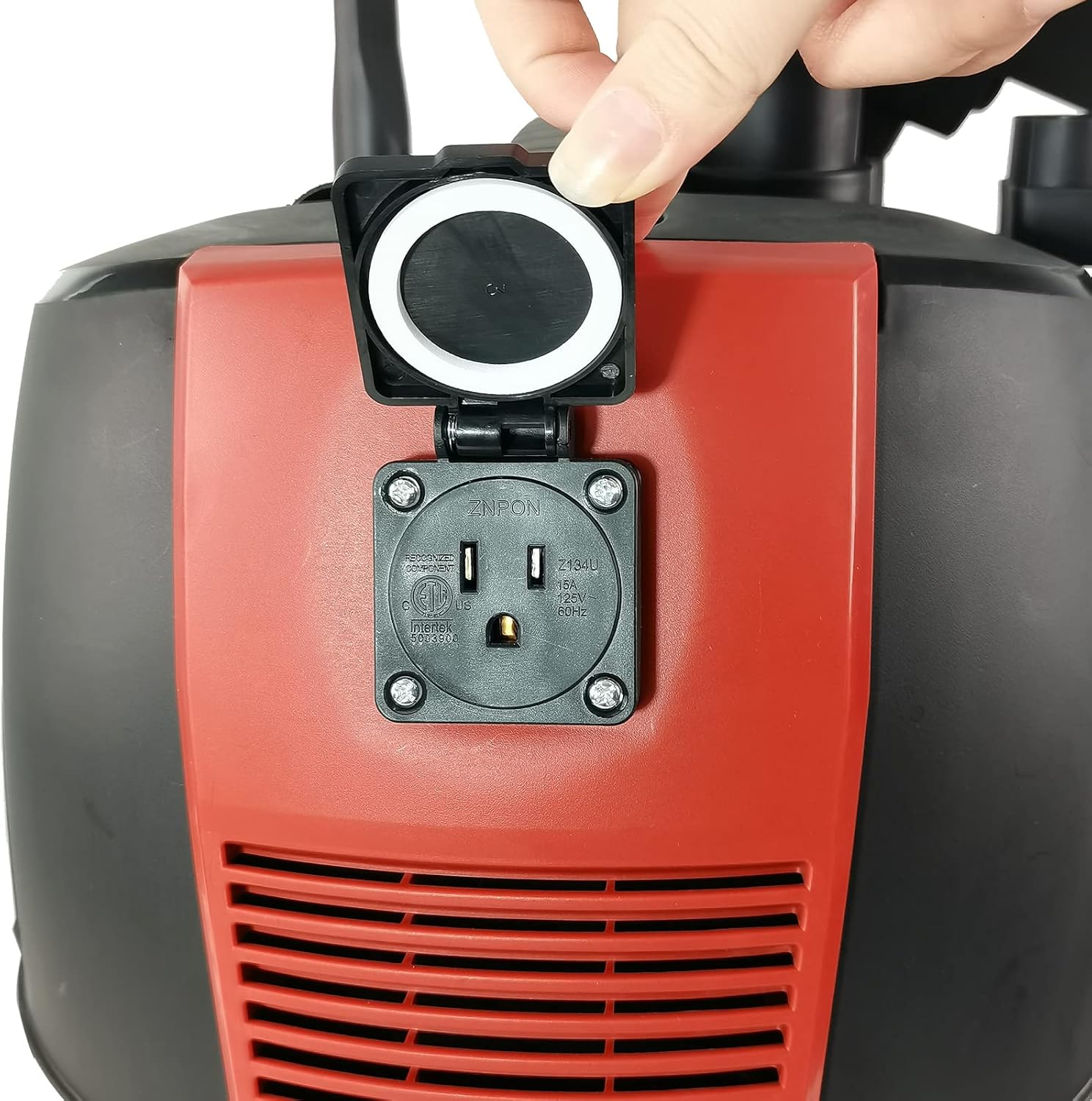
Opening the power tool socket cover.
6.3. Automatic Filter Cleaning Function
The automatic filter cleaning function activates approximately 25 seconds after the vacuum is turned on, and continues periodically during operation to maintain optimal suction. You may hear a slight change in motor sound as the cleaning mechanism engages.
Video demonstrating the JIENUO JN208G Dust Extractor in operation, including its automatic filter cleaning function and use with power tools.
7. Maintenance
Regular maintenance ensures optimal performance and extends the life of your dust extractor.
7.1. Filter Cleaning and Replacement
- Before cleaning or replacing the filter, ensure the dust extractor is unplugged from the power outlet.
- Remove the motor head. Carefully detach the HEPA filter.
- Gently tap the filter to dislodge dust or use a soft brush. For thorough cleaning, rinse with water and allow to air dry completely before reinstallation.
- Replace the filter if it is damaged or excessively worn.

Inspecting and cleaning the HEPA filter.
7.2. Dust Bag Replacement
- Unplug the unit and remove the motor head.
- Carefully remove the full dust bag from the tank.
- Dispose of the dust bag according to local regulations.
- Install a new dust bag, ensuring it is properly seated and aligned with the inlet port.
7.3. General Cleaning
Wipe down the exterior of the dust extractor with a damp cloth. Do not use harsh chemicals or abrasive cleaners.
8. Troubleshooting
| Problem | Possible Cause | Solution |
|---|---|---|
| Reduced suction power | Clogged filter or full dust bag; Blocked hose or attachments. | Clean or replace filter/dust bag; Check and clear any blockages in the hose or accessories. |
| Dust extractor does not turn on | No power; Power switch in wrong position; Faulty power cord/plug. | Check power outlet and circuit breaker; Ensure switch is in 'I' or 'II' position; Inspect power cord for damage. |
| Automatic filter cleaning not working | Internal mechanism issue. | Contact customer support for assistance. |
| Power tool auto-activation not working | Dust extractor switch not in 'II' position; Power tool amperage exceeds limit; Loose connection. | Set switch to 'II'; Ensure power tool amperage is within 5.5A; Check connection between power tool and extractor socket. |
9. Specifications
| Feature | Specification |
|---|---|
| Brand | JIENUO |
| Model Name | JN208G-30L |
| Capacity | 8 Gallons |
| Power Source | Corded Electric |
| Voltage | 120 Volts |
| Wattage | 1200 Watts |
| Amperage | 9.5 Amps |
| Motor Horsepower | 1.61 horsepower |
| Maximum Suction | 84.3 Inches (water lift) / 20KPA |
| Maximum Airflow | 140 CFM |
| Noise Level | 82 Decibels |
| Hose Length | 13.1 Feet |
| Filter Type | HEPA Cartridge |
| Item Weight | 28.7 Pounds |
| Item Dimensions (L x W x H) | 18.31" x 14.76" x 23.62" |
| Indoor/Outdoor Usage | Indoor |
| Special Features | HEPA, Lightweight, Portable, Wet/Dry, Wheels, Auto Filter Clean, Power Tool Activation |
10. Warranty and Support
This JIENUO JN208G Dust Extractor comes with a 2-year manufacturer's warranty. For warranty claims, technical support, or replacement parts, please contact JIENUO customer service through the retailer where the product was purchased.