
1. Setup
1.1 Unboxing and Initial Charge
Upon opening the package, you will find the IKT ST05 Wireless Earbuds, a charging case, a USB Type-C charging cable, and multiple sizes of silicone ear tips (S, M, L).
Before first use, ensure both the earbuds and the charging case are fully charged. Connect the provided USB Type-C cable to the charging port on the back of the case and to a power source. The LED power display on the charging case will indicate the current battery level, reaching 100 when fully charged.

Figure 1: The IKT ST05 charging case displaying the battery percentage on its LED screen. The earbuds are visible inside the open case.
1.2 Fitting the Earbuds
For optimal sound quality and comfort, select the silicone ear tips that best fit your ears. The package includes small, medium, and large sizes. Gently insert the earbuds into your ear canal and twist slightly to secure them. Ensure a snug fit to maximize bass response and noise isolation.

Figure 2: Illustration demonstrating the proper way to insert the earbud for a secure and comfortable fit (labeled 'Right') versus an incorrect, loose fit (labeled 'Wrong').
1.3 Pairing with Your Device
The IKT ST05 earbuds feature one-step pairing. Simply open the charging case and remove both earbuds. They will automatically power on and enter pairing mode. On your device (smartphone, tablet, laptop), navigate to the Bluetooth settings and select "ST05" from the list of available devices to connect.
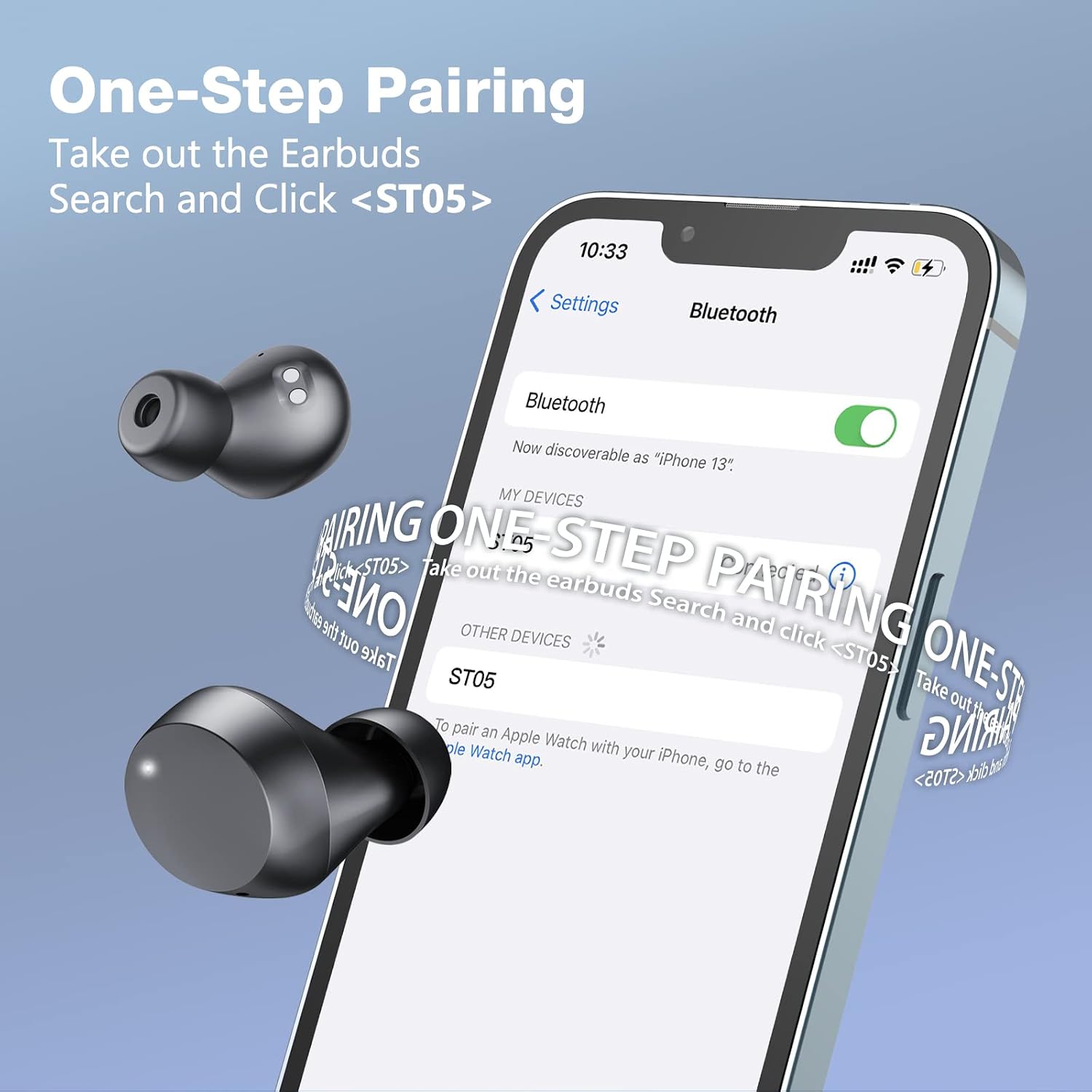
Figure 3: A smartphone displaying its Bluetooth settings, with "ST05" highlighted as an available device for pairing. Two earbuds are shown near the phone, indicating readiness for connection.
Video 1: An introductory video demonstrating the unboxing and initial setup process for the IKT ST05 Wireless Earbuds, including how to pair them with a device.
2. Operating Instructions
2.1 Power On/Off
- Power On: The earbuds automatically power on when removed from the charging case.
- Power Off: Place the earbuds back into the charging case to automatically power them off and begin charging.
2.2 Touch Controls
The IKT ST05 earbuds feature intuitive touch controls on each earbud. Refer to the diagram below for specific functions:

Figure 4: A visual guide detailing the touch control gestures for the IKT ST05 earbuds, including actions for music playback, call management, and voice assistant activation.
- Play/Pause: Single tap on either earbud.
- Next Track: Long press the right earbud for 2 seconds.
- Previous Track: Long press the left earbud for 2 seconds.
- Volume Up: Single click the right earbud.
- Volume Down: Single click the left earbud.
- Answer/End Call: Double tap on either earbud.
- Reject Call: Long press on either earbud for 2 seconds.
- Activate Voice Assistant: Triple tap on either earbud.
3. Maintenance
3.1 Cleaning
To ensure optimal charging and performance, regularly clean the charging contacts on both the earbuds and inside the charging case. Use a cotton swab lightly dampened with alcohol to gently wipe the gold-plated contacts.

Figure 5: A diagram illustrating the location of the charging contacts on the earbuds and within the charging case, with instructions to clean them if the earbuds are not charging.
3.2 Water Resistance
The IKT ST05 earbuds boast an IPX7 water resistance rating, meaning they are protected against immersion in water up to 1 meter for 30 minutes. This makes them suitable for workouts and use in rainy conditions. Note: They are not designed for showering or swimming.

Figure 6: A woman engaged in exercise, wearing the IKT ST05 earbuds, emphasizing their IPX7 sweat and water-resistant capabilities. A note clarifies that showers and swimming are not supported.
4. Troubleshooting
4.1 Earbuds Not Charging
- Ensure the charging cable is securely connected to both the case and the power source.
- Verify that the charging contacts on the earbuds and inside the case are clean and free of debris. Refer to Figure 5 for contact locations.
- Check if the charging case itself has sufficient battery power.
4.2 Cannot Pair Earbuds
- Reset Bluetooth Connection: Delete the "ST05" pairing record from your device's Bluetooth settings. Turn off Bluetooth on your device, wait 2-3 seconds, then turn it back on.
- Manual Pairing: With both earbuds out of the case, press and hold both earbuds simultaneously for 3 seconds to force them into pairing mode, then attempt to reconnect with your phone.

Figure 7: A visual guide outlining two common troubleshooting steps for earbuds that cannot be paired: deleting the pairing record and manually re-pairing by holding both earbuds.
5. Specifications
| Model Name | ST05 |
| Connectivity Technology | Wireless (Bluetooth) |
| Bluetooth Version | 5.3 |
| Ear Placement | In Ear |
| Control Type | Touch, Voice |
| Water Resistance Level | IPX7 (Sweat and Water Resistant) |
| Battery Life (Earbuds) | Up to 6 Hours |
| Total Playtime (with Charging Case) | Up to 33 Hours |
| Charging Time | Approx. 1.5 Hours |
| Audio Driver Type | Dynamic Driver (10mm) |
| Earbud Weight | 4.2 grams (each) |
| Included Components | Wireless Charging Case, USB Type-C Cable, Silicone Ear Tips (S, M, L) |
6. Warranty and Support
IKT products are designed for reliability and performance. For any warranty claims, technical support, or product inquiries, please contact the manufacturer directly through their official website or the retailer where the product was purchased. Keep your proof of purchase for warranty validation.