
Introduction
Thank you for choosing the Redragon Meteor L Full-Size Wrist Rest. This product is designed to provide ergonomic support and comfort for users of full-size keyboards, helping to maintain a neutral wrist position during extended typing sessions. Its modern design and ambidextrous nature make it a versatile accessory for any workspace.
Product Features
- Ergonomic Design: Specifically shaped to provide comfortable wrist support, reducing strain during prolonged use.
- Full-Size Compatibility: Generously sized to accommodate most full-size keyboards, ensuring comprehensive support.
- Durable Construction: Made from high-quality Metal and Plastic materials for longevity and stability.
- Modern Aesthetic: Features a sleek, contemporary design that complements various desktop setups.
- Easy Maintenance: Designed for simple cleaning to keep your workspace hygienic.
Setup
- Unpack: Carefully remove the Redragon Meteor L Wrist Rest from its packaging.
- Placement: Position the wrist rest directly in front of your full-size keyboard. Ensure it is centered and aligned with the keyboard's front edge.
- Adjust: Adjust the position of the wrist rest and your keyboard until your wrists can rest comfortably and naturally on the pad, maintaining a straight line with your forearms.
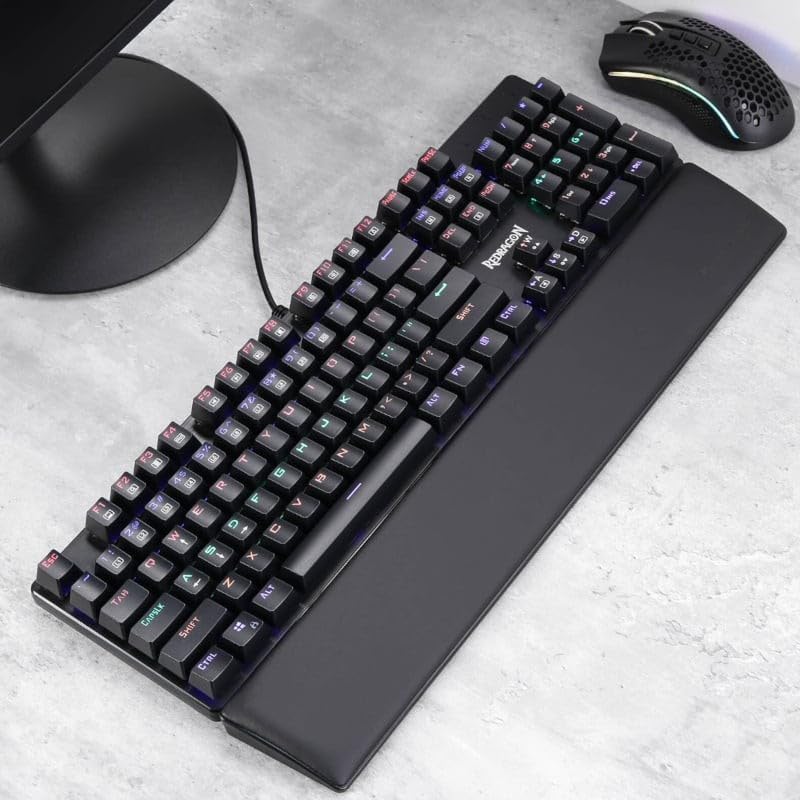
Image: The Redragon Meteor L Wrist Rest placed in front of a full-size keyboard, ready for use.

Image: Detailed view of the wrist rest providing ergonomic support during typing.
Operating Instructions
The Redragon Meteor L Wrist Rest is designed for passive ergonomic support. Proper usage involves maintaining a neutral wrist position to prevent strain.
- Neutral Wrist Position: When typing, ensure your wrists are straight and not bent upwards, downwards, or to the sides. The wrist rest should support the heel of your hand, not your wrist directly.
- Relaxed Shoulders: Keep your shoulders relaxed and elbows close to your body.
- Regular Breaks: Take short breaks every 30-60 minutes to stretch your hands, wrists, and arms.
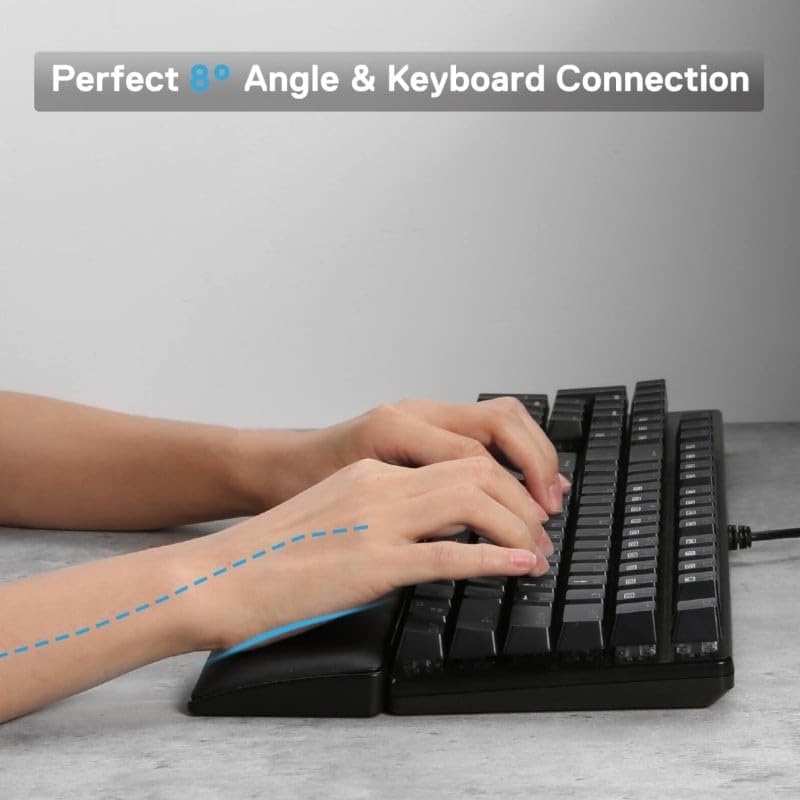
Image: Proper hand and wrist positioning on the wrist rest for ergonomic comfort.
Maintenance
To ensure the longevity and hygiene of your Redragon Meteor L Wrist Rest, follow these simple cleaning guidelines:
- Regular Cleaning: Wipe the surface of the wrist rest regularly with a soft, damp cloth.
- Mild Soap: For tougher stains, use a small amount of mild soap diluted in water. Apply with a soft cloth and wipe clean.
- Avoid Harsh Chemicals: Do not use abrasive cleaners, solvents, or harsh chemicals as these can damage the material.
- Air Dry: Allow the wrist rest to air dry completely before reuse.

Image: Cleaning the surface of the wrist rest with a soft cloth.
Troubleshooting
| Problem | Possible Cause | Solution |
|---|---|---|
| Discomfort during use | Incorrect positioning of wrist rest or keyboard. | Adjust the wrist rest and keyboard to ensure wrists are in a neutral, straight position. Ensure the wrist rest supports the heel of your hand, not the wrist itself. |
| Wrist rest slides on desk | Desk surface is too smooth or dirty. | Clean the desk surface and the bottom of the wrist rest. If issues persist, consider using a non-slip mat underneath. |
| Material appears worn or damaged | Normal wear and tear or improper cleaning. | Follow the maintenance guidelines. For significant damage, consider replacing the wrist rest. |
Specifications
| Feature | Detail |
|---|---|
| Brand | Redragon |
| Model Number | P037 |
| Product Dimensions (L x W x H) | 17.13" x 2.87" x 0.79" (43.5 cm x 7.3 cm x 2 cm) |
| Item Weight | 0.22 Kilograms (0.48 lbs) |
| Material | Metal, Plastic |
| Color | Black |
| Compatibility | Full-size keyboards |
Warranty and Support
Redragon products are manufactured to the highest quality standards. For information regarding warranty coverage, technical support, or customer service, please refer to the official Redragon website or contact your local retailer. Please retain your proof of purchase for warranty claims.
