
Introduction
This instruction manual provides comprehensive guidance for the assembly, operation, and maintenance of your Hot Wheels Track Builder Lightning Boost Pack. This set is designed to enhance your Hot Wheels track creations with speed-boosting elements and offers convenient storage solutions.
Safety Information
WARNING: CHOKING HAZARD - Small Parts. Not for children under 3 years.
Adult supervision is recommended during assembly and play to ensure safe operation and prevent misuse of small components.
What's in the Box
Your Hot Wheels Track Builder Lightning Boost Pack includes the following components:
- 1 Hot Wheels Lightning Boost Pack (modular storage container and track elements)
- 1 Hot Wheels car (1:64 scale)

Image: The Hot Wheels Track Builder Lightning Boost Pack packaging, displaying the included track components and a 1:64 scale Hot Wheels vehicle. The modular storage container is also visible.
Setup Instructions
Follow these steps to assemble your Hot Wheels Track Builder Lightning Boost Pack:
- Unpack Components: Carefully remove all track pieces, boosters, and the Hot Wheels car from the modular storage container. The container itself is part of the playset.
- Identify Track Pieces: The set includes straight track segments, curved track segments, lightning-themed kickers (boosters), and flippers.
- Connect Track Segments: Use the connectors on each track piece to snap them together. Ensure a secure fit for smooth car movement.
- Integrate Boosters and Flippers: Place the lightning-themed kickers and flippers at strategic points along your track layout to add speed and dynamic action. These elements are designed to propel cars forward.
- Utilize the Storage Container: The modular storage container can be integrated into your track design as a base or a ramp, or used to store all components when not in use.

Image: A hand opening the blue modular storage container, revealing various yellow and red track components stored neatly inside.
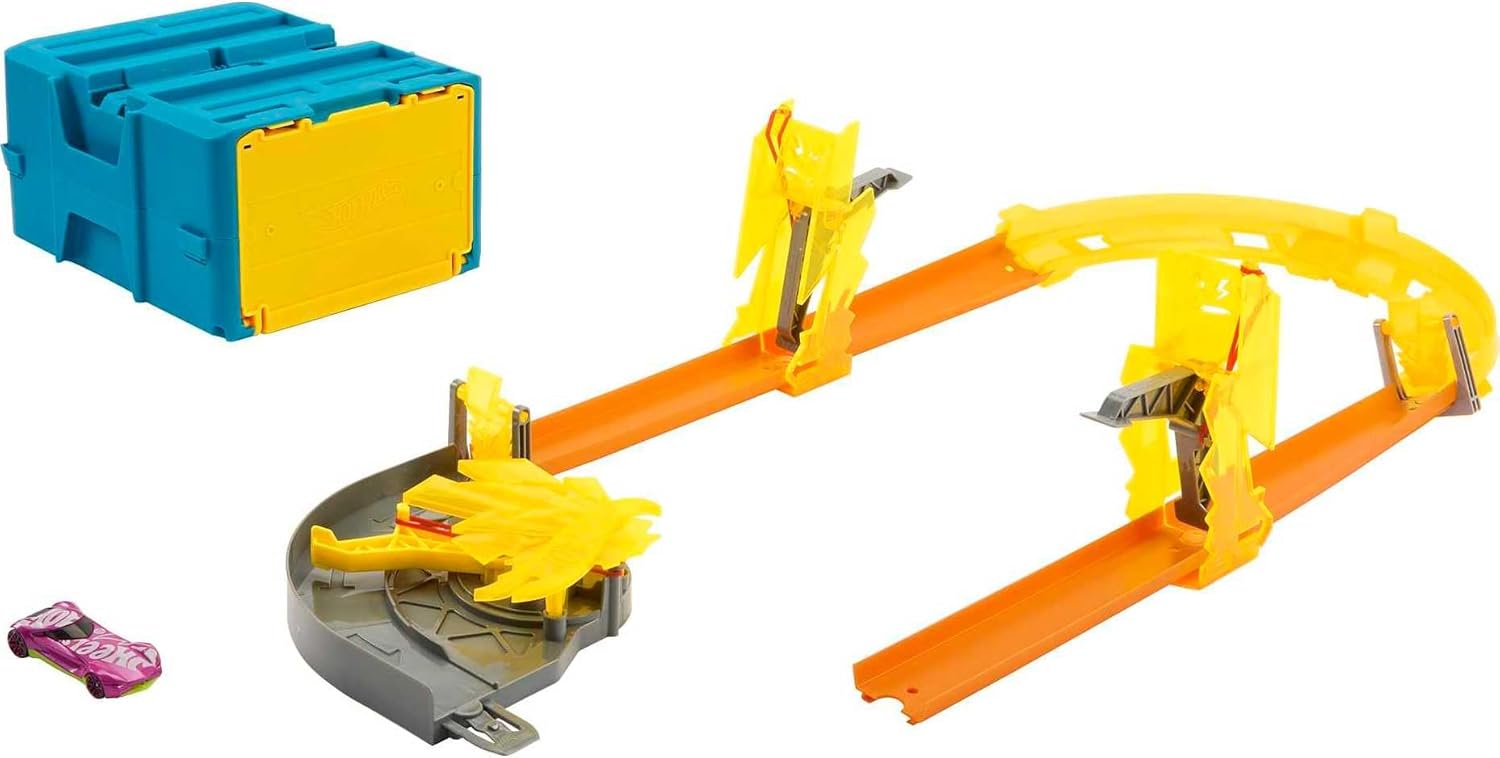
Image: An example of an assembled Hot Wheels track layout, featuring straight and curved segments, lightning-themed boosters, and the blue modular storage container integrated into the design.
Setup Demonstration Video
Video: An official Hot Wheels video demonstrating the assembly of the Track Builder Lightning Boost Pack and showcasing various track configurations and how the components interact.
Operating Instructions
Once your track is assembled, you can begin racing your Hot Wheels cars:
- Place Car on Track: Position a Hot Wheels car (1:64 scale) at the starting point of your track.
- Launch Car: Gently push the car to initiate its movement along the track.
- Engage Boosters: As the car approaches a lightning-themed kicker or flipper, ensure the mechanism is ready to propel the car forward, maintaining its speed. Some boosters may require manual reset after each car passes.
- Experiment with Layouts: The modular nature of the Track Builder system allows for countless track configurations. Experiment with different arrangements to discover new racing challenges and speeds.
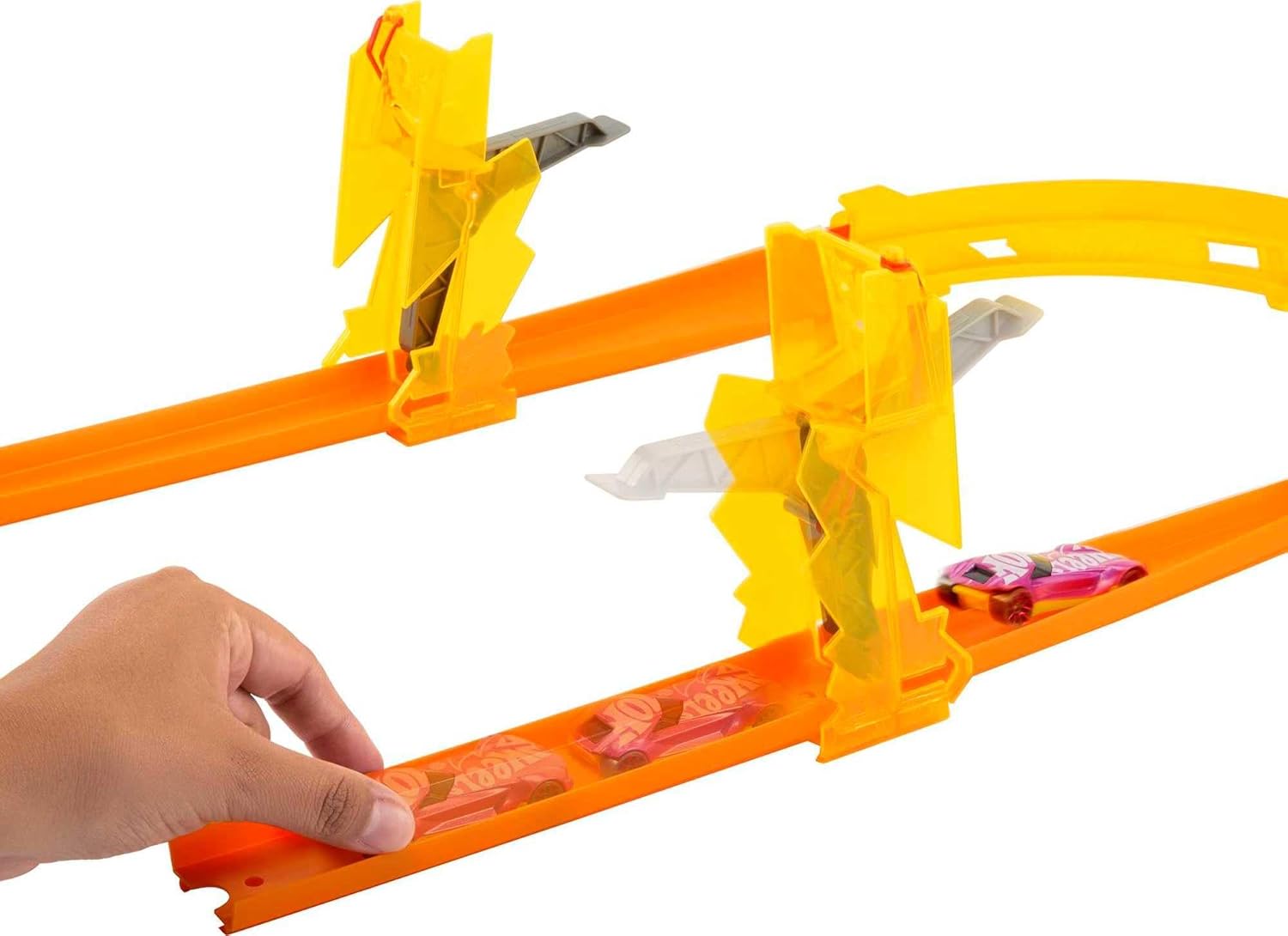
Image: A hand carefully placing a Hot Wheels car onto a track segment, preparing it for launch.

Image: A Hot Wheels car in motion, passing through a yellow lightning-themed booster on the track, illustrating the speed-enhancing feature.
Maintenance
To ensure the longevity and optimal performance of your Hot Wheels Track Builder Lightning Boost Pack, consider the following maintenance tips:
- Cleaning: Wipe track pieces and components with a dry or slightly damp cloth to remove dust and debris. Avoid harsh chemicals.
- Storage: When not in use, store all components in the provided modular container to prevent loss and damage. Keep the set in a cool, dry place away from direct sunlight.
- Inspection: Periodically inspect track connectors and booster mechanisms for any signs of wear or damage. Replace any broken parts to maintain safe operation.
Troubleshooting
If you encounter issues with your Hot Wheels Track Builder Lightning Boost Pack, refer to the following common solutions:
- Cars not moving smoothly:
- Check all track connections to ensure they are securely fastened.
- Ensure the track surface is clean and free of obstructions.
- Verify that the Hot Wheels car wheels are clean and functioning correctly.
- Boosters not propelling cars:
- Confirm that the booster mechanism is properly engaged and reset.
- Ensure the car is correctly aligned when entering the booster section.
- Difficulty connecting track pieces:
- Apply gentle, even pressure when connecting pieces. Avoid forcing them.
- Ensure the connectors are clean and free of debris.
Specifications
| Feature | Detail |
|---|---|
| Product Dimensions | 5 x 10 x 8 inches |
| Item Weight | 7.1 ounces |
| Model Number | HMC03 |
| Manufacturer Recommended Age | 4 years and up |
| Release Date | November 26, 2022 |
| Manufacturer | Mattel |
Warranty and Support
Specific warranty information for the Hot Wheels Track Builder Lightning Boost Pack (Model HMC03) is not provided in this manual. For details regarding warranty coverage, product support, or replacement parts, please refer to the official Hot Wheels website or contact Mattel customer service directly.
You can visit the official Hot Wheels Store for more information: Hot Wheels Store


