
1. Product Overview
The Hansgrohe ShowerTablet Select 400 is a surface-mounted bath thermostat designed to enhance your bathing experience with modern design and practical features. It provides a spacious shelf for toiletries and integrates intuitive controls for water flow and temperature.
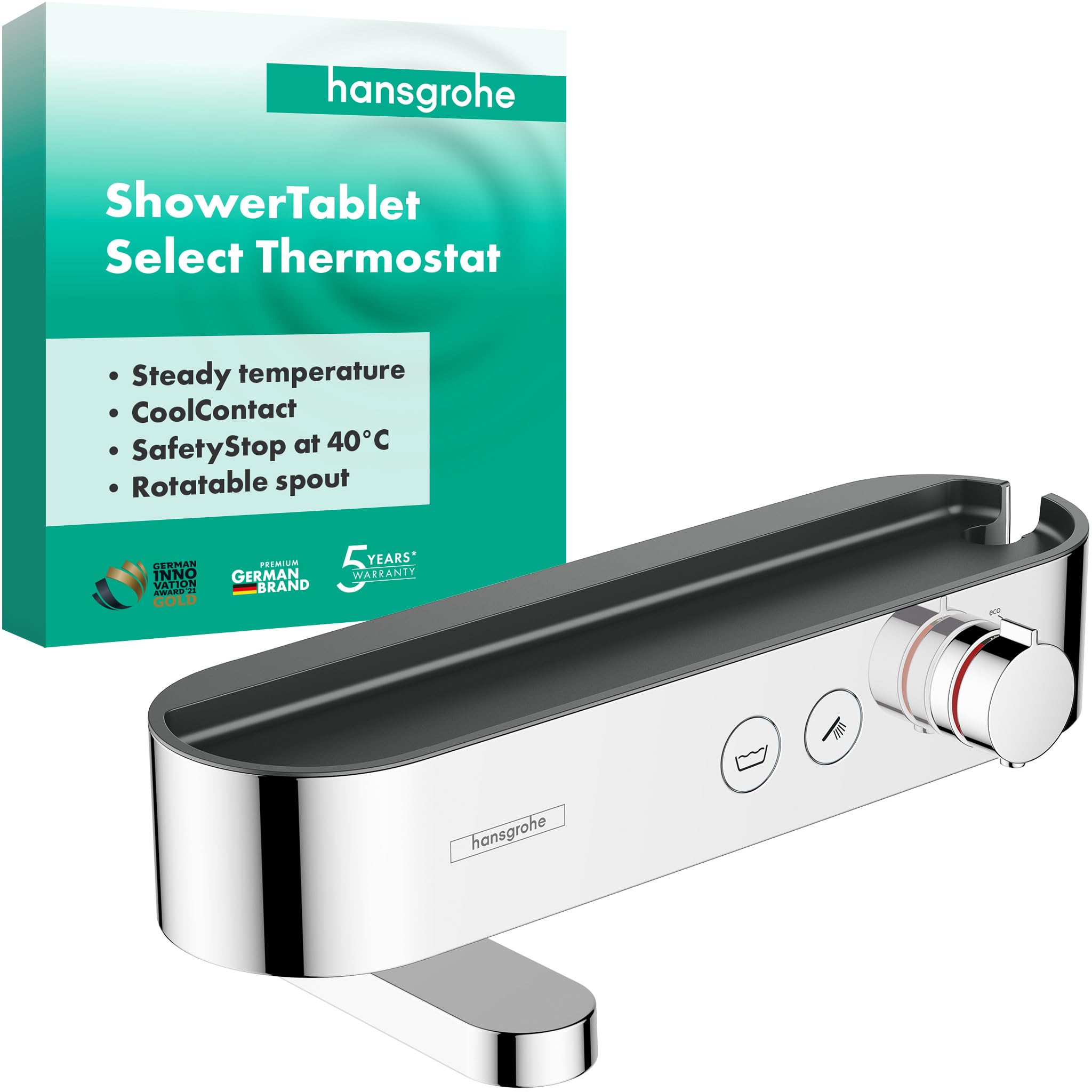
Figure 1: Hansgrohe ShowerTablet Select 400 Bath Thermostat, Chrome finish.
Key features include a 400 mm wide shelf, a rotatable bath spout for space-saving convenience, and the Select button for easy water activation. The thermostat also incorporates safety features like CoolContact and SafetyStop to ensure user comfort and protection.

Figure 2: The ShowerTablet Select 400 installed in a modern bathroom setting, showcasing its integrated shelf and design.
2. Setup and Installation
This bath thermostat is designed for surface-mounted installation. It is compatible with existing standard S-connectors (size G ½ DN15), simplifying the installation process.
2.1 Pre-Installation Checks
- Ensure water supply lines are clean and free of debris.
- Verify that the S-connectors are correctly positioned and sealed.
2.2 Installation Steps
- Attach the thermostat to the S-connectors, ensuring a secure and watertight fit.
- Tighten all connections carefully to prevent leaks.
- During installation, a maximum temperature limit can be set for added safety. Refer to the included installation instructions for detailed steps on adjusting this setting.

Figure 3: Installation diagram showing product dimensions and connection points (G 1/2 DN15).
3. Operating Instructions
The ShowerTablet Select 400 offers intuitive controls for a comfortable bathing experience.
3.1 Water Activation (Select Button)
To turn the water on or off, simply press the designated Select button. This button acts like a light switch for your water flow.

Figure 4: The 'Select' button provides simple on/off control for water flow.
3.2 Water Volume and Temperature Control
Use the large twist handle to regulate both water volume and temperature. Rotate the handle to adjust the desired settings. The thermostat maintains the set temperature reliably.

Figure 5: Adjusting the twist handle for precise control over water flow and temperature.
The system allows for a reduction of flow rate by up to 30% if desired, contributing to water conservation.
3.3 SafetyStop Feature
For enhanced safety, hot water is released only after pressing a dedicated SafetyStop button. This prevents accidental scalding, especially important for households with children.

Figure 6: The SafetyStop feature ensures safe temperature increase by requiring a button press to exceed 40°C.
3.4 Rotatable Bath Spout
The flat bath spout can be easily folded away when not in use, providing more space in your bathtub area.

Figure 7: The bath spout can be rotated to save space when not in use.
4. Maintenance
To maintain the brilliant chrome finish and ensure optimal performance of your Hansgrohe ShowerTablet Select 400, follow these cleaning guidelines:
4.1 Cleaning the Surface
- Use only mild cleaning agents specifically designed for bathroom fixtures.
- Avoid abrasive cleaners, scouring pads, or solvents, as these can damage the chrome finish.
- Wipe the surface with a soft, damp cloth.
- Rinse thoroughly with clean water and dry with a soft cloth to prevent water spots.
4.2 CoolContact Technology
The CoolContact technology ensures that the surface of the thermostat remains pleasantly cool during operation, preventing accidental burns. This also contributes to easier cleaning as mineral deposits are less likely to bake onto a cool surface.

Figure 8: CoolContact technology keeps the thermostat surface safe to touch.
5. Troubleshooting
This section addresses common issues you might encounter with your bath thermostat.
5.1 Low Water Flow or Pressure
- Check water supply: Ensure main water valves are fully open.
- Clean aerator/spout: Mineral deposits can restrict flow. Carefully remove and clean the aerator or spout opening.
- Inspect supply lines: Kinks or blockages in the supply lines can reduce pressure.
5.2 Inconsistent Water Temperature
- Verify hot water supply: Ensure your water heater is functioning correctly and providing sufficient hot water.
- Recalibrate thermostat: If the temperature is consistently too hot or cold, the thermostat may need recalibration. Consult a qualified plumber or the detailed installation instructions for this procedure.
- Check SafetyStop: Ensure the SafetyStop button is pressed if you intend to exceed the preset temperature limit.
5.3 Leaks from Connections
- Tighten connections: Gently tighten the S-connectors and other connections. Do not overtighten.
- Check seals: Ensure all gaskets and O-rings are properly seated and not damaged. Replace if necessary.
5.4 Unusual Noise During Operation
- The thermostat features a built-in silencer to reduce flow noise. If unusual or excessive noise occurs, check for loose pipes or obstructions in the water lines.
- High water pressure can sometimes cause noise. Consider installing a pressure reducer if your household water pressure is consistently high.
6. Specifications
| Brand | hansgrohe |
| Model Number | 24340000 |
| Color | Chrome |
| Material | Plastic |
| Finish Type | Polished |
| Number of Handles | 1 |
| Mounting Type | Wall Mount (Surface-mounted) |
| Product Dimensions | 7.2 x 16.22 x 4.06 inches |
| Item Weight | 1.45 ounces (41.2 Grams) |
| Maximum Pressure | 10 Bars |
| Included Components | Bath thermostat, Installation instructions, S-connectors |
7. Warranty and Support
7.1 Warranty Information
Hansgrohe provides a replacement warranty for this product. Spare parts are available for up to 15 years after the product line is discontinued, ensuring long-term usability and support for your investment.
7.2 Customer Support
For technical assistance, spare parts, or any other inquiries regarding your Hansgrohe ShowerTablet Select 400, please contact Hansgrohe customer service. Refer to the contact information provided in your product packaging or visit the official Hansgrohe website for support details.


