
TOSHIBA 55M550LP
Toshiba 55M550LP 4K Ultra HD Smart QLED Google TV User Manual
Model: 55M550LP | Brand: TOSHIBA
1. Product Overview
The Toshiba 55M550LP is a state-of-the-art 4K Ultra HD Smart QLED Google TV, designed to deliver an immersive viewing and audio experience. With its vibrant Quantum Dot Color display, powerful REGZA Engine 4K Pro, and integrated Google TV platform, it offers stunning visuals, rich sound, and smart functionality for all your entertainment needs.
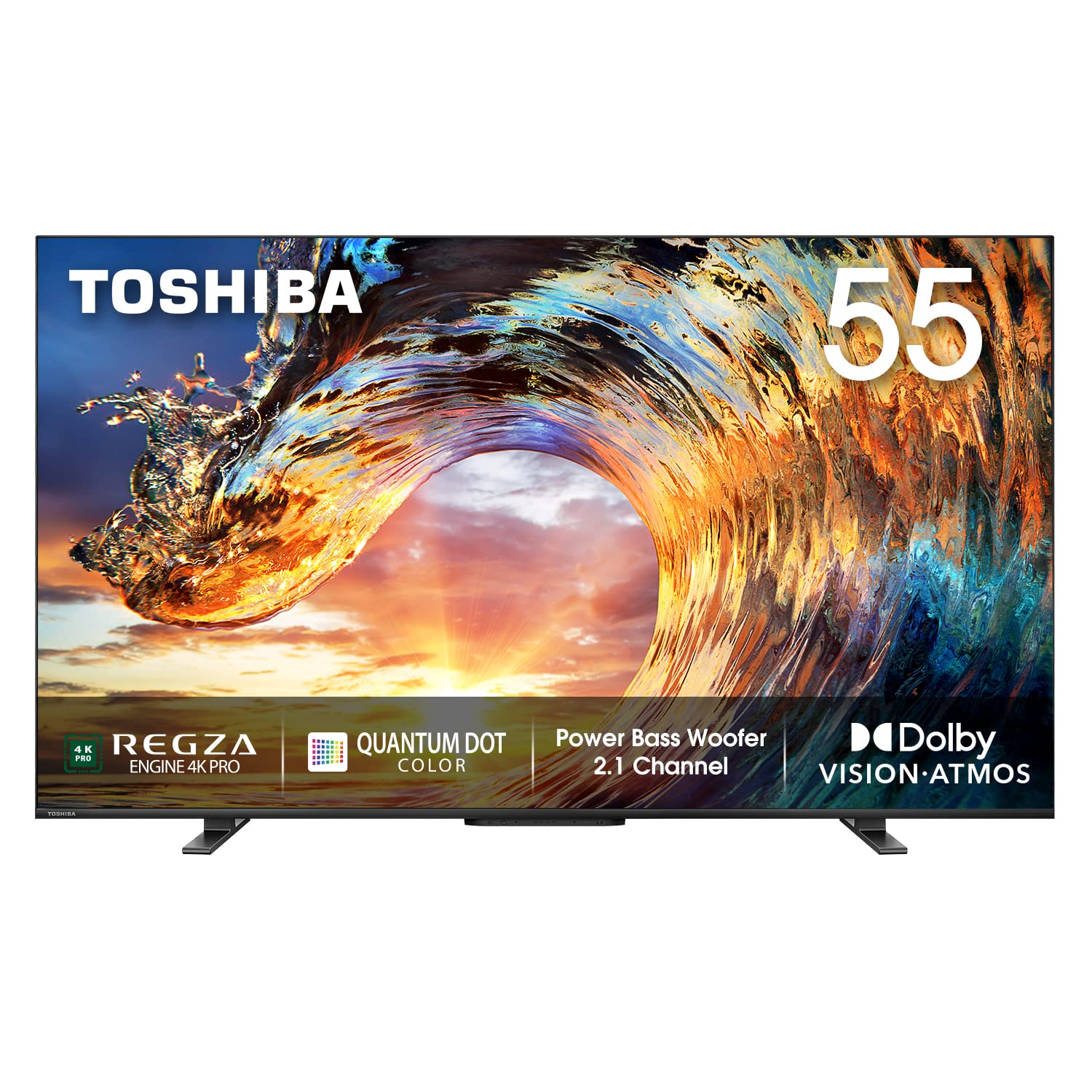
Key features include:
- Resolution: 4K Ultra HD (3840x2160) with 60 Hertz refresh rate.
- Connectivity: 3 HDMI ports, 2 USB ports, Dual-band Wi-Fi, Bluetooth 5.1.
- Sound: 49 Watts Output, 2.1 Channel with Subwoofer, Dolby Atmos, Dolby Digital.
- Smart Features: Google TV, Google Assistant, Chromecast, Miracast, DLNA, and access to popular streaming applications.
- Display: Full Array Local Dimming, QLED with 10-bit Panel, Bezel-less Design, Dolby Vision, HDR10+, HLG, MEMC.
2. Setup Guide
2.1 Unpacking the TV
Carefully remove the TV and all accessories from the packaging. Ensure all components listed in the 'What's in the Box' section are present. It is recommended to keep the original packaging for future transport or service needs.
- 1 TV Unit
- 1 Remote Control
- 1 Table Top Stand
- 1 Wall Mount Bracket
- 2 AAA Batteries
- 1 User Manual (this document)
- 1 Warranty Card
2.2 Stand Installation
If you choose to place the TV on a table, attach the included table-top stand. Place the TV screen-down on a soft, flat surface to prevent damage. Align the stand with the mounting holes on the bottom of the TV and secure with the provided screws.

2.3 Wall Mounting
For wall mounting, use the provided wall mount bracket. Ensure the wall can support the weight of the TV. Follow the instructions provided with the wall mount kit for secure installation. It is recommended to seek professional assistance for wall mounting.
2.4 Connecting Devices
Connect your external devices such as set-top boxes, Blu-ray players, or gaming consoles to the TV's HDMI ports. USB devices can be connected to the USB ports. Ensure all cables are securely connected.
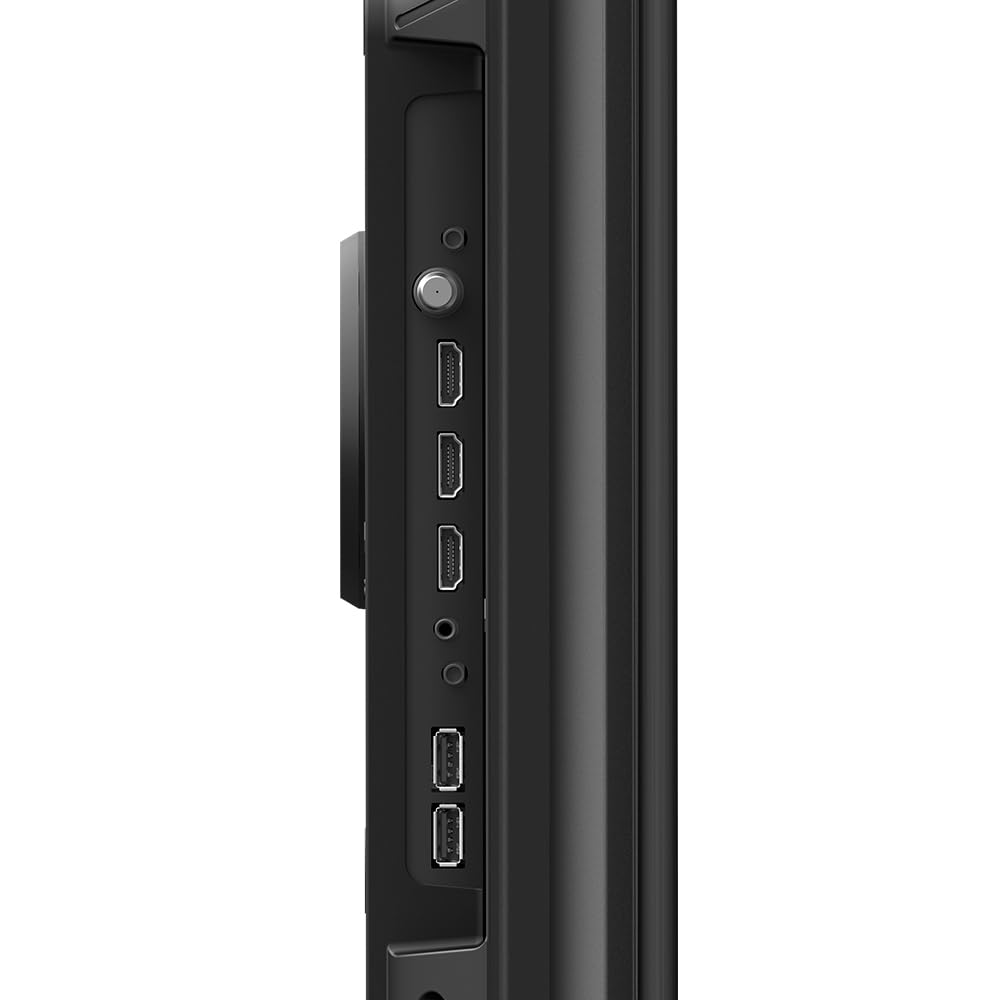
The TV supports various connectivity options:
- HDMI: For high-definition audio and video input.
- USB: For connecting external storage devices.
- Wi-Fi: Dual-band (2.4G+5G) for wireless internet connection.
- Bluetooth 5.1: For wireless audio devices like headphones or soundbars.
- Ethernet: For a wired internet connection.
3. Operating Your TV
3.1 Remote Control
The TV comes with a voice-enabled remote control for easy navigation and command input. Insert the two AAA batteries into the remote control, ensuring correct polarity.

3.2 Smart TV Features (Google TV)
Your Toshiba TV runs on the Google TV platform, offering a personalized entertainment experience. The home screen provides recommendations based on your viewing habits and subscriptions.

- Watchlist: Add movies and shows you want to watch to your Watchlist for easy access.
- Chromecast Built-in: Cast content directly from your compatible smartphone or tablet to the TV.
- Miracast & DLNA: Share content from other devices wirelessly.
- Supported Apps: Access a wide range of applications including Netflix, YouTube, Prime Video, Hotstar, SonyLiv, Hungama, JioCinema, Zee5, Eros Now, and many more from the Google Play Store.
3.3 Voice Assistant
Utilize the built-in Google Assistant for voice commands. Press the Google Assistant button on your remote and speak into the microphone to search for content, control smart home devices, get answers, and more.

3.4 Display and Audio Features
- Quantum Dot Color: Delivers a wider color gamut for more vibrant and lifelike images.
- Full Array Local Dimming: Enhances contrast by precisely controlling backlighting across different zones of the screen.
- Dolby Vision & HDR10+: Supports advanced HDR formats for superior brightness, contrast, and color.
- MEMC: Motion Estimation, Motion Compensation technology reduces motion blur in fast-paced scenes.
- Dolby Atmos: Provides immersive, multi-dimensional audio that flows around you.
- REGZA Power Audio Pro: Optimized audio system with a powerful subwoofer for deep bass.
4. Care and Maintenance
To ensure the longevity and optimal performance of your Toshiba TV, follow these maintenance guidelines:
- Cleaning the Screen: Gently wipe the screen with a soft, lint-free cloth. For stubborn marks, slightly dampen the cloth with water or a specialized screen cleaner. Avoid using harsh chemicals or abrasive materials.
- Cleaning the Cabinet: Use a soft, dry cloth to clean the TV cabinet.
- Ventilation: Ensure adequate ventilation around the TV. Do not block the ventilation openings.
- Power Cord: Regularly check the power cord for any damage. If damaged, contact customer support for replacement.
- Environmental Conditions: Avoid exposing the TV to direct sunlight, high humidity, or extreme temperatures.
5. Troubleshooting
If you encounter issues with your TV, refer to the following common problems and solutions:
| Problem | Possible Cause | Solution |
|---|---|---|
| No power | Power cord disconnected; Power outlet issue | Ensure power cord is securely plugged in; Test power outlet with another device. |
| No picture, but sound is present | Incorrect input source; Loose HDMI cable | Press the 'Input' button on remote to select correct source; Reconnect HDMI cable. |
| No sound, but picture is present | Volume too low or muted; External audio system issue | Increase volume or unmute; Check connections to external audio devices. |
| Remote control not working | Batteries depleted; Obstruction between remote and TV | Replace batteries; Remove any obstructions. |
| Wi-Fi connection issues | Router problem; Incorrect password | Restart your router; Re-enter Wi-Fi password carefully. |
If the problem persists after trying these solutions, please contact Toshiba customer support.
6. Technical Specifications
Detailed specifications for the Toshiba 55M550LP TV:
| Feature | Specification |
|---|---|
| Brand | TOSHIBA |
| Model | 55M550LP |
| Screen Size | 55 Inches (139 cm) |
| Display Technology | QLED |
| Resolution | 4K Ultra HD (3840 x 2160) |
| Refresh Rate | 60 Hz |
| Operating System | Android (Google TV) |
| Memory Storage Capacity | 16 GB |
| RAM Memory Installed Size | 2 GB |
| HDMI Ports | 3 |
| USB Ports | 2 |
| Wireless Connectivity | Dual-band Wi-Fi (802.11 ac/b/g/n), Bluetooth 5.1 |
| Audio Output | 49 Watts, 2.1 Channel with Subwoofer |
| Audio Technologies | Dolby Atmos, Dolby Digital |
| Video Technologies | Dolby Vision, HDR10+, HLG, MEMC |
| Product Dimensions (LxWxH) | 122.8 x 25.9 x 73.3 cm |
| Item Weight | 14.8 kg |
| Power Consumption | 180 Watts (On-mode) |

7. Warranty and Support
Your Toshiba 55M550LP TV comes with a comprehensive warranty to ensure peace of mind.
- Warranty Period: 2 Year Comprehensive Warranty on the product provided by Toshiba from the date of purchase.
For technical support, service requests, or warranty claims, please contact Toshiba customer service. Refer to the warranty card included in the box for specific contact details and terms and conditions.