
AROMAPLAN DAP PRO 2025
AromaPlan 2025 Waterless HVAC Scent Diffuser
Instruction Manual
Brand: AROMAPLAN | Model: DAP PRO 2025
1. Introduction
The AromaPlan DAP PRO 2025 is an advanced waterless scent diffuser designed for efficient and widespread fragrance distribution in both residential and commercial environments. Utilizing cold-air diffusion technology, it transforms fragrance oils into ultra-fine, dry microparticles, ensuring a consistent and long-lasting scent experience without the need for water or heat. This manual provides essential information for the proper setup, operation, and maintenance of your diffuser.

Figure 1: The AromaPlan DAP PRO 2025 Scent Diffuser with included fragrances and app interface.
2. Key Features
- Waterless Cold-Air Diffusion: Transforms fragrance oils into dry microparticles, eliminating the need for water and preventing residue buildup.
- Extensive Coverage: Effectively scents areas up to 2,000 sq. ft.
- Smart App Control: Manage settings, schedules, and intensity levels via the exclusive AromaPlan mobile application (Bluetooth compatible).
- Adjustable Intensity: Offers 10 adjustable fragrance intensity levels for personalized ambiance.
- Flexible Scheduling: Provides 5 customizable scheduling options to suit your preferences.
- Versatile Installation: Can be used as a portable floor unit, wall-mounted, or integrated directly with HVAC systems.
- Safe & Eco-Friendly: Crafted with non-flammable, eco-conscious ingredients, safe for children and pets.
- Secure Design: Features a locking mechanism for the fragrance compartment, preventing accidental spills or access.

Figure 2: Overview of the diffuser's core features.
3. Package Contents
Please ensure all items are present and in good condition upon unboxing:
- AromaPlan DAP PRO 2025 Scent Diffuser Unit
- 2 x 25ml Fragrance Oils (Dubai, 24 Knights)
- Power Adapter
- HVAC Adapter and Hose (for HVAC integration)
- User Manual (this document)
4. Setup Instructions
4.1. Installing Fragrance Oil
- Locate the fragrance compartment on the top of the diffuser.
- Unlock the compartment by turning the locking mechanism.
- Insert the 25ml fragrance oil bottle into the designated slot. Ensure it is securely seated.
- Close and lock the compartment by turning the mechanism back into place.
4.2. Power Connection
- Connect the power adapter to the diffuser's power input port.
- Plug the power adapter into a standard electrical outlet.
4.3. App Download & Pairing
- Download the official AromaPlan app from the Google Play Store or Apple App Store.
- Enable Bluetooth on your smartphone.
- Open the AromaPlan app and follow the on-screen instructions to pair your diffuser.
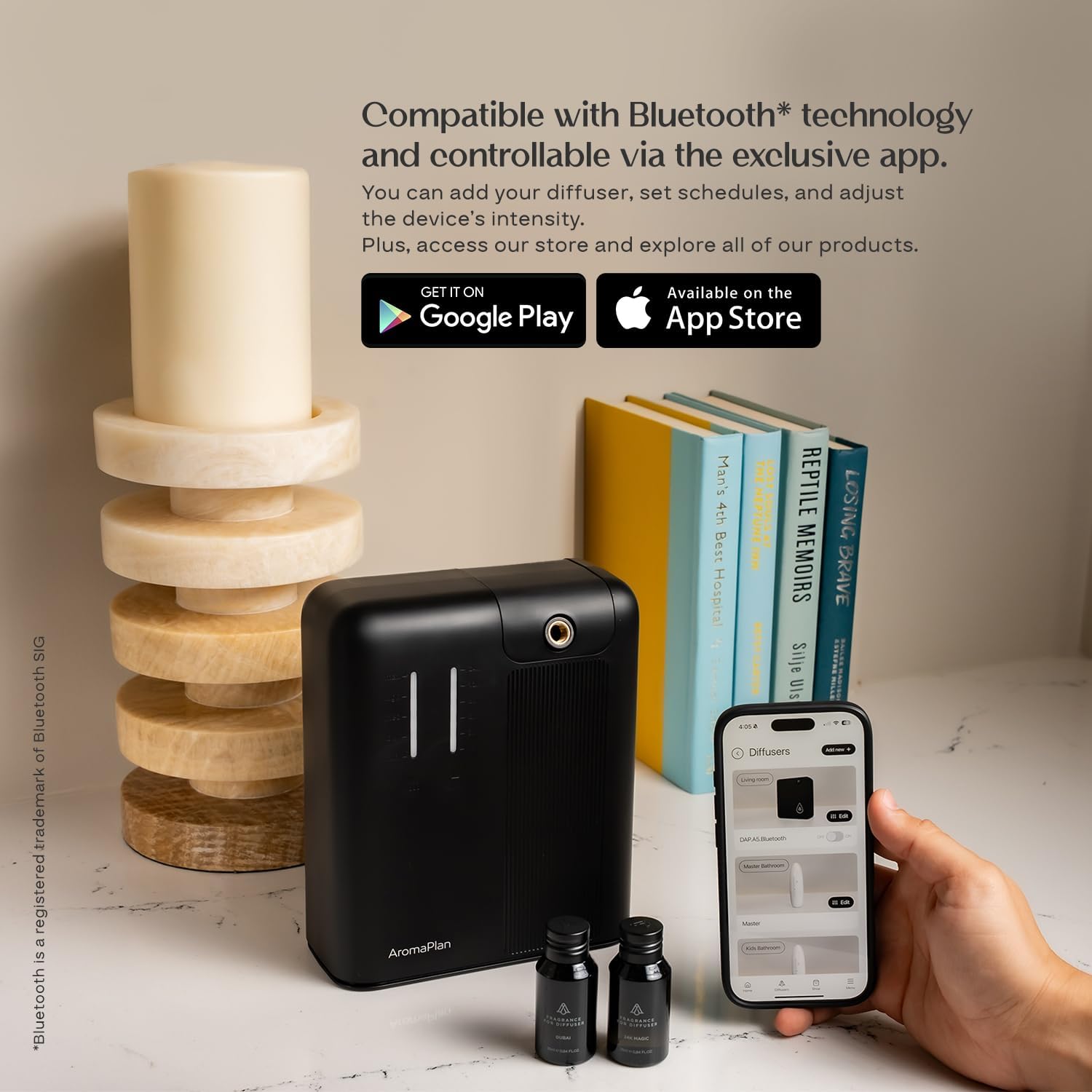
Figure 3: Download the AromaPlan app for smart control.
4.4. Installation Options
The AromaPlan DAP PRO 2025 offers flexible installation:
- Freestanding: Place the unit on a flat, stable surface.
- Wall-Mounted: Use appropriate hardware (not included) to mount the diffuser securely to a wall.
- HVAC Integration: For whole-home scent distribution, connect the diffuser to your HVAC system using the included adapter and hose. Consult a professional for proper HVAC connection if unsure.

Figure 4: Diffuser integrated with an HVAC system for wide coverage.
5. Operating Instructions
Your AromaPlan diffuser can be controlled via its smart touch panel or the dedicated mobile app.
5.1. Using the Smart Touch Panel
The sleek LED touch panel allows for direct control:
- Power On/Off: Press the power button to turn the unit on or off.
- Adjust Intensity: Use the '+' and '-' buttons to cycle through 10 fragrance intensity levels.
- Set Schedule: Access basic scheduling options directly from the panel.

Figure 5: Interacting with the diffuser's smart touch panel.
5.2. Using the AromaPlan App
The mobile app provides comprehensive control and customization:
- Remote Control: Turn the diffuser on/off from anywhere within Bluetooth range.
- Advanced Scheduling: Create up to 5 custom schedules, setting specific operating times and days.
- Precise Intensity Control: Fine-tune fragrance intensity across 10 levels.
- Monitor Status: View current operating status and remaining fragrance levels (if supported by sensor).

Figure 6: Controlling the diffuser via the AromaPlan mobile app.
6. Maintenance
Regular maintenance ensures optimal performance and longevity of your AromaPlan diffuser.
6.1. Fragrance Oil Replacement
When the fragrance oil runs low or you wish to change scents:
- Turn off and unplug the diffuser.
- Unlock and open the fragrance compartment.
- Carefully remove the empty or desired-to-be-changed fragrance bottle.
- Insert a new AromaPlan fragrance oil bottle.
- Close and lock the compartment.

Figure 7: Use only AromaPlan fragrance oils for optimal performance.
6.2. Cleaning the Diffuser
As this is a waterless diffuser, extensive cleaning is not typically required. However, occasional dusting and wiping are recommended:
- Wipe the exterior of the diffuser with a soft, dry cloth to remove dust.
- If any oil residue is present around the nozzle, gently wipe it with a cloth lightly dampened with rubbing alcohol. Ensure the diffuser is unplugged before cleaning.
- Do not immerse the diffuser in water or any other liquid.
7. Troubleshooting
| Problem | Possible Cause | Solution |
|---|---|---|
| No scent being diffused. | Fragrance oil bottle is empty or not properly installed. | Check and replace fragrance oil bottle. Ensure it is securely seated and the compartment is locked. |
| Weak scent output. | Intensity level is too low; unit is placed in a large or poorly ventilated area. | Increase the intensity level via the app or touch panel. Consider relocating the diffuser or adding another unit for larger spaces. |
| App cannot connect to diffuser. | Bluetooth is off; diffuser is out of range; app needs restart. | Ensure Bluetooth is enabled on your device. Move closer to the diffuser. Close and reopen the AromaPlan app. |
| Diffuser not turning on. | No power; power adapter issue. | Check if the power adapter is securely plugged into both the diffuser and the outlet. Try a different outlet. |
8. Specifications
| Attribute | Detail |
|---|---|
| Brand | AROMAPLAN |
| Model Number | DAP PRO 2025 |
| Color | 2025 Pro Black |
| Scent Coverage | Up to 2000 Sq ft. |
| Product Dimensions | 10"L x 5"W x 12"H |
| Item Weight | 3.65 pounds |
| Material | Plastic |
| Wattage | 4 watts |
| Control Method | App Control, Touch Panel |
| Special Features | Large Coverage Area, Mess & Noise-Free Operation, Silent Operation, Touch Screen Function, Waterless Technology |
9. Warranty and Support
For warranty information, technical support, or any inquiries regarding your AromaPlan DAP PRO 2025 Scent Diffuser, please refer to the official AromaPlan website or contact their customer service directly. Keep your purchase receipt for warranty claims.
Website: www.aromaplan.com
Customer Service: Refer to the contact section on the official website for phone numbers or email support.
Ask a question about this manual
Ask about setup, troubleshooting, compatibility, parts, safety, or missing instructions. Manuals+ will review the question and use this page’s manual context to help answer it.