
Introduction
This manual provides detailed instructions for the PERFASCIN RG56N BGEF replacement remote control, designed for use with Carrier air conditioning units. This remote is an infrared type and requires no programming or setup; simply insert batteries to begin operation. Please ensure that the buttons on this remote match those of your original remote for full compatibility.
Setup: Battery Installation
The remote control requires two AAA alkaline batteries (not included). Follow these steps to install them:
- Locate the battery compartment cover on the back of the remote control.
- Slide the cover downwards to open the compartment.
- Insert two AAA alkaline batteries, ensuring the positive (+) and negative (-) terminals match the diagrams inside the compartment.
- Slide the battery compartment cover back into place until it clicks securely.
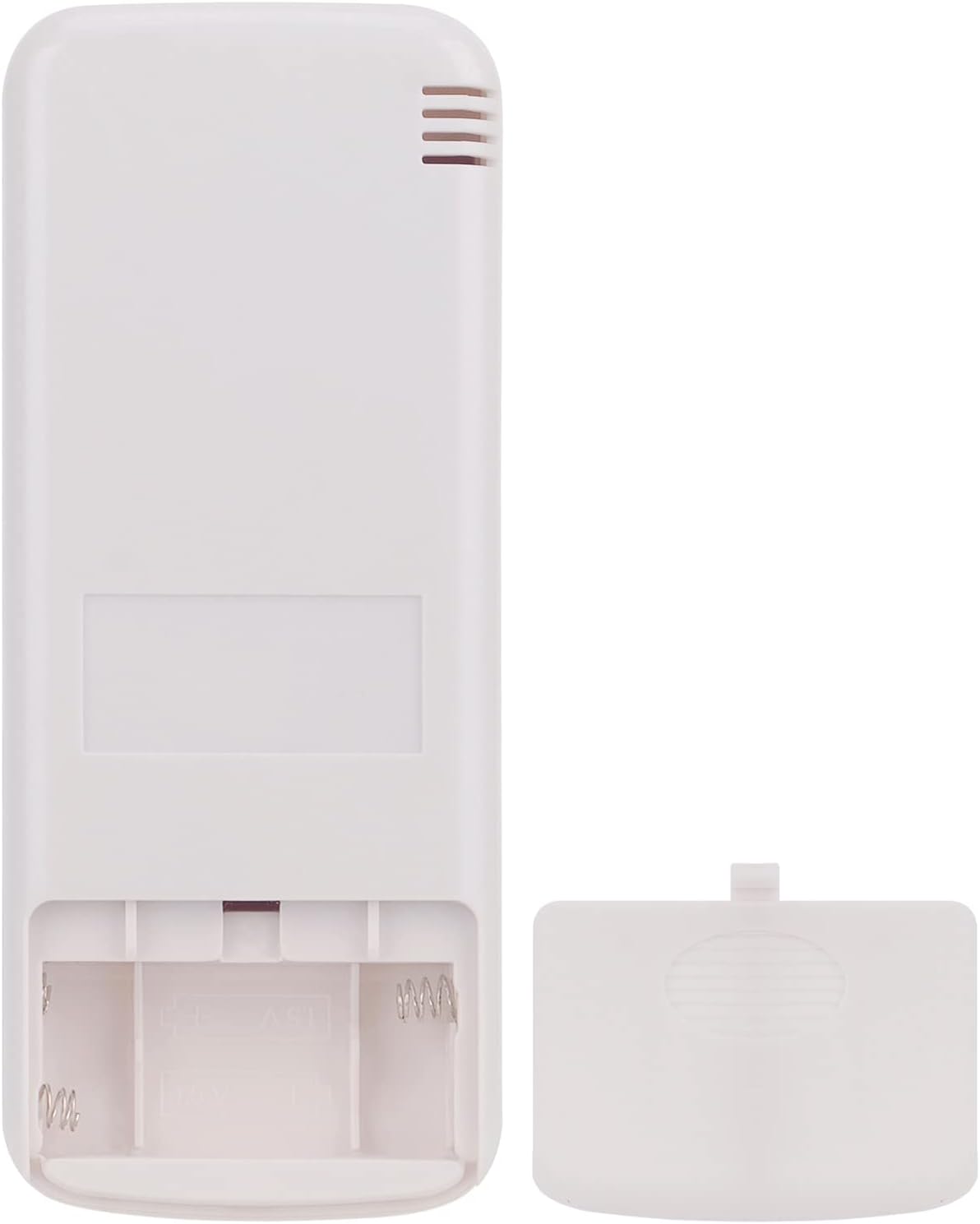
Image: Rear view of the remote control with the battery cover removed, revealing the battery slots. This shows where to insert the two AAA batteries.

Image: Rear view of the remote control with the battery cover securely closed after battery installation.
Operating Instructions
Point the remote control directly at the air conditioner's receiver. Ensure there are no obstructions between the remote and the unit.

Image: Front view of the PERFASCIN RG56N BGEF remote control, displaying the LCD screen and all functional buttons.
Button Functions:
- On/Off (Yellow Button): Press to turn the air conditioner on or off.
- Mode: Cycles through operating modes:
- AUTO: Automatically selects the operating mode based on room temperature.
- COOL: Provides cooling.
- DRY: Reduces humidity in the room.
- HEAT: Provides heating (if supported by your AC unit).
- TEMP ▲ / ▼: Adjusts the desired temperature setting up or down.
- Fan: Cycles through fan speed settings:
- HIGH: Maximum fan speed.
- MED: Medium fan speed.
- LOW: Minimum fan speed.
- Timer: Sets the timer for automatic on/off operations. Refer to your air conditioner's main manual for specific timer programming.
- Swing: Activates or deactivates the automatic louver swing function.
- Sleep: Activates the sleep mode, which adjusts temperature and fan speed for comfortable sleep and energy saving.
- Turbo: Activates rapid cooling or heating for quick temperature changes.
- My Mode: Saves and recalls your preferred operating settings.
- LED: Controls the display light on the air conditioner unit (turns it on or off).
Maintenance
Cleaning the Remote Control:
- Wipe the remote control with a soft, dry cloth.
- Do not use liquid cleaners, alcohol, or corrosive substances, as these may damage the remote's surface or internal components.
Battery Replacement:
- Replace batteries when the remote's operating range decreases or if the air conditioner does not respond to commands.
- Always replace both batteries at the same time with new AAA alkaline batteries.
- Remove batteries if the remote control will not be used for an extended period to prevent leakage.
Troubleshooting
| Problem | Possible Cause | Solution |
|---|---|---|
| Remote control not working. | Dead or incorrectly inserted batteries. | Replace batteries with new ones, ensuring correct polarity. |
| Air conditioner does not respond to remote. | Obstruction between remote and AC unit; remote too far; AC unit receiver blocked. | Ensure clear line of sight. Move closer to the AC unit. Check if anything is blocking the AC unit's infrared receiver. |
| Remote control display is dim or blank. | Low battery power. | Replace batteries. |
Specifications
| Brand | PERFASCIN |
| Model | RG56N BGEF (RG-56N-BGEF) |
| Compatible Devices | Carrier Air Conditioners |
| Connectivity Technology | Infrared |
| Controller Type | Button Control |
| Maximum Range | 10 meters |
| Battery Type | 2 x AAA Alkaline Batteries (not included) |
| Special Features | Comfortable design, No programming required |
Warranty and Support
This product is a replacement remote control. For specific warranty information, please refer to the terms provided by your retailer or the manufacturer, PERFASCIN. For technical support or further assistance, please contact the seller or manufacturer directly.