
1. Introduction
This manual provides essential instructions for the safe and effective use of your CUB CADET 725-07253A 48V Battery Charger. This charger is an Original Equipment Manufacturer (OEM) part, replacing prior MPN 725-07253.
It is designed for use with specific CUB CADET electric vehicles, including the CC30E Electric Mini Rider and Enduro XT1-LT42E Tractors. Always refer to your original equipment owner's manual to verify compatibility before use.
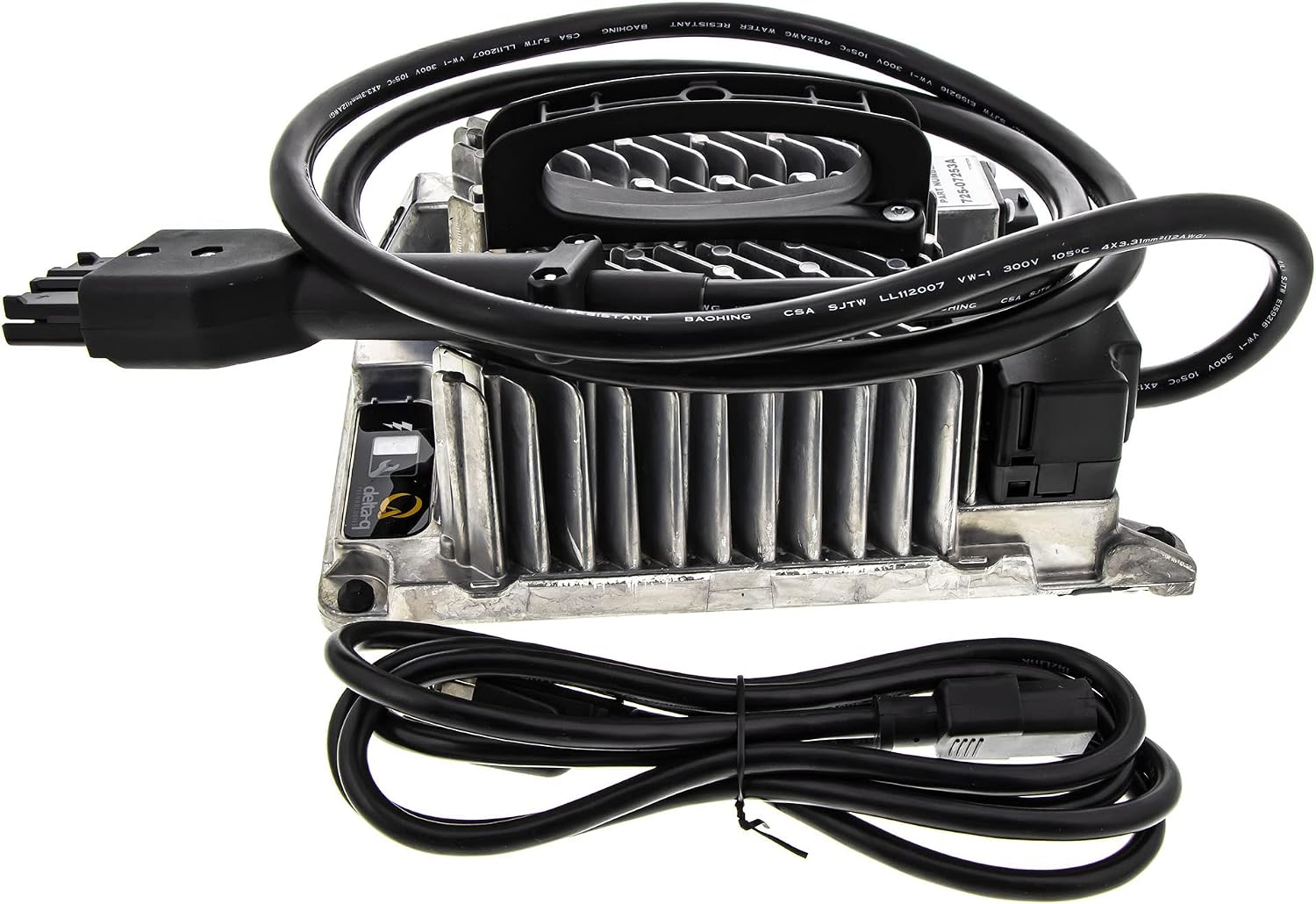
Image 1.1: CUB CADET 725-07253A 48V Battery Charger with its power and output cables.
2. Safety Information
WARNING: Read all safety instructions before operating the charger. Failure to follow these instructions may result in electric shock, fire, or serious injury.
- Hot Surfaces: Charger surfaces may become hot during operation. To avoid burns, do not touch the charger during or immediately after use.
- Moisture Exposure: Do not expose the charger to rain or wet conditions unless using a sealed AC plug designed for such environments.
- Battery Compatibility: This charger is designed for 48V battery systems. Do not attempt to charge lithium-ion battery packs unless they are specifically designed for this charger and include a Battery Management System (BMS) for protection.
- Electrical Shock Hazard: Do not touch uninsulated parts of the output connector or battery terminals. Connect only to a properly grounded AC outlet.
- Explosive Gases: Batteries can produce explosive gases. Always charge the battery in a well-ventilated area. Avoid anything that could cause sparks or flames. Disconnect the AC power supply before making or breaking connections to the battery to prevent electrical arcs or burns.
- Internal Components: Do not attempt to open or service the charger. There are no user-serviceable parts inside. Risk of electrical shock.

Image 2.1: Bottom view of the charger showing safety warnings and specifications.
3. Setup
Follow these steps to properly set up your battery charger:
- Placement: Place the charger on a stable, flat surface in a well-ventilated area. Ensure there is adequate space around the charger for heat dissipation.
- Battery Connection: Connect the charger's output cable (with the proprietary Cub Cadet connector) securely to the battery charging port on your CUB CADET vehicle. Ensure the connection is firm and fully seated.
- Power Connection: Plug the charger's AC power cord into a standard, properly grounded 48V AC electrical outlet.

Image 3.1: The charger's proprietary connector for connecting to the vehicle's battery.
4. Operating Instructions
Once the charger is properly set up and connected, it will begin the charging process automatically. The charger is designed to maintain the battery charge during extended storage periods if it remains connected to both the battery and an active AC outlet.
- Charging Status: The charger may feature indicator lights to show charging status (e.g., charging, fully charged, error). Refer to your vehicle's owner's manual for specific details on interpreting these indicators.
- Charging Duration: Charging time will vary depending on the battery's state of charge and capacity.
- Disconnection: To disconnect the charger, first unplug the AC power cord from the wall outlet, then disconnect the output cable from the vehicle's battery charging port.
5. Maintenance
Proper maintenance ensures the longevity and safe operation of your charger:
- Cleaning: Keep the charger clean and free of dust and debris. Use a dry cloth to wipe down the exterior. Do not use liquid cleaners or solvents.
- Cable Inspection: Regularly inspect the AC power cord and the output cable for any signs of damage, such as cuts, fraying, or exposed wires. If any damage is found, discontinue use immediately and replace the charger.
- Storage: When not in use, store the charger in a cool, dry place, away from direct sunlight and moisture.
6. Troubleshooting
If you encounter issues with your charger, consider the following:
- Charger Not Activating:
- Ensure the AC power cord is securely plugged into a live electrical outlet.
- Verify that the output cable is firmly connected to the vehicle's battery charging port.
- Check the circuit breaker or fuse for the electrical outlet.
- Slow Charging:
- Ensure the charger is in a well-ventilated area to prevent overheating, which can reduce charging efficiency.
- Confirm the battery is not severely discharged or damaged.
- Overheating:
- Ensure adequate ventilation around the charger. Do not cover the charger during operation.
- If overheating persists, disconnect the charger and contact customer support.
If these steps do not resolve the issue, contact CUB CADET customer support or an authorized service center.
7. Specifications
| Feature | Specification |
|---|---|
| Brand | CUB CADET |
| Model Number | 725-07253A |
| Replaces Part Number | 725-07253 |
| Output Voltage | 48 Volts |
| Input Voltage | 48 Volts (AC mains input is implied for a charger, please refer to product label for exact AC input range) |
| Current Rating | 3 Amps |
| Item Weight | 8.5 Pounds |
| Safety Certifications | UL, FCC |
| Connector Type | Cub Cadet proprietary connector |
| UPC | 889021221867 |
| Color | Black |
8. Warranty
This CUB CADET 725-07253A Battery Charger comes with a 3-month warranty from the date of purchase. This warranty covers defects in materials and workmanship under normal use. For warranty claims or further details, please contact CUB CADET customer support or refer to your purchase documentation.
9. Support
For additional assistance, technical support, or to inquire about replacement parts, please contact CUB CADET customer service. Always have your model number (725-07253A) and purchase information ready when contacting support.
You may also find further information and support resources on the official CUB CADET website: CUB CADET Store
