
Singing Machine SMM2097
Singing Machine SMM2097 Professional Condenser Universal Microphone
Official User Manual
Model: SMM2097 | Brand: Singing Machine
Product Overview
The Singing Machine SMM2097 is a versatile professional condenser microphone designed for a wide range of audio applications, including singing, podcasting, streaming, gaming, and conference calls. It features advanced vocal enhancement technologies and multiple pattern modes to optimize your audio experience.
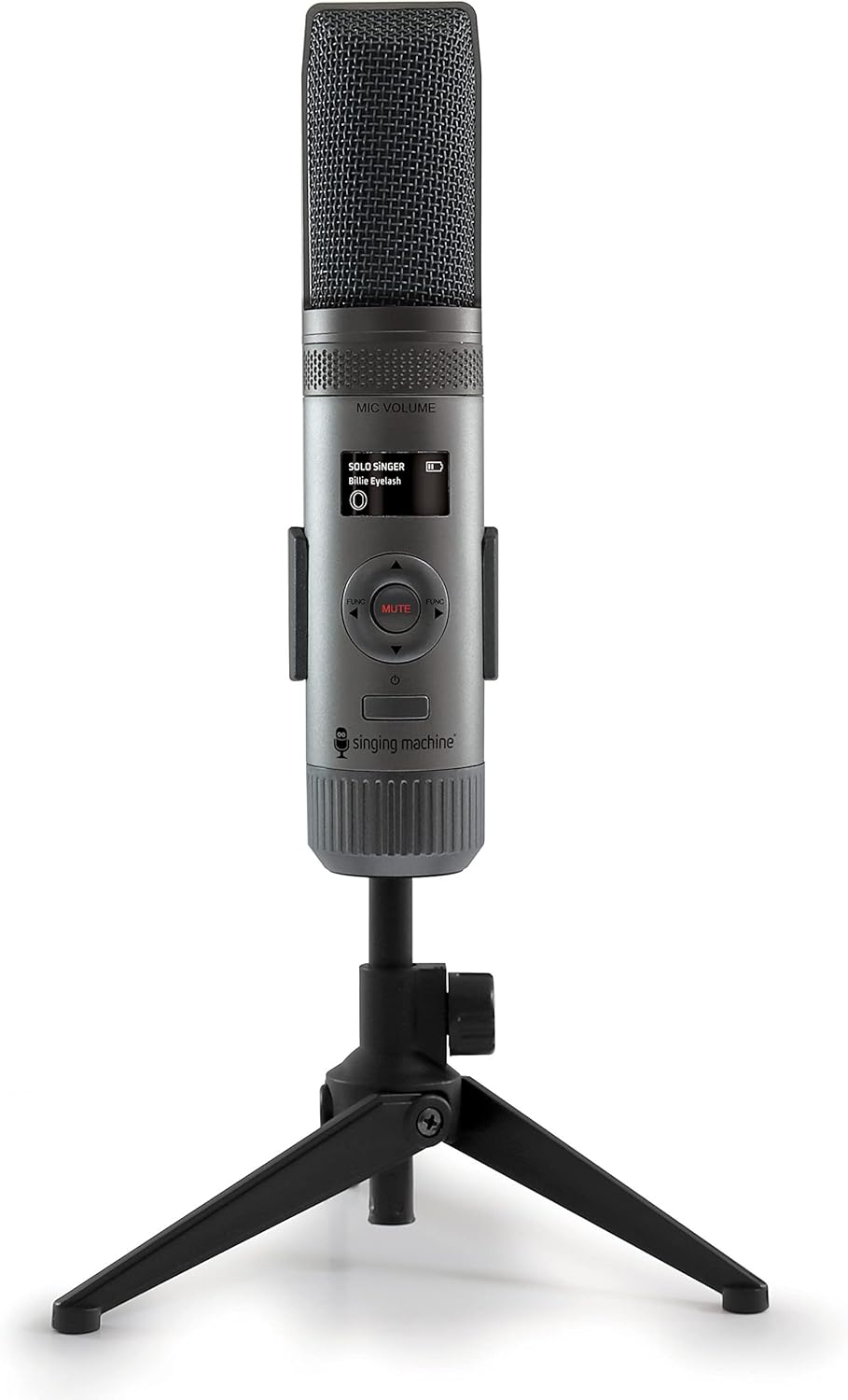
Image: The SMM2097 microphone, shown in black, mounted on its included desktop tripod stand. The microphone features a cylindrical body with a mesh grille at the top and a small LCD display on the front.
Key Features:
- Professional condenser microphone suitable for various audio recording needs.
- Adjustable Pitch Lab vocal enhancement and voice changing effects with Pitch Tuning technology.
- Four distinct pattern modes for diverse recording environments and applications.
- Integrated LCD display for easy navigation and settings adjustment.
- Built-in Li-ion rechargeable battery for portable use.
Package Contents
Upon unboxing, ensure all components are present and in good condition:
- Singing Machine SMM2097 Microphone
- 3.5mm to 6.3mm Microphone Cable (3m length)
- Micro-USB Charge/Data Cable (1.2m length)
- Desktop Tripod Stand (pre-attached or separate, depending on packaging)
Setup Guide
Follow these steps to set up your SMM2097 microphone for first use:
- Charging the Microphone: Connect the Micro-USB charge/data cable to the microphone's USB port and the other end to a compatible USB power source (e.g., computer USB port, USB wall adapter). The LCD display will indicate charging status. Ensure the microphone is fully charged before initial use for optimal battery life.
- Attaching the Stand: The SMM2097 typically comes with a pre-attached desktop tripod stand. If separate, securely screw the microphone onto the stand's mounting thread. Adjust the angle for desired positioning.
- Connecting to a Device:
- For Computers (PC/Mac): Connect the Micro-USB charge/data cable from the microphone to an available USB port on your computer. The microphone is plug-and-play and should be recognized automatically by your operating system. Select "Singing Machine SMM2097" as your input device in your computer's sound settings or recording software.
- For Karaoke Machines/PA Speakers: Use the provided 3.5mm to 6.3mm microphone cable. Connect the 3.5mm end to the microphone's auxiliary output port and the 6.3mm end to the microphone input jack on your karaoke machine or PA speaker.

Image: A detailed view of the SMM2097 microphone, highlighting its key components including the microphone gain control, LCD display, professional vocal enhancement controls, rechargeable battery indicator, USB-C port, and 1/4-inch jack for external connections. It also shows compatibility with PC, Mac, Karaoke Machines, and PA Speakers.
Operating Instructions
Understand the functions and modes of your SMM2097 microphone for optimal performance.
Microphone Controls and Display:
- MIC GAIN/VOLUME: Adjust the microphone input level using the dedicated control.
- LCD Display: Provides visual feedback on current settings, including selected mode, battery level, and vocal enhancement status.
- MUTE Button: Press to temporarily silence the microphone output.
- FUNCTION Buttons: Navigate through menus and adjust settings on the LCD display.
Pattern Modes:
The SMM2097 features four distinct pattern modes, allowing you to optimize audio capture for different scenarios:

Image: The SMM2097 microphone shown with a list of its primary uses: Singing, Podcasting, Gaming, Video Blogging, and Video Conferencing. It also notes features like 3 internal microphones, 4 mic modes, Pitch Lab vocal enhancements, Pitch Tuning technology, and a rechargeable battery.
- Singing Mode: Optimized for vocal performance, often utilizing a cardioid pattern to focus on the singer's voice while minimizing background noise.
- Podcasting Mode: Suitable for single or dual speakers, often using a cardioid or bi-directional pattern depending on the setup.
- Gaming Mode: Designed for clear voice communication during gaming, typically focusing on the user's voice.
- Streaming/Video Conferencing Mode: Ideal for online communication, ensuring clear audio for virtual meetings or live broadcasts.
Refer to the LCD display and the function buttons to cycle through and select the appropriate pattern mode for your activity.
Pitch Lab Vocal Enhancements:
The microphone incorporates Pitch Lab technology for vocal enhancement and voice changing effects. This feature utilizes Pitch Tuning technology to adjust and refine your voice in real-time. Explore the settings via the LCD display to activate and customize these effects according to your preference.

Image: A visual representation of the Pitch Lab Vocal Enhancements feature, showing a person using the microphone. This feature provides adjustable voice changing effects and pitch tuning technology for enhanced audio.
Maintenance and Care
Proper maintenance ensures the longevity and optimal performance of your SMM2097 microphone.
- Cleaning: Use a soft, dry cloth to wipe the microphone's exterior. Do not use liquid cleaners, aerosols, or solvents, as these can damage the device.
- Storage: When not in use, store the microphone in a cool, dry place, away from direct sunlight and extreme temperatures.
- Battery Care: To maintain the life of the built-in Li-ion rechargeable battery, avoid fully discharging it frequently. Recharge the microphone regularly, even if not in constant use. If storing for an extended period, charge the battery to approximately 50% before storage.
- Handling: Handle the microphone with care. Avoid dropping it or subjecting it to strong impacts, which can damage internal components.
Troubleshooting
If you encounter issues with your SMM2097 microphone, refer to the following common problems and solutions:
| Problem | Possible Cause | Solution |
|---|---|---|
| No sound output from microphone. |
|
|
| Distorted or unclear audio. |
|
|
| Microphone not recognized by computer. |
|
|
| 3.5mm/6.3mm cable connection issues. |
|
|
Specifications
| Feature | Detail |
|---|---|
| Model Number | SMM2097 |
| Microphone Form Factor | Table Array |
| Dimensions (L x W x H) | 1.8 x 1.8 x 8.5 inches |
| Item Weight | 1.03 pounds |
| Power Source | Battery Powered |
| Battery Type | 1 Lithium Ion battery (included) |
| Signal-to-Noise Ratio | 80 dB |
| Hardware Platform | PC |
| Number of Channels | 1 |
| Connectivity Technology | Auxiliary, USB |
| Connector Type | 3.5 mm Jack, USB |
| Polar Pattern | Unidirectional |
| UPC | 047237020975 |
| Manufacturer | Singing Machine |
Warranty and Support
For specific warranty information regarding your Singing Machine SMM2097 microphone, please refer to the documentation included with your purchase or visit the official Singing Machine website. Warranty terms and conditions may vary.
For technical support, product inquiries, or service, please contact Singing Machine customer support directly. Contact details can typically be found on the manufacturer's official website or in the product packaging.
You can visit the official Singing Machine store for more information: Singing Machine Store
Related documentsSMM2097

Ask a question about this manual
Ask about setup, troubleshooting, compatibility, parts, safety, or missing instructions. Manuals+ will review the question and use this page’s manual context to help answer it.