Introduction
Thank you for choosing the Girmi PI04 Single Induction Hob. This manual provides essential information for the safe and efficient use of your appliance. Please read it thoroughly before first use and keep it for future reference.

Image: The Girmi PI04 Single Induction Hob, a compact black induction cooktop with a digital display and touch controls.
Important Safety Information
Always follow basic safety precautions when using electrical appliances to reduce the risk of fire, electric shock, and injury.
- Do not immerse the appliance, cord, or plug in water or other liquids.
- Ensure the voltage indicated on the appliance corresponds to your local mains voltage before connecting.
- Keep the appliance out of reach of children.
- Do not operate the appliance if the power cord or plug is damaged, or if the appliance malfunctions or has been damaged in any way.
- Place the hob on a stable, heat-resistant, and level surface, away from flammable materials.
- Ensure adequate ventilation around the appliance during use.
- Do not place metallic objects such as knives, forks, spoons, or lids on the induction hob surface as they can become hot.
- Use only induction-compatible cookware.
- The surface will remain hot for a period after use. Avoid touching it until it has cooled down.
Product Overview
The Girmi PI04 is a single induction hob designed for efficient and precise cooking. It features a sleek glass surface, digital controls, and multiple power and temperature settings.
Key Features:
- 2000W Power: Offers 10 selectable power and temperature levels for versatile cooking, from gentle simmering to rapid boiling.
- 4-Digit Digital Display: Clear and intuitive soft-touch control panel for easy and immediate settings adjustment.
- Programmable Timer: Set cooking duration precisely up to 180 minutes, enhancing safety for longer preparations.
- Safety System: Detects absent or unsuitable pots and prevents overheating by automatically shutting down.
- Cookware Compatibility: Supports a wide range of ferromagnetic bottom pots and pans from 8 to 26 cm in diameter, optimizing performance and energy efficiency.

Image: A close-up view of the Girmi PI04 control panel, showing the digital display, power, temperature, and timer indicators, and soft-touch buttons.
Setup
1. Unpacking
- Carefully remove the induction hob from its packaging.
- Check for any signs of damage. If damaged, do not use the appliance and contact customer support.
- Remove all packaging materials, stickers, and labels.
2. Placement
- Place the induction hob on a flat, stable, and heat-resistant surface.
- Ensure there is sufficient space around the appliance for proper ventilation (at least 10 cm from walls or other objects).
- Do not place the hob near heat sources or on metallic surfaces that could interfere with induction.

Image: The Girmi PI04 Induction Hob with its dimensions (28cm x 35cm x 6cm) indicated, highlighting its compact size for placement.
3. Power Connection
- Plug the power cord into a grounded electrical outlet. Ensure the outlet meets the appliance's power requirements (AC 230V ~ 50Hz).
4. Cookware Compatibility
The Girmi PI04 works only with induction-compatible cookware. This includes pots and pans made of cast iron, enameled iron, or stainless steel with a magnetic bottom. Cookware diameter should be between 8 cm and 26 cm.
- To test compatibility, place a magnet on the bottom of your cookware. If it sticks, the cookware is suitable for induction.
- Do not use glass, ceramic, aluminum, or copper cookware unless specifically designed for induction.

Image: The Girmi PI04 Induction Hob with a pot filled with various vegetables, demonstrating its use with compatible cookware.
Operating Instructions
1. Powering On/Off
- Place induction-compatible cookware with food on the center of the hob's cooking zone.
- Press the ON/OFF button to turn on the appliance. The digital display will light up.
- To turn off, press the ON/OFF button again. The hob will enter standby mode.
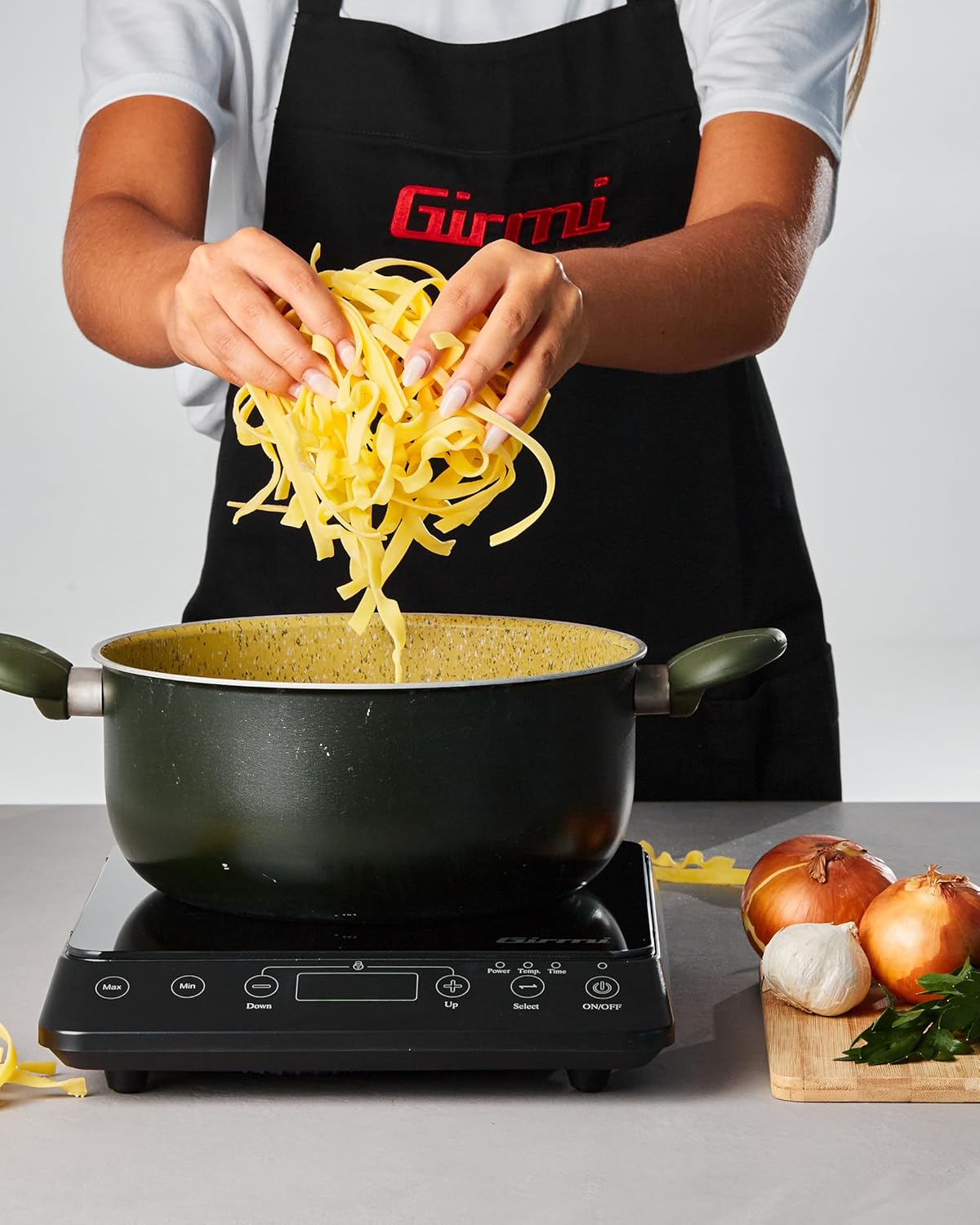
Image: Front view of the Girmi PI04 Induction Hob, showing the control panel and the cooking surface.
2. Adjusting Power and Temperature
- After powering on, the hob will typically default to a power setting.
- Press the Select button to switch between Power (Wattage) and Temperature (°C) modes. The corresponding indicator light will illuminate.
- Use the Up (+) and Down (-) buttons to adjust the desired power level (from 1 to 10) or temperature setting.
- The hob offers 10 power levels, allowing for precise control over cooking intensity.

Image: The Girmi PI04 Induction Hob in use, with a pot of pasta cooking, illustrating its practical application.
3. Using the Timer
- While the hob is operating, press the Select button until the "Time" indicator light illuminates.
- Use the Up (+) and Down (-) buttons to set the desired cooking time, up to 180 minutes.
- The timer will count down, and the hob will automatically switch off once the set time has elapsed.
4. Safety Features
- Automatic Pan Detection: The hob will only generate heat when an induction-compatible pot is placed on the cooking zone. If no pot is detected or an unsuitable pot is used, an error message may appear, and the hob will not heat.
- Overheating Protection: The appliance is equipped with a safety system that prevents overheating. If the internal temperature becomes too high, the hob will automatically shut down.
- Automatic Shut-off: If left unattended for an extended period without any operation, the hob may automatically switch off as a safety measure.
Maintenance and Cleaning
Proper maintenance ensures the longevity and optimal performance of your Girmi PI04 Induction Hob.
1. Cleaning
- Always unplug the appliance and allow it to cool completely before cleaning.
- Wipe the glass surface with a soft, damp cloth and a mild detergent. For stubborn stains, use a non-abrasive cleaner specifically designed for ceramic or induction cooktops.
- Do not use abrasive pads, harsh chemicals, or metal brushes, as these can scratch or damage the surface.
- Clean the control panel with a soft, damp cloth. Ensure no water enters the internal components.
- Never immerse the hob in water or any other liquid.
2. Storage
- Ensure the hob is clean and completely dry before storing.
- Store the appliance in a cool, dry place, away from direct sunlight and moisture.
- Avoid placing heavy objects on top of the hob during storage.
Troubleshooting
If you encounter issues with your Girmi PI04 Induction Hob, refer to the following table for common problems and solutions.
| Problem | Possible Cause | Solution |
|---|---|---|
| Hob does not turn on. | Not plugged in; power outage; faulty outlet. | Check power cord connection; verify power supply; try a different outlet. |
| Hob turns on but does not heat. | Cookware not induction-compatible; no cookware on hob; cookware too small/large. | Use induction-compatible cookware; ensure cookware is centered and within 8-26 cm diameter. |
| Error code displayed. | Specific error (e.g., overheating, pan detection failure). | Refer to the specific error code in the full manual (if available) or contact customer support. Ensure proper ventilation and pan placement. |
| Hob makes a humming or buzzing noise. | Normal operation sound; fan noise; cookware material. | This is often normal for induction hobs. If excessively loud, ensure cookware is flat-bottomed and suitable. |
| Hob automatically shuts off during use. | Overheating protection activated; no cookware detected for too long; timer expired. | Allow hob to cool down; ensure proper pan placement; check timer settings. |
If the problem persists after attempting these solutions, please contact Girmi customer support.
Specifications
| Model Number | PI0400 |
| Brand | Girmi |
| Power | 2000 W |
| Voltage / Frequency | AC 230V ~ 50Hz |
| Dimensions (L x W x H) | 35 x 28 x 6 cm |
| Weight | 2 kg |
| Material | Glass (cooking surface) |
| Cookware Diameter | 8 cm to 26 cm |
| Power Levels | 10 |
| Timer Range | Up to 180 minutes |
Warranty and Support
Warranty Information
The product is covered by a manufacturer's warranty. For specific details regarding warranty terms and conditions, please refer to the documentation included with your purchase or visit the official Girmi website. In general, if you wish to return a product within 30 days of receipt because you have changed your mind, please consult the retailer's help page. If you have received a defective or damaged product, consult the retailer's help page on returns and refunds.
For purchases made on Amazon, you can find more information on their Returns and Refunds page.
Customer Support
For technical assistance, spare parts, or any questions not covered in this manual, please contact Girmi customer support. Contact details can typically be found on the official Girmi website or in the product packaging.
You can also visit the Girmi Store on Amazon for more product information.


