
1. Introduction
This manual provides essential information for the installation, operation, and maintenance of your SPEDWHEL TF-100 Electric Scooter Throttle Control Display. This device integrates a throttle control with a digital display, offering real-time information and control over your electric scooter's functions. Please read this manual thoroughly before installation and use to ensure proper function and safety.
2. Package Contents
Verify that all items listed below are present in your package:
- TF-100 Throttle Control Display Unit
- 6-pin Connecting Cable (pre-attached or separate)
- Cable Connector Housing (if separate)

Image 2.1: Overview of the TF-100 throttle control display unit, connecting cable, and a separate connector housing. This image shows all components included in the package.
3. Setup and Installation
Proper installation is crucial for the safe and effective operation of the TF-100 display. If you are unsure about any steps, consult a qualified technician.
- Mounting the Display Unit:
Attach the TF-100 display unit to your electric scooter's handlebar using the integrated clamp. Ensure it is securely fastened and positioned for easy visibility and access to the throttle and buttons. Do not overtighten the screws.
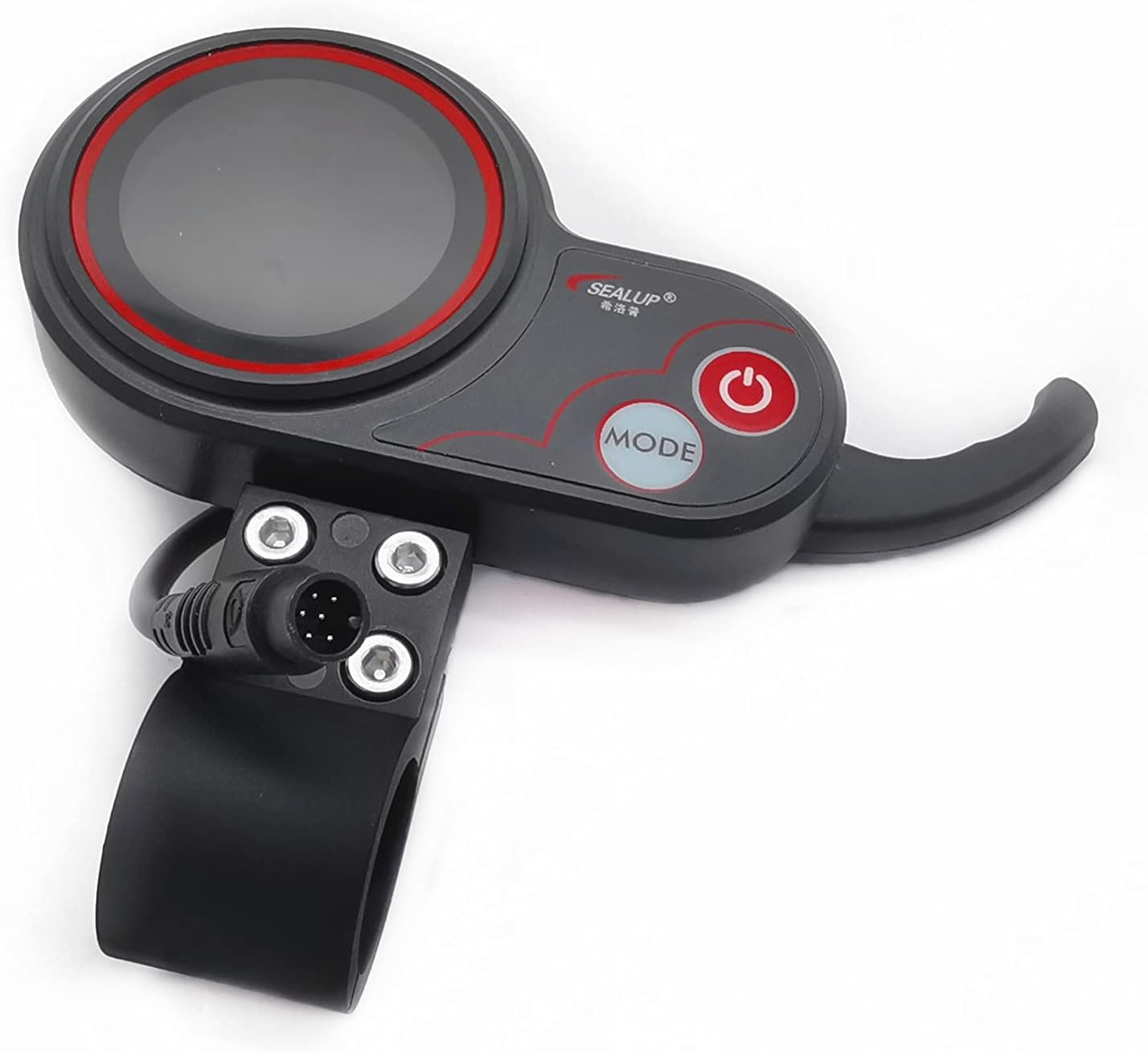
Image 3.1: Close-up view of the TF-100 display unit, showing the integrated mounting clamp and the 'Power' and 'Mode' buttons. This illustrates how the unit attaches to the handlebar.
- Connecting the Cable:
Connect the 6-pin cable from the display unit to the corresponding port on your electric scooter's wiring harness. Ensure the connection is firm and secure. The cable features individual wires at one end for connection to the scooter's internal system.
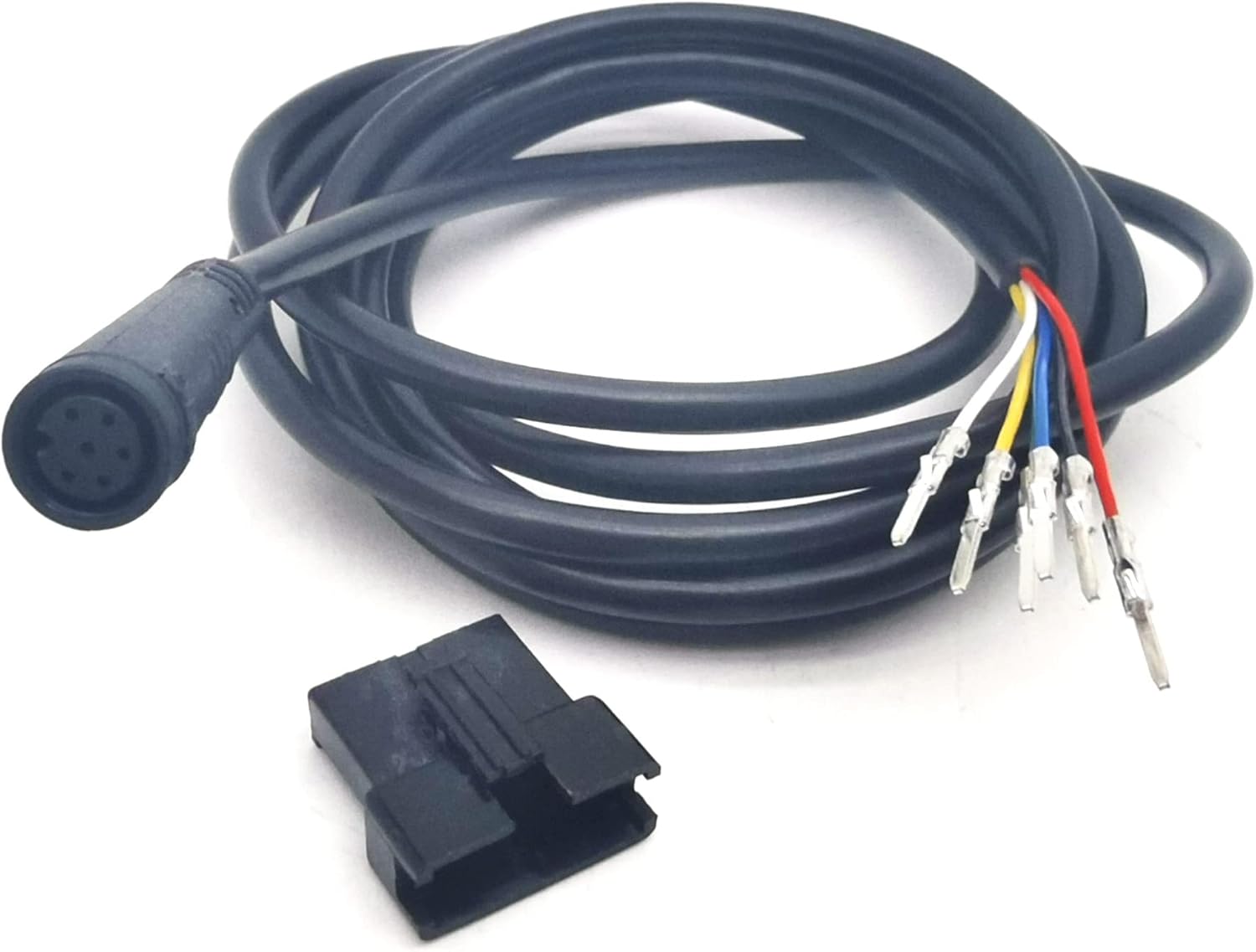
Image 3.2: Detailed view of the 6-pin connecting cable, showing the connector plug and the individual color-coded wires. These wires connect to the scooter's main electrical system.
- Wiring Connections (Advanced):
The individual wires from the 6-pin cable must be correctly connected to your scooter's controller or main wiring harness. Typical connections include power, ground, throttle signal, and communication lines. Refer to your scooter's specific wiring diagram for precise connections. Incorrect wiring can damage the display or the scooter. It is highly recommended to have this step performed by a professional if you are not experienced with electrical wiring.
4. Operating Instructions
Once installed, the TF-100 display provides intuitive control and information.
- Power On/Off: Press and hold the Power button (red button) to turn the display on or off.
- Throttle Control: The integrated thumb throttle allows for speed control. Gently press the throttle to accelerate. Release to decelerate.
- Mode Selection: Press the Mode button to cycle through different display modes or settings, such as speed, battery level, trip distance, and riding modes (if supported by your scooter's controller).
- Display Information: The screen typically shows current speed, battery charge level, and potentially other parameters depending on the scooter's capabilities.
5. Maintenance
To ensure the longevity and optimal performance of your TF-100 display, follow these maintenance guidelines:
- Cleaning: Wipe the display screen and unit with a soft, damp cloth. Avoid using abrasive cleaners or solvents that could damage the plastic or screen.
- Connection Check: Periodically inspect all cable connections to ensure they are secure and free from corrosion or damage.
- Environmental Protection: While designed for outdoor use, avoid prolonged exposure to extreme weather conditions (heavy rain, direct sunlight for extended periods, extreme temperatures) when the scooter is not in use.
6. Troubleshooting
If you encounter issues with your TF-100 display, consider the following common troubleshooting steps:
- Display Not Turning On:
- Ensure the scooter's main power is on.
- Check all cable connections for looseness or damage.
- Verify the scooter's battery has sufficient charge.
- No Throttle Response:
- Confirm the display is powered on.
- Check the throttle cable connection to the scooter's controller.
- Ensure no error codes are displayed on the screen.
- Incorrect Readings:
- This may indicate a communication issue. Recheck all connections.
- Ensure the display settings (if configurable) match your scooter's specifications (e.g., wheel size).
If problems persist after attempting these steps, contact the seller or a professional for assistance.
7. Specifications
| Feature | Detail |
|---|---|
| Model Name | TF-100 |
| Manufacturer | SPEDWHEL |
| Material | Metal |
| Color (Variant) | 6 pin+connecting line |
| Number of Items | 1 |
| UPC | 787313455979 |
8. Warranty and Support
The product information indicates that no specific warranty description is provided. For any product-related inquiries, technical support, or warranty claims (if applicable), please contact the original seller or the manufacturer, SPEDWHEL, directly through their official support channels.
