
1. Introduction
Thank you for choosing the Hortsun 360 Degree Rotating Christmas Tree Stand. This stand is designed to provide a dynamic display for your artificial Christmas tree, allowing it to rotate smoothly and showcase all its decorations. Please read this manual thoroughly before assembly and operation to ensure safe and optimal use of your product.
2. Safety Information
- Always place the stand on a flat, stable surface to prevent tipping.
- Ensure the Christmas tree pole is securely inserted into the stand and the appropriate adapter is used.
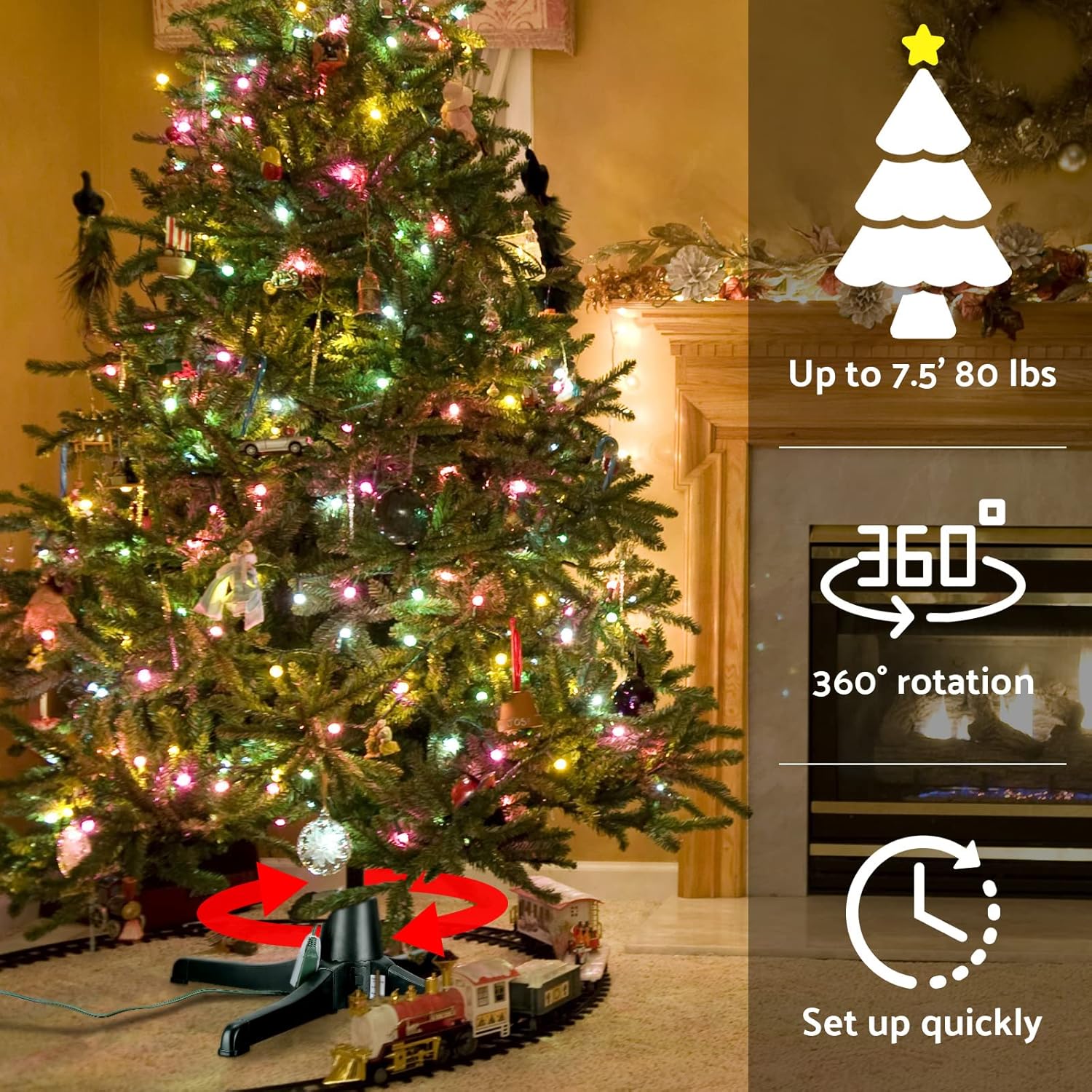
- Do not exceed the maximum tree height of 7.5 feet or the maximum weight capacity of 80 pounds.
- Keep children and pets away from the rotating tree to prevent accidents.
- Do not overload the integrated power outlets. The total power of connected devices should not exceed 400 watts.
- Unplug the stand from the power source when not in use or before performing any maintenance.
- Do not attempt to disassemble or repair the motor unit. Contact customer support for assistance.
- This product is intended for indoor use only.
3. Package Contents
Verify that all components are present before beginning assembly:
- 1x Motor Base
- 4x Detachable Legs
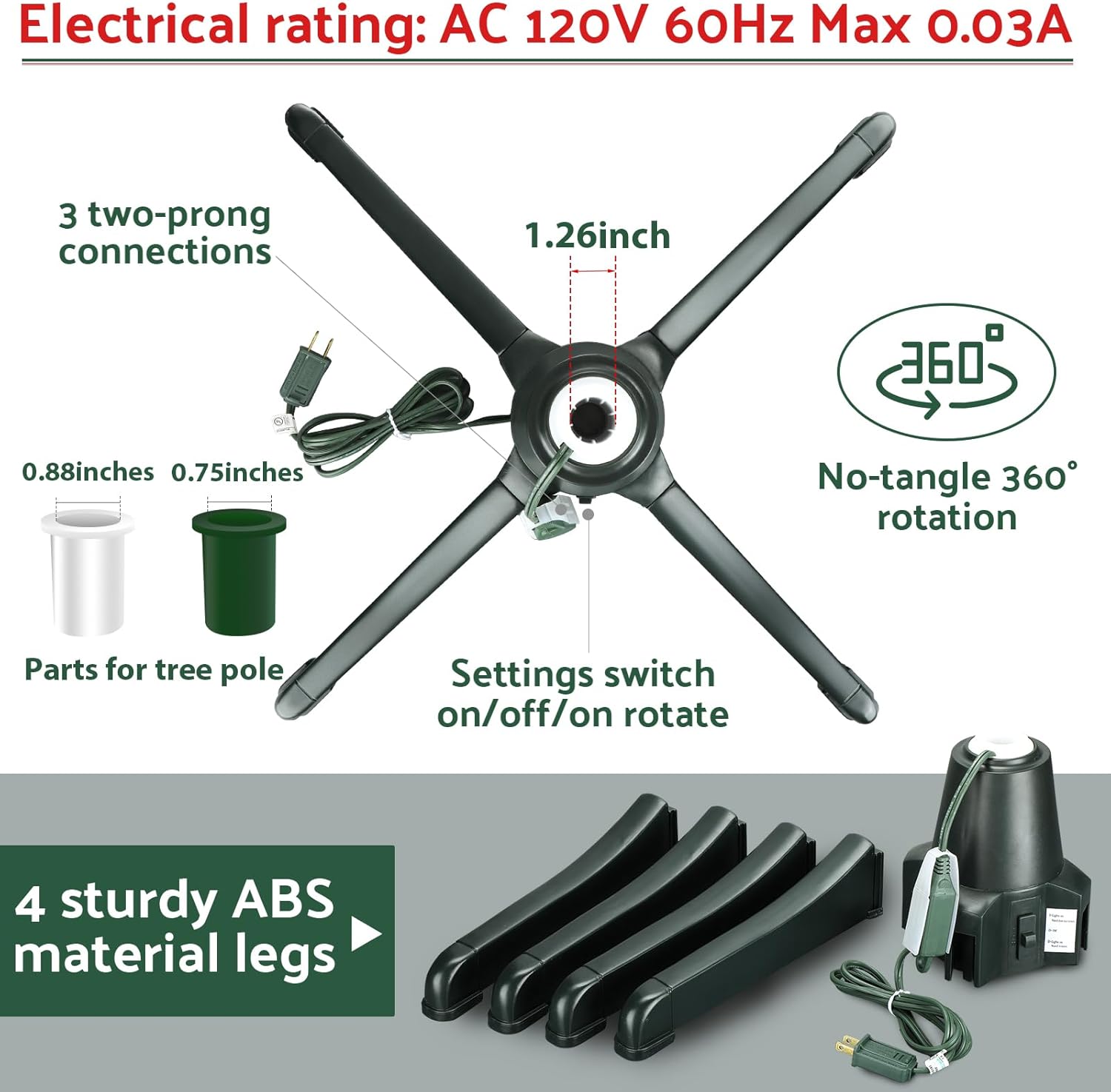
- 1x Green Adapter (for 0.75-inch tree poles)
- 1x White Adapter (for 0.88-inch tree poles)
4. Setup Instructions
Step 1: Assemble the Base
- Carefully remove all components from the packaging.
- Attach the four detachable legs to the motor base. Ensure each leg clicks securely into place.

Step 2: Insert Tree Pole Adapter
- Identify the correct adapter for your artificial Christmas tree pole diameter. The stand's center hole fits 1.26-inch poles directly. Use the green adapter for 0.75-inch poles or the white adapter for 0.88-inch poles.
- Insert the chosen adapter into the center hole of the motor base.
Step 3: Place the Christmas Tree
- Carefully insert the bottom pole of your artificial Christmas tree into the adapter in the stand. Ensure the tree is stable and centered.
- Adjust the tree as needed to ensure it is upright and balanced.

Step 4: Connect Power
- Plug the stand's power cord into a standard AC 120V 60Hz electrical outlet.
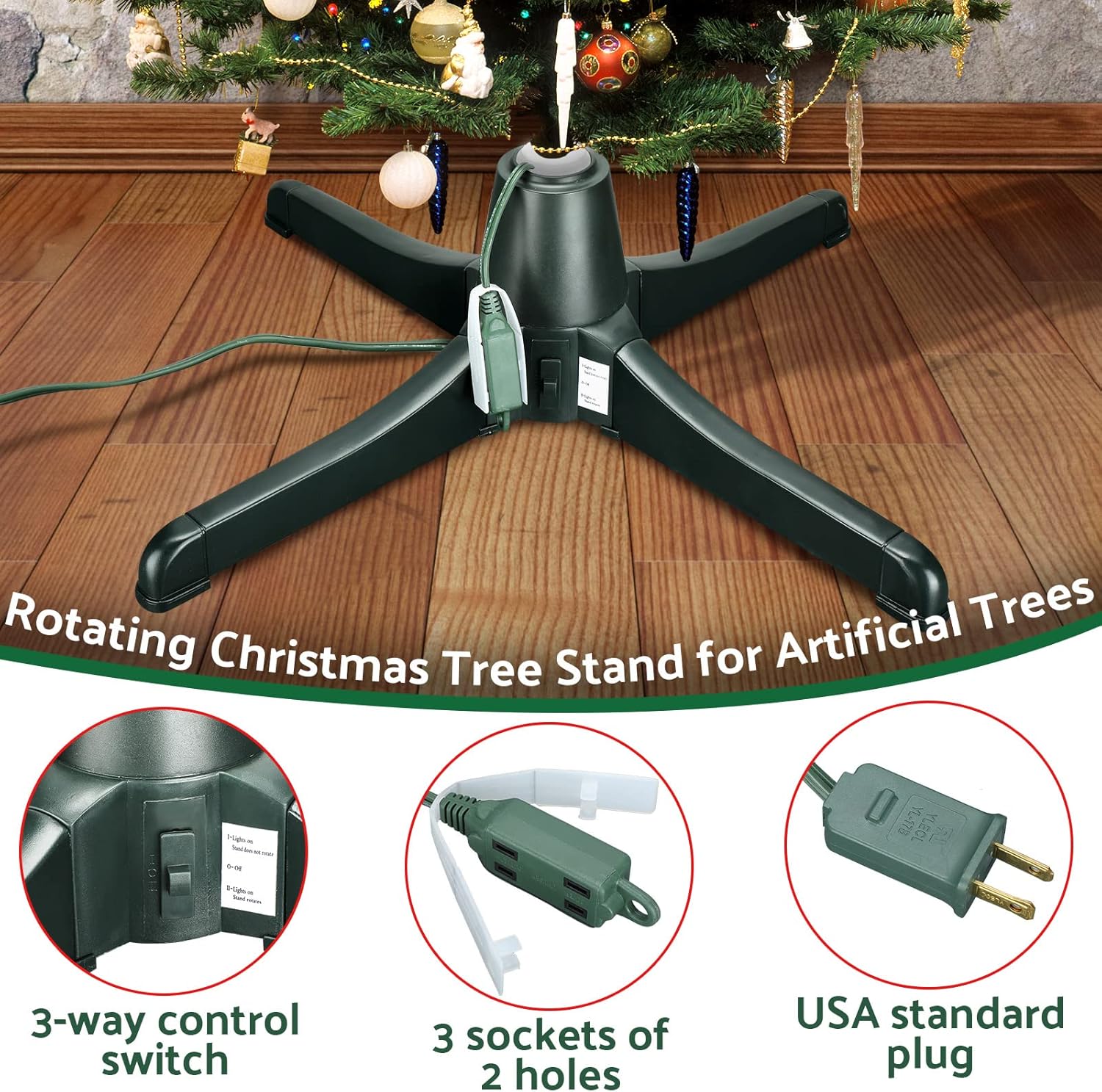
- If your Christmas tree has lights, you can plug them into the three 2-hole sockets located on the stand's power unit. This prevents wires from tangling during rotation.
- Ensure any unused outlets are covered for safety.
Setup Video Guide
5. Operating Instructions
Power and Rotation Control
The stand features a 3-way control switch to manage power and rotation:
- Position I: Lights On, Stand Does Not Rotate. This setting powers the integrated outlets for your tree lights but keeps the stand stationary.
- Position O: Off. This setting turns off all power to the stand and integrated outlets.
- Position II: Lights On, Stand Rotates. This setting powers the integrated outlets and activates the 360-degree continuous rotation feature. The tree will complete a full rotation approximately every 90 seconds.

6. Maintenance
- Cleaning: Unplug the stand before cleaning. Wipe the exterior with a soft, dry cloth. Do not use abrasive cleaners or immerse the unit in water.
- Storage: When not in use, disassemble the legs from the motor base and store all components in their original packaging or a safe, dry place away from direct sunlight and extreme temperatures.
- Inspection: Periodically check the power cord and plug for any signs of damage. If damage is found, discontinue use and contact customer support.
7. Troubleshooting
| Problem | Possible Cause | Solution |
|---|---|---|
| Stand does not rotate. | 1. Power switch is in 'Off' (O) or 'Lights On Only' (I) position. 2. Power cord is not securely plugged in. 3. Tree pole is jammed or too heavy. | 1. Move the switch to 'Lights On, Stand Rotates' (II) position. 2. Check power connections. 3. Ensure tree weight is within limits and pole is not obstructed. |
| Tree lights do not turn on. | 1. Power switch is in 'Off' (O) position. 2. Tree lights are not plugged into the stand's outlets. 3. Tree lights themselves are faulty. | 1. Move the switch to 'Lights On Only' (I) or 'Lights On, Stand Rotates' (II) position. 2. Plug tree lights into the stand's outlets. 3. Check tree lights independently. |
| Tree wobbles during rotation. | 1. Tree is not centered or securely fastened. 2. Tree pole diameter is incorrect for the adapter used. | 1. Re-center and secure the tree pole in the stand. Ensure the adapter fits snugly. 2. Use the correct adapter for your tree pole diameter. |
| Unusual noise from the stand. | 1. Obstruction in the rotation mechanism. 2. Overloaded weight. | 1. Check for any objects interfering with the stand's rotation. Ensure no wires are tangled. 2. Reduce tree weight if exceeding limits. |
8. Specifications
| Feature | Detail |
|---|---|
| Brand | Hortsun |
| Model Number | WA-Hortsun-867 |
| Product Dimensions | 26"D x 26"W x 7.5"H |
| Color | Green |
| Material | Plastic (ABS) |
| Max Tree Height Supported | Up to 7.5 feet |
| Max Tree Weight Supported | Approx. 80 pounds |
| Center Hole Diameter | 1.26 inches (with included adapters for 0.75" and 0.88" poles) |
| Electrical Rating | AC 120V 60Hz Max 0.03A |
| Max Power Output (Sockets) | 400 watts |
| Rotation Speed | Full 360-degree rotation every 90 seconds |
| Included Components | Motor Base, 4 Legs, Green Adapter, White Adapter |

9. Warranty and Support
For warranty information or technical support, please refer to the product packaging or contact the retailer where the product was purchased. Keep your proof of purchase for any warranty claims.