
Introduction
The GoodBaby Digital Forehead Thermometer is a reliable and easy-to-use device designed for accurate temperature measurement for all ages, including adults, infants, and elders. Utilizing advanced infrared technology, it provides fast, non-contact readings and offers versatile modes for measuring body, object, and room temperatures. Its intuitive design and helpful features ensure a convenient experience for monitoring health.
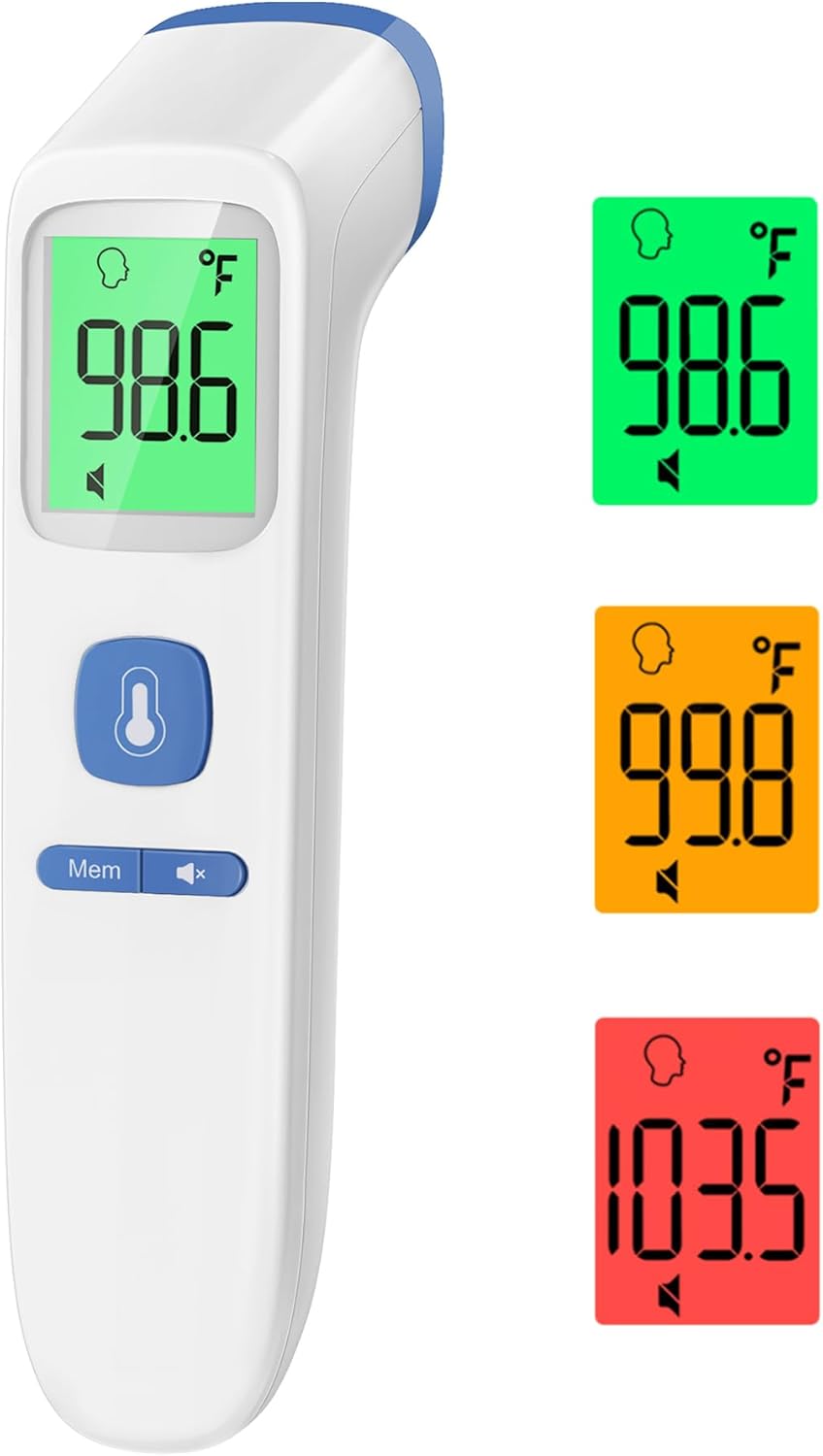
Image: GoodBaby Digital Forehead Thermometer displaying a normal temperature (98.6°F) with a green backlight, illustrating the color-coded fever indication system.
Key Features
- Reliable & Accurate: Clinically tested infrared technology for precise readings.
- Fast & Easy Readings: Provides temperature in 1 second with a simple button press.
- Multi-mode Functionality: Measures forehead, object, and room temperatures.
- Fever Alarm: Alerts for elevated temperatures.
- Silent Mode: Allows temperature checks without disturbing sleeping individuals.
- 35-Set Memory: Stores previous readings for tracking.
- Color-Coded Display: Screen changes color (Green, Orange, Red) based on temperature range for quick interpretation.
- Celsius/Fahrenheit Conversion: Easily switch between temperature units.
- Ergonomic Design: Comfortable and easy to hold.

Image: Visual representation of the thermometer's key features, including its non-contact capability, multiple modes, and memory function.
Package Contents
- 1 x GoodBaby Digital Forehead Thermometer
- 2 x AAA Batteries
- 1 x Instruction Manual
- 1 x Quick Start Guide
Setup
Battery Installation
- Locate the battery compartment cover on the back of the thermometer.
- Slide the cover downwards to open the compartment.
- Insert two (2) AAA batteries, ensuring correct polarity (+ and -).
- Slide the battery compartment cover back into place until it clicks securely.
Operating Instructions
Taking a Forehead Temperature
- Ensure the thermometer is in Forehead Mode (indicated by a person icon on the display). If not, press the Mode button to switch.
- Hold the thermometer approximately 0.3 to 1.5 inches (1-4 cm) from the center of the forehead.
- Press and release the measurement button (large button with thermometer icon).
- The temperature reading will appear on the LCD screen within 1 second. The screen backlight will change color based on the temperature: Green for normal, Orange for elevated, and Red for fever.

Image: Demonstrates the non-contact forehead measurement on a child, highlighting the ease of use for body temperature.
Measuring Object/Room Temperature
- Ensure the thermometer is in Object/Room Mode (indicated by a house or object icon). If not, press the Mode button to switch.
- Point the thermometer at the object or in the room you wish to measure.
- Press and release the measurement button.
- The temperature reading will be displayed on the screen.
Memory Function
The thermometer stores up to 35 sets of previous temperature readings. To access them:
- With the thermometer on, press the 'Mem' button.
- Each subsequent press of the 'Mem' button will cycle through the stored readings, from most recent to oldest.
Silent Mode
To enable or disable the beeping sound:
- Press the speaker icon button to toggle the sound on or off. This is particularly useful for taking temperatures of sleeping children without disturbance.

Image: The thermometer in use during nighttime, demonstrating the silent mode and backlit screen for clear readings without waking the user.
Temperature Unit Conversion (°C/°F)
To switch between Celsius (°C) and Fahrenheit (°F):
- With the device off, press and hold the 'Mem' button for 3 seconds. The screen will display '---°C' or '---°F'.
- Press the measurement button to toggle between Celsius and Fahrenheit.
- Once your desired unit is selected, the device will automatically save the setting and turn off.
Care and Maintenance
- Cleaning: Use a soft, dry cloth to clean the thermometer body. For the probe, gently wipe with an alcohol swab or cotton swab moistened with alcohol. Do not immerse the thermometer in water or any cleaning solutions.
- Storage: Store the thermometer in a cool, dry place, away from direct sunlight, extreme temperatures, and humidity. Keep it out of reach of children.
- Dust Protection: Ensure the probe is free from dust and debris for accurate readings.
Troubleshooting
- No Display/Device Not Turning On: Check battery installation and ensure batteries are not depleted. Replace if necessary.
- Inaccurate Readings: Ensure the probe is clean and free from obstructions. Verify correct measurement distance (0.3-1.5 inches for forehead). Allow the thermometer to acclimate to room temperature for 30 minutes if it has been in an extreme environment.
- Error Messages: Refer to the Quick Start Guide or Instruction Manual for specific error code meanings and solutions.
Specifications
| Feature | Detail |
|---|---|
| Model Number | FC-IR202 |
| Dimensions | 8.54 x 2.87 x 2.68 inches |
| Weight | 2.4 ounces |
| Power Source | 2 x AAA Batteries (included) |
| Display Type | LCD |
| Measurement Modes | Forehead, Object, Room |
| Memory Capacity | 35 sets |
| Material | Acrylonitrile Butadiene Styrene (ABS) |
| Certifications | FDA, CE |
Support
For any concerns or questions regarding your GoodBaby Digital Forehead Thermometer, please contact our friendly customer support team. Contact information can be found in the included Quick Start Guide or Instruction Manual.


