
1. Introduction
This manual provides essential instructions for the safe and effective use of your XLAQ 14.4V Lithium-Ion replacement battery, model CS-MTP144PW. This battery is designed to be compatible with various Metabo 14.4V power tools, including models BSZ 14.4, BSZ 14.4 Impuls, SBZ 14.4 Impuls, and ULA9.6-18. Please read this manual thoroughly before initial use and retain it for future reference.

Figure 1: Front view of the XLAQ 14.4V Lithium-Ion replacement battery (Model CS-MTP144PW).
2. Safety Instructions
Always observe the following safety precautions to prevent injury or damage to the battery and tool.
- Do not disassemble, open, or service the battery pack. Unauthorized modifications can lead to hazards.
- Replace only with the battery pack designated for this product. Using incompatible batteries may cause fire, explosion, or injury.
- Do not crush, puncture, short external contacts, or dispose of in fire or water. These actions can cause severe damage and safety risks.
- Do not store above 60°C (140°F). High temperatures can degrade battery performance and pose a fire risk.
- New battery packs must be fully charged before use. Refer to the charging section for proper procedure.
- Read instructions in the operating guide before using the battery. Ensure you understand how to safely operate your power tool with this battery.
- Keep out of reach of children.
- Dispose of used batteries responsibly. Follow local regulations for lithium-ion battery recycling.
3. Setup
3.1 Initial Charging
Your new XLAQ battery pack is shipped with a partial charge. For optimal performance and longevity, it is recommended to fully charge the battery before its first use.
- Ensure your Metabo 14.4V charger is compatible with Lithium-Ion batteries.
- Insert the battery pack into the charger, ensuring it clicks securely into place.
- Connect the charger to a suitable power outlet.
- Allow the battery to charge until the charger's indicator light signals a full charge (refer to your charger's manual for specific indications).
- Once fully charged, remove the battery from the charger.
3.2 Battery Installation
To install the battery into your compatible Metabo power tool:
- Ensure the power tool is turned off and disconnected from any power source if applicable.
- Align the battery pack with the battery port on your power tool.
- Slide the battery into the port until it locks securely into place. You should hear a click.
- Gently pull on the battery to confirm it is firmly seated and will not accidentally detach during operation.

Figure 2: Side view of the battery, showing the connection terminals for insertion into a tool or charger.
4. Operation
Once the battery is installed, your power tool is ready for use. Always refer to your specific Metabo power tool's instruction manual for detailed operating procedures.
- Battery Level Indicator: Some models of this battery may feature a charge level indicator. Press the button (if present) to view the approximate remaining charge.
- Over-discharge Protection: The battery is equipped with protection circuits to prevent over-discharge. If the tool stops operating abruptly, the battery may be depleted or have activated its protection mode.
- Temperature Protection: The battery may temporarily cease operation if it becomes too hot or too cold. Allow the battery to return to a normal operating temperature range before attempting to use or charge it.
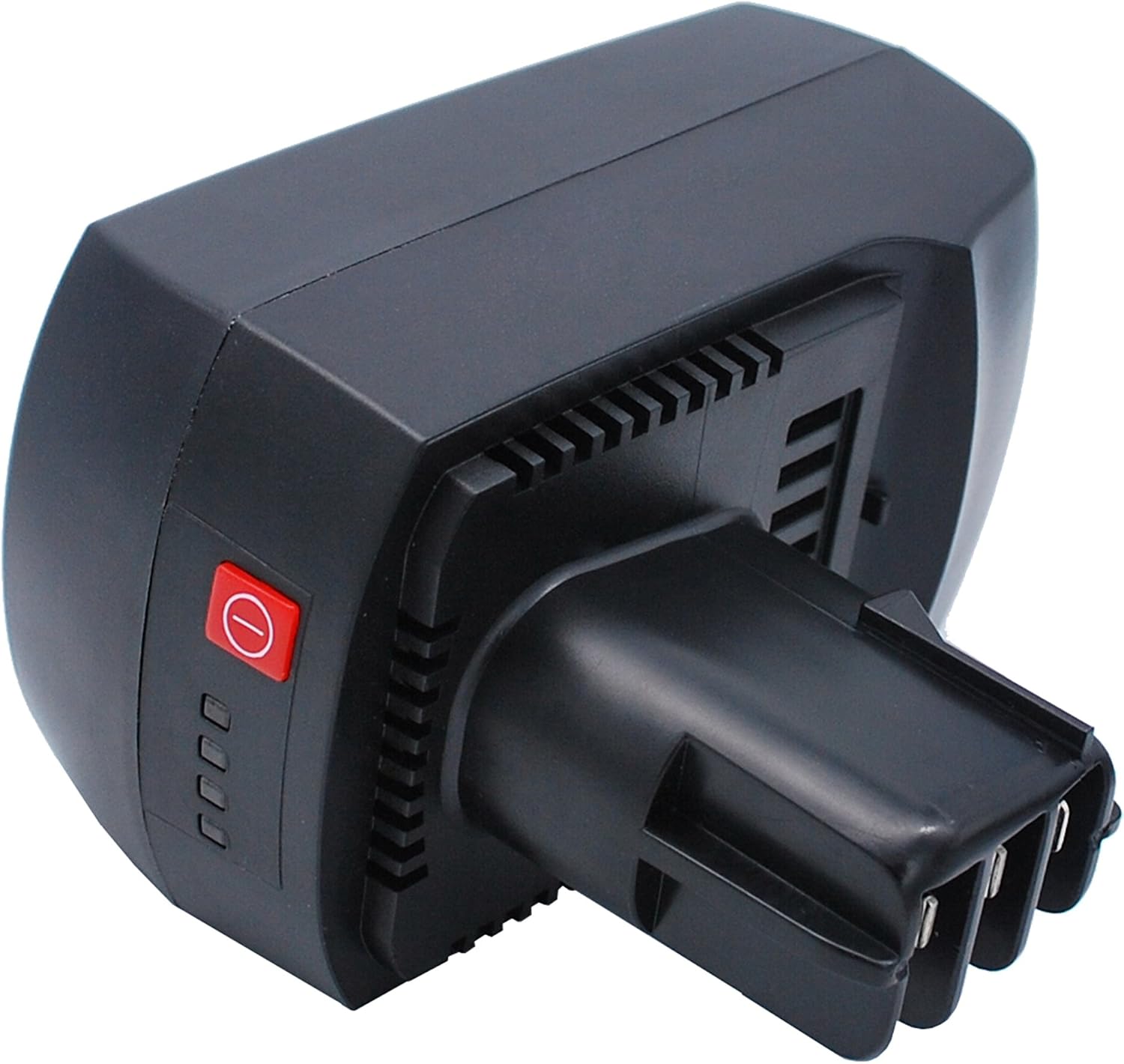
Figure 3: View of the battery, potentially showing a red button and four indicator lights for charge status.
5. Maintenance
5.1 Charging Practices
- Always use a charger compatible with 14.4V Lithium-Ion batteries.
- Avoid overcharging. Modern Lithium-Ion batteries and chargers typically have protection circuits to prevent this, but it's good practice to remove the battery once fully charged.
- Charge batteries in a well-ventilated area, away from flammable materials.
- Do not charge batteries that are visibly damaged or excessively hot.
5.2 Storage
- Store the battery in a cool, dry place, away from direct sunlight and extreme temperatures.
- For long-term storage, it is recommended to store Lithium-Ion batteries with a partial charge (around 50-70%) rather than fully charged or fully depleted.
- Keep battery terminals clean and free from dirt or debris.
5.3 Cleaning
Wipe the battery exterior with a clean, dry cloth. Do not use harsh chemicals or abrasive cleaners. Ensure no moisture enters the battery terminals.
6. Troubleshooting
| Problem | Possible Cause | Solution |
|---|---|---|
| Battery not charging. |
|
|
| Tool not operating or stops abruptly. |
|
|
| Reduced runtime. |
|
|
7. Specifications
| Feature | Detail |
|---|---|
| Model Number | CS-MTP144PW |
| Brand | XLAQ |
| Battery Type | Lithium-Ion |
| Voltage | 14.4V |
| Capacity | 3000mAh (43.20Wh) |
| Dimensions (L x W x H) | 2.94 x 4.45 x 5.15 inches (74.75 x 113.10 x 130.75 mm) |
| Weight | 1.84 pounds (835.5g) |
| Compatible Metabo Models | BSZ 14.4, BSZ 14.4 Impuls, SBZ 14.4 Impuls, ULA9.6-18 |
| Part Number | 6.25482 |

Figure 4: Close-up view of the battery's information label, detailing model number, part number, rating, and safety warnings.
8. Warranty & Support
XLAQ provides the following support for this product:
- Warranty: 12-month warranty from the date of purchase.
- Money Back Guarantee: 14-day money-back guarantee.
- Customer Support: 24/7 email support is available for any questions or concerns regarding your battery. Please refer to your purchase documentation for contact details.
When contacting support, please have your model number (CS-MTP144PW) and purchase information readily available.