
1. Product Overview
The MAIDeSITe Adjustable Height Electric Standing Desk is designed to enhance your workspace with ergonomic features and convenient storage solutions. This desk allows for seamless transitions between sitting and standing positions, promoting a healthier work environment. It includes integrated drawers, a storage bag, and a cable management tray to keep your area organized.

Figure 1.1: The MAIDeSITe Standing Desk in a typical office setup, showcasing its spacious desktop, integrated storage, and cable management features. Two monitors, a keyboard, and a mouse are visible on the desk, along with a side storage bag and an under-desk drawer.
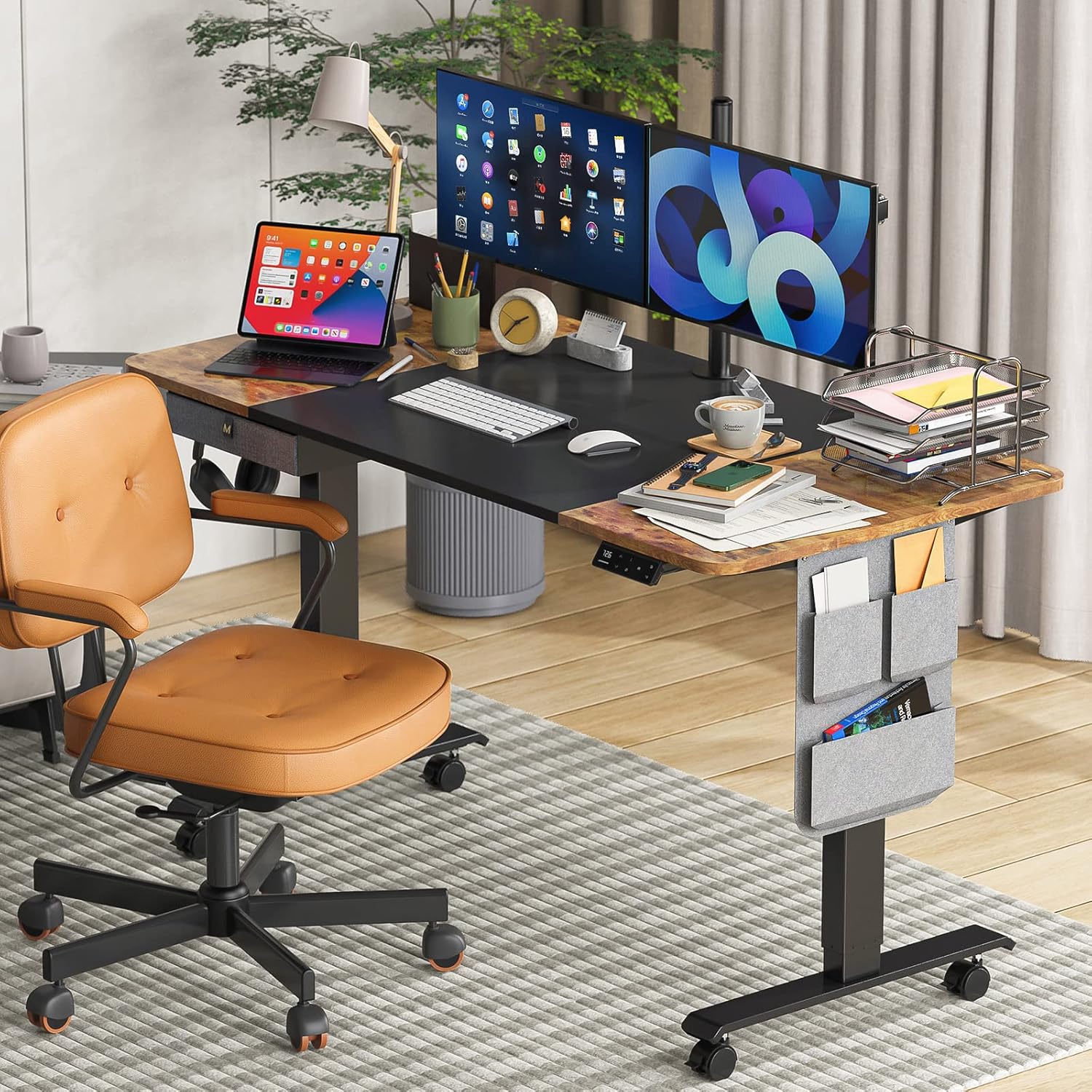
Figure 1.2: The MAIDeSITe Standing Desk integrated into a home office setting, demonstrating its aesthetic appeal and functional design alongside an office chair. The desk is shown with multiple accessories, including monitors, a laptop, and organizational items.
2. Setup and Assembly
Before beginning assembly, ensure all components are present and undamaged. Refer to the detailed installation manual (PDF) provided with your purchase for step-by-step instructions. Assembly typically requires two people for ease and safety.
2.1 Component Identification
Unpack all parts and identify them using the parts list in the installation manual. Common components include the desktop sections, leg frames, motor, control panel, power adapter, and various accessories like the storage bag, fabric drawer, cable management tray, and hooks.
2.2 Frame and Desktop Assembly
Assemble the desk frame according to the instructions, ensuring all screws are securely tightened. Attach the desktop sections to the assembled frame. Pay attention to cable routing for the motor and control panel.
2.3 Attaching Casters
The desk comes with detachable lockable casters for easy mobility. Install these onto the leg bases as instructed. Ensure they are securely fastened before moving the desk.
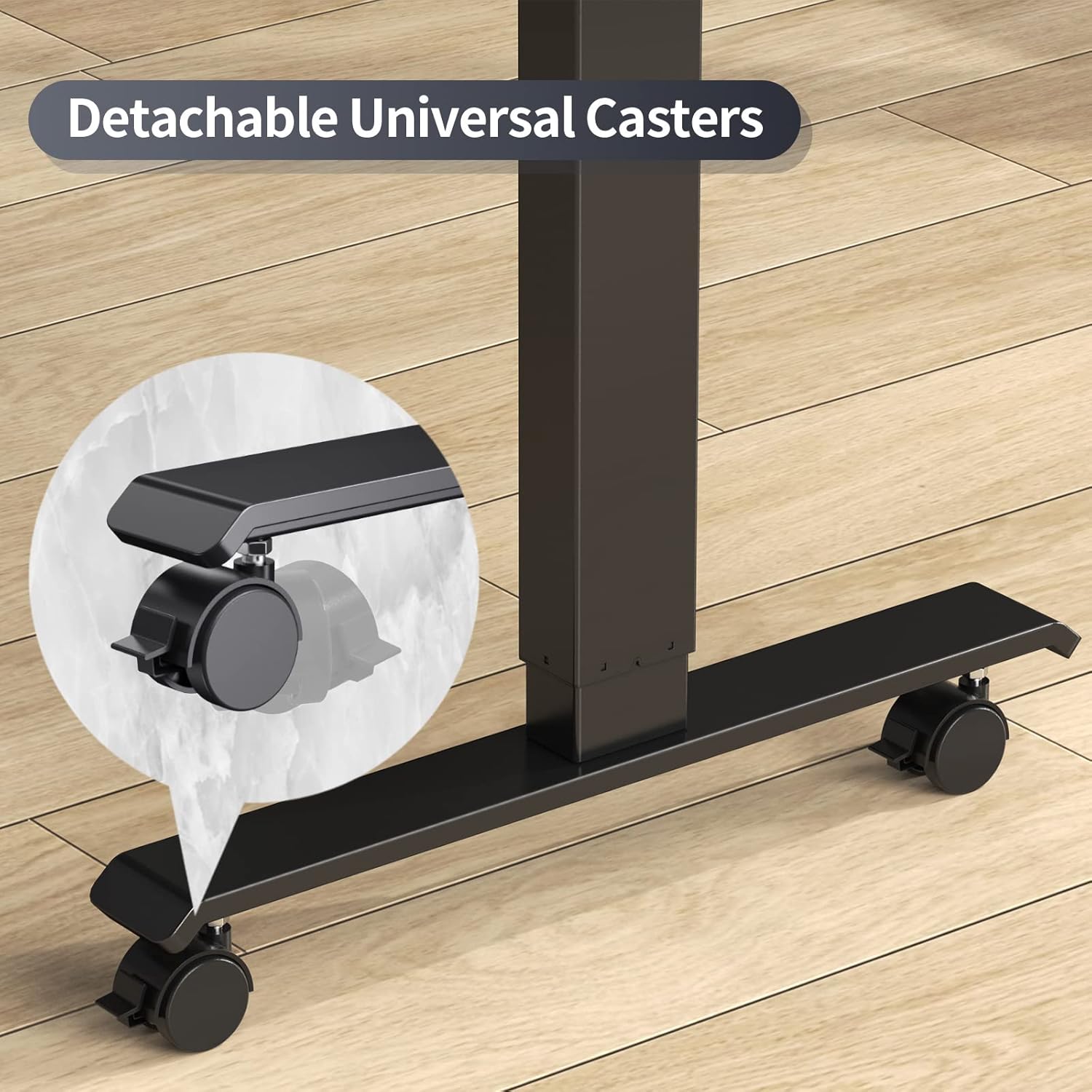
Figure 2.1: A detailed view of the detachable universal casters, highlighting their design for easy attachment and mobility. The casters allow the desk to be moved conveniently and can be locked to secure its position.
2.4 Power Connection and Initial Calibration
Connect the power adapter to the desk's control box and then to a power outlet. Follow the manual's instructions for initial calibration, which typically involves lowering the desk to its lowest point to synchronize the motor system.
3. Operating Instructions
The MAIDeSITe Standing Desk features an intuitive control panel for height adjustment and other functions.
3.1 Height Adjustment
Use the Up (▲) and Down (▼) buttons on the control panel to adjust the desk height. The desk offers a continuous height adjustment range from 27 inches to 47 inches.

Figure 3.1: Visual representation of the desk's adjustable height range, illustrating its suitability for various user heights and scenarios, including sitting, short standing, tall standing, and use with a treadmill.
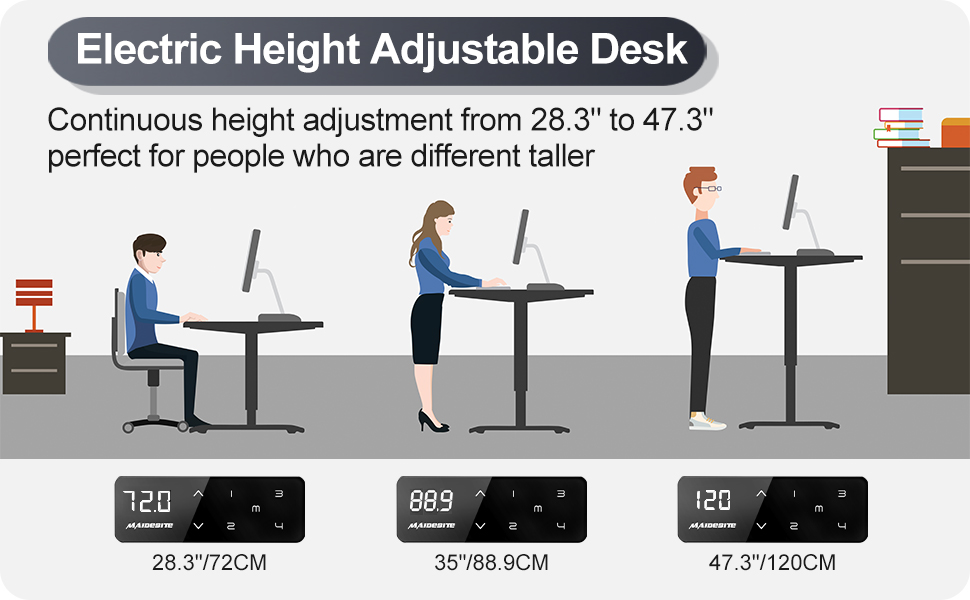
Figure 3.2: This image demonstrates the electric height adjustment capability of the desk, showing three different height settings (28.3", 35", 47.3") suitable for various user postures, from sitting to standing.
3.2 Memory Presets
The control panel features 4 height memory presets (M1, M2, M3, M4). To save a height, adjust the desk to your desired position, then press and hold the 'M' button until the display flashes, then press the desired preset number (1, 2, 3, or 4). To recall a saved height, simply press the corresponding preset number.

Figure 3.3: A close-up of the upgraded LED touchscreen control panel, illustrating its intuitive interface with buttons for height adjustment, memory presets (M1, M2, M3, M4), and a digital display for current height.
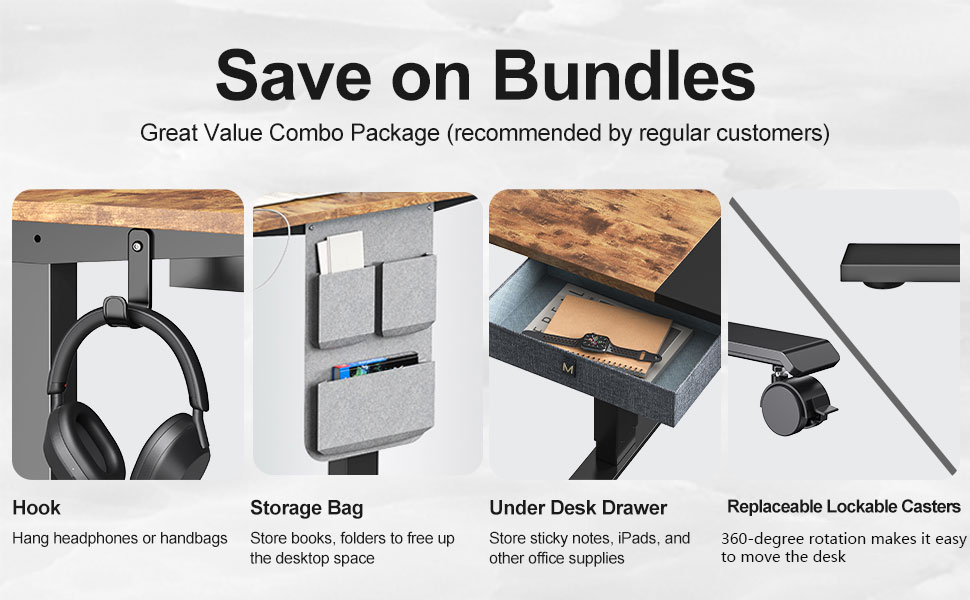
Figure 3.4: This image compares the upgraded control panel with 4 programmable height presets to an older version with 3 presets, highlighting the improved functionality and user experience of the new model.
3.3 Child Safety Lock
To activate the child safety lock, press and hold the 'Lock' button on the control panel until 'LOC' appears on the display. This prevents accidental height adjustments. To unlock, press and hold the 'Lock' button again until 'LOC' disappears.
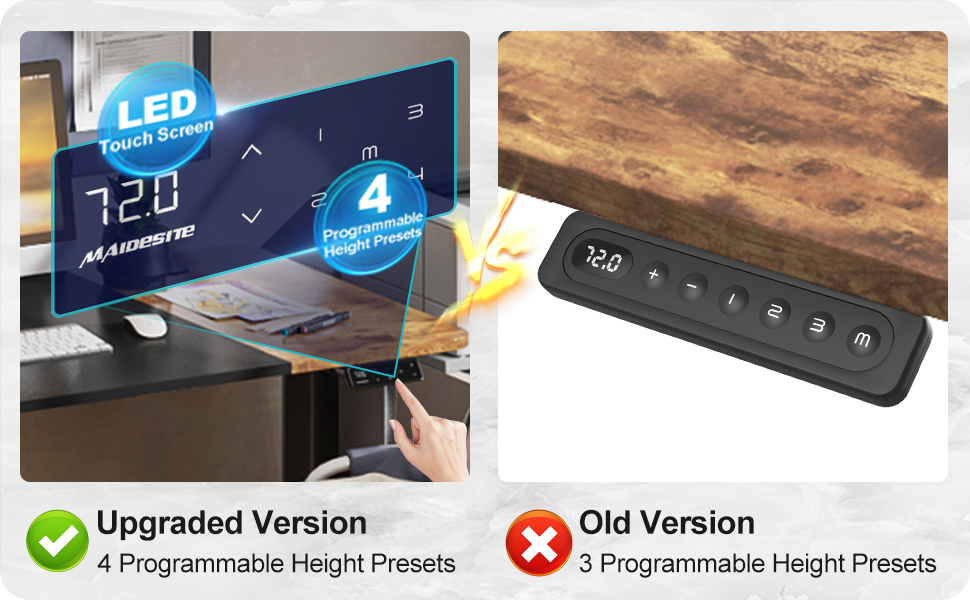
Figure 3.5: An illustration demonstrating the child safety lock function on the desk's control panel. The image shows a child pointing to the control panel, with a magnified view of the 'LOC' display indicating the lock is active.
3.4 USB Charging Port
The control panel includes a built-in USB charging port for convenient charging of your electronic devices.
3.5 Integrated Storage and Accessories
The desk is equipped with a fabric drawer, a side storage bag, and two hooks for headphones or bags. Utilize these features to maintain an organized and clutter-free workspace.

Figure 3.6: This image displays the integrated storage solutions of the desk, including a side storage bag for documents, a fabric drawer for small items like headphones and chargers, and an under-desk cable management tray to keep wires tidy.
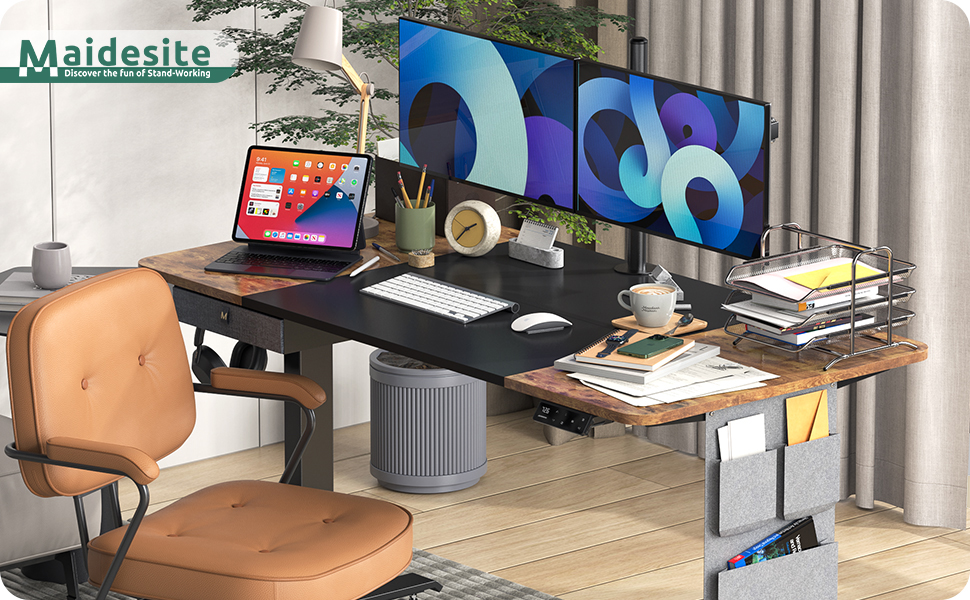
Figure 3.7: An overview of the desk's additional features, including a hook for headphones or bags, a side storage bag for books and folders, an under-desk fabric drawer for office supplies, and replaceable lockable casters for mobility.
4. Maintenance
Proper maintenance ensures the longevity and optimal performance of your MAIDeSITe Standing Desk.
4.1 Cleaning Instructions
- For general cleaning, wipe the desk surfaces with a damp cloth.
- For stubborn marks, use a mild, non-abrasive cleaner.
- Immediately wipe dry with a clean, dry cloth to prevent water damage.
- Avoid using harsh chemicals or abrasive cleaning tools that could damage the finish.
4.2 Regular Checks
- Periodically check all screws and bolts to ensure they remain tight.
- Inspect the power cord and connections for any signs of wear or damage.
- Ensure the desk's path is clear of obstructions before adjusting height to prevent anti-collision activation or damage.
5. Troubleshooting
If you encounter issues with your MAIDeSITe Standing Desk, refer to the following common troubleshooting steps.
5.1 Desk Not Responding
- Check if the power cord is securely plugged into both the desk and the wall outlet.
- Ensure the child safety lock is not activated (display shows 'LOC'). Refer to Section 3.3 to unlock.
- If the desk has been used continuously for an extended period, the overheat protection may have activated. Allow the motor to cool down for 20-30 minutes before attempting operation again.
5.2 Anti-Collision Feature Activation
The desk is equipped with an anti-collision system. If the desk encounters an obstruction during height adjustment, it will stop and reverse slightly. Remove the obstruction and try adjusting the height again.
5.3 Resetting the Desk
If the desk is behaving erratically or not responding after checking basic connections, a reset may be required. Consult the full installation manual for specific reset procedures, which typically involve holding down certain buttons or unplugging and replugging the power.
6. Specifications
Key technical specifications for the MAIDeSITe Standing Desk (Model: Maidesite M2).
| Feature | Specification |
|---|---|
| Brand | MAIDeSITe |
| Model Number | Maidesite M2 |
| Product Dimensions | 28"D x 55"W x 47.3"H |
| Minimum Height | 28.3 Inches |
| Maximum Height | 47.3 Inches |
| Maximum Weight Capacity | 176 Pounds |
| Material | Alloy Steel (Base), Engineered Wood (Top) |
| Color | Rustic Brown+Black |
| Lifting Mechanism | Electric |
| Number of Height Positions | 4 (Memory Presets) |
| Included Components | Built-in USB Port, Cable Management Tray, Cloth Drawer Organizer Box, Headphone Hook, Side Felt Storage Bag |
| Item Weight | 60 Pounds |

Figure 6.1: An illustration detailing the recommended dimensions of the desk, showing a width of 55 inches and a depth of 28 inches, providing a large workspace.
7. Warranty Information
The MAIDeSITe Standing Desk is backed by a 5-year warranty. This warranty covers defects in materials and workmanship under normal use. Please retain your proof of purchase for warranty claims.
8. Customer Support
For any questions, concerns, or assistance with your MAIDeSITe Standing Desk, please contact MAIDeSITe customer service. You can typically find contact information on the MAIDeSITe official website or through the retailer where you purchased the product.


