
Introduction
This manual provides detailed instructions for the setup, operation, and maintenance of your Accutime Disney Frozen Digital LCD Quartz Wrist Watch, model FZN4508AZ. Please read this manual thoroughly to ensure proper use and longevity of your watch.
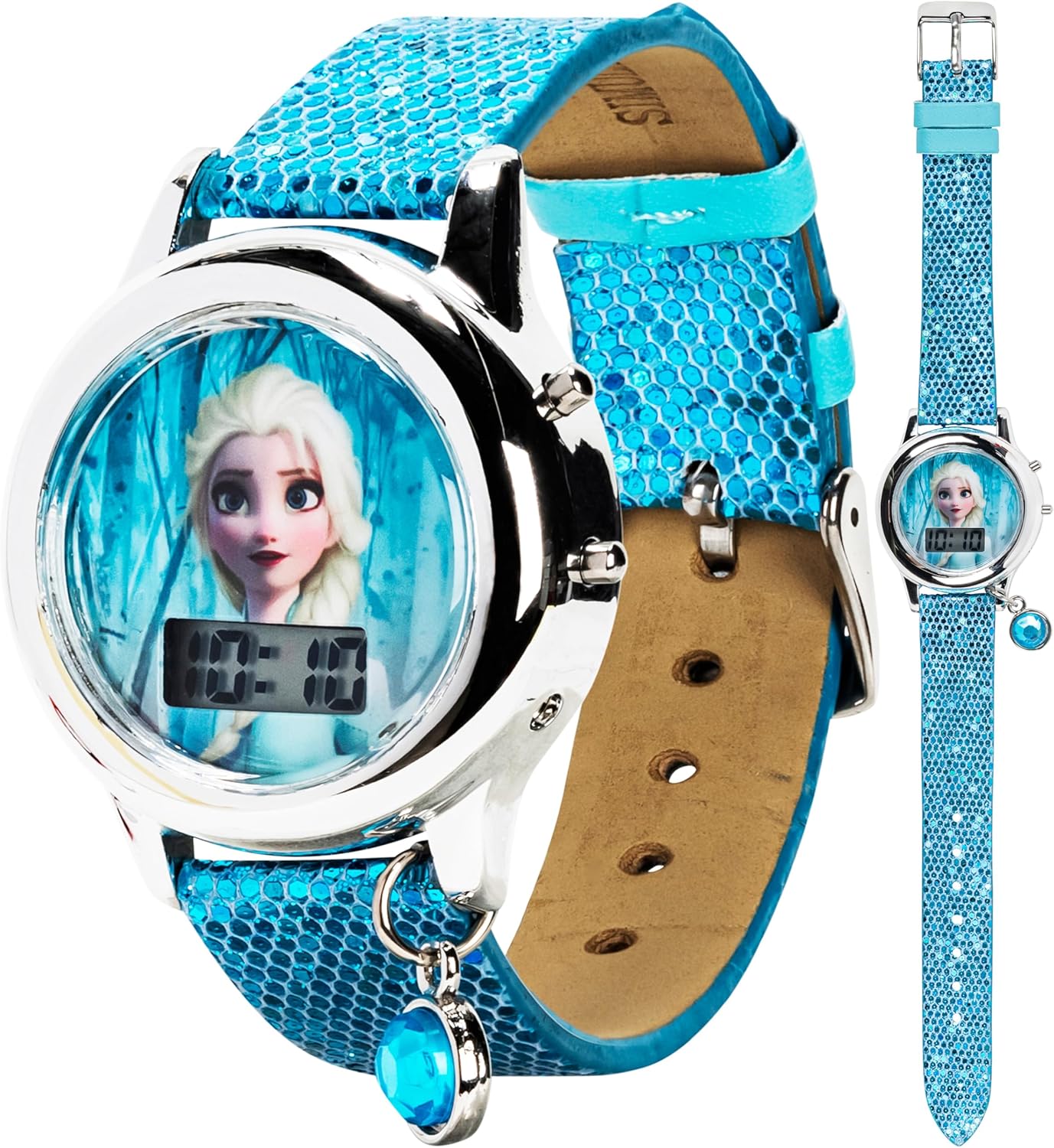
Image: Front view of the Accutime Disney Frozen Digital LCD Quartz Wrist Watch, featuring Elsa on the watch face and a turquoise bedazzled strap.
Product Overview
The Accutime Disney Frozen Digital LCD Quartz Wrist Watch is designed for children, featuring a digital time display and a character-themed watch face. It includes a light-up function for enhanced visibility and entertainment.
Key Features:
- Digital LCD time display.
- Quartz movement for accurate timekeeping.
- Light-up function with flashing colors.
- Durable strap and case design.

Image: The watch displayed with the Disney Frozen logo, highlighting its themed design.
Setup
1. Initial Activation
Your watch comes with a battery installed. If the display is not active, gently press any button to activate it. Some watches may have a small plastic tab under the crown or button to prevent battery drain during shipping. Remove this tab if present.
2. Setting the Time
The watch typically has two buttons on the side. These buttons are used to set the time.
- Locate the two buttons on the side of the watch case. Let's refer to them as Button A (top) and Button B (bottom).
- Press Button B repeatedly until the hours digit begins to flash.
- While the hours digit is flashing, press Button A to advance the hour. Continue pressing until the correct hour is displayed. Pay attention to AM/PM if your watch has a 12-hour format (usually indicated by a small 'A' or 'P' next to the hour).
- Press Button B again. The minutes digit will begin to flash.
- While the minutes digit is flashing, press Button A to advance the minutes. Continue pressing until the correct minute is displayed.
- Press Button B one more time to confirm the time setting and return to normal time display.
Note: The exact button functions may vary slightly. If the above steps do not work, try experimenting with the buttons or refer to the manufacturer's website for specific model instructions.

Image: A close-up view of the watch face, showing the digital time display and the two control buttons on the right side of the watch case.
Operating Instructions
1. Reading the Time
The time is displayed digitally on the LCD screen in a clear, easy-to-read format.
2. Using the Light-Up Feature
This watch features a fun light-up function. To activate the flashing colored lights:
- Press Button A (the top button) once. The watch face will illuminate with various flashing colors.
- The lights will typically stay on for a few seconds before automatically turning off.

Image: The watch face illuminated with red, yellow, and green LED lights, demonstrating the light-up feature.
Maintenance
1. Battery Replacement
The watch requires 2 x LR41 (1.5V) product-specific batteries. When the display dims or the watch stops functioning, it's time to replace the batteries.
- Carefully remove the back cover of the watch. This may require a small screwdriver or a specialized watch tool.
- Locate the battery compartment.
- Remove the old batteries, noting their orientation (+/-).
- Insert new LR41 (1.5V) batteries with the correct polarity.
- Replace the back cover securely.
Warning: Battery replacement should be performed by an adult. Keep batteries out of reach of small children. Dispose of used batteries responsibly.

Image: The back of the watch, displaying manufacturer information and battery type (2 x LR41 (1.5V)).
2. Cleaning
To clean your watch, wipe it gently with a soft, dry cloth. Avoid using harsh chemicals or abrasive materials, as these can damage the watch's finish or display.
3. Water Resistance
This watch is not designed to be water-resistant. Avoid exposing it to water, including showering, swimming, or heavy rain, to prevent damage to the internal components.
Troubleshooting
| Problem | Possible Cause | Solution |
|---|---|---|
| Watch display is blank or dim. | Low or dead battery. | Replace batteries (2 x LR41 1.5V). Ensure correct polarity. |
| Time is incorrect. | Time not set properly or accidentally reset. | Follow the "Setting the Time" instructions in the Setup section. |
| Light-up feature not working. | Low battery or button malfunction. | Check battery level. If batteries are new and feature still fails, contact support. |
| Watch stopped working after contact with water. | Water damage. | This watch is not water-resistant. Water damage is typically not repairable. Avoid water exposure. |
Specifications
| Feature | Detail |
|---|---|
| Model Number | FZN4508AZ |
| Display Type | Digital LCD |
| Movement | Quartz |
| Battery Type | 2 x LR41 (1.5V) (included) |
| Manufacturer | Accutime Watch Corp. |
| Approx. Package Dimensions | 13.31 x 7.7 x 4.29 cm |
| Approx. Item Weight | 17.01 g |
Warranty and Support
For warranty information and customer support, please refer to the documentation included with your purchase or contact Accutime Watch Corp. directly. Specific warranty terms may vary by region and retailer.
Manufacturer: Accutime Watch Corp.
For further assistance, please visit the official Accutime website or contact their customer service department.
Important Safety Information
- This product contains small parts and batteries. Keep out of reach of very young children to prevent choking hazards.
- Do not attempt to open the watch case beyond battery replacement, as this may damage the internal components and void any warranty.
- Avoid extreme temperatures and strong magnetic fields, which can affect the watch's accuracy and functionality.
- Dispose of batteries and electronic components according to local regulations.


