
Ralcam H-4
Ralcam Two-Way Articulating Borescope Inspection Camera User Manual
Model: H-4
Introduction
The Ralcam Two-Way Articulating Borescope Inspection Camera is a professional tool designed for detailed visual inspection in hard-to-reach areas. Featuring a 180-degree two-way articulating probe, a 4.3-inch HD display, and adjustable LED lighting, it is ideal for automotive, industrial, and home inspection tasks. This manual provides essential information for the safe and effective operation, maintenance, and troubleshooting of your borescope.
Safety Information
Please read all safety warnings and instructions before using this product to prevent electric shock, fire, or serious injury.
- Do not expose the device to extreme temperatures. The intelligent high temperature protection feature will automatically power off the unit if the temperature exceeds 95°C to prevent damage.
- Ensure the probe is clean and free of debris before and after use.
- The probe is IP67 waterproof and oil-proof, but the main display unit is not. Avoid submerging the display unit in liquids.
- Do not attempt to disassemble or modify the device. Repairs should only be performed by authorized personnel.
- Keep the device away from strong magnetic fields.
- Store the borescope in its protective case when not in use to prevent damage.

Figure 1: Intelligent High Temperature Protection warning on the display.
Package Contents
Verify that all items are present in the package:
- Ralcam Two-Way Articulating Borescope (Main Unit with Display)
- 8.5mm Lens-3.3FT Flexible Cable Probe
- USB-C Charging/Data Transfer Cable
- Protective Carrying Case
- User Manual (this document)

Figure 2: Complete package contents including the borescope, flexible probe, and carrying case.
Product Overview
Components
- Display Unit: 4.3-inch HD IPS screen for clear viewing of inspection footage. Features control buttons for navigation, settings, and capture.
- Articulating Probe: 8.5mm diameter, 3.3FT (1 meter) flexible cable with a tungsten braid for durability. Features 180-degree two-way articulation controlled by a wheel.
- Camera Lens: 2.0MP camera with 4X zoom capability.
- LED Lights: 6 adjustable LED lights at the probe tip for illumination in dark environments.
- Handle: Ergonomic handle with the articulation control wheel.
- Battery: Built-in 2600mAh rechargeable Lithium Polymer battery.

Figure 3: The vivid 4.3-inch IPS display provides excellent clarity and color reproduction.

Figure 4: The screen unit can be detached for easier handling or replacement.
Setup
Charging the Battery
Before first use, fully charge the borescope's internal battery. A full charge provides up to 4 hours of continuous operation.
- Locate the USB-C charging port on the device.
- Connect the provided USB-C cable to the borescope and a compatible USB power adapter (not included) or a computer USB port.
- The charging indicator light will illuminate. Once fully charged, the light may change color or turn off depending on the model.
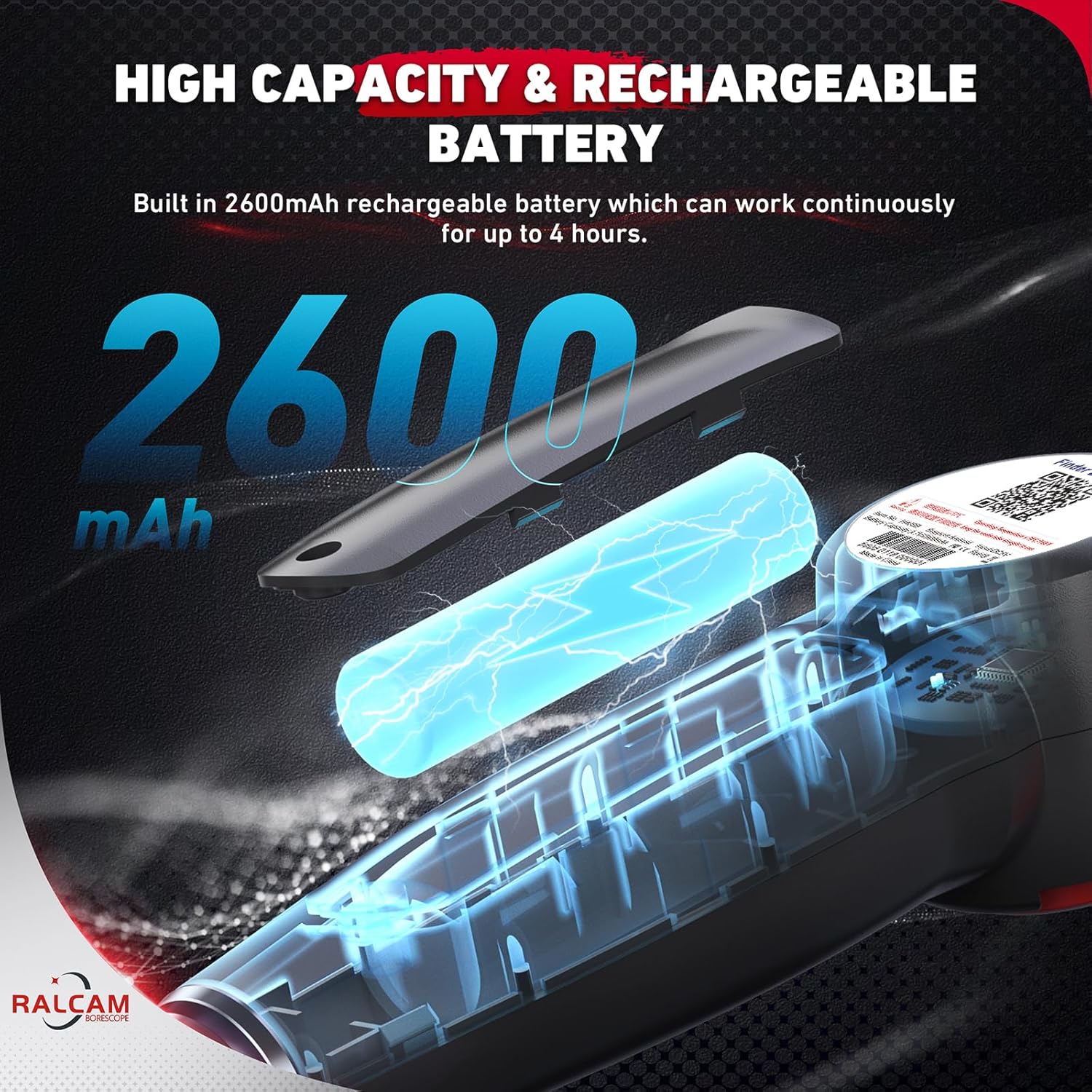
Figure 5: The borescope is equipped with a 2600mAh rechargeable battery.

Figure 6: Use the USB-C cable for charging and transferring data to a PC.
Operating Instructions
Power On/Off
Press and hold the power button (usually located near the display) for a few seconds to turn the device on or off.
Probe Articulation
The borescope features a 180-degree two-way articulating probe, allowing the camera tip to bend and rotate for optimal viewing angles.
- Use the red wheel control on the handle to articulate the probe tip.
- Rotate the wheel in one direction to bend the tip up to 180 degrees in that direction.
- Rotate the wheel in the opposite direction to bend the tip up to 180 degrees in the other direction.
- The flexible cable (3.3FT) provides a good balance of flexibility and rigidity for navigating tight spaces.
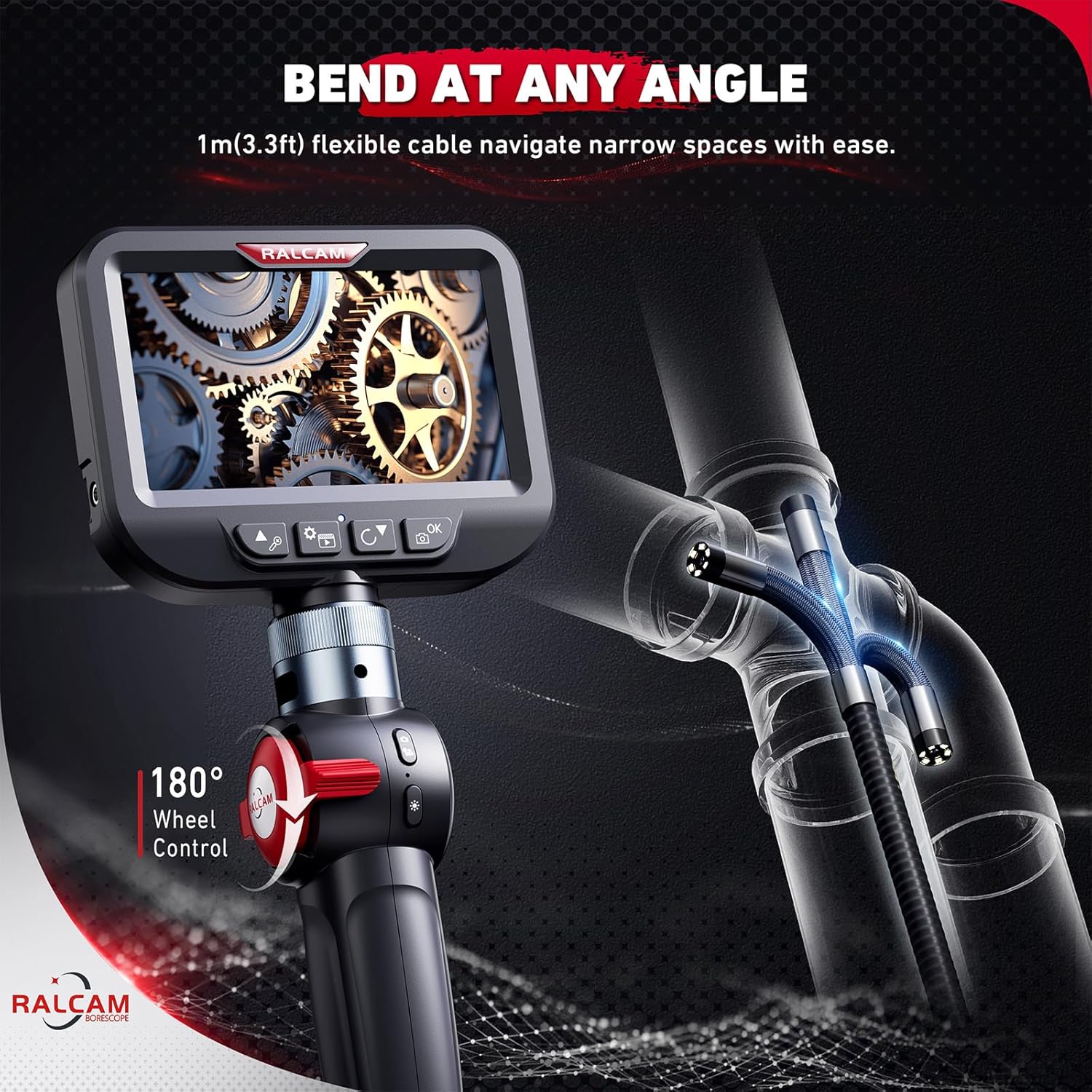
Figure 7: The 180-degree wheel control allows precise articulation of the probe tip.
Adjusting LED Brightness
The 6 LED lights at the tip of the probe provide illumination in dark inspection areas. Their brightness can be adjusted.
- Locate the light adjustment button on the display unit.
- Press the button repeatedly to cycle through different brightness levels (e.g., 0%, 60%, 80%, 100%).

Figure 8: High brightness LEDs provide clear visibility in dark environments.

Figure 9: The 6 LED lights offer 4 adjustable brightness settings for optimal viewing.
Capturing Photos and Videos
The borescope supports capturing high-definition photos and videos (1920x1080P).
- To take a photo, press the photo capture button (usually marked with a camera icon).
- To start video recording, press the video recording button (usually marked with a video camera icon). Press again to stop recording.
- Captured media is stored internally. Connect the device to a computer via USB-C cable to transfer files.
Maintenance
Cleaning
- After each use, especially in dirty or oily environments, wipe the probe and lens with a soft, damp cloth.
- The probe is IP67 waterproof and oil-proof, allowing for easy cleaning of the probe tip.
- Do not use abrasive cleaners or solvents on any part of the device.
- Ensure the display unit is kept dry and clean.

Figure 10: The probe's IP67 waterproof and oil-proof rating ensures durability in challenging environments.
Storage
- Store the borescope and its accessories in the provided protective carrying case.
- Keep the device in a cool, dry place, away from direct sunlight and extreme temperatures.
- Ensure the probe cable is not sharply bent or kinked during storage to maintain its integrity and articulation lifespan (rated for 20,000 bends).

Figure 11: The tungsten braid enhances flexibility and durability, with a bend lifespan of 20,000 cycles.
Troubleshooting
| Problem | Possible Cause | Solution |
|---|---|---|
| Device does not power on. | Low battery. | Charge the battery fully. |
| No image on screen. | Probe not properly connected; device in standby mode. | Ensure probe is securely connected. Press any button to wake from standby. |
| Image is blurry or dark. | Lens is dirty; insufficient lighting. | Clean the camera lens. Adjust LED brightness. |
| Probe articulation is stiff or not working. | Cable kinked or damaged; debris in articulation mechanism. | Ensure cable is not kinked. Clean the articulation point. If problem persists, contact support. |
| Device shuts down unexpectedly. | Overheating protection activated. | Allow the device to cool down. Avoid using in environments exceeding 95°C. |
Specifications
| Feature | Detail |
|---|---|
| Model Name | H408B (Item model number: H-4) |
| Brand | Ralcam |
| Display Screen | 4.3 Inches HD IPS |
| Camera Lens Diameter | 8.5mm / 0.33 inch |
| Cable Length | 3.3FT (1 meter) Flexible Cable |
| Articulation | 180° Two-Way Articulating |
| Video Capture Resolution | 1920 x 1080P (1080P) |
| LED Lights | 6 adjustable LED lights |
| Zoom | 4X Digital Zoom |
| Battery | 2600mAh Lithium Polymer (up to 4 hours continuous use) |
| Water Resistance Level | IP67 (Probe only) |
| Connectivity Technology | USB-C |
| Temperature Protection | Automatic power-off at >95°C |
| Product Dimensions | 10 x 3 x 27 cm; 1.72 kg |
| Country of Origin | China |
Warranty and Support
Ralcam products are designed for reliability and performance. For warranty information, technical support, or service inquiries, please refer to the contact information provided with your purchase or visit the official Ralcam website.
Typically, products purchased on Amazon.ca have a 30-day return/replacement policy through the seller. For specific warranty details beyond this period, please contact Ralcam directly.
Manufacturer: Ralcam
Place of Business: Ralcam Company
Seller on Amazon.ca: Ralcam (Seller ID: A1OHE8NKS021YA)
Related documentsH-4


Ask a question about this manual
Ask about setup, troubleshooting, compatibility, parts, safety, or missing instructions. Manuals+ will review the question and use this page’s manual context to help answer it.