
AFEXOA M9-01
AFEXOA Wake-up Light Alarm Clock User Manual
Model: M9-01
Introduction
This user manual provides detailed instructions for the AFEXOA Wake-up Light Alarm Clock, Model M9-01. Please read this manual thoroughly before using the product to ensure proper operation and to maximize its features. This device combines a wake-up light, alarm clock, white noise machine, and dimmable bedside lamp.
Product Overview
The AFEXOA Wake-up Light Alarm Clock is designed to enhance your sleep and wake-up experience. It features a sunrise simulation, multiple alarm modes, soothing sleep sounds, and a versatile dimmable light. It also includes a USB charging port for convenience.

Figure 1: Front view of the AFEXOA Wake-up Light Alarm Clock, showing the time display, temperature, and a smartphone charging via its USB port.
Setup
1. Unboxing and Initial Power On
Carefully remove all components from the packaging. Connect the provided power adapter to the device's power input port and plug it into a standard electrical outlet. The display will illuminate, indicating the device is powered on.
2. Setting Time and Date
- Press and hold the "Set" button (usually indicated by a gear icon) to enter time setting mode.
- Use the "+" and "-" buttons to adjust the hour. Press "Set" again to confirm and move to minutes.
- Repeat for minutes, then date (Year, Month, Day), and day of the week.
- Press "Set" one last time to exit time setting mode.
3. Setting Temperature Unit
The device displays temperature. To switch between Celsius (°C) and Fahrenheit (°F), locate the temperature unit button (often combined with another function or a dedicated small button) and press it. The display will change accordingly.
Operating Instructions
1. Alarm Settings
The device supports three alarm modes: Daily, Weekday, and Weekend.

Figure 2: Illustration of the three alarm modes (Daily, Weekday, Weekend) and the tap-to-snooze function.
- Press the "Alarm" button (bell icon) to select an alarm slot (e.g., Alarm 1, Alarm 2).
- Press and hold the "Alarm" button to enter alarm setting mode for the selected slot.
- Adjust the alarm time using "+" and "-" buttons.
- Select the alarm sound (6 soothing options available).
- Adjust the alarm volume (1-5 levels or OFF).
- Enable or disable the wake-up light for the alarm.
- Choose the alarm mode: Daily, Weekday, or Weekend.
- Press the "Alarm" button to confirm each setting and move to the next, then exit.
Snooze Function
When the alarm sounds, tap the top metal frame of the device to activate the snooze function. The alarm will pause for a set duration (e.g., 9 minutes) and sound again.
2. Sunrise Simulation Wake-up Light
The sunrise simulation feature gradually increases light intensity before your set alarm time, mimicking a natural sunrise to help you wake up gently.
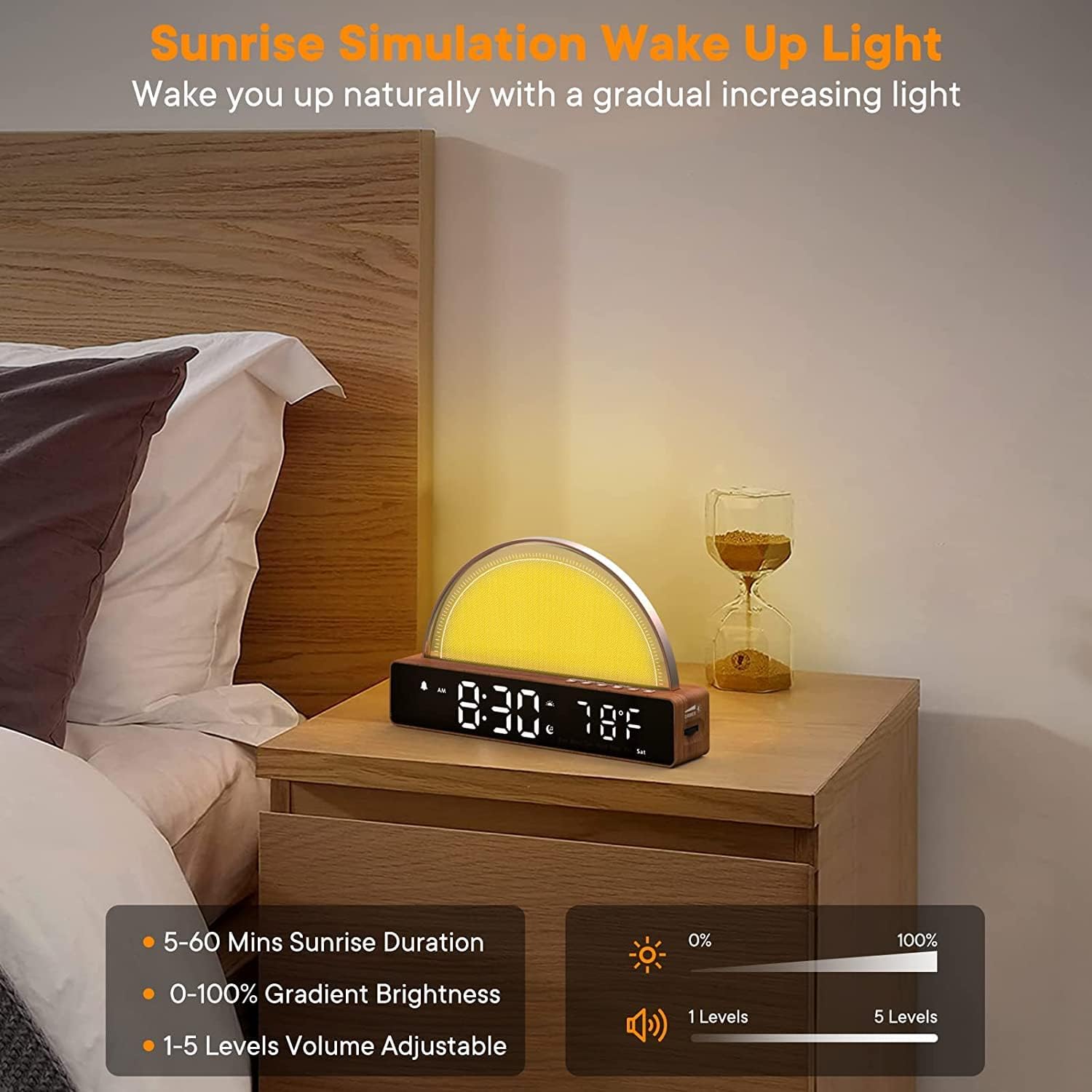
Figure 3: The sunrise simulation feature, showing adjustable duration (5-60 mins), gradient brightness (0-100%), and volume levels (1-5).
- Duration: Set the sunrise duration from 5 to 60 minutes.
- Brightness: The light gradually increases from 0% to 100% brightness.
- Volume: Alarm sound volume can be adjusted from 1 to 5 levels.
3. Soothing Sounds & Sleep Timer
The device offers 10 soothing sounds to aid sleep and a sleep timer function.

Figure 4: Display of 10 soothing sounds (Soft Music, Fire, Wind, Water Flow, Lullaby, Raining, Piano, Bird, etc.) and sleep timer options (15m, 30m, 60m, 90m).
- Press the "Sound" button (music note icon) to cycle through the 10 available soothing sounds.
- To activate the sleep timer, press the "Timer" button (hourglass icon) repeatedly to select a duration (15, 30, 60, or 90 minutes). The sound will play for the selected duration and then automatically turn off.
4. Dimmable Nightlight & Color Modes
The device functions as a versatile nightlight with adjustable brightness and multiple color options.
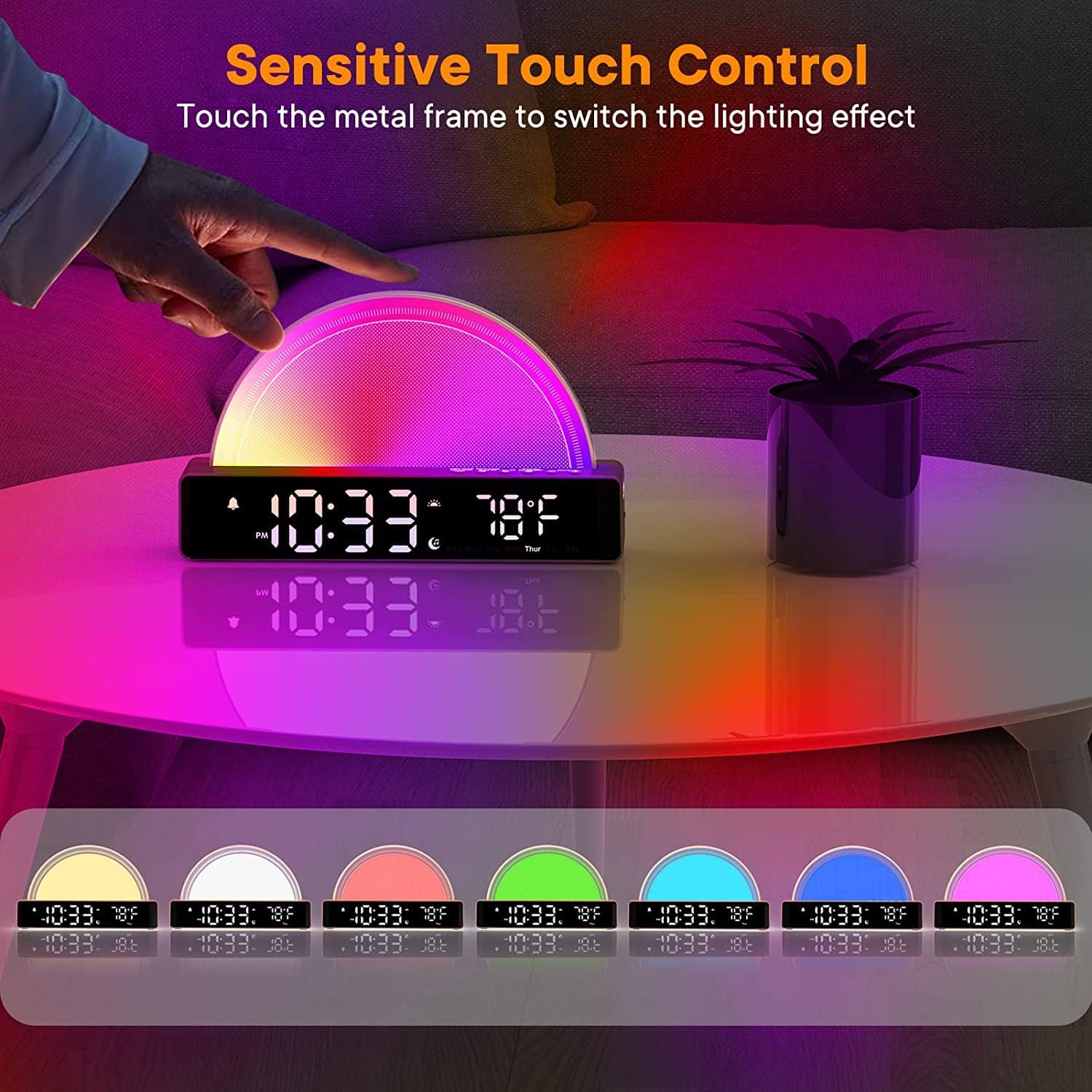
Figure 5: Demonstrates sensitive touch control on the metal frame to switch between various lighting effects and colors.
- Sensitive Touch Control: Touch the metal frame of the light panel to cycle through different lighting effects and colors.
- Brightness Adjustment: Use the "Dimmer" button or dedicated brightness controls to adjust the light intensity. There are 5 brightness levels available for all light modes (100%, 80%, 60%, 40%, 20%).

Figure 6: The dimmable nightlight feature, suitable for sleeping, relaxing, general lighting, or breastfeeding, with 5 brightness levels.
5. USB Charging Function
The device includes a USB port that can be used to charge your mobile phone or other small electronic devices.
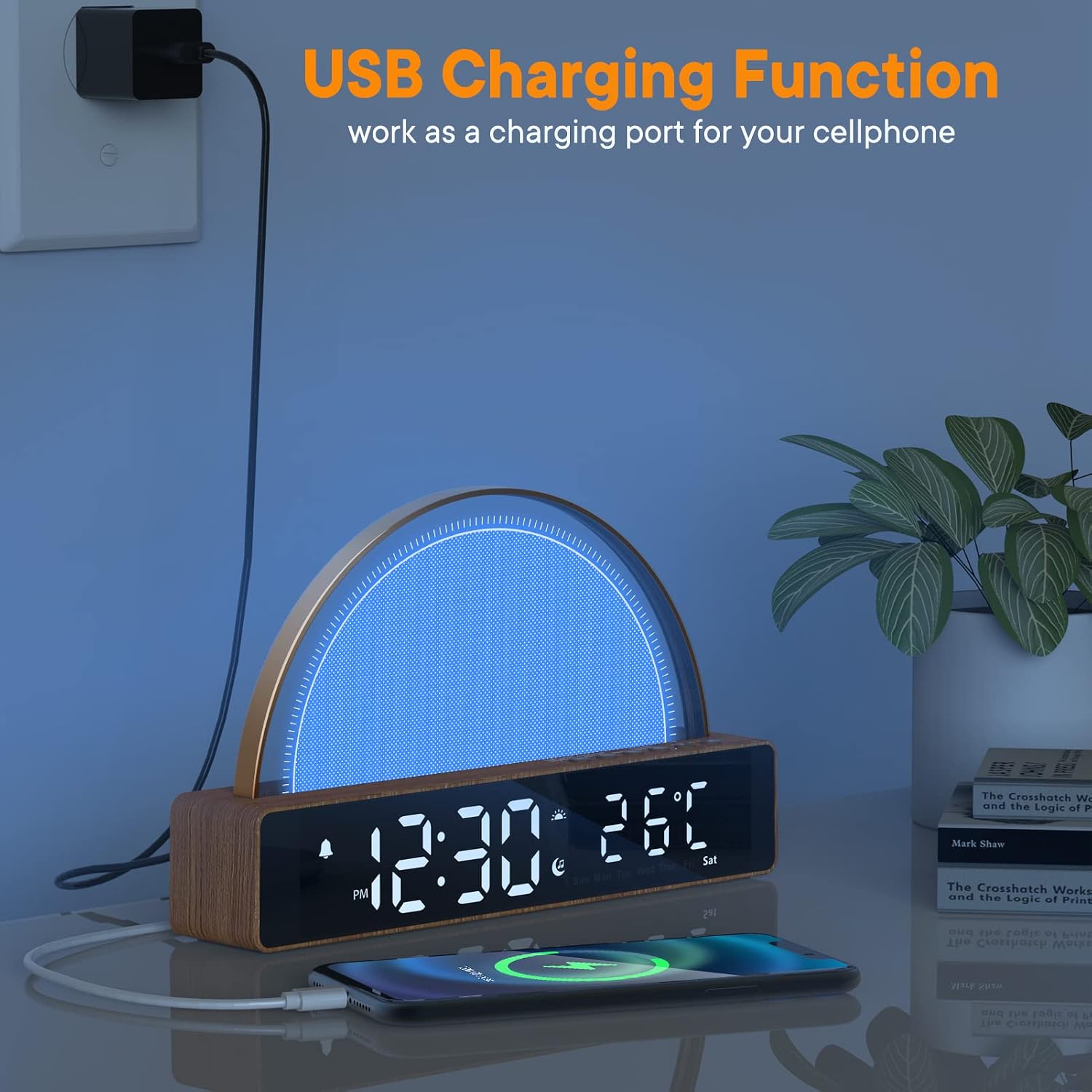
Figure 7: The USB charging function, showing a smartphone connected and charging from the alarm clock's side port.
Simply connect your device's USB charging cable to the USB port on the alarm clock. Ensure the alarm clock is powered on for the charging function to work.
Maintenance
- Cleaning: Use a soft, dry cloth to clean the surface of the device. Do not use abrasive cleaners or solvents.
- Storage: If storing the device for an extended period, disconnect it from power and keep it in a cool, dry place.
- Handling: Avoid dropping the device or subjecting it to strong impacts, as this may damage internal components.
Troubleshooting
| Problem | Possible Cause | Solution |
|---|---|---|
| Device does not power on. | Power adapter not connected properly or power outlet issue. | Ensure the power adapter is securely plugged into both the device and a working electrical outlet. Try a different outlet. |
| Alarm does not sound. | Alarm is not set, volume is too low, or alarm mode is incorrect. | Verify alarm settings (time, sound, volume, mode). Ensure the alarm is enabled. |
| Light does not turn on/adjust. | Light function is disabled or brightness is set to minimum. | Check light settings in alarm mode. Tap the metal frame to activate/change light modes. Adjust brightness using the dimmer control. |
| USB charging not working. | Device not powered on, or cable is faulty. | Ensure the alarm clock is powered on. Try a different USB cable or device. |
Specifications
- Model: M9-01
- Brand: AFEXOA
- Dimensions (L x W x H): 5 x 25 x 15 cm (approx. 1.97 x 9.84 x 5.91 inches)
- Weight: 490 grams (approx. 1.08 lbs)
- Voltage: 5 Volts
- Power Source: Corded Electric
- Special Features: Dimmable, Sunrise Simulation, White Noise Machine, USB Charging Port
- Display Type: Digital
Warranty and Support
For warranty information and technical support, please refer to the contact details provided on the product packaging or the official AFEXOA website. Keep your purchase receipt as proof of purchase.
Online Support: www.afexoa.com (Note: This is a placeholder URL, please refer to actual product documentation for correct support information.)
Ask a question about this manual
Ask about setup, troubleshooting, compatibility, parts, safety, or missing instructions. Manuals+ will review the question and use this page’s manual context to help answer it.