
GoolRC 1/24 2.4GHz 4WD Climbing Car
GoolRC 1/24 2.4GHz 4WD Climbing RC Car Instruction Manual
Model: 1/24 2.4GHz 4WD Climbing Car
Introduction
Thank you for purchasing the GoolRC 1/24 2.4GHz 4WD Climbing RC Car. This remote-controlled off-road truck is designed for enthusiasts of all ages, offering robust performance and excellent climbing capabilities. This manual provides essential information for setting up, operating, maintaining, and troubleshooting your new RC car to ensure a safe and enjoyable experience.

Image: The GoolRC 1/24 scale RC climbing car in red, accompanied by its black pistol-grip remote controller, ready for operation.
What's in the Box
Please check the contents of your package to ensure all items are present:
- GoolRC 1/24 2.4GHz 4WD Climbing RC Car
- 2.4GHz Remote Controller
- Product Manual (this document)
Specifications
| Feature | Detail |
|---|---|
| Scale | 1/24 |
| Speed | 3.5-6.5 km/h |
| Frequency | 2.4GHz |
| Wheel Drive | 4WD (Four-Wheel Drive) |
| Car Battery | 4*AAA Battery (not included) |
| Motor Type | Brushed Motor |
| Remote Control Distance | Up to 30m |
| Remote Controller Battery | 4*AA Battery (not included) |
| Dimensions (L*W*H) | 203*90*99mm (approx. 8.0 x 3.5 x 3.9 inches) |
Setup
1. Battery Installation (RC Car)
- Locate the battery compartment on the underside of the RC car.
- Open the battery compartment cover.
- Insert 4 AAA batteries (not included) into the compartment, ensuring correct polarity (+/-).
- Close the battery compartment cover securely.
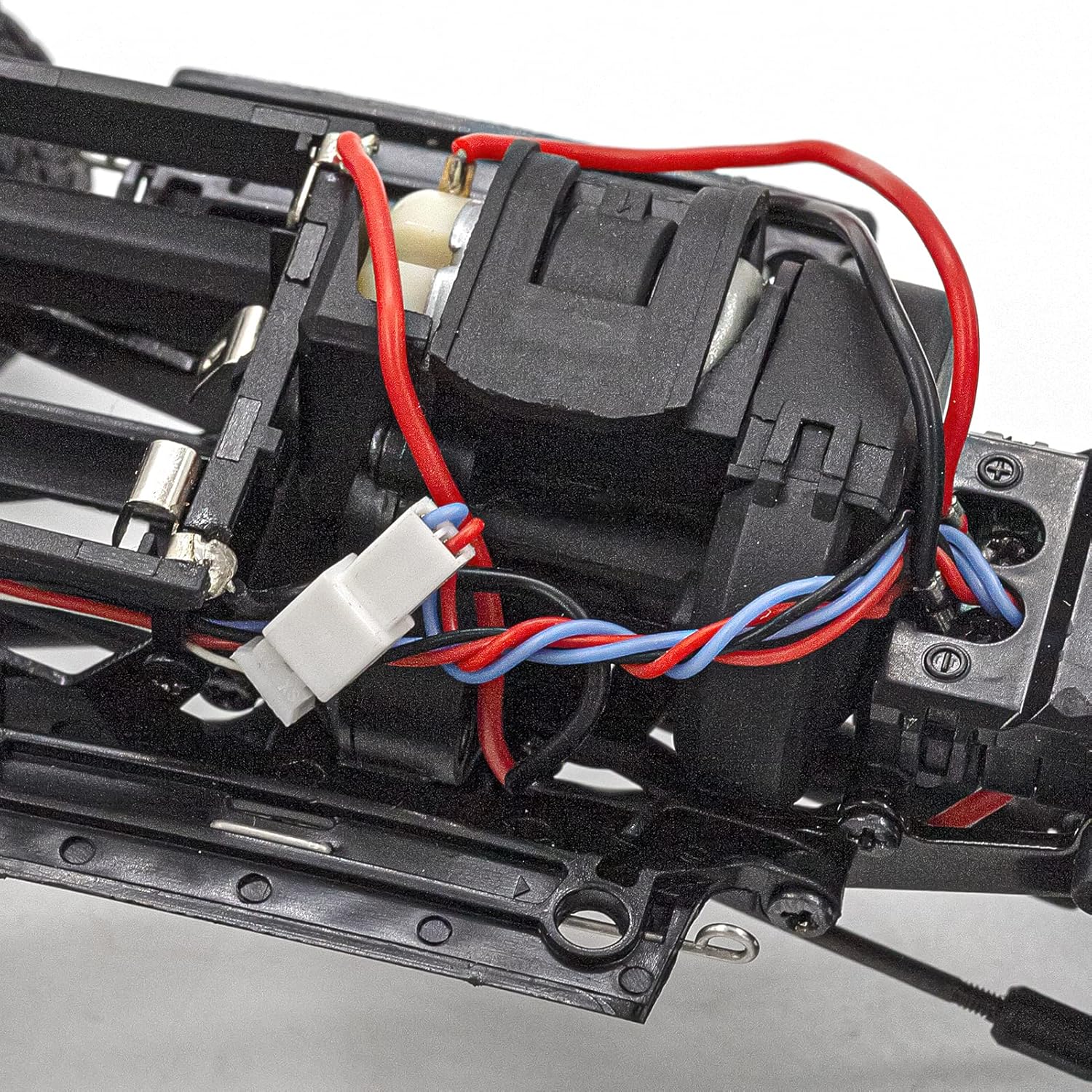
Image: A close-up view of the internal chassis of the RC car, showing the motor, wiring, and the battery compartment area.
2. Battery Installation (Remote Controller)
- Locate the battery compartment on the back of the remote controller.
- Open the battery compartment cover.
- Insert 4 AA batteries (not included) into the compartment, ensuring correct polarity (+/-).
- Close the battery compartment cover securely.
3. Pairing the RC Car and Remote Controller
- Ensure both the RC car and the remote controller have fresh batteries installed.
- Turn on the RC car using its power switch.
- Turn on the remote controller.
- The remote controller and car should automatically pair. A light indicator on both devices may change from blinking to solid once paired.
- If pairing fails, turn both devices off and repeat the steps. Ensure no other 2.4GHz devices are causing interference nearby.
Operating Instructions
Remote Controller Functions

Image: A diagram illustrating the various controls on the pistol-grip remote controller, including the steering wheel, throttle trigger, and trim adjustments.
- Steering Wheel: Rotate left or right to control the direction of the car.
- Throttle Trigger: Pull to move the car forward. Push to apply brakes or reverse.
- Steering Trim: Adjusts the steering to ensure the car drives straight when the steering wheel is centered.
- Throttle Trim: Adjusts the throttle to ensure the car remains stationary when the throttle trigger is released.
Driving Tips
The GoolRC Climbing RC Car is designed for various terrains. Practice in an open area to get familiar with its controls.
- Off-Road: The 4WD system provides excellent traction on uneven surfaces. Drive slowly and deliberately over obstacles.
- Mud Road: Avoid deep mud to prevent damage to electronics. The car can handle light muddy conditions.
- Sand Road: The wide tires provide good flotation on sand. Maintain consistent throttle to avoid getting stuck.
- Rock Road: Utilize the car's climbing capabilities by carefully navigating over rocks. The independent suspension and high ground clearance are beneficial here.

Image: A GoolRC RC car shown against a backdrop of four different terrain types: off-road, mud road, sand road, and rock road, highlighting its versatility.
Maintenance
Regular maintenance will extend the life and performance of your RC car.
- Cleaning: After each use, especially in dusty or dirty conditions, gently brush off dirt and debris from the chassis, wheels, and suspension components. Use a soft, dry cloth. Avoid using water or harsh chemicals directly on electronic parts.
- Battery Storage: Remove batteries from both the car and the remote controller when not in use for extended periods to prevent leakage and damage. Store batteries in a cool, dry place.
- Inspection: Periodically check for loose screws, damaged wires, or worn parts. Tighten screws as needed.
- Lubrication: Moving parts like gears and universal joints may benefit from light lubrication with RC-specific grease or oil.

Image: A detailed view of various components of the RC car, including coil-over shock absorbers, steering angle, drag link and tie rod, tires and wheels, and the battery tray.
Troubleshooting
If you encounter issues with your RC car, refer to the table below for common problems and solutions.
| Problem | Possible Cause | Solution |
|---|---|---|
| Car does not respond to remote. | Low batteries in car or remote; Not paired; Power switch off. | Replace batteries; Re-pair car and remote; Ensure power switches are ON. |
| Car moves slowly or inconsistently. | Low batteries; Obstruction in wheels/gears; Motor issue. | Replace batteries; Clear obstructions; Contact support if motor is faulty. |
| Steering is off-center. | Steering trim needs adjustment. | Adjust the steering trim knob on the remote controller until the car drives straight. |
| Short control range. | Low batteries; Environmental interference. | Replace batteries; Move to an area with less interference (e.g., Wi-Fi, other RC devices). |
Safety Information
Please read and adhere to the following safety guidelines to prevent injury or damage:
- This product is not suitable for children under 3 years old due to small parts. Adult supervision is recommended for all users.
- Do not operate the RC car near people, pets, or valuable objects.
- Avoid operating in public streets or areas with vehicle traffic.
- Do not operate in wet conditions or near water to prevent damage to electronics.
- Always turn off the RC car and remote controller when not in use.
- Remove batteries if the product will not be used for an extended period.
- Use only recommended batteries. Do not mix old and new batteries or different types of batteries.
- Do not attempt to modify or disassemble the RC car or remote controller, as this may void the warranty and cause damage.
Warranty and Support
GoolRC products are manufactured to high-quality standards. For information regarding warranty coverage, technical support, or replacement parts, please refer to the contact information provided with your purchase or visit the official GoolRC website. Please have your product model number and purchase details ready when contacting support.
Ask a question about this manual
Ask about setup, troubleshooting, compatibility, parts, safety, or missing instructions. Manuals+ will review the question and use this page’s manual context to help answer it.