
HEYSONG SONIC BLAST
Heysong SONIC BLAST Bluetooth Speaker User Manual
Model: SONIC BLAST | Brand: HEYSONG
1. Introduction
Thank you for choosing the Heysong SONIC BLAST Bluetooth Speaker. This portable wireless speaker is designed to deliver high-fidelity 360° surround sound with powerful bass and a vibrant RGB light show. It features Bluetooth 5.0 connectivity, is waterproof, and supports multiple playback options including TF card and USB. Please read this manual carefully before use to ensure proper operation and to maximize your listening experience.
2. Safety Information
- Do not expose the speaker to extreme temperatures or direct sunlight for extended periods.
- Avoid dropping or subjecting the speaker to strong impacts.
- Keep the speaker away from medical devices.
- Do not attempt to disassemble, repair, or modify the speaker yourself. This will void the warranty.
- Ensure the charging port cover is securely closed when the speaker is exposed to water to maintain its waterproof rating.
- Use only the provided charging cable or a certified equivalent.
- Dispose of the product and its battery responsibly according to local regulations.
3. Package Contents
- Heysong SONIC BLAST Bluetooth Speaker
- USB Charging Cable
- AUX Audio Cable
- User Manual
- Lanyard
4. Product Overview

Figure 4.1: Heysong SONIC BLAST Bluetooth Speaker (Mint Green)
The Heysong SONIC BLAST speaker features a cylindrical design with a durable mesh fabric exterior. The top panel includes control buttons, and the side features the brand logo. The speaker is designed to be portable and robust, suitable for various environments, including those with water exposure.
4.1 Button Functions
| Button/Port | Function |
|---|---|
| Power Button | Press and hold to power on/off. Short press to play/pause. |
| Volume Up (+) | Short press to increase volume. Long press for next track. |
| Volume Down (-) | Short press to decrease volume. Long press for previous track. |
| Mode Button (M) | Short press to switch between Bluetooth, AUX, TF Card, and USB modes. |
| Light Button | Short press to cycle through light modes or turn lights off. |
| Charging Port (USB-C) | Connect USB charging cable to charge the speaker. |
| AUX-in Port | Connect external audio devices via 3.5mm audio cable. |
| TF Card Slot | Insert a TF (Micro SD) card for direct music playback. |
| USB Port | Insert a USB flash drive for direct music playback. |
5. Setup
5.1 Initial Charging
Before first use, fully charge the speaker. Connect the provided USB charging cable to the speaker's charging port and the other end to a USB power adapter (not included) or a computer's USB port. The charging indicator light will show charging status and turn off when fully charged.
5.2 Powering On/Off
- To Power On: Press and hold the Power button for 2-3 seconds until you hear an audible prompt and the indicator light turns on.
- To Power Off: Press and hold the Power button for 2-3 seconds until you hear an audible prompt and the indicator light turns off.
6. Operating Instructions
6.1 Bluetooth Pairing

Figure 6.1: Bluetooth 5.0 Connectivity
The speaker utilizes advanced Bluetooth 5.0 for a fast and stable connection.
- Turn on the speaker. It will automatically enter Bluetooth pairing mode, indicated by a flashing blue LED.
- Enable Bluetooth on your device (smartphone, tablet, computer).
- Search for "SONIC BLAST" in the list of available Bluetooth devices.
- Select "SONIC BLAST" to connect. Once connected, the LED will stop flashing and remain solid blue, and you will hear a confirmation sound.
- The speaker will automatically reconnect to the last paired device when powered on, if within range.
6.2 AUX Mode
Connect one end of the 3.5mm AUX audio cable to the speaker's AUX-in port and the other end to the audio output of your device. The speaker will automatically switch to AUX mode, or you can press the Mode button to select AUX mode.
6.3 TF Card / USB Playback
Insert a TF (Micro SD) card or a USB flash drive into the respective slot. The speaker will automatically detect the storage device and begin playing audio files. Press the Mode button to switch between different input sources if needed.
6.4 Light Modes
The speaker features an RGB light show that synchronizes with the music. Short press the Light button to cycle through different light modes or to turn the lights off. The lights can create a party atmosphere and enhance your listening experience.
6.5 True Wireless Stereo (TWS) Pairing
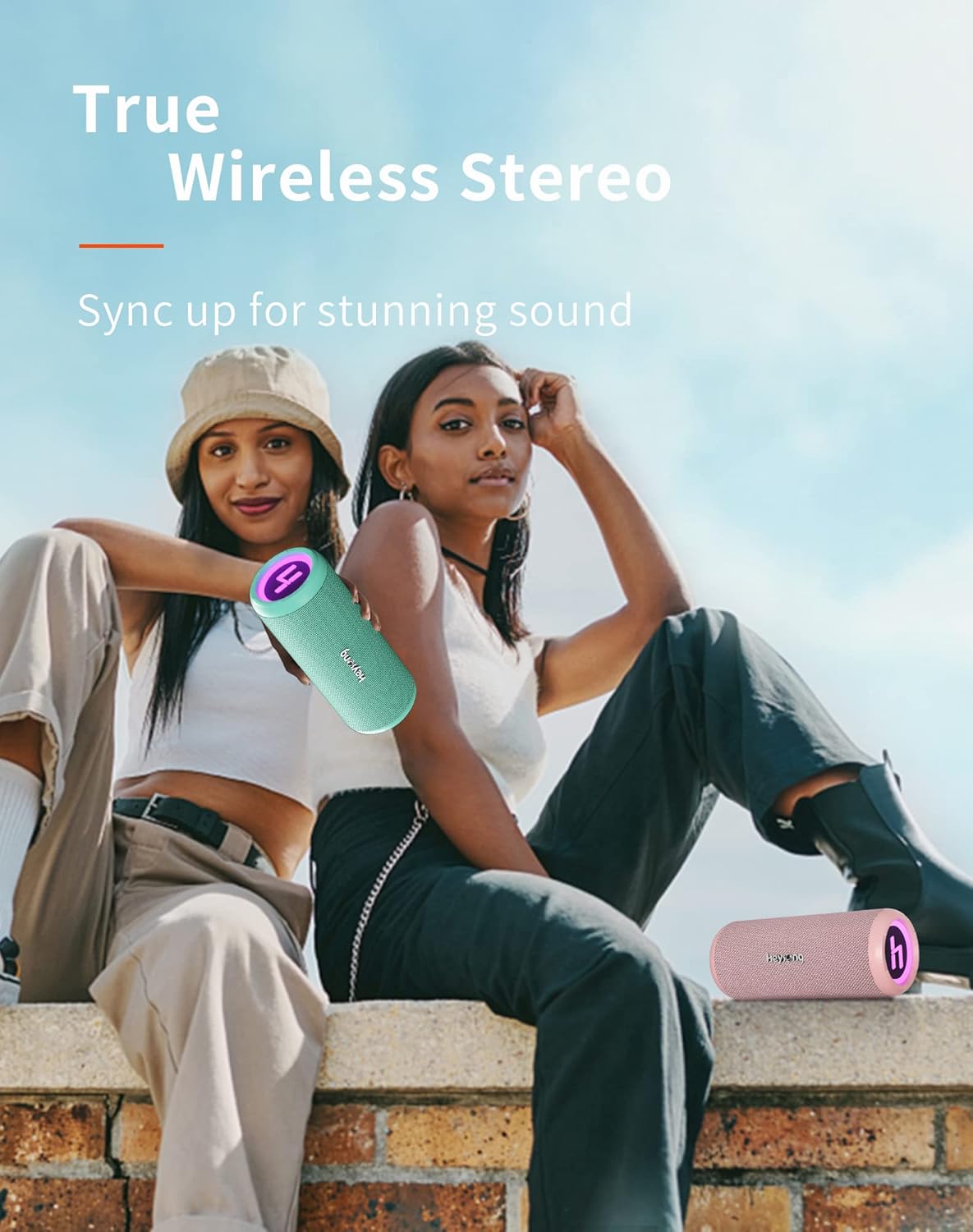
Figure 6.2: True Wireless Stereo Pairing
You can pair two Heysong SONIC BLAST speakers together to create a powerful stereo sound experience.
- Ensure both SONIC BLAST speakers are powered on and not connected to any Bluetooth device.
- On one speaker (this will be the primary speaker), double-press the Power button. You will hear a prompt indicating it's searching for another speaker.
- The two speakers will automatically connect to each other. Once successfully paired, you will hear a confirmation sound.
- Now, connect your device to the primary speaker via Bluetooth as described in section 6.1. Audio will play through both speakers in stereo.
7. Charging
The Heysong SONIC BLAST speaker is equipped with a built-in 4000mAh rechargeable lithium battery, providing up to 15 hours of playback time (at 50% volume). When the battery is low, you will hear an audible alert. Connect the speaker to a USB power source using the provided USB cable to charge. The charging indicator will illuminate during charging and turn off when the battery is full.
8. Maintenance
- Cleaning: Use a soft, dry cloth to clean the speaker. For stubborn dirt, a slightly damp cloth can be used, but ensure the charging port cover is sealed. Do not use harsh chemicals or abrasive cleaners.
- Storage: Store the speaker in a cool, dry place away from direct sunlight and extreme temperatures. If storing for a long period, charge the battery to about 50% every few months to prolong its lifespan.
- Water Resistance: While waterproof, avoid prolonged submersion. Always ensure the charging port cover is tightly sealed before exposing the speaker to water.
9. Troubleshooting
| Problem | Possible Cause / Solution |
|---|---|
| Speaker does not power on. | Battery is depleted. Charge the speaker fully. |
| Cannot pair with Bluetooth device. |
|
| No sound or low volume. |
|
| Sound distortion at high volume. | Reduce the volume on the speaker or the connected device. Ensure audio source quality is good. |
| TWS pairing fails. |
|
10. Specifications
| Feature | Detail |
|---|---|
| Brand | HEYSONG |
| Model Name | HEYSONG SONIC BLAST |
| ASIN | B0B5D99FVP |
| Connectivity Technology | Bluetooth, Auxiliary Input, USB Playback, TF Card |
| Bluetooth Version | 5.0 |
| Speaker Type | Waterproof |
| Special Features | Portable, Wireless, RGB Light Show, 360° Surround Sound, Dual Bass Driver |
| Maximum Speaker Output Power | 30 Watts |
| Battery Life | 15 hours |
| Battery Capacity | 4000 mAh (Lithium-ion) |
| Product Dimensions (L x W x H) | 22 x 11 x 10.5 cm (8.66 x 4.33 x 4.13 inches) |
| Item Weight | 620 Grams (1.37 lbs) |
| Color | Mint Green |
| Control Type | Integrated Buttons |
| Surround Sound Channel Configuration | 2.0 |
| Recommended Uses | For television, Portable use, Outdoor/Indoor activities |
| Compatible Devices | Laptop, Television, Smartphones, Tablets |
11. Warranty and Support
The Heysong SONIC BLAST Bluetooth Speaker comes with a 1-year manufacturer's warranty from the date of purchase. This warranty covers manufacturing defects and workmanship. It does not cover damage caused by misuse, accidents, unauthorized modifications, or normal wear and tear.
For warranty claims, technical support, or any questions regarding your product, please contact HEYSONG customer service through the retailer where you purchased the product or visit the official HEYSONG website for contact information. Please have your purchase receipt and product model number ready when contacting support.
Related documentsSONIC BLAST


Ask a question about this manual
Ask about setup, troubleshooting, compatibility, parts, safety, or missing instructions. Manuals+ will review the question and use this page’s manual context to help answer it.