
Introduction
This manual provides comprehensive instructions for the weelye CSR-12T-1B 12V 2.4G Bluetooth Remote Control and Receiver Kit. This kit is designed as a replacement part for children's electric riding cars. It covers essential information regarding compatibility, installation, operation, maintenance, and troubleshooting to ensure proper functionality and safe use of the product.
Compatibility
To determine if the CSR-12T-1B control box is suitable for your child's electric riding car, it is crucial to perform a visual inspection. Open the damaged electric car and carefully examine the existing control box. If the appearance of your current control box is identical to the CSR-12T-1B model, this replacement part should be compatible with your vehicle. Additionally, verify that the model numbers printed on the receiver unit match 'CSR-12T-1B'.

Image: Front view of the weelye CSR-12T-1B 12V control box. This image shows the main body of the control box with its model number and specifications clearly visible on a red label.

Image: Angled view of the weelye CSR-12T-1B 12V control box. This perspective highlights the various connection ports and the overall physical design of the control box.
Setup and Pairing
Installation
The CSR-12T-1B control box is equipped with a built-in slow start function, which means there is no requirement to install an additional slow starter. Carefully connect all wiring harnesses to their corresponding ports on the control box and the electric riding car. Ensure all connections are firm and secure to prevent disconnections during operation.
Remote Control Battery Installation
- Ensure the power switch on the electric riding car is in the 'OFF' position.
- Locate and remove the battery cover on the back of the remote control.
- Insert two (2) AAA batteries, observing the correct polarity (+/-) as indicated inside the battery compartment.
- Replace the battery cover securely.
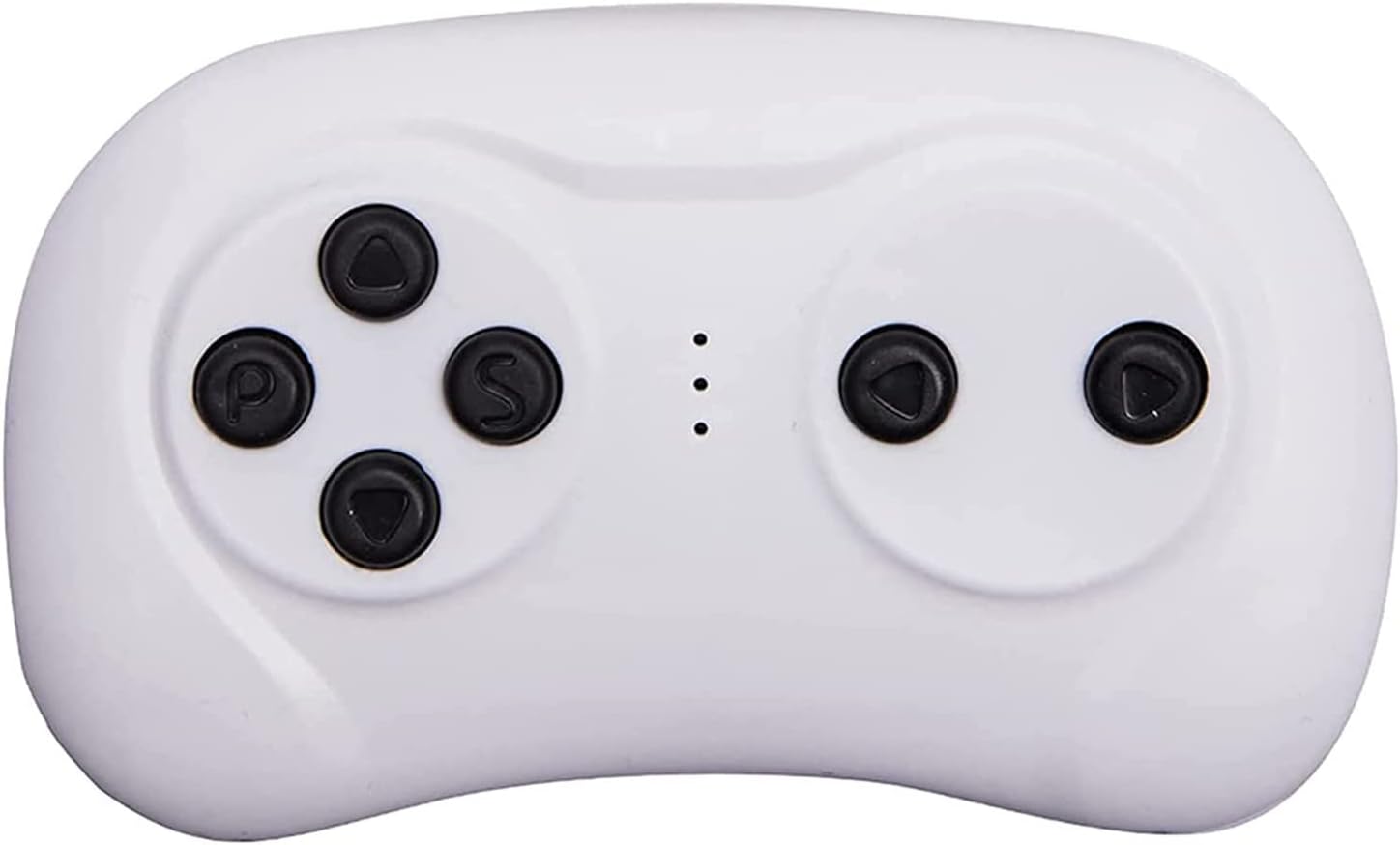
Image: Front view of the weelye 2.4G Bluetooth remote control. This image displays the buttons and ergonomic shape of the remote control unit.

Image: Back view of the weelye 2.4G Bluetooth remote control. This view shows the battery compartment and regulatory information.
Frequency Linking (Pairing)
The remote control must be paired with the receiver unit upon first use or after replacing the remote control batteries. This process establishes a secure connection between the two components.
- Ensure the remote control has fresh batteries installed.
- Turn on the power switch of the electric riding car.
- Observe the LED indicators on the remote control. They will begin to flash, indicating it is searching for a signal.
- Once the LED indicators stop flashing and two of them remain steadily lit, the frequency linking (pairing) process is successful.
- After a successful pairing, if you only replace the batteries in the remote control, there is no need to repeat the coding process.

Image: Diagram illustrating remote control pairing process. This visual guide helps users understand how to link the remote control with the receiver, showing different remote control types based on receiver models.
Operating Instructions
The 2.4G Bluetooth remote control is designed for ease of use. If the remote control is not used for an extended period, it will automatically enter a sleep mode to conserve battery power. In sleep mode, the LED indicators on the remote control will turn off.
To wake up the remote control from sleep mode and resume normal operation, simply press any button on the remote control. The remote control will reactivate, and you can then control the electric riding car as usual.
Maintenance
To ensure the longevity and optimal performance of your CSR-12T-1B kit, regular maintenance is recommended:
- Inspection: Periodically inspect all wiring connections for any signs of looseness, damage, or corrosion. Ensure they are securely fastened.
- Cleaning: Keep the control box and remote control clean and free from dust, dirt, and debris. Use a soft, dry cloth for cleaning. Avoid using harsh chemicals or abrasive materials.
- Storage: Store the components in a dry environment, away from direct sunlight, extreme temperatures, and excessive moisture.
- Battery Check: Regularly check the remote control batteries and replace them when they are low to ensure consistent performance.
Troubleshooting
If you encounter issues with the CSR-12T-1B remote control and receiver kit, consider the following troubleshooting steps:
- No Power to Car: Verify that the electric riding car's main power switch is on and that its battery is fully charged and properly connected.
- Remote Control Not Responding:
- Check if the remote control batteries are correctly installed and have sufficient charge. Replace them if necessary.
- Ensure the remote control is not in sleep mode. Press any button to wake it up.
- Re-attempt the frequency linking (pairing) process as described in the 'Setup and Pairing' section.
- Intermittent Operation: Check all wiring connections to the control box and other components of the riding car for any loose or damaged wires.
- Car Not Moving: Confirm that other essential functions of the riding car, such as the motor and drive system, are working correctly.
If these steps do not resolve the issue, please contact customer support for further assistance.
Specifications
| Component | Detail |
|---|---|
| Model | CSR-12T-1B |
| Operating Voltage | DC 12V |
| Working Current | 25A MAX |
| Remote Control Type | 2.4G Bluetooth |
| Product Dimensions | 5.3 x 3.4 x 2.6 inches |
| Item Weight | 4.6 ounces |
| Manufacturer | weelye |
Warranty Information
Specific warranty details for the weelye CSR-12T-1B 12V Remote Control and Receiver Kit are not provided within this instruction manual. For comprehensive information regarding product warranty, including terms, conditions, and duration, please refer to the original purchase documentation or contact the manufacturer directly through their official support channels.
Support
For further assistance, technical support, or inquiries regarding the weelye CSR-12T-1B kit, please visit the official weelye store on Amazon. The store provides additional product information and contact options for customer service.
weelye Store: https://www.amazon.com/stores/weelye/page/1D649541-6765-4EB3-A549-13E970D91EA2