
HUAWEI ODN-B19
HUAWEI WATCH GT 3 Pro 46mm Smartwatch User Manual
Model: ODN-B19
1. Introduction
The HUAWEI WATCH GT 3 Pro 46mm is a sophisticated smartwatch that blends traditional aesthetics with advanced technology. It features a durable titanium case and a sapphire glass display, elevating its design and resilience. This device is equipped with comprehensive health management functions and robust water resistance, making it suitable for various sports and daily activities.

Image: Front view of the HUAWEI WATCH GT 3 Pro 46mm smartwatch with a grey leather strap.
2. Setup
2.1 Charging the Device
Before first use, ensure your HUAWEI WATCH GT 3 Pro is fully charged. The watch supports magnetic charging. A full charge typically provides approximately 14 days of continuous use under normal conditions.
- Connect the charging cable to a power source.
- Attach the magnetic end of the cable to the charging contacts on the back of the watch.
- The watch display will indicate charging status.

Image: The smartwatch on its magnetic charger, illustrating its long battery life.
2.2 Installing the HUAWEI Health App
To unlock the full potential of your smartwatch, install the HUAWEI Health app on your smartphone.
- For iOS devices: Download the HUAWEI Health app from the Apple App Store, or scan the QR code provided on the product packaging.
- For Android devices: Scan the QR code on the product packaging to download the app from the HUAWEI App Gallery website.

Image: A smartphone displaying the HUAWEI Health app interface, showing various health metrics.
3. Operating the Smartwatch
3.1 Basic Functions
- Call Management: View incoming calls, reject calls, and make Bluetooth calls directly from your watch.
- Message Notifications: Receive and view message notifications from your paired smartphone.
- Time and Alarms: Utilize timer and alarm functions for daily reminders.
- Weather Forecast: Get real-time weather updates on your wrist.

Image: The smartwatch display showing an incoming call with options to answer or reject.
3.2 Health Monitoring
The HUAWEI WATCH GT 3 Pro offers comprehensive health monitoring features:
- Heart Rate Monitoring: Continuously track your heart rate throughout the day.
- Blood Oxygen (SpO2) Measurement: Monitor your blood oxygen levels.
- Sleep Tracking: Analyze your sleep patterns and quality.
- Stress Monitoring: Keep track of your stress levels.
- Menstrual Cycle Tracking: For female users, track and predict menstrual cycles.

Image: A visual representation of the smartwatch's health monitoring capabilities, including sleep, stress, blood oxygen, heart rate, and menstrual cycle tracking.
Note: This product is for general wellness and fitness purposes and is not designed as a medical device. It cannot be used for diagnosis, treatment, or prevention of diseases.
3.3 Workout Modes
The watch supports over 100 workout modes, allowing you to track various physical activities with detailed metrics.
- Running: Track running performance and metrics.
- Swimming: Monitor your swimming sessions.
- Diving: Supports free diving up to 30 meters.
- And many more, including cycling, golf, and various indoor/outdoor sports.
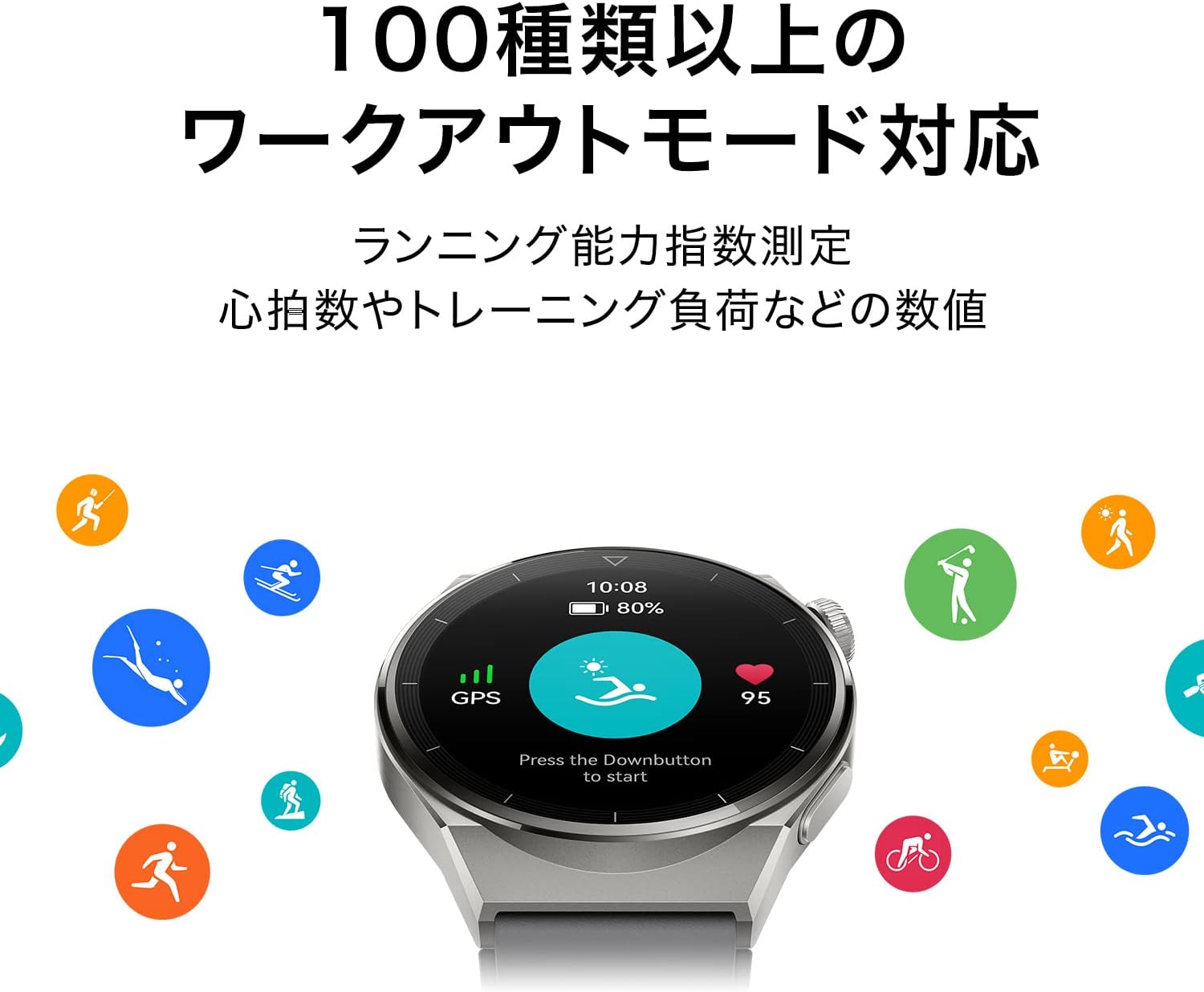
Image: The smartwatch display showing a swimming workout mode, surrounded by icons representing over 100 different sports activities.
4. Maintenance
4.1 Water Resistance
The HUAWEI WATCH GT 3 Pro is rated IP68 and 5ATM, complying with ISO 22810:2010 for 50m water resistance and EN13319 for free diving up to 30m. This allows for use in shallow water activities like swimming in pools or at the beach, and free diving.

Image: A person's arm underwater wearing the HUAWEI WATCH GT 3 Pro, demonstrating its water resistance for free diving up to 30m.
Important Considerations:
- Do not use the watch in hot showers, hot springs, saunas (steam rooms), during platform dives, high-pressure washing, or in environments with high temperature, high humidity, or rapid water flow.
- It is not suitable for scuba diving, technical diving, or underwater activities exceeding 30m depth.
- After use in seawater, always rinse the watch with fresh water.
- Leather and metal bands are not designed to withstand swimming or sweat. It is recommended to use other types of bands for water activities.
- Water resistance is not permanent and may decrease over time with daily wear.
4.2 Cleaning
Regularly clean your smartwatch to maintain its appearance and functionality. Use a soft, lint-free cloth. For stubborn dirt, slightly dampen the cloth with water. Avoid using harsh chemicals or abrasive materials.
5. Troubleshooting
| Problem | Possible Cause / Solution |
|---|---|
| Watch not turning on or charging. | Ensure the charging cable is properly connected to both the watch and the power source. Check if the power adapter is working. The battery might be completely drained; allow it to charge for a few minutes before attempting to turn it on. |
| Cannot connect to the HUAWEI Health app. | Ensure Bluetooth is enabled on your smartphone and the watch. Make sure the HUAWEI Health app is updated to the latest version. For Android users, ensure you have downloaded the app from the HUAWEI App Gallery as Google Play Store might not have the latest version or full compatibility due to regional restrictions. Restart both the watch and the phone. |
| Inaccurate health data readings. | Ensure the watch is worn snugly on your wrist, not too loose or too tight. Clean the sensors on the back of the watch. Avoid excessive movement during measurements. Environmental factors can sometimes affect readings. |
| Short battery life. | Frequent use of GPS, continuous heart rate monitoring, or numerous notifications can reduce battery life. Adjust settings in the HUAWEI Health app to optimize battery consumption. Ensure background app refresh is managed. |
6. Specifications
| Feature | Detail |
|---|---|
| Model Number | ODN-B19 |
| Operating System | Harmony OS2 |
| Dimensions | 4.66 x 4.66 x 1.09 cm |
| Weight | 54 g (without strap) |
| Battery | 1 Lithium Ion Battery (included) |
| Wireless Technology | Bluetooth |
| Connectivity | Bluetooth, GPS |
| GPS | Built-in GPS |
| Special Features | Activity Tracker, Sleep Monitor, Wireless Charging, GPS, Heart Rate Monitor |
| Input Device | Touchscreen |
| Color | Gray |
| Box Contents | Quick Start Guide, Charging Cable |
| Memory Storage | 32 GB |
7. Warranty and Support
7.1 Product Warranty
HUAWEI provides the following warranty periods from the customer's purchase date:
- Main Unit: 1 year
- Included Charger: 6 months
- USB Cable: 3 months
The product warranty applies to products purchased from carts where Amazon.co.jp is specified as the seller/shipper.
7.2 Customer Support
For any inquiries or support regarding your HUAWEI WATCH GT 3 Pro, please contact Huawei Customer Service:
Email: Support.jp@huawei.com
Related documentsODN-B19


Ask a question about this manual
Ask about setup, troubleshooting, compatibility, parts, safety, or missing instructions. Manuals+ will review the question and use this page’s manual context to help answer it.