
1. Introduction
Welcome to the JBL Tour PRO+ TWS True Wireless Bluetooth Earbuds. These earbuds are designed to provide a superior audio experience with advanced features for your daily listening needs. This manual will guide you through the setup, operation, and maintenance of your new earbuds.
What's in the Box
- JBL Tour PRO+ TWS Earbuds
- USB-C Charging Cable
- Charging Case
- 5 Pairs of Ear Tips (various sizes)
- 2 Pairs of Stabilizers
- Quick Start Guide (QSG)

Image: JBL Tour PRO+ TWS Earbuds securely placed within their charging case.
2. Setup
2.1 Charging the Earbuds and Case
Before first use, fully charge your earbuds and charging case. The charging case provides up to 32 hours of total battery life, with the earbuds offering approximately 10 hours of playback on a single charge, and the case providing an additional 22 hours (three power-ups).
- Place the earbuds into the charging case.
- Connect the USB-C charging cable to the port on the bottom of the charging case and to a power source.
- The LED indicator on the case will show charging status.
- The case supports Qi-compatible wireless charging. Simply place the case on a wireless charging pad.

Image: The bottom of the charging case, highlighting the USB-C charging port and a small LED indicator.

Image: The JBL Tour PRO+ TWS charging case in a closed position, displaying the JBL logo.
2.2 Pairing with a Bluetooth Device
The earbuds are designed for easy pairing with Bluetooth-enabled devices.
- Open the charging case. The earbuds will automatically enter pairing mode.
- On your device (smartphone, tablet, etc.), go to Bluetooth settings and enable Bluetooth.
- Select "JBL Tour PRO+ TWS" from the list of available devices.
- Once connected, you will hear an audible confirmation, and the LED indicators on the earbuds will change.

Image: The JBL Tour PRO+ TWS Earbuds shown from a top-down perspective, highlighting their sleek design.
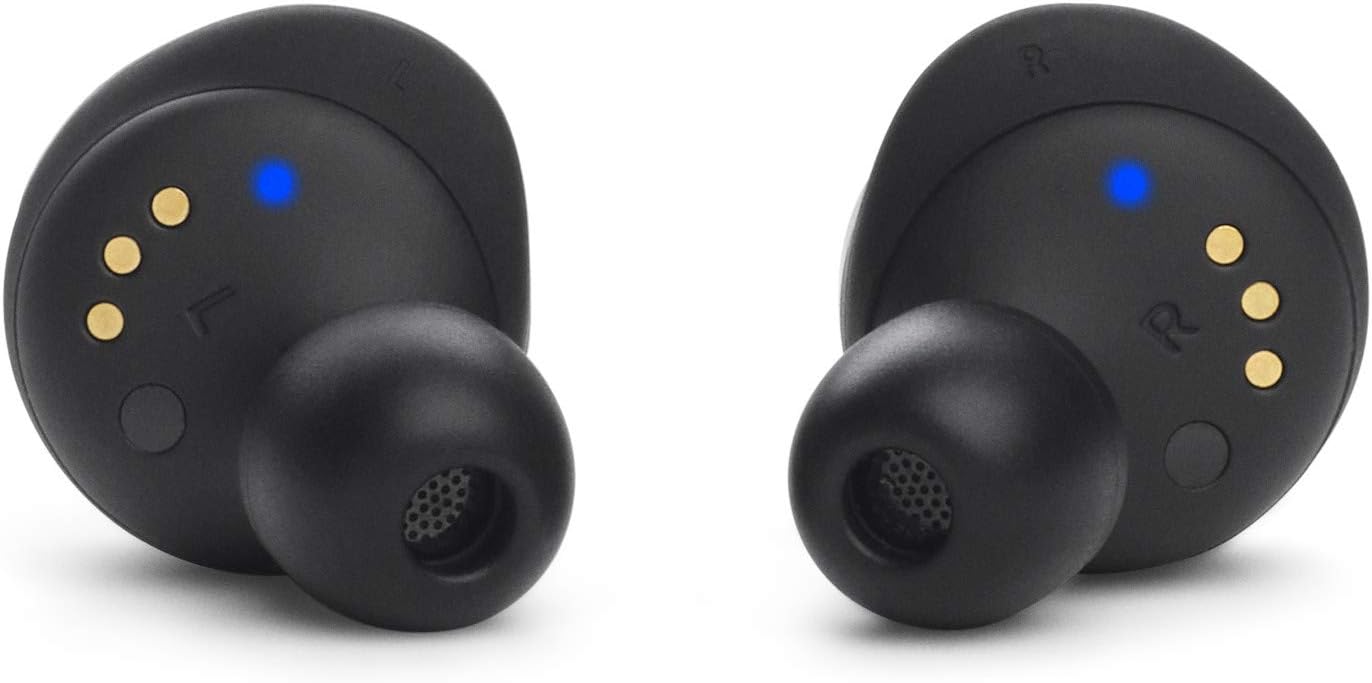
Image: The JBL Tour PRO+ TWS Earbuds shown from a bottom-up perspective, revealing charging contacts and sensors.
3. Operating Instructions
3.1 Touch Controls
The JBL Tour PRO+ TWS earbuds feature intuitive touch controls on each earbud. Specific functions can be customized via the JBL Headphones App.
- Single Tap: Play/Pause music, Answer/End call.
- Double Tap: Skip forward, Reject call.
- Triple Tap: Skip backward.
- Touch and Hold: Activate Voice Assistant, Toggle Active Noise Cancelling/Smart Ambient.
3.2 Active Noise Cancelling (ANC) & Smart Ambient
These earbuds feature Adaptive Noise Cancelling technology to minimize distractions and Smart Ambient Technology to keep you aware of your surroundings.
- Active Noise Cancelling: Reduces external noise for an immersive listening experience.
- Smart Ambient: Allows you to hear ambient sounds around you, useful for safety or conversations without removing earbuds.
- Toggle between these modes by touching and holding the designated earbud (customizable via app).
3.3 Voice Assistant Integration
Activate your preferred voice assistant (Hey Google or Amazon Alexa) hands-free using your voice or through the touch controls.
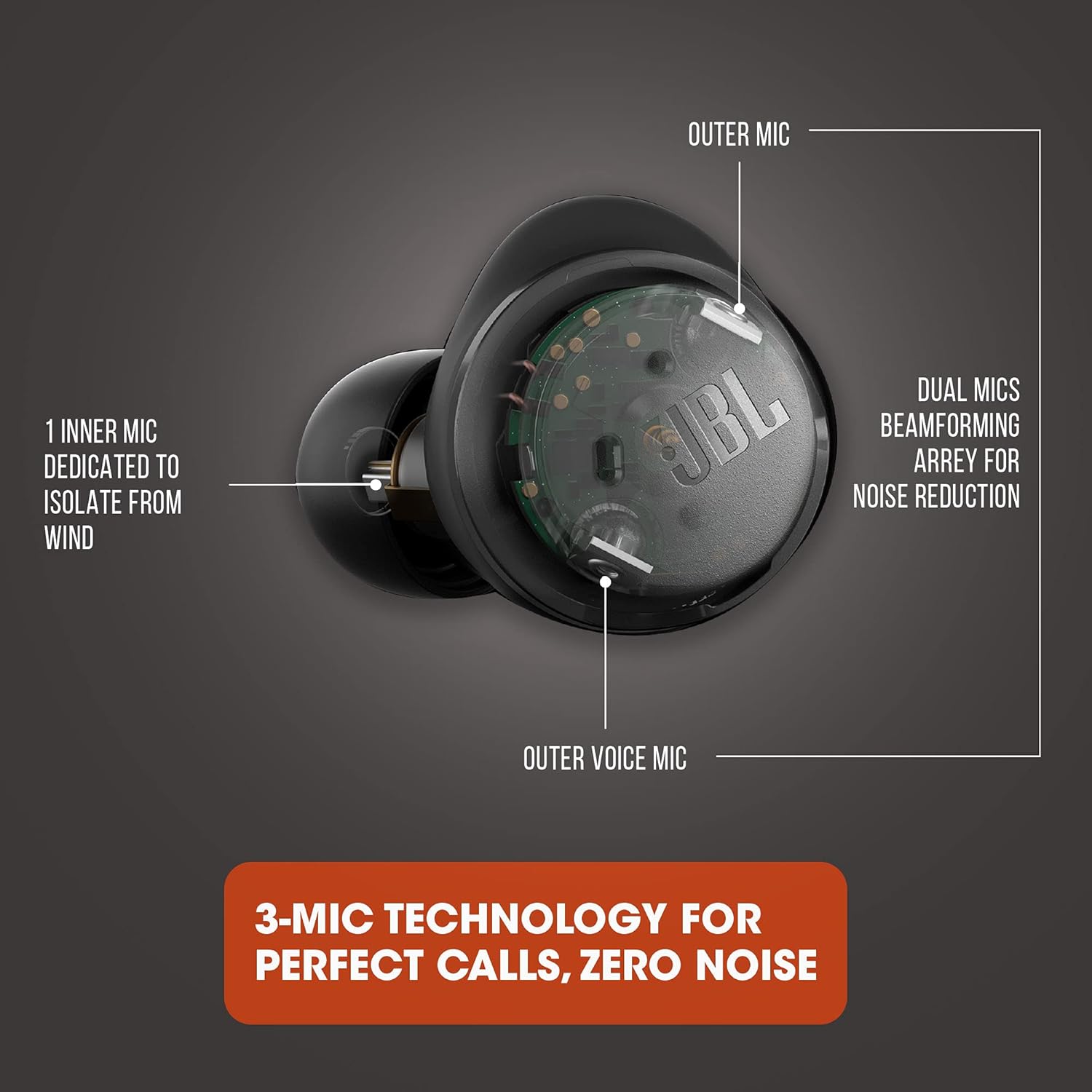
Image: A detailed diagram illustrating the three-microphone technology within the earbud, designed for perfect calls with zero noise by utilizing outer beamforming mics and an inner mic for wind isolation.

Image: A woman smiling while wearing JBL Tour PRO+ TWS Earbuds and interacting with a tablet, demonstrating the use of app features for enhanced productivity.
4. Maintenance
To ensure optimal performance and longevity of your JBL Tour PRO+ TWS earbuds, follow these maintenance guidelines:
- Cleaning: Regularly clean the ear tips and the mesh covers of the earbuds with a soft, dry cloth. If necessary, remove the silicone ear tips and wash them with mild soap and water, ensuring they are completely dry before reattaching.
- Storage: Always store the earbuds in their charging case when not in use to protect them from dust, damage, and to keep them charged.
- Water Resistance: The earbuds are water resistant (IPX5 rated), meaning they can withstand splashes and sweat. However, they are not designed for submersion in water. Ensure they are dry before placing them back in the charging case.
5. Troubleshooting
If you encounter issues with your earbuds, try the following steps:
- No Sound/Poor Sound Quality:
- Ensure earbuds are charged and properly paired.
- Check the volume level on both your device and the earbuds.
- Clean any debris from the ear tips and speaker mesh.
- Try re-pairing the earbuds with your device.
- Earbuds Not Pairing:
- Ensure Bluetooth is enabled on your device.
- Place earbuds back in the case, close it, then open it again to re-enter pairing mode.
- Forget the device from your phone's Bluetooth list and try pairing again.
- Charging Issues:
- Ensure the charging cable is securely connected to both the case and the power source.
- Verify the power source is active.
- If using wireless charging, ensure the case is correctly positioned on the Qi-compatible pad.
6. Specifications
| Brand | JBL |
| Model | JBL Tour PRO+ TWS |
| Color | Black |
| Ear Placement | In Ear |
| Noise Control | Active Noise Cancellation |
| Connectivity | Bluetooth 5.0 (Wireless) |
| Bluetooth Range | Up to 10 meters |
| Audio Driver Size | 6.8 mm Dynamic Driver |
| Frequency Range | 10Hz - 20kHz |
| Sensitivity | 100 dB |
| Battery Life (Total) | Up to 32 hours (10 hours earbuds + 22 hours from case) |
| Charging | USB-C, Qi-compatible Wireless Charging, Fast Charging |
| Control Method | Touch, Voice (Alexa, Hey Google) |
| Water Resistance | IPX5 (Water Resistant) |
| Weight | 71.8 Grams |
7. Warranty & Support
This JBL Tour PRO+ TWS product is offered as an Amazon Renewed item and comes with a 90-day limited warranty. For any support or warranty claims, please refer to the Amazon Renewed Guarantee details provided at the time of purchase.
If you are not satisfied with your purchase, renewed products are eligible for replacement or refund under the Amazon Renewed Guarantee.
8. Video Guide
Video: An official product video demonstrating the features and usage of the JBL Tour PRO+ TWS Earbuds. This video provides a visual guide to setup, controls, and key functionalities.


