
SJRC F7 PRO
SJRC F7 PRO GPS Drone User Manual
Model: F7 PRO
1. Introduction
This manual provides essential information for the safe and effective operation of your SJRC F7 PRO GPS Drone. Please read it thoroughly before first use and retain it for future reference.
The SJRC F7 PRO is a professional-grade GPS drone equipped with a 4K HD camera and a 3-axis gimbal, designed for high-quality aerial photography and videography. It features advanced functionalities such as extended flight time, precise control, auto-landing, and one-button return.
2. Package Contents
Verify that all items are present in your package:
- SJRC F7 PRO GPS Drone
- Remote Controller
- Flight Battery (Quantity may vary based on purchase)
- USB Charging Cable
- Spare Propellers
- User Manual
- Carrying Bag (if included in package)

Image: SJRC F7 PRO GPS Drone with its remote controller, flight battery, spare propellers, and carrying bag.
3. Setup Guide
3.1 Charging the Battery
Before first use, fully charge the drone's flight battery and the remote controller. Use the provided USB charging cable.
- Connect the flight battery to the charging cable.
- Plug the USB cable into a compatible USB power adapter (not included).
- Charging indicators will show the charging status.
3.2 Installing Propellers
Ensure propellers are installed correctly according to their markings (A or B) and the drone's motor arms.
3.3 Remote Controller Setup
Insert your smartphone into the remote controller's holder to use the companion app for live video feed and advanced controls.

Image: Remote controller with a smartphone displaying the drone's camera feed, indicating easy app operation.
4. Operating Instructions
4.1 Pre-Flight Checklist
- Ensure batteries are fully charged.
- Check propellers for damage and ensure they are securely attached.
- Verify GPS signal strength before takeoff.
- Ensure the drone is placed on a flat, open surface.
4.2 Takeoff and Landing
The drone supports one-button takeoff and landing for ease of use.
- One-Button Takeoff: Press the takeoff button on the remote controller or in the app. The drone will automatically ascend to a safe height.
- One-Button Landing: Press the landing button. The drone will descend and land automatically.
- Emergency Stop: In an emergency, refer to the app or remote control for emergency stop procedures.
4.3 Flight Modes and Features
The SJRC F7 PRO offers various intelligent flight modes:
- GPS Mode: Provides stable hovering and precise positioning.
- Return to Home (RTH): Automatically returns the drone to its takeoff point when activated or in case of low battery/signal loss.
- Follow Me Mode: The drone will automatically follow the remote controller or designated subject.
- Waypoint Flight: Plan a flight path on the app interface, and the drone will fly along the specified points.
- Gesture Shooting: Use specific hand gestures to trigger photo or video recording.

Image: Drone executing a planned flight path over a coastal road, demonstrating the shipping point plan feature.
4.4 Camera Operation
The 4K HD camera with a 3-axis gimbal ensures stable and high-quality aerial footage.
- Photo/Video Capture: Use the dedicated buttons on the remote controller or the app interface to take photos or start/stop video recording.
- Gimbal Control: Adjust the camera's pitch and yaw using the remote controller's dials or the app.
- Image Zoom: The app allows for digital zoom during flight.
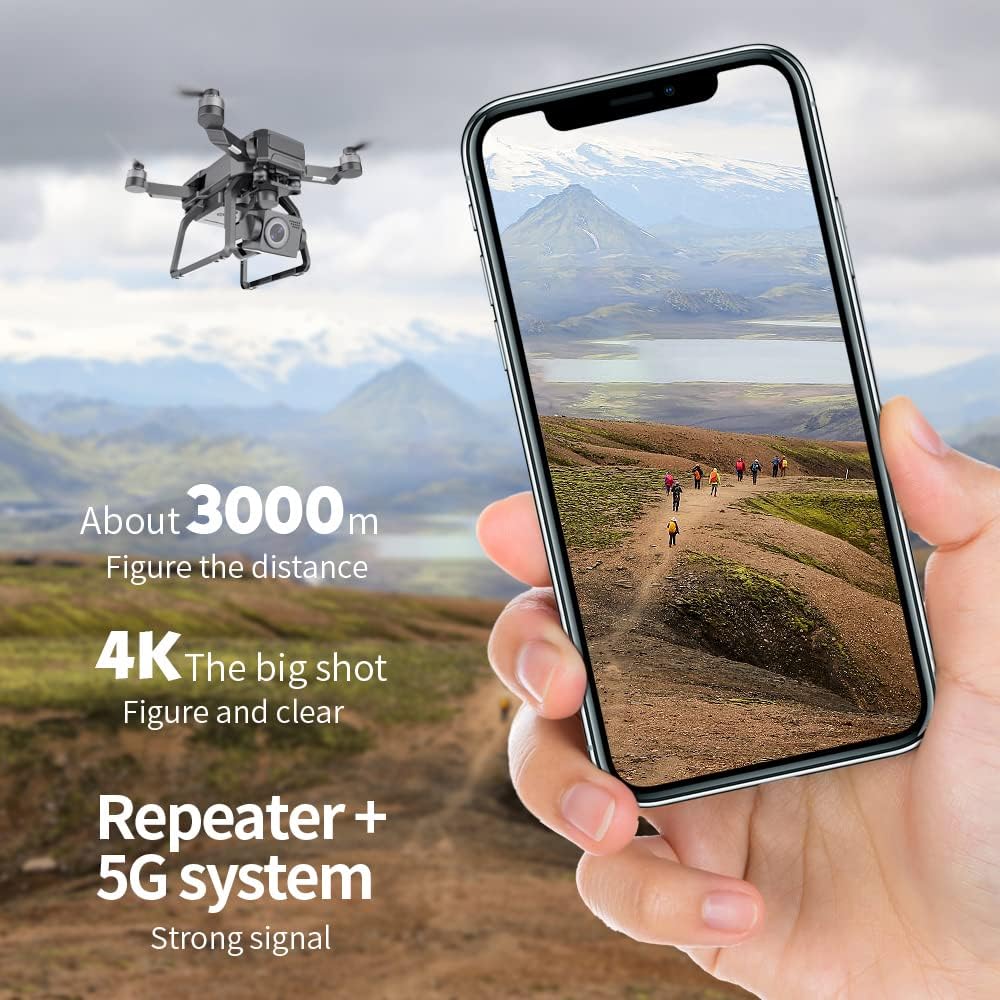
Image: Detailed view of the drone's three-axis mechanical stabilizing head with EIS (Electronic Anti-Shake) technology, highlighting its pitch, lateral, and direction capabilities.
Video: This video demonstrates the SJRC F7 PRO drone's 4K camera capabilities, showcasing stable footage with its 3-axis gimbal and electronic image stabilization, compared to an ordinary camera. It also highlights features like image zoom and gesture shooting, capturing various aerial views including boats, islands, and cityscapes.
5. Maintenance
5.1 Cleaning
Regularly clean the drone body, camera lens, and propellers with a soft, dry cloth. Avoid using liquid cleaners directly on electronic components.
5.2 Propeller Inspection
Inspect propellers for cracks, bends, or other damage before each flight. Replace damaged propellers immediately using the provided spare parts.
5.3 Battery Care
- Store batteries in a cool, dry place.
- Do not overcharge or over-discharge batteries.
- If storing for extended periods, charge batteries to approximately 50-60%.
6. Troubleshooting
| Problem | Possible Cause | Solution |
|---|---|---|
| Drone does not power on. | Low battery; Battery not properly inserted. | Charge the battery; Reinsert battery securely. |
| Poor video transmission. | Weak Wi-Fi signal; Interference. | Ensure drone is within range; Avoid areas with strong interference. |
| Drone drifts during flight. | Improper calibration; Strong winds. | Perform IMU and compass calibration; Fly in calm conditions. |
| GPS signal not acquired. | Flying indoors; Obstructions. | Fly in an open outdoor area; Wait for more satellites to connect. |
7. Specifications
| Feature | Detail |
|---|---|
| Model Name | F7 PRO |
| Camera | 4K HD with 3-Axis Gimbal |
| Video Capture Resolution | 4K |
| Effective Still Resolution | 8 MP |
| Max Range | 3000 Meters (3KM) |
| Battery Capacity | 2000 Milliamp Hours |
| Flight Time | Approximately 25 minutes |
| Connectivity | USB, 5G WiFi (for video transmission) |
| Special Features | Portable, Integrated GPS, High Sensitivity Sensor, Foldable, Long Battery Life, Auto-landing, One-button return |
| Skill Level | Intermediate |
| Item Weight | 3.5 pounds |
| Dimensions | 13.5 x 11.8 x 7.8 inches (Package) |

Image: The SJRC F7 PRO drone in flight over a green landscape, highlighting its approximately 25 minutes of endurance time.
8. Warranty and Support
For warranty information and technical support, please refer to the manufacturer's official website or contact your retailer.
The product comes with standard manufacturer warranty. Please retain your proof of purchase for any warranty claims.
For customer service, you may contact the seller Yoo Fancy via Amazon.
Related documentsF7 PRO


Ask a question about this manual
Ask about setup, troubleshooting, compatibility, parts, safety, or missing instructions. Manuals+ will review the question and use this page’s manual context to help answer it.