
Introduction
This manual provides essential information for the safe and efficient use of your SHARP 24EA4E 24-inch HD-Ready LED TV. Please read these instructions thoroughly before operating the television and retain them for future reference. This television is designed for use in living rooms, bedrooms, or guest rooms, offering an elegant design and intuitive operation.
Package Contents
Before beginning installation, ensure all items listed below are present in your package:
- SHARP 24EA4E LED TV Unit
- Remote Control
- 2 x AAA Batteries (for remote control)
- TV Stand Installation Kit
- Quick Start Guide

Image: SHARP 24EA4E LED TV with its included stand.
Setup
1. Physical Installation
Your television can be placed on a flat surface using the included stand or mounted on a wall using a VESA-compatible bracket (not included). The VESA standard for this model is 100 x 100 mm.
- Stand Installation: Carefully attach the TV stand to the bottom of the television using the screws provided in the installation kit. Ensure the stand is securely fastened before placing the TV on a stable surface.
- Wall Mounting: If wall mounting, refer to the instructions provided with your VESA 100 x 100 mm wall mount bracket. Ensure proper ventilation around the TV.

Image: Side view of the SHARP 24EA4E LED TV, illustrating the stand attachment.
2. Connecting External Devices
The SHARP 24EA4E offers various connection options for your external devices:
- HDMI Ports (x2): Connect Blu-Ray players, game consoles, satellite boxes, or other HDMI-enabled devices.
- USB Port (x1): For playing media (music, movies, photos) from USB storage devices.
- SCART Input: For connecting older devices.
- Satellite Input (DVB-S/S2): Connect your satellite dish.
- RF Input (DVB-T/T2/C): Connect your terrestrial antenna or cable TV.
- Headphone Jack (3.5mm Audio): For private listening.
- CI Port: For Conditional Access Modules (CAM) to decrypt encrypted channels.
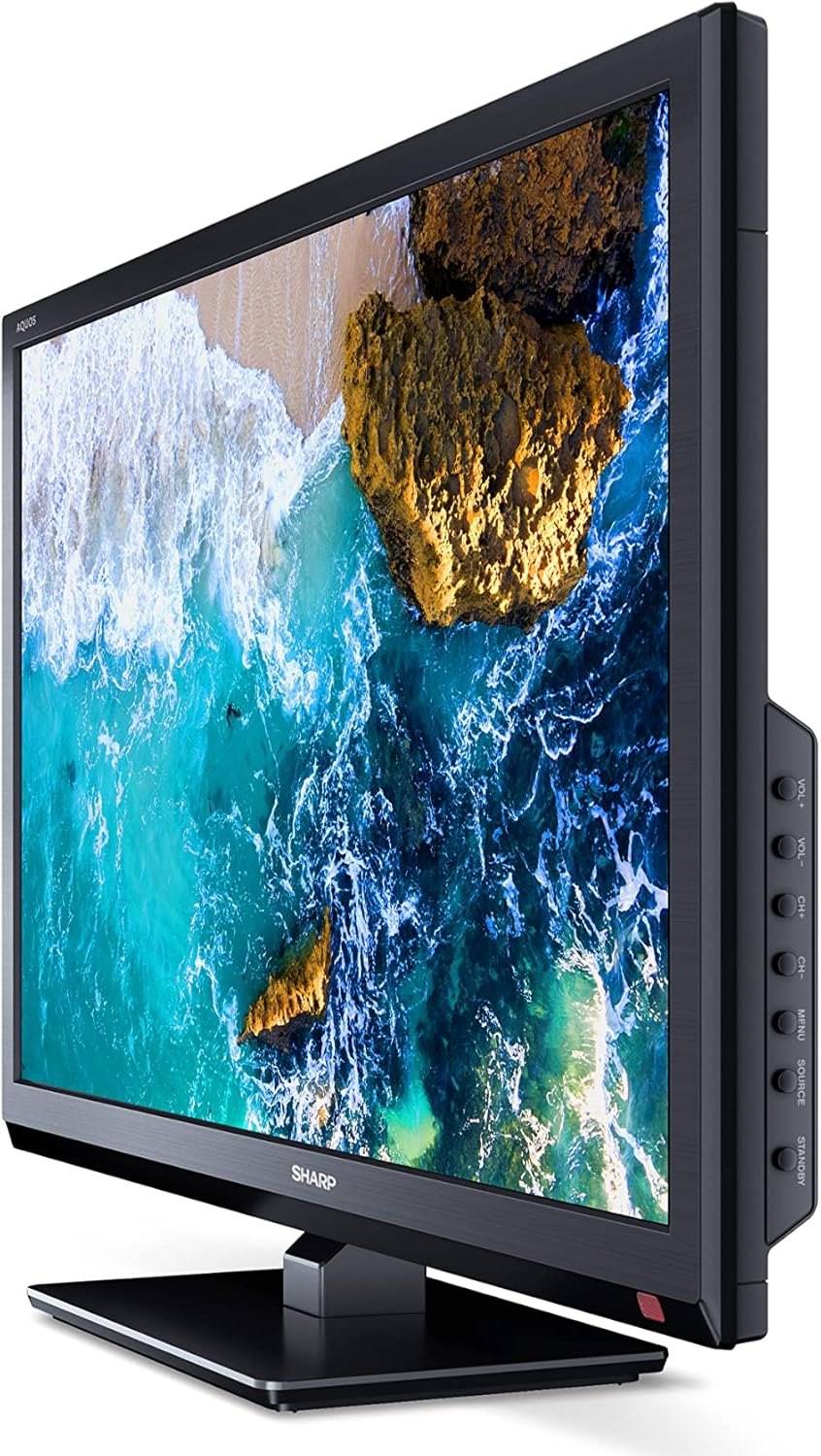
Image: Side view of the SHARP 24EA4E LED TV, highlighting the various input ports.
After connecting all desired devices, plug the TV's power cord into a suitable electrical outlet (220V).
Operating Instructions
1. First-Time Setup and Channel Scan
Upon first power-on, the TV will guide you through an initial setup process. Follow the on-screen prompts to select your language, country, and perform a channel scan for DVB-T/T2 (terrestrial), DVB-C (cable), or DVB-S/S2 (satellite) signals.
2. Remote Control Functions
The included infrared remote control allows full operation of your TV. Insert the 2 AAA batteries into the remote control, ensuring correct polarity.
- Power Button: Turns the TV on or off.
- Channel Buttons (CH+/-): Changes channels.
- Volume Buttons (VOL+/-): Adjusts the volume level.
- Source Button: Selects input sources (HDMI, AV, USB, TV).
- Menu Button: Accesses the TV's main menu for settings adjustments.
- Navigation Buttons: Used to navigate menus and select options.
- OK Button: Confirms selections.
- Exit Button: Exits menus.
- Numeric Buttons (0-9): Direct channel selection.

Image: Side view of the SHARP 24EA4E LED TV, showing the physical control buttons on the side panel.
3. Media Playback via USB
You can play various media files directly from a USB storage device:
- Insert your USB drive into the USB port on the TV.
- Select the USB input source using the remote control's Source button.
- Navigate through the files and folders using the remote control and select the desired media (music, video, or photo) to play.
Maintenance
To ensure the longevity and optimal performance of your SHARP 24EA4E TV, follow these maintenance guidelines:
- Cleaning the Screen: Gently wipe the screen with a soft, lint-free cloth. For stubborn marks, slightly dampen the cloth with water or a specialized screen cleaner. Never spray liquid directly onto the screen.
- Cleaning the Cabinet: Use a soft, dry cloth to wipe the TV cabinet. Avoid using abrasive cleaners or solvents.
- Ventilation: Ensure the ventilation openings on the back of the TV are not blocked to prevent overheating.
- Power Cord: Regularly check the power cord for any damage. If damaged, contact qualified service personnel for replacement.
Troubleshooting
If you encounter issues with your TV, refer to the following common troubleshooting steps:
| Problem | Possible Solution |
|---|---|
| No power | Check if the power cord is securely plugged into both the TV and the wall outlet. Ensure the wall outlet is functional. |
| No picture, but sound is present | Check the input source selection. Ensure external devices are powered on and connected correctly. |
| No sound, but picture is present | Check the volume level and mute status. Ensure audio cables are connected correctly for external devices. |
| Poor picture quality | Check antenna/cable connections. Adjust picture settings in the TV menu. For external devices, check their output resolution. |
| Remote control not working | Replace the AAA batteries. Ensure there are no obstructions between the remote and the TV's IR sensor. |
If the problem persists after trying these solutions, please contact SHARP customer support.
Specifications
Key technical specifications for the SHARP 24EA4E LED TV:
- Model: 24EA4E
- Display Technology: LED
- Screen Size: 24 inches (60 cm diagonal)
- Resolution: 1366 x 768 pixels (HD Ready)
- Aspect Ratio: 16:9
- Refresh Rate: 60 Hz (Active Motion 100)
- Contrast Ratio: 100000:1
- Response Time: 8 milliseconds
- Viewing Angle: 178 degrees
- Audio Output: 2 x 5W speakers, Dolby Digital, Dolby Digital Plus, Surround Sound
- Tuner Technology: DVB-T/T2 (Terrestrial), DVB-C (Cable), DVB-S/S2 (Satellite) - MPEG4 + HEVC/H.265 (10-bit)
- Connectivity: 2 x HDMI, 1 x USB, 1 x SCART, RF Input, Satellite Input, 3.5mm Audio (Headphone Jack), CI Port
- Operating System: Linux
- Power Consumption: 17 Watts (in SDR mode)
- Voltage: 220V
- Dimensions (with stand): 56 cm (W) x 38.5 cm (H) x 14 cm (D)
- Weight: 3.8 kg
- VESA Standard: 100 x 100 mm

Image: Diagram showing the dimensions of the SHARP 24EA4E LED TV.
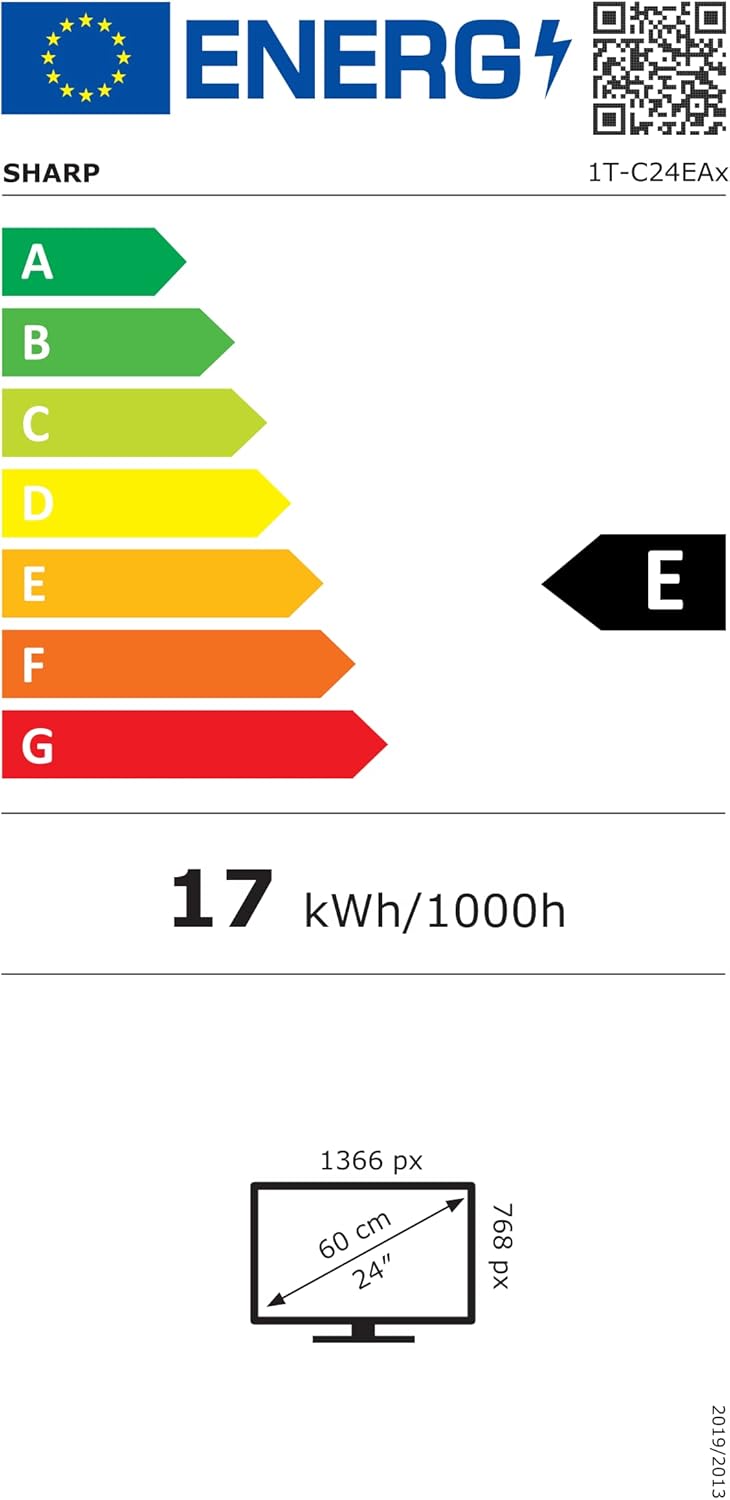
Image: EU Energy Label for the SHARP 24EA4E LED TV, indicating Energy Class E and 17 kWh/1000h consumption.
For more detailed product information, refer to the official EU EPREL database: https://eprel.ec.europa.eu/qr/1242293
Warranty and Support
Your SHARP 24EA4E LED TV comes with a manufacturer's warranty. The minimum guaranteed product support is 2 years, and the minimum guaranteed availability of spare parts is 8 years from the date of market introduction.
For warranty claims, technical assistance, or further support, please contact your retailer or visit the official SHARP support website. Keep your proof of purchase for warranty validation.


