Introduction
The Pure Evoke Home is a versatile all-in-one stereo music system designed to provide a rich audio experience in any home environment. This compact system integrates multiple audio sources, including DAB+/FM radio, Internet radio, podcasts, Spotify Connect, Bluetooth, and a CD player, offering a comprehensive solution for your listening needs.
Key features include:
- Integrated CD drive for playing your favorite discs.
- Modern and elegant design that complements various interiors.
- Bluetooth and Spotify Connect for seamless streaming from compatible devices.
- Compact form factor, suitable for placement in diverse spaces like home offices, bathrooms, or kitchens.
- Foldable colour display for intuitive navigation and information display.
Setup
1. Unpacking and Placement
Carefully remove the Pure Evoke Home system and all accessories from the packaging. Ensure all components listed in the packing contents are present. Place the unit on a stable, flat surface, away from direct sunlight, heat sources, and excessive moisture. Allow adequate ventilation around the unit.
Included accessories:
- Owner's Manual
- Remote Control
- Power Cable
2. Connecting Power
Connect the supplied power cable to the AC input on the rear of the Pure Evoke Home. Plug the other end into a suitable mains power outlet (240 Volts). The unit will enter standby mode or power on automatically.

Figure 1: Rear view of the Pure Evoke Home, illustrating the power input, antenna connection, and other ports for external devices.
3. Initial Setup and Network Connection
Upon first power-on, the system will guide you through an initial setup wizard. This typically includes:
- Language Selection: Choose your preferred language for the display menus.
- Network Setup: Connect the unit to your Wi-Fi network. Select your network from the list and enter the password using the on-screen keyboard and navigation controls. A stable Wi-Fi connection is essential for Internet Radio, Podcasts, and Spotify Connect functionality.
- Time and Date: The system may automatically set the time and date via the internet or DAB signal. If not, you can set it manually.

Figure 2: Front view of the Pure Evoke Home, highlighting the foldable color display and front panel controls, used for navigation during setup and operation.
Operating Instructions
1. General Controls
The Pure Evoke Home features intuitive controls on its top panel and a comprehensive remote control. The foldable color display provides visual feedback and navigation.
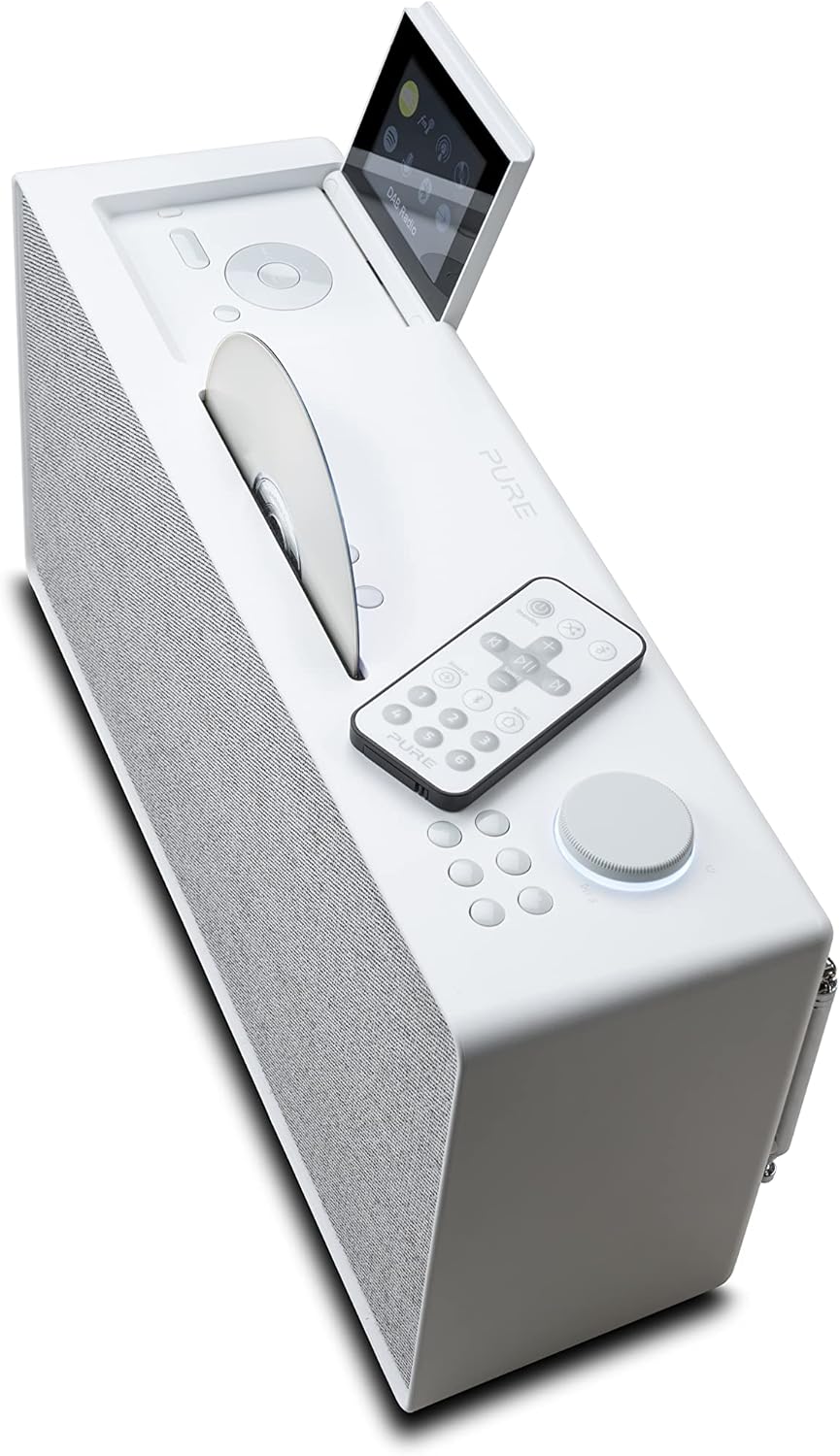
Figure 3: Angled top view of the Pure Evoke Home, illustrating the remote control, the CD loading slot, and the various control buttons on the top panel.
- Power Button: Located on the top panel, press to turn the unit on or off (standby).
- Rotary Dial: Used for volume control, navigating menus, and selecting options. Press to confirm selection.
- Function Buttons: Dedicated buttons for source selection (DAB, FM, Internet Radio, CD, Bluetooth, Aux-in) and menu navigation.
- Remote Control: Provides full control over all functions from a distance.
2. Radio Functions (DAB+/FM/Internet Radio)
- DAB+/FM Radio: Extend the telescopic antenna on the rear of the unit for optimal reception. Select DAB+ or FM mode using the source button. Use the rotary dial or remote to scan for stations or tune manually.
- Internet Radio: Ensure the unit is connected to Wi-Fi. Select Internet Radio mode. Browse stations by genre, location, or search for specific stations.
- Podcasts: Access a wide range of podcasts through the Internet Radio menu.
- Presets: Save your favorite radio stations as presets for quick access. Refer to the on-screen menu for saving and recalling presets.
3. CD Playback
The Pure Evoke Home features a slot-loading CD drive. Gently insert a CD (CD-DA format supported) into the slot on the top of the unit with the label side facing up. The system will automatically detect the CD and begin playback. Use the play/pause, skip, and stop buttons on the unit or remote control.
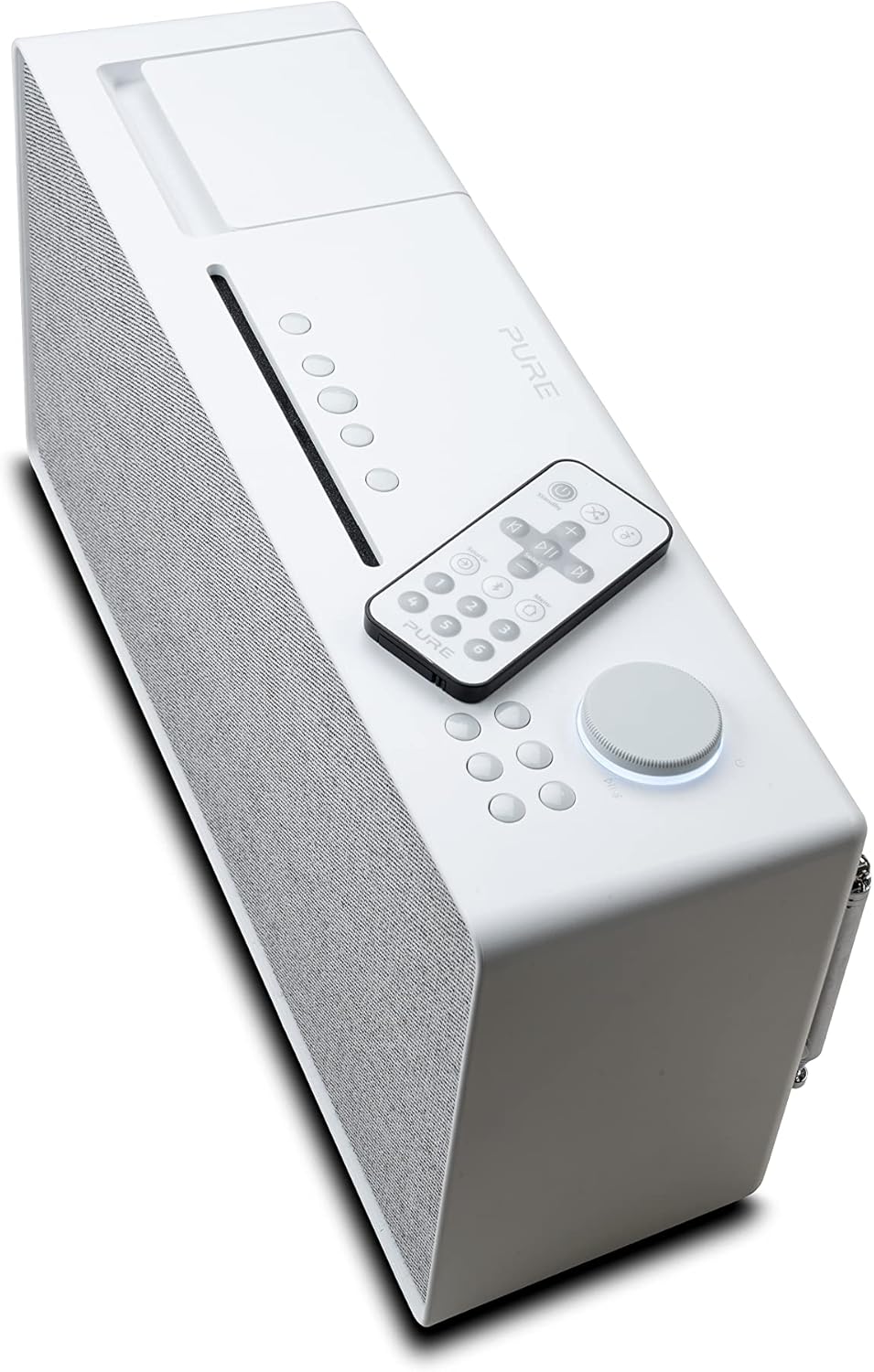
Figure 4: Top-down angled view of the Pure Evoke Home, clearly showing the CD loading slot and the placement of the remote control on the unit's surface.
4. Bluetooth Connectivity
To stream audio wirelessly from your smartphone or other Bluetooth-enabled device:
- Select Bluetooth mode on the Pure Evoke Home. The display will indicate "Pairing" or "Ready to connect".
- On your smartphone, enable Bluetooth and search for available devices.
- Select "Pure Evoke Home" from the list of devices.
- Once paired, audio from your device will play through the system.
5. Spotify Connect
Spotify Connect allows you to control your music playback on the Pure Evoke Home directly from the Spotify app on your smartphone or tablet. Ensure both your Pure Evoke Home and your device are connected to the same Wi-Fi network. Open the Spotify app, play a song, and select the "Devices Available" icon. Choose "Pure Evoke Home" from the list to transfer playback.
6. Auxiliary Input (3.5mm Audio)
Connect external audio devices (e.g., MP3 players, older smartphones) to the 3.5mm auxiliary input jack located on the rear of the unit. Select the Aux-in source on the Pure Evoke Home to listen to audio from the connected device.
Maintenance
1. Cleaning
To clean the Pure Evoke Home, disconnect it from the power supply. Use a soft, dry, lint-free cloth to wipe down the exterior surfaces. For stubborn marks, slightly dampen the cloth with water, but avoid using abrasive cleaners, waxes, or solvents as these can damage the finish. Do not spray cleaning liquids directly onto the unit.
2. Display Care
The foldable color LCD display should be cleaned with a soft, dry microfiber cloth. Avoid pressing firmly on the screen or using chemical cleaners, which can scratch or damage the display surface.
3. CD Drive Care
Handle CDs by their edges to avoid fingerprints and scratches. Keep the CD slot free of dust and debris. Do not insert anything other than standard audio CDs into the drive.
Troubleshooting
This section addresses common issues you might encounter with your Pure Evoke Home. If the problem persists after trying these solutions, please refer to the support section.
| Problem | Possible Cause | Solution |
|---|---|---|
| No power | Power cable not connected; Power outlet not active. | Ensure power cable is securely connected to the unit and a working power outlet. Try a different outlet. |
| No sound | Volume too low; Mute activated; Incorrect source selected. | Increase volume. Check if mute is active. Verify the correct audio source (DAB, FM, CD, Bluetooth, Aux) is selected. |
| Poor radio reception | Antenna not extended; Weak signal; Interference. | Fully extend the telescopic antenna. Reposition the unit for better signal. Move away from other electronic devices that may cause interference. |
| Cannot connect to Wi-Fi | Incorrect password; Router issues; Unit too far from router. | Double-check Wi-Fi password. Restart your Wi-Fi router. Move the unit closer to the router or consider a Wi-Fi extender. |
| Bluetooth pairing issues | Device not in pairing mode; Already connected to another device. | Ensure the Pure Evoke Home is in Bluetooth pairing mode. Disconnect from any other Bluetooth devices. Try restarting both the Pure Evoke Home and your Bluetooth device. |
| CD not playing | CD inserted incorrectly; Damaged CD; Non-audio CD. | Ensure the CD is inserted correctly (label side up). Check the CD for scratches or damage. Verify it is a standard audio CD (CD-DA). |
Specifications
| Feature | Detail |
|---|---|
| Brand | Pure |
| Model Name | Home |
| Model Number | 250562 |
| Manufacturer | Pure International Limited |
| Connectivity Technology | Bluetooth, Wi-Fi |
| Hardware Interface | Bluetooth, 3.5mm Audio |
| Tuner Technology | DAB+, FM |
| Compatible Devices | Smartphone |
| Display Type | LCD (Foldable Colour Display) |
| Audio Output Mode | Stereo |
| Supported Audio Formats | CD-DA |
| Speakers Maximum Output Power | 100 Watts |
| Power Source | Corded Electric |
| Voltage | 240 Volts |
| Frequency | 108 MHz (FM band) |
| Compatible Media Type | CD |
| Includes Remote | Yes |
| Product Dimensions (L x W x H) | 10.7 x 36.8 x 18.4 cm |
| Item Weight | 3.9 kg |
| Colour | Cotton White |
Warranty and Support
For detailed warranty information, please refer to the warranty card included with your product or visit the official Pure website. Warranty terms and conditions may vary by region.
If you require technical assistance or have questions not covered in this manual, please contact Pure customer support. Contact details can typically be found on the Pure website or in the product packaging.
For the latest information and support resources, please visit: www.pure.com


